XP-142E Operator's Guide-TUT-XP142-1.1E.pdf.pdf - 第51页
Point Parts are picked up by air suction. Because air is sucked through the nozzle, minute dust, glue particles, etc., can build up inside the nozzle tube causing clogging. Such clogging reduces the nozzle suction, causi…
Point
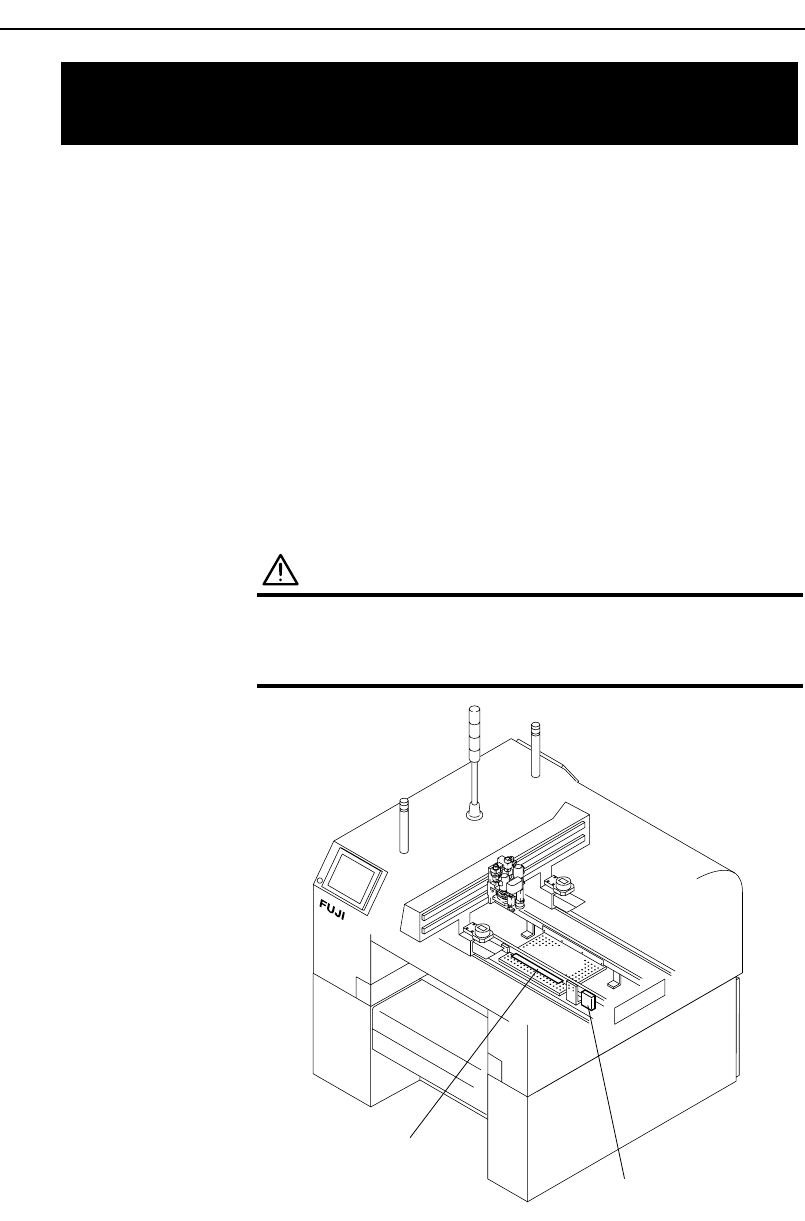
Parts that fail vision processing are placed in the parts reject box or parts
reject tray.
Note: When the parts reject tray becomes full, a message is displayed on the
operation screen. In this case empty the rejected parts from the tray.
Procedure
• Small parts are collected in the small parts reject box and should be
removed.
• Medium parts are placed on the medium size parts reject tray and should be
removed.
WARNING
Turn off the servo power by pushing the
EMERGENCY STOP button before performing this
procedure.
Small parts reject box
Medium parts reject tray
XP1MC202E
7.2 Emptying the Parts Reject Box and
Tray (Every Day)
Chapter 7: Maintenance
TUT-XP142-1.0E
7-3XP-142E Operator’s Guide
Point
Parts are picked up by air suction. Because air is sucked through the nozzle,
minute dust, glue particles, etc., can build up inside the nozzle tube causing
clogging. Such clogging reduces the nozzle suction, causing problems when
picking up parts. The nozzle tube should be cleaned out regularly, or if
clogging problems occur.
Procedure
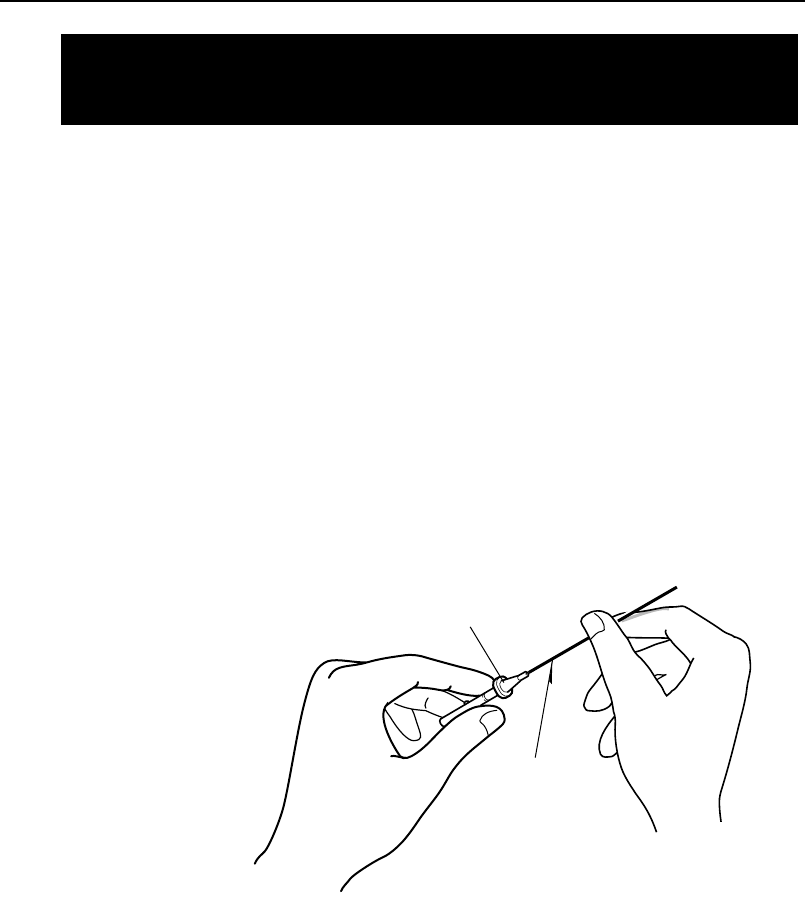
Use an appropriately sized drill bit to remove foreign matter from inside the
nozzle tube.
Conduct a nozzle size check ( [Production] - [Nozzle Editor] - [Size Check]).
If the nozzle is dirty the nozzle size check may fail. In this case, clean the
tip of the nozzle with a rag soaked in alcohol.
XP1MC203E
Nozzle
Drill bit
7.3 Cleaning the Nozzle Interior
(Every Week)
Chapter 7: Maintenance
TUT-XP142-1.0E
7-4 XP-142E Operator’s Guide
Point
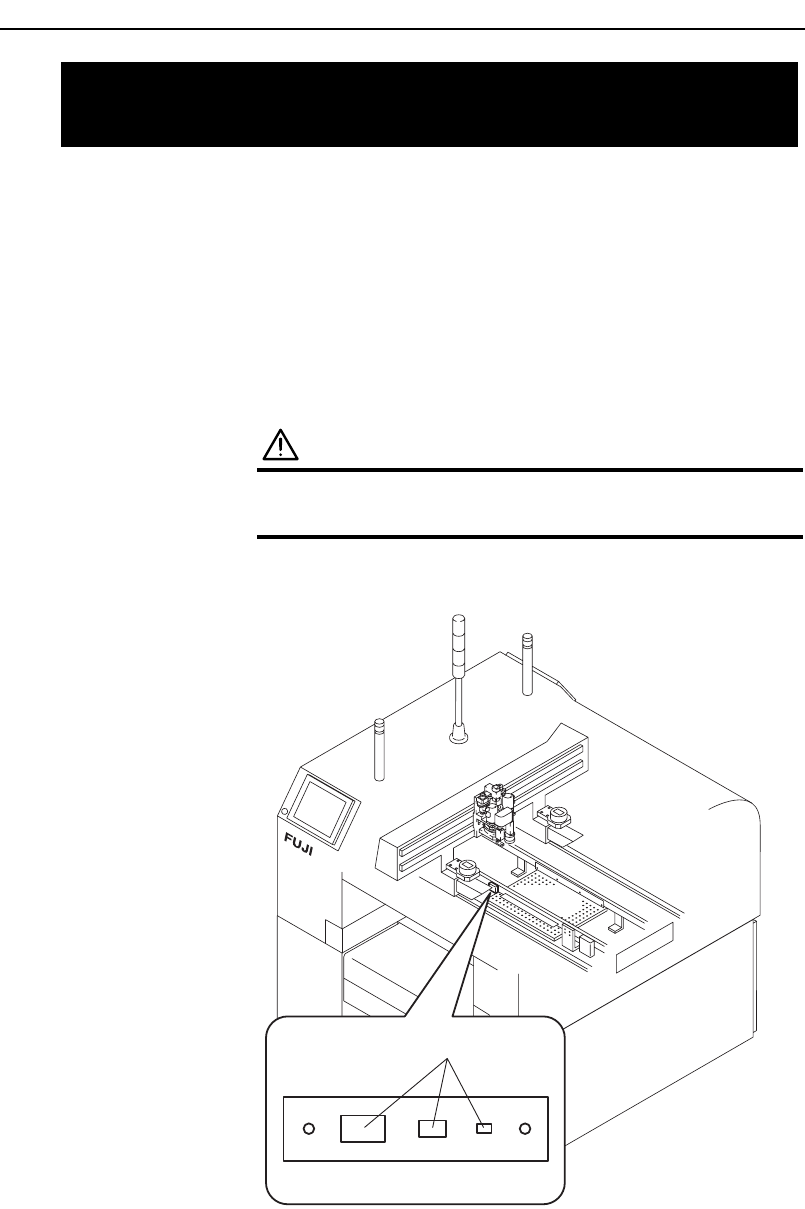
The gauge chip parts, which are used for nozzle rotation center
measurements and mount feedback corrections, are located in a prescribed
position, and should be cleaned regularly to ensure stable measurements and
corrections.
Procedure
WARNING
Turn off the main circuit breaker before performing
this procedure.
Wipe the surface with a soft brush (such as is used for camera lenses).
XP1MC204E
Gauge chip parts
7.4 Cleaning the Gauge Chip Parts
(Every Week)
Chapter 7: Maintenance
TUT-XP142-1.0E
7-5XP-142E Operator’s Guide