XP-142E Operator's Guide-TUT-XP142-1.1E.pdf.pdf - 第50页
Point Parts that fail vision processing are placed in the parts reject box or parts reject tray . Note: When the parts reject tray becomes full, a message is displayed on the operation screen. In this case empty the reje…
Point
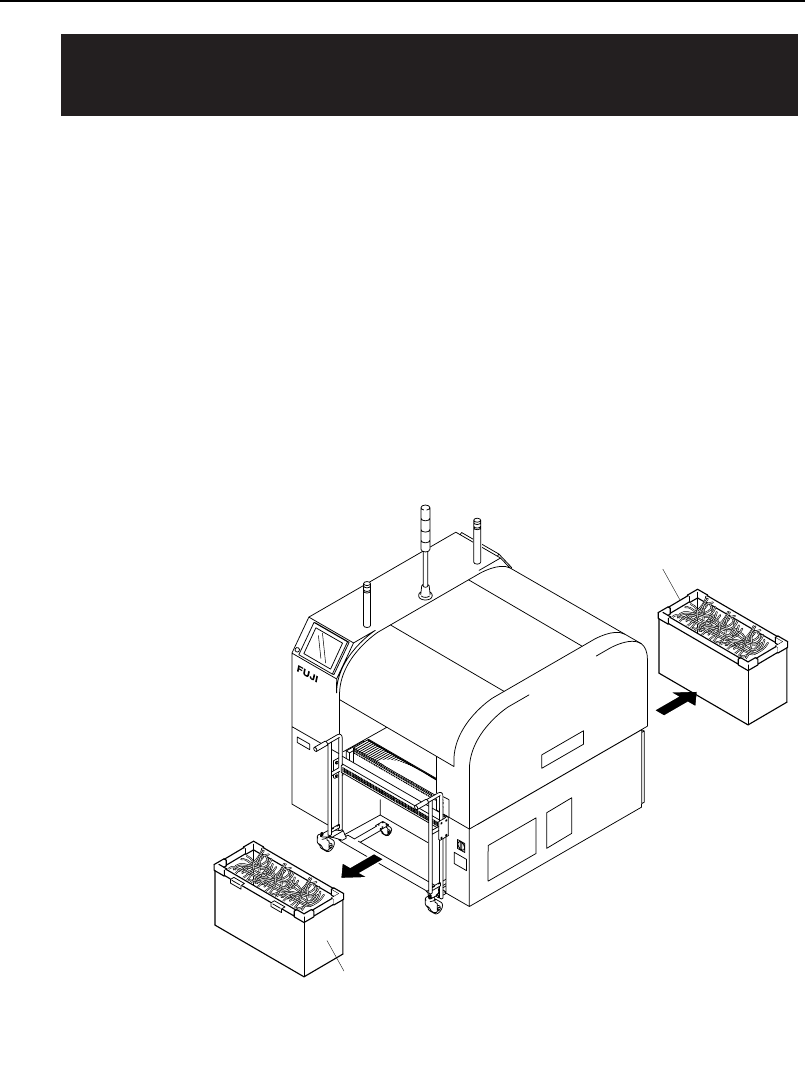
Remove tape that has built up during production in the waste tape box. This
refuse must be cleared to ensure it does not interfere with parts feeding.
If the machine has a waste tape cutter, a function to notify the operator when
the waste tape box is full can be enabled. Refer to the XP-142E System
Reference manual for details.
Procedure
Pull the waste tape boxes out, then discard the waste tape (empty the waste
tape boxes).
XP1MC201E
Waste tape box
Waste tape box
7.1 Emptying the Waste Tape Box
<if so equipped> (Every 8 Hours)
Chapter 7: Maintenance
TUT-XP142-1.0E
7-2 XP-142E Operator’s Guide
Point
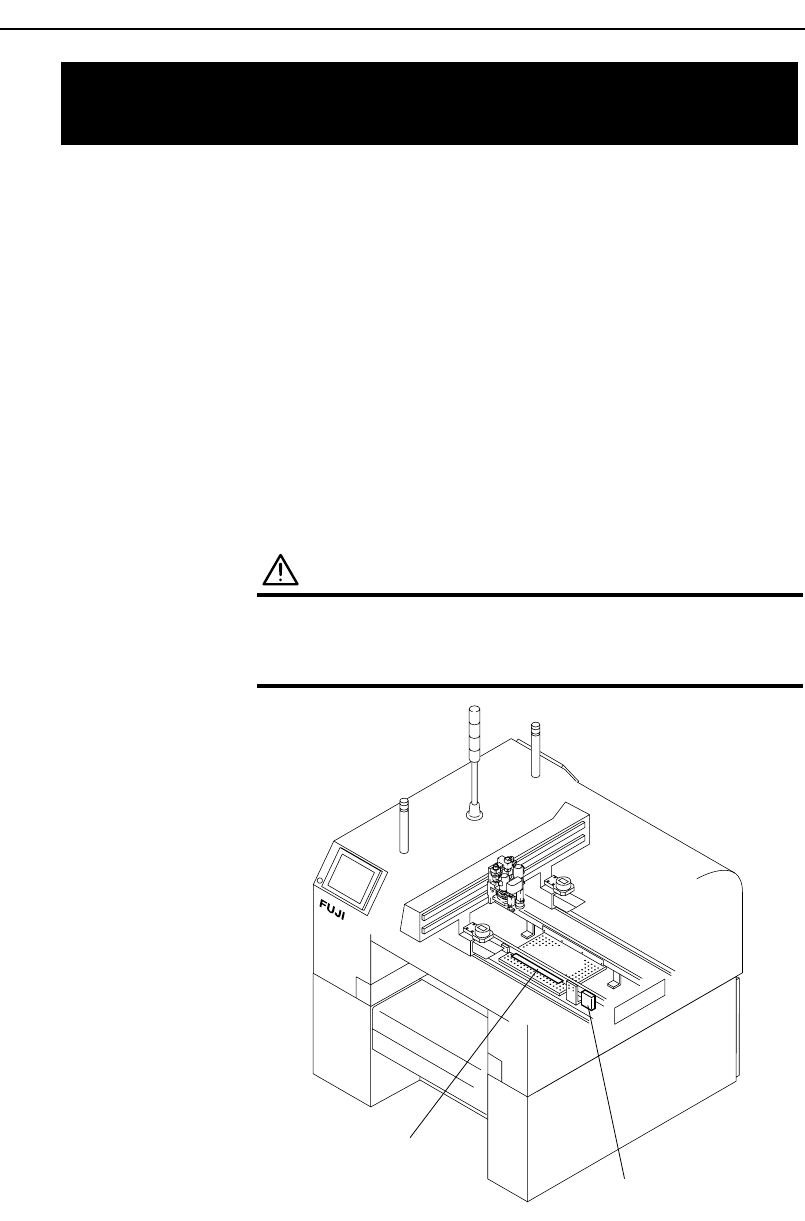
Parts that fail vision processing are placed in the parts reject box or parts
reject tray.
Note: When the parts reject tray becomes full, a message is displayed on the
operation screen. In this case empty the rejected parts from the tray.
Procedure
• Small parts are collected in the small parts reject box and should be
removed.
• Medium parts are placed on the medium size parts reject tray and should be
removed.
WARNING
Turn off the servo power by pushing the
EMERGENCY STOP button before performing this
procedure.
Small parts reject box
Medium parts reject tray
XP1MC202E
7.2 Emptying the Parts Reject Box and
Tray (Every Day)
Chapter 7: Maintenance
TUT-XP142-1.0E
7-3XP-142E Operator’s Guide
Point
Parts are picked up by air suction. Because air is sucked through the nozzle,
minute dust, glue particles, etc., can build up inside the nozzle tube causing
clogging. Such clogging reduces the nozzle suction, causing problems when
picking up parts. The nozzle tube should be cleaned out regularly, or if
clogging problems occur.
Procedure
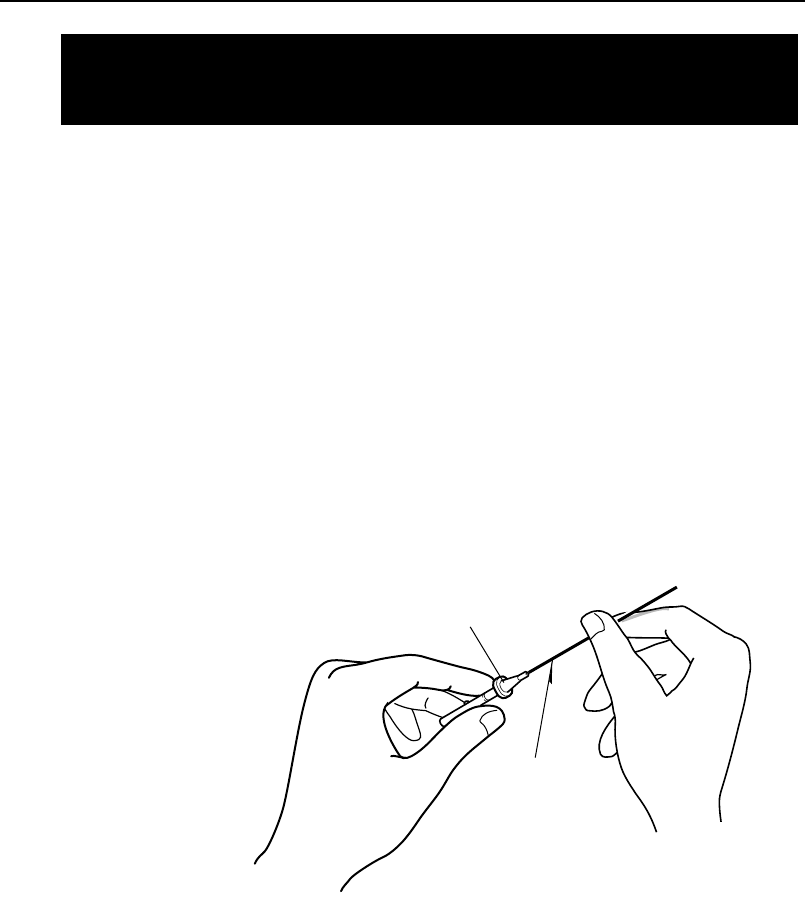
Use an appropriately sized drill bit to remove foreign matter from inside the
nozzle tube.
Conduct a nozzle size check ( [Production] - [Nozzle Editor] - [Size Check]).
If the nozzle is dirty the nozzle size check may fail. In this case, clean the
tip of the nozzle with a rag soaked in alcohol.
XP1MC203E
Nozzle
Drill bit
7.3 Cleaning the Nozzle Interior
(Every Week)
Chapter 7: Maintenance
TUT-XP142-1.0E
7-4 XP-142E Operator’s Guide