00197624-02_IM_708.1_DE_EN.pdf - 第35页
Station Software 708.1 / Installation Manual Ausgabe 05/2015 E dition 35 6.1 Welcome S creen Figure 6-2: Welcome screen ► Click the Next button. The necessary f iles are installed on the Coplan comput er. 6.2 Finalizing …
Station Software 708.1 / Installation Manual Ausgabe 05/2015 Edition
34
6 Installing the Coplan Computer Software
CAUTION
The station software must not run on the station computer during installation of the
Coplan computer software!
NOTICE
The installation requires approx. 20 minutes.
► Follow the instructions in the Assembly Instructions for the 3D Coplanarity Module, item no.
[00197395-xx].
► Log on to the Coplan computer under the ASM_Admin user account.
► Insert the installation DVD in the drive.
► Open the Explorer and start setup.exe under drive E: by double-clicking it.
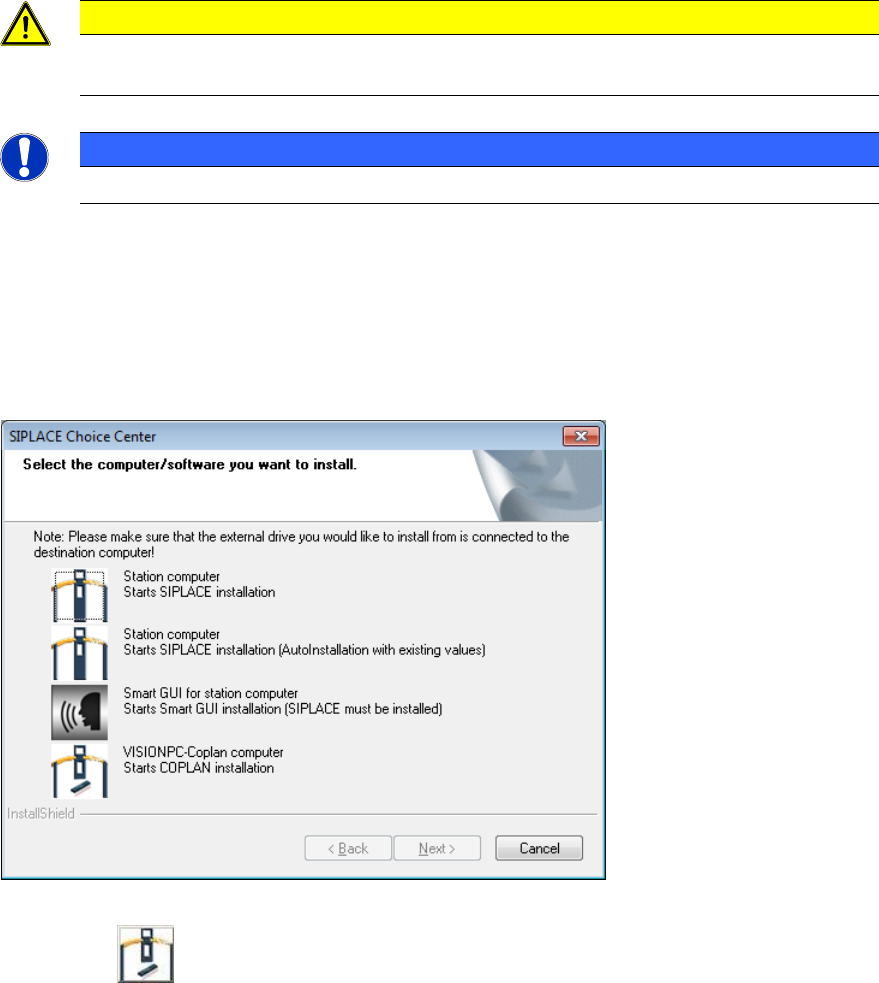
The SIPLACE Choice Center dialog box is opened.
Figure 6-1: "SIPLACE Choice Center" dialog box
► Click the VISIONPC Coplan computer button to install the Coplan computer software.
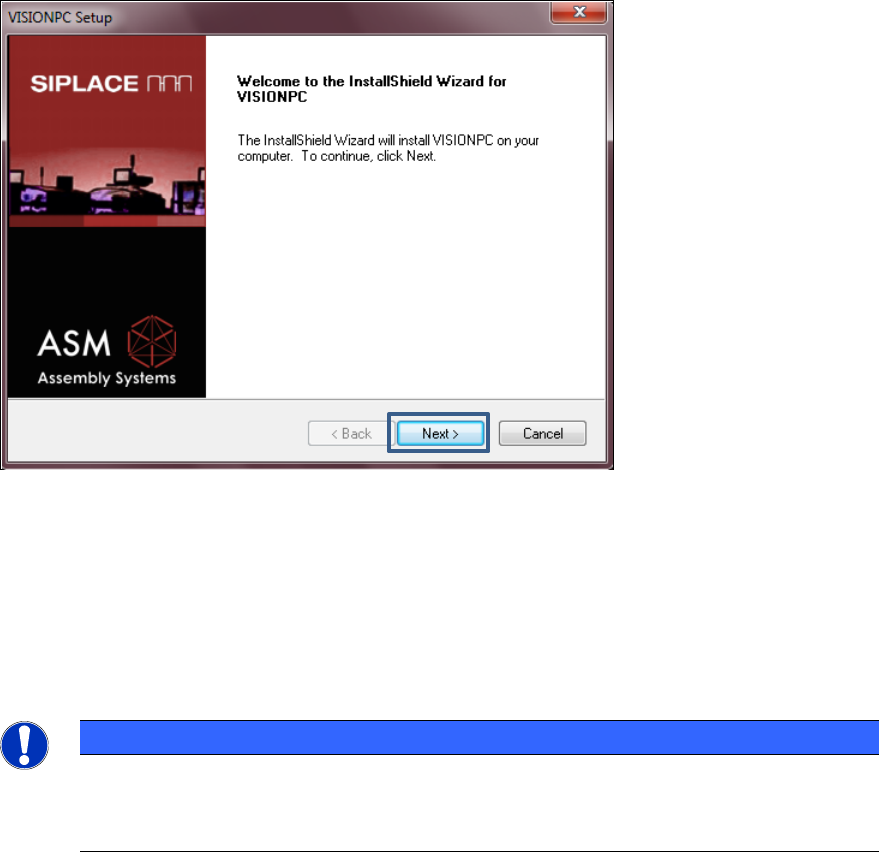
Installation of the Coplan computer software continues with the welcome screen.
Station Software 708.1 / Installation Manual Ausgabe 05/2015 Edition
35
6.1 Welcome Screen
Figure 6-2: Welcome screen
► Click the Next button.
The necessary files are installed on the Coplan computer.
6.2 Finalizing the Installation
NOTICE
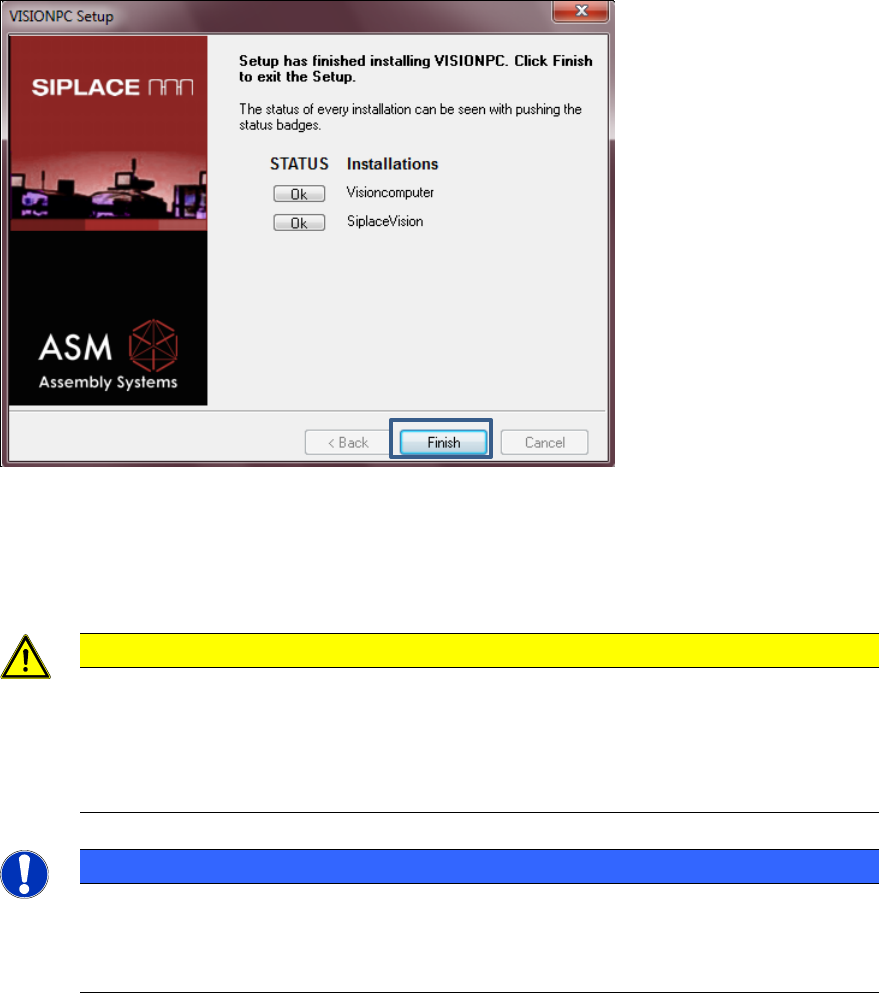
The status only lists the programs that have just been installed.
If errors occurred during installation, the status is indicated by the Error button being
displayed next to the program name instead of the Ok button.
► If you wish to read the log of the installation of any program, click the Ok (or Error) button next
to the name of the program. The Notepad is started and displays the appropriate file.
Station Software 708.1 / Installation Manual Ausgabe 05/2015 Edition
36
Figure 6-3: Finalizing the installation
► Click the Finish button.
► Follow the instructions in the Assembly Instructions for the 3D Coplanarity Module, item no.
[00197395-xx].
CAUTION
► Wait a few seconds after you have clicked the Finish button, before you shut down
and switch off the computer / the machine!
As some installation steps are not performed until the end of the installation by the
InstallShield, the installation might otherwise be incomplete, what may cause
problems during further installations.
NOTICE
To establish the connection between the SIPLACE Coplan computer software and the
SIPLACE station software after installation has been completed, the Coplan computer
and the machine computer must first be shut down and the machine must then be
switched off completely.
► To do this, open the Start menu and select All Programs – SIPLACE – Shutdown Vision_SR
(all).
► Switch the machine off when the computer systems have shut down.
► Switch the machine back on again. This then reboots the Coplan computer and the machine
computer.