00197624-02_IM_708.1_DE_EN.pdf - 第43页
Station Software 708.1 / Installation Manual Ausgabe 05/2015 E dition 43 7.3 SX1/SX2 (V2) P lacement M achine For the SX1/SX2 (V2) placeme nt machine the followi ng window is displ ayed, in which the Ma nual selection re…
Station Software 708.1 / Installation Manual Ausgabe 05/2015 Edition
42
7.2 X-Series S Placement Machines
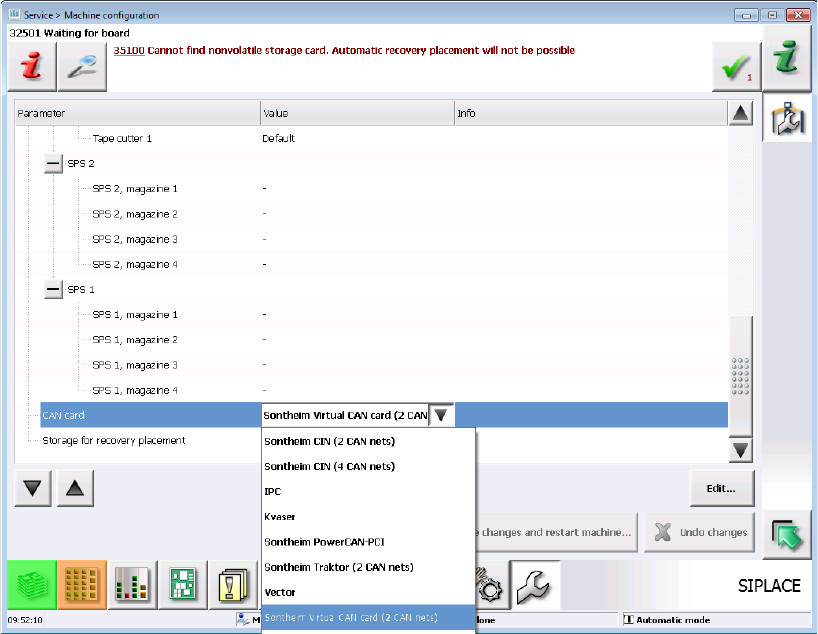
► When the X-Series S placement machines are booted for the first time you have to select the
CAN card (two or four CAN buses):
Figure 7-6: Select CAN card for X-Series S
7.2.1 X4i S Placement Machine
► When the X4i S placement machine is booted for the first time you have to select the following
options manually:
– If a TrayStak Feeder is used, this has to be defined for each location concerned in the
Auto-configuration.
– Table position (inner and outer)
Station Software 708.1 / Installation Manual Ausgabe 05/2015 Edition
43
7.3 SX1/SX2 (V2) Placement Machine
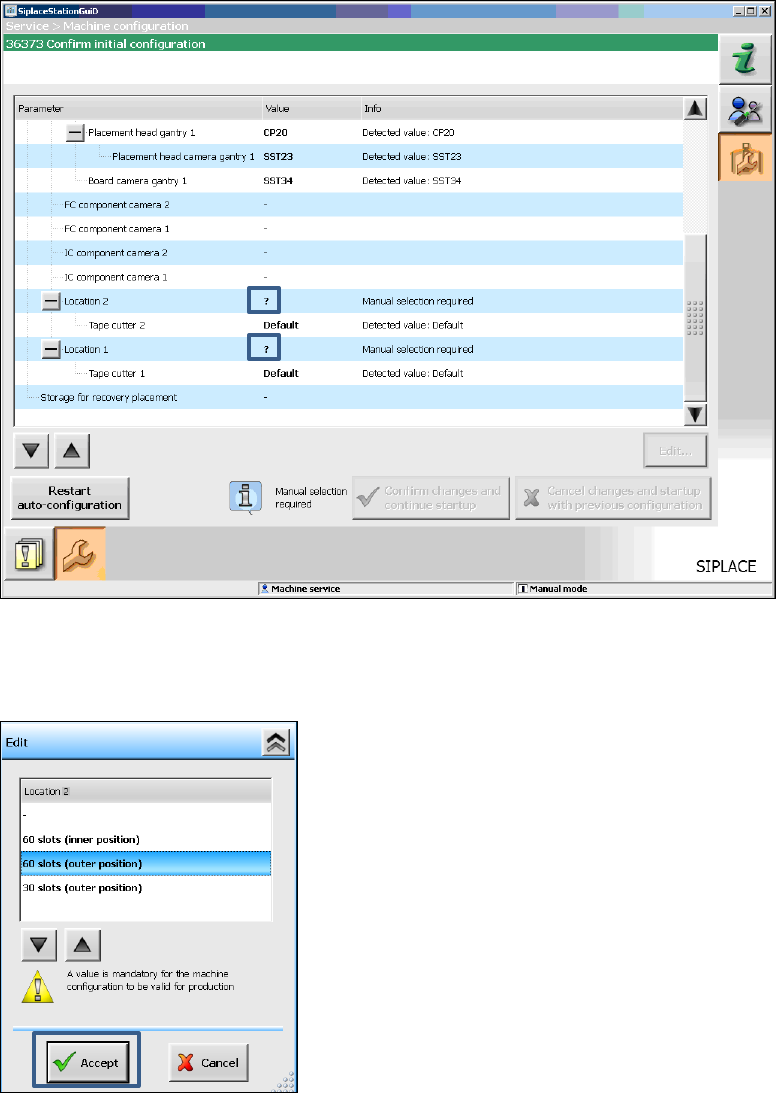
For the SX1/SX2 (V2) placement machine the following window is displayed, in which the Manual
selection required note informs, that the table configuration has to be selected manually, as this is
not detected automatically.
Figure 7-7: Selecting table configuration
► Click the ? question mark next to Location 2.
The selectable table configurations are displayed.
Figure 7-8: Possible table configurations
Station Software 708.1 / Installation Manual Ausgabe 05/2015 Edition
44
► Select a table configuration with or .
► Click the Accept button.
► Repeat the steps for Location 1.
Settings for manual tray Carrier SX
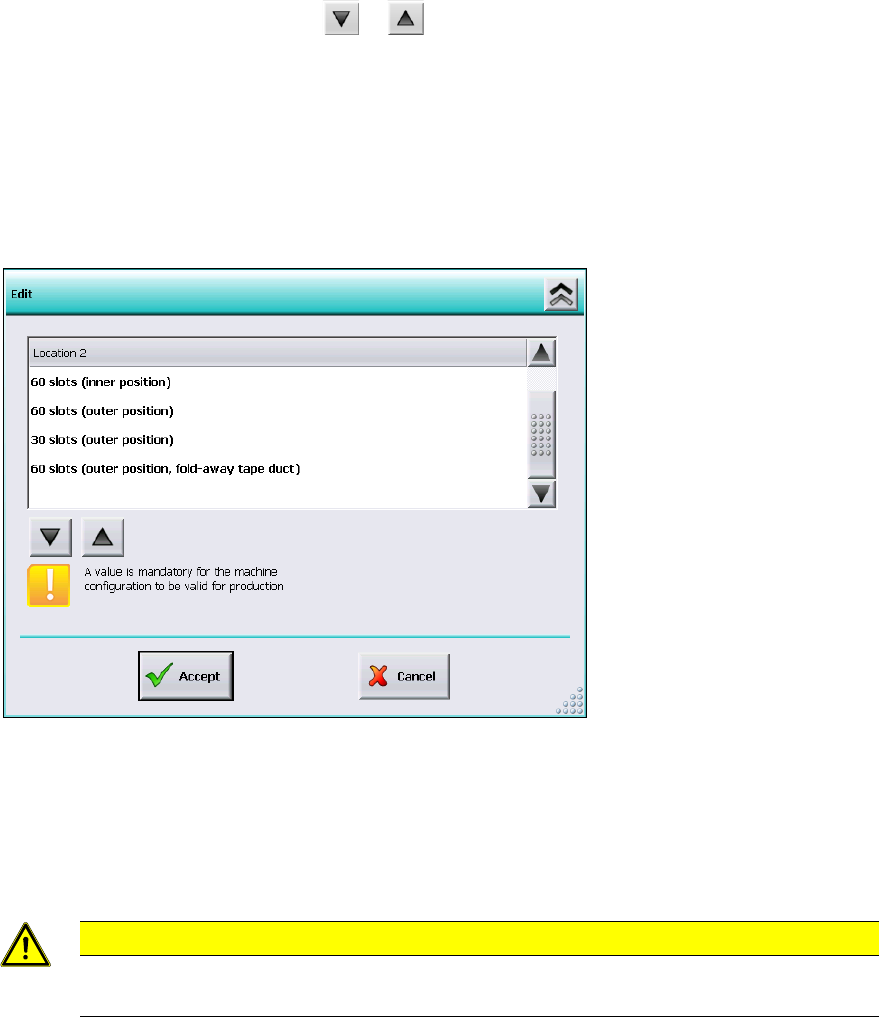
If the manual tray Carrier SX is used, the insert frame with the fold-away tape guide channel is
required. This has to be set manually. In this case, the following selectable table configurations are
displayed:
Figure 7-9: Settings for manual tray Carrier SX
► Select the 60 slots (outer position, fold-away tape duct) table configuration.
► Click the Accept button.
Thus, the 27x27 reject bin and the left reject channel on the location are excluded from the
configuration.
CAUTION
If this setting is not made, the component may be rejected over the tray and the Z axis
may dash hard against the tray.
► Repeat the steps for Location 1.