00197624-02_IM_708.1_DE_EN.pdf - 第40页
Station Software 708.1 / Installation Manual Ausgabe 05/2015 E dition 40 Required manual entries The entries to be selected manually in the Value column are tagged wit h a '?' (questi on mark). All these values…
Station Software 708.1 / Installation Manual Ausgabe 05/2015 Edition
39
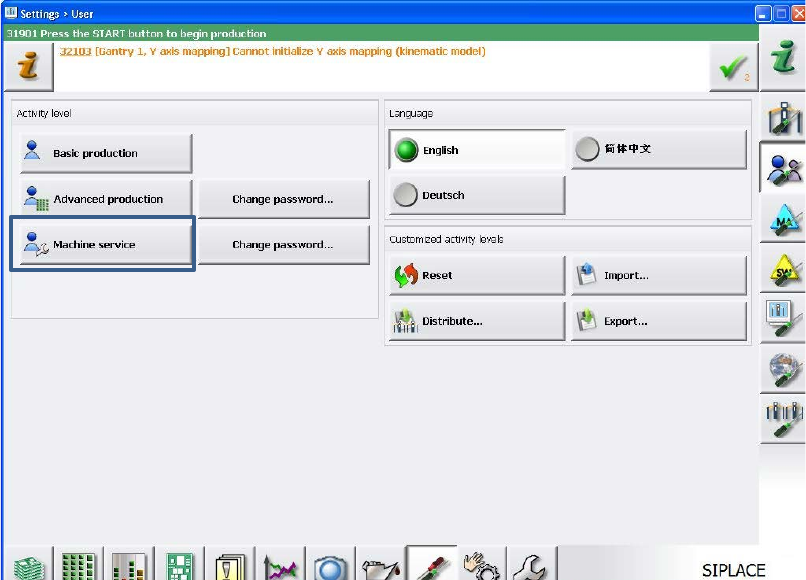
The user settings are displayed.
Figure 7-3: Changing activity level
► Click the Machine service button and enter the password to change into this activity level.
Station Software 708.1 / Installation Manual Ausgabe 05/2015 Edition
40
Required manual entries
The entries to be selected manually in the Value column are tagged with a '?' (question mark). All
these values have to be adapted before the auto configuration can be finished.
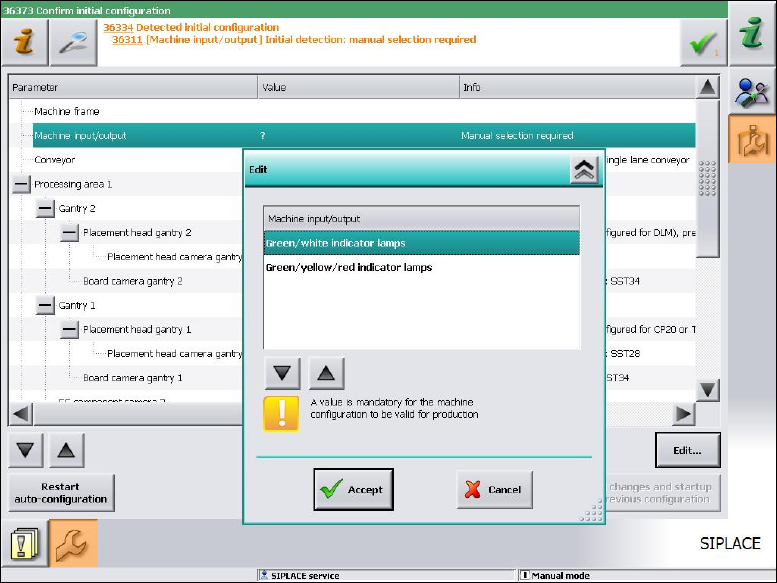
As of station software version 705.03 you will have to set, whether the lamp indicators on the
placement machine towers shall be displayed two-colored (green / white) or three-colored (green /
white / red) for all placement machines of the SX-series and DX-series. More information about the
two lamp indicator systems can be found in the version description of the 705.03 station software,
item number [00196770-01].
Figure 7-4: Setting lamp indicators
► Select the desired lamp indicators and click the Accept button.
Station Software 708.1 / Installation Manual Ausgabe 05/2015 Edition
41
7.1 X-Series Placement Machines
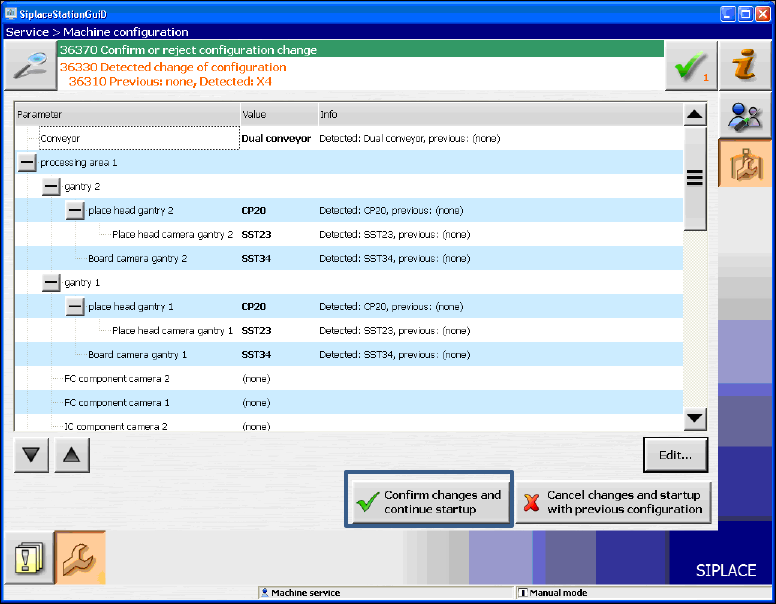
The following window is displayed for the X-series machines. Here you can edit, confirm or reject
the Auto-configuration.
Figure 7-5: Confirming Auto-configuration for X-series
► Click the Confirm changes and continue startup button to confirm the Auto-configuration.
► If the Coplan computer has been installed, you will additionally have to confirm or reject the 3-D
Coplan sensor.