00197624-02_IM_708.1_DE_EN.pdf - 第83页
Stationssoftw are 708.1 / Install ationsanleitung Ausgabe 05/ 2015 Editi on 33 5.5.1 Begrüßung Abbildung 5-15 : Begrüßung ► Klicken Sie auf die Schaltfl äche Next . Die erforderliche n Dateien werden i nstalliert. 5.5.2 …
Stationssoftware 708.1 / Installationsanleitung Ausgabe 05/2015 Edition
32
5.5 Installation der SIPLACE Smart GUI
Nachdem die Stationssoftware installiert wurde, kann die SIPLACE Smart GUI installiert werden.
Sollte die Stationssoftware vorher nicht installiert sein, wird eine entsprechende Fehlermeldung
ausgegeben
► Laden Sie das Installationsprogramm zu SIPLACE Smart GUI aus dem SIPLACE Software
Download Center herunter.
► Starten Sie die SmartGUI.exe mit einem Doppelklick.
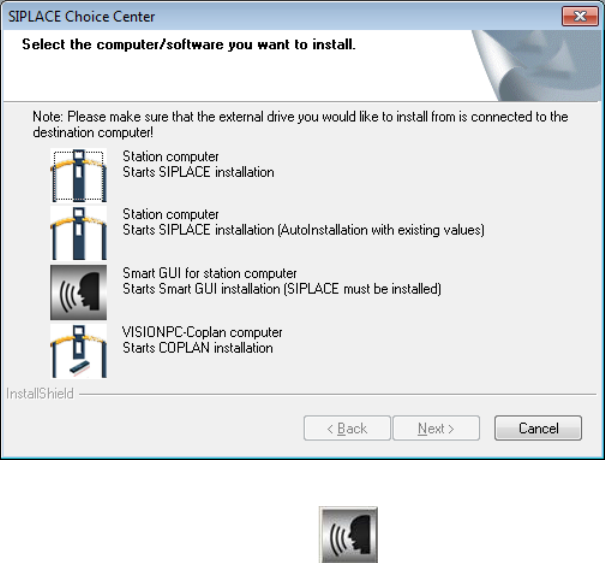
Der Dialog SIPLACE Choice Center wird geöffnet.
Abbildung 5-14: Dialog "SIPLACE Choice Center"
► Klicken Sie auf die Schaltfläche Smart GUI for station computer.
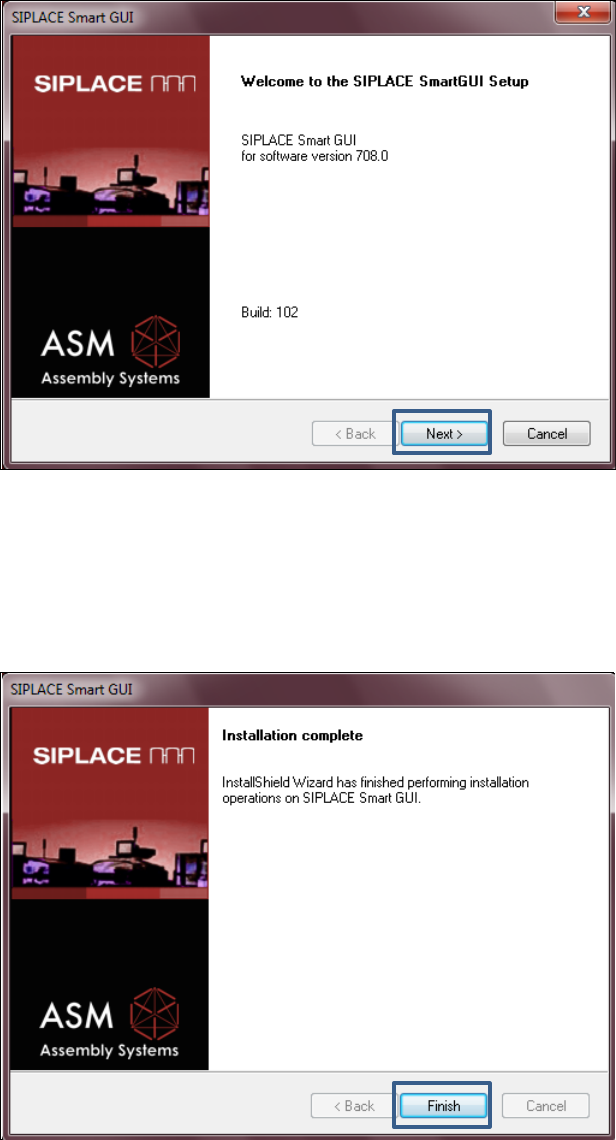
Die Installation der SIPLACE Smart GUI wird mit der Begrüßung fortgesetzt.
Stationssoftware 708.1 / Installationsanleitung Ausgabe 05/2015 Edition
33
5.5.1 Begrüßung
Abbildung 5-15: Begrüßung
► Klicken Sie auf die Schaltfläche Next.
Die erforderlichen Dateien werden installiert.
5.5.2 Abschluss der Installation
Abbildung 5-16: Abschluss der Installation
► Klicken Sie auf die Schaltfläche Finish.
Stationssoftware 708.1 / Installationsanleitung Ausgabe 05/2015 Edition
34
6 Installation der Koplanrechner-Software
VORSICHT
Die Stationssoftware darf nicht auf dem Stationsrechner laufen, während die
Koplanrechner-Software installiert wird!
HINWEIS
Die Installationsdauer beträgt ca. 20 Minuten.
► Folgen Sie den Anweisungen in der Montage-Anleitung zum 3D-Koplanmodul, Artikelnummer
[00197395-xx].
► Loggen Sie sich am Koplanrechner unter der Benutzerkennung ASM_Admin ein.
► Legen Sie die Installations-DVD in das Laufwerk ein.
► Öffnen Sie den Explorer und starten Sie unter Laufwerk E: die setup.exe mit Doppelklick.
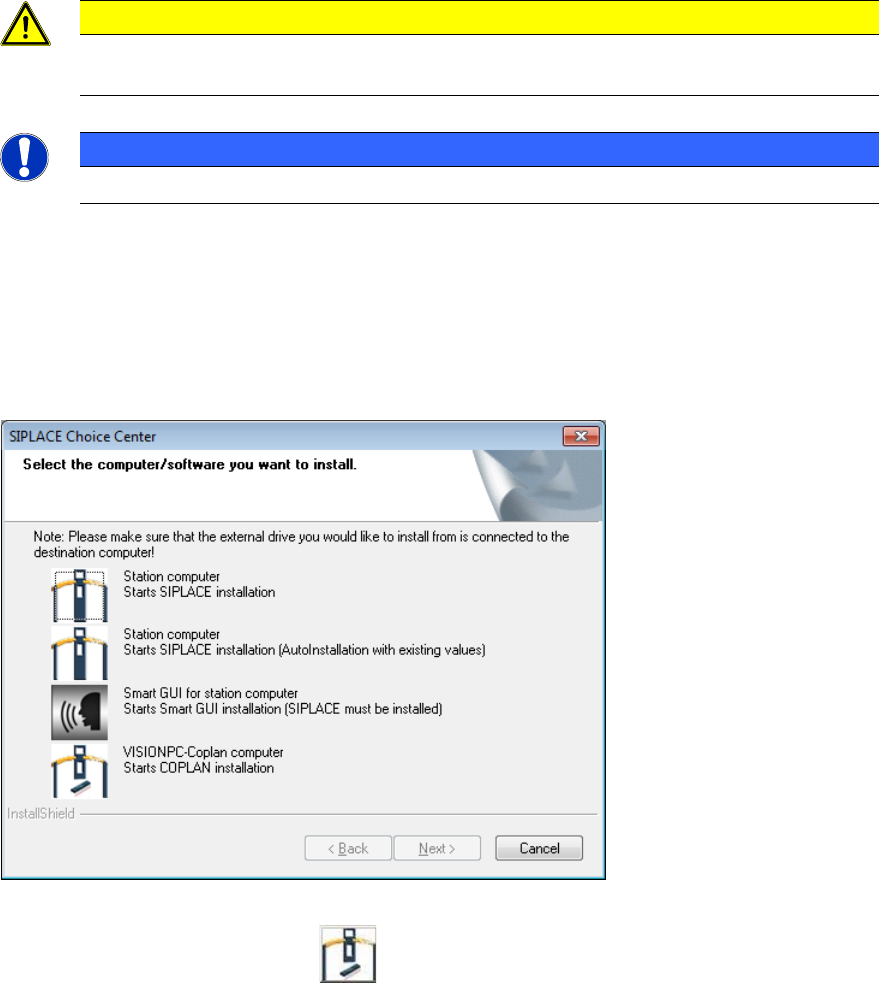
Der Dialog SIPLACE Choice Center wird geöffnet.
Abbildung 6-1: Dialog "SIPLACE Choice Center"
► Klicken Sie auf die Schaltfläche VISIONPC Coplan computer, um die Koplanrechner-
Software zu installieren.
Die Installation der Koplanrechner-Software wird mit der Begrüßung fortgesetzt.