Micron Technical Reference V9 Volume 4.pdf - 第153页
TRANSPORTATION - MAJOR RELOCATION DISMANTLING THE MACHINE Chapter Issue 2, Jul 16 Technical Reference Manual 43.13 DISMANTLING THE MACHINE T o ensure the machine is not damaged during transportation, carry out the follow…
TRANSPORTATION - MAJOR RELOCATION
TRANSIT BRACKET AND SCREW INSTALLATION
43.12 Technical Reference Manual Chapter Issue 2, Jul 16
12. Loosely attach the adaptor bracket (8) at each end of the front and rear
transit bracket (2) to the left and right printheads using an M5 cap head
screw (9) and an M5 washer (10).
13. Screw an M8 nut (3) and M8 washer (4) onto each of the four M8 chase
studs (1) and adjust so that the front and rear transit brackets are nipped
between the nuts and washers, ensuring that the chase is not lifted at this
time.
14. Fully tighten the M5 cap head screws (9) left loose in Step 12.
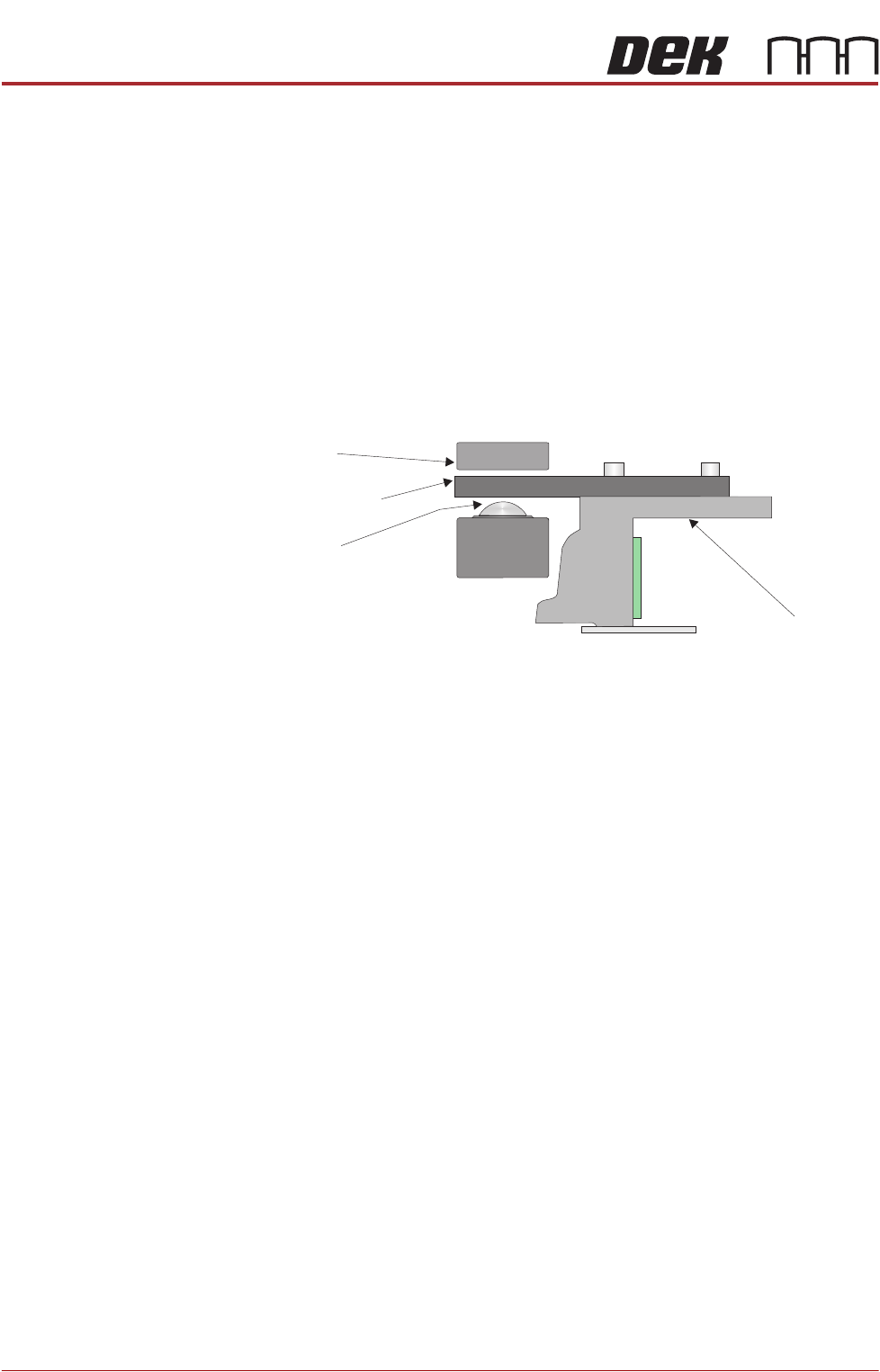
15. Slacken the M8 nuts (3) directly below the front and rear transit brackets (2).
16. Adjust the M8 nuts (3) above the front and rear transit brackets (2) to lift the
roller counter plates off the roller bearings (in all four positions), ensuring
that the roller counter plates are not touching the chase clamps.
17. Tighten the M8 nuts (3) directly below the front and rear transit brackets (2).
Chase
Chase Clamp
Roller Bearing
Roller Counter Plate
TRANSPORTATION - MAJOR RELOCATION
DISMANTLING THE MACHINE
Chapter Issue 2, Jul 16 Technical Reference Manual 43.13
DISMANTLING THE MACHINE
To ensure the machine is not damaged during transportation, carry out the
following procedures:
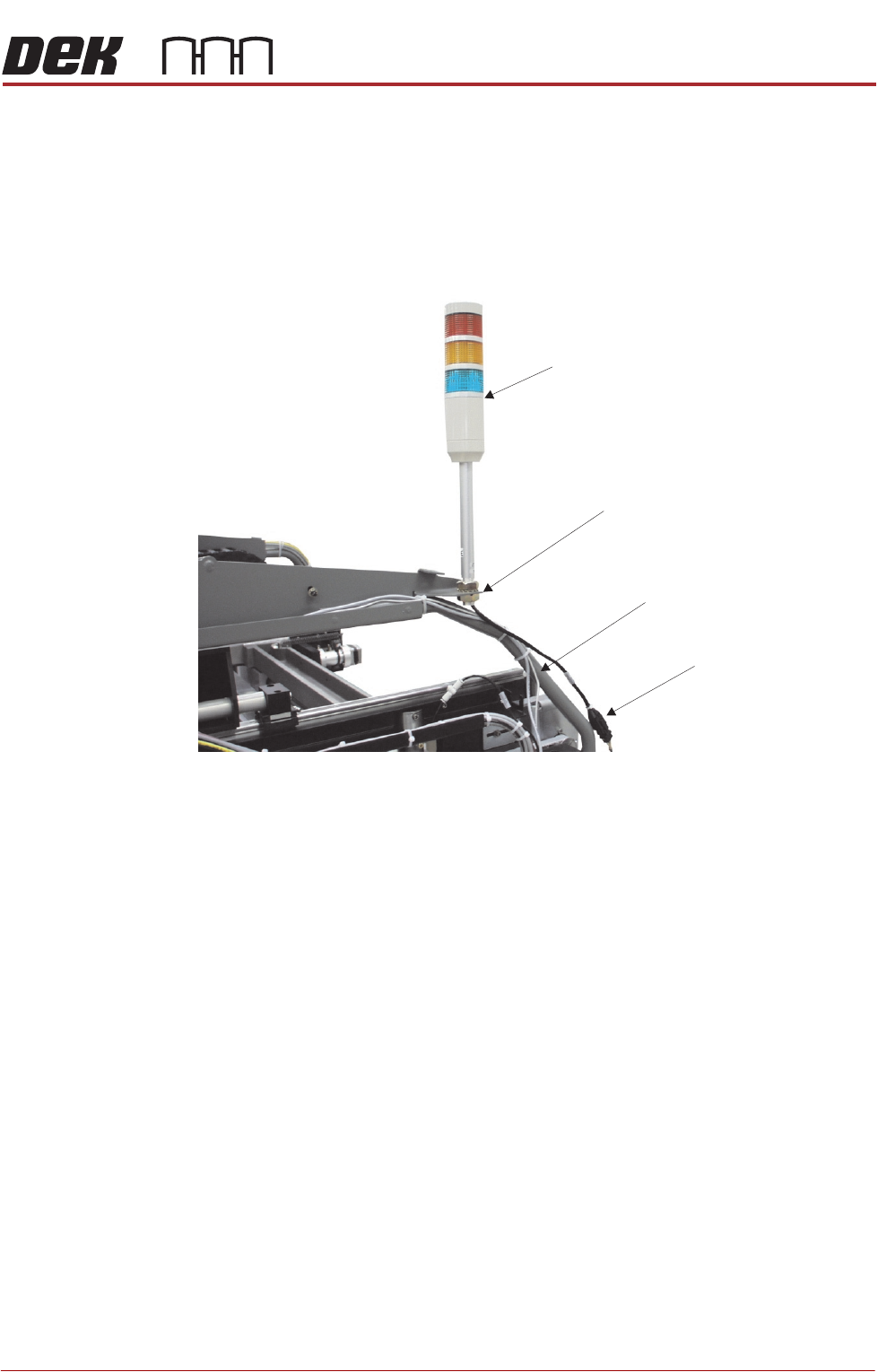
Tricolour Beacon
Style 1 Covers 1. Disconnect the tricolour beacon connection 14PL07 from 14SK07.
2. Remove the tricolour beacon from the beacon bracket by undoing one of the
nuts and sliding the beacon out of the cut-out on the beacon bracket.
3. Cable tie the loose cable to the cover frame.
View on Right Hand Side of Machine (covers removed)
Beacon Connection
Tricolour Beacon
Beacon Bracket
Cover Frame
TRANSPORTATION - MAJOR RELOCATION
DISMANTLING THE MACHINE
43.14 Technical Reference Manual Chapter Issue 2, Jul 16
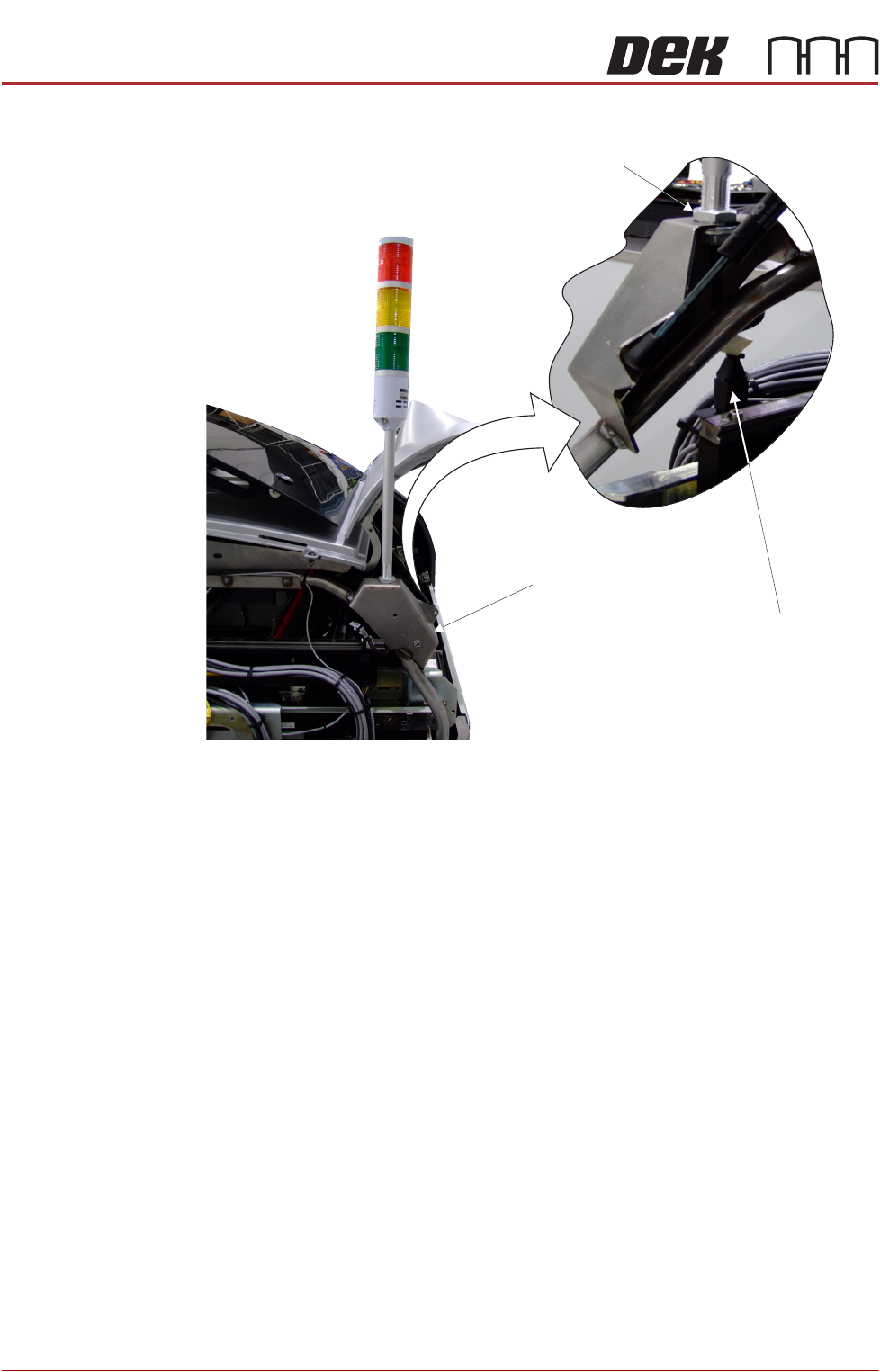
Style 2 Covers 1. Disconnect the tricolour beacon connection 14PL07 from 14SK07.
2. Loosen the beacon locking nut.
3. Remove the beacon from the beacon bracket.
View on Rear of Printer
Beacon Connection
Beacon Bracket
Beacon Locking Nut