Micron Technical Reference V9 Volume 4.pdf - 第168页
TRANSPORTATION - MAJOR RELOCATION DISMANTLING THE MACHINE 43.28 Technical Reference Manual Chapter Issue 2, Ju l 16 Removal of External Solvent T ank MANDA T OR Y T OXIC CHEMICALS MAY BE PRESENT. SAFETY GLOVES MUST BE WO…
TRANSPORTATION - MAJOR RELOCATION
DISMANTLING THE MACHINE
Chapter Issue 2, Jul 16 Technical Reference Manual 43.27
2. Disconnect the following from the left hand auxiliary conveyor:
• M27PL07 from M27SK07 on the rear rail
• M27PL06 from M27SK06 on the front rail
• M27PL05 from M27SK05 on the front rail and unclip M27SK05 from its
bracket
• Electrical connection from M27SOL02 (pneumatic solenoid) on the front
rail
• Pneumatic feed from the input connector of M27SOL02
NOTE
Some cable ties need cutting to separate cables that are attached to the
auxiliary rail and those that stay in the machine.
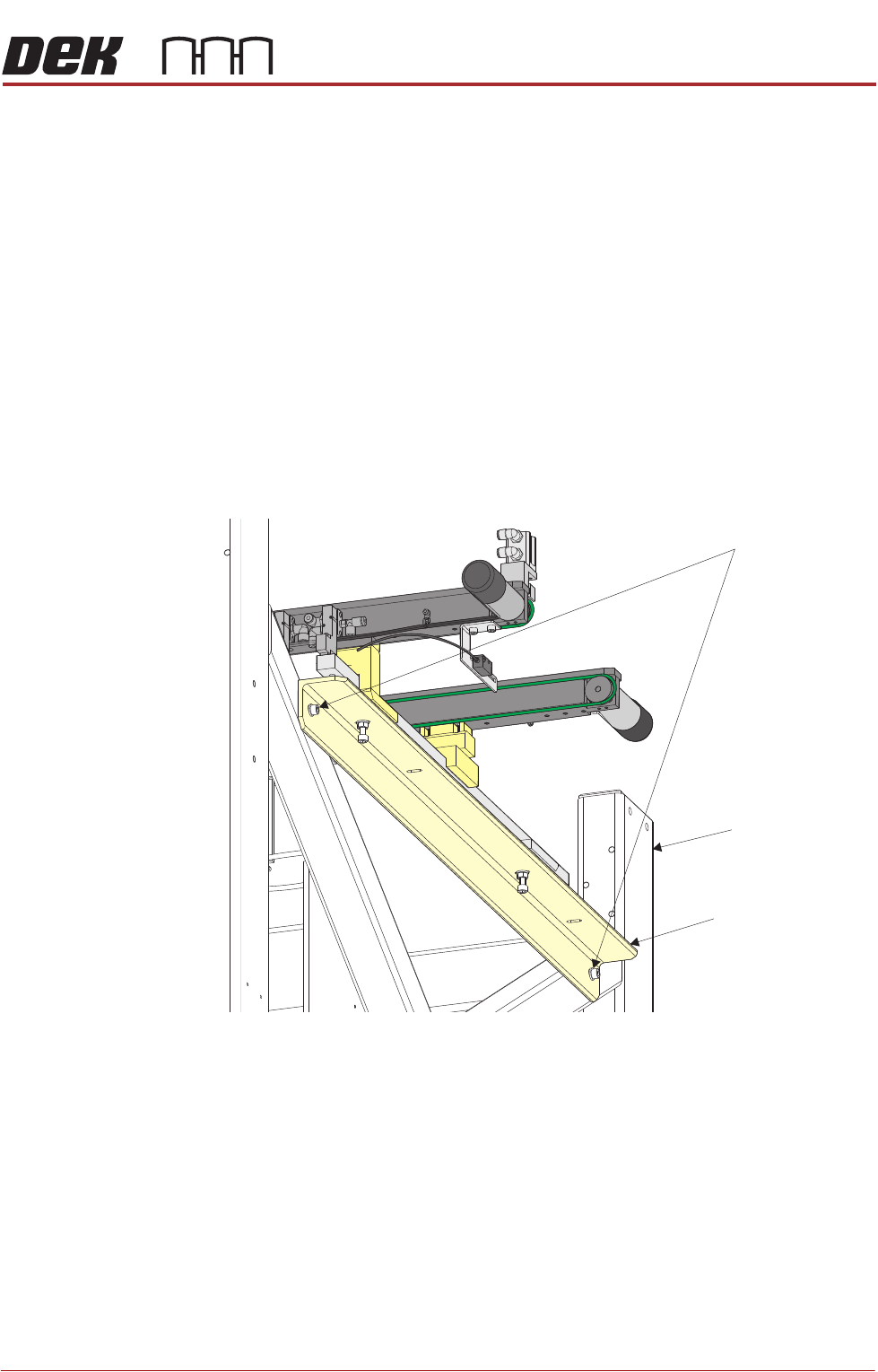
3. Whilst supporting the right hand auxiliary conveyor, remove the two bolts
that secure the auxiliary conveyor mounting bracket to the machine frame.
4. Whilst supporting the left hand auxiliary conveyor, remove the two bolts that
secure the auxiliary conveyor mounting bracket to the machine frame.
5. Place the bolts back into the holes in the machine frame and tighten to
prevent loss during transportation.
6. Fit the side covers and panels that were previously removed.
Auxiliary Conveyor Securing Bolts
Auxiliary Conveyor
Mounting Bracket
Machine Frame
TRANSPORTATION - MAJOR RELOCATION
DISMANTLING THE MACHINE
43.28 Technical Reference Manual Chapter Issue 2, Jul 16
Removal of External Solvent Tank
MANDATORY
TOXIC CHEMICALS MAY BE PRESENT. SAFETY GLOVES MUST BE WORN.
MANDATORY
TOXIC CHEMICALS MAY BE PRESENT. EYE PROTECTION MUST BE WORN.
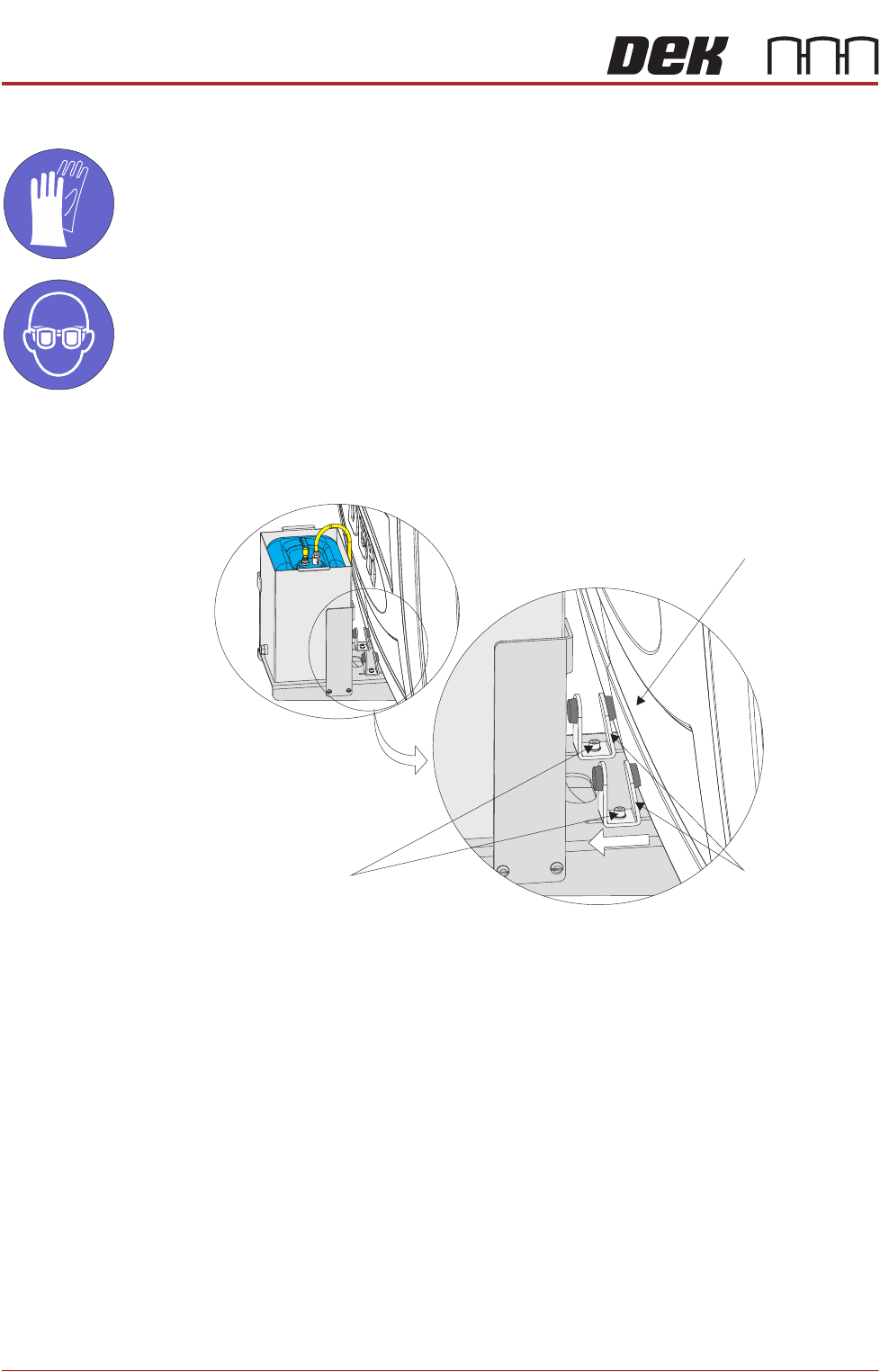
To disconnect and remove the external solvent tank, carry out the following:
1. Loosen the two M5 cap head securing screws and slide the angle brackets
away from the machine cover.
2. Remove the rear panel using the maintenance key.
Machine Cover
Securing Screws
Angle Brackets
TRANSPORTATION - MAJOR RELOCATION
DISMANTLING THE MACHINE
Chapter Issue 2, Jul 16 Technical Reference Manual 43.29
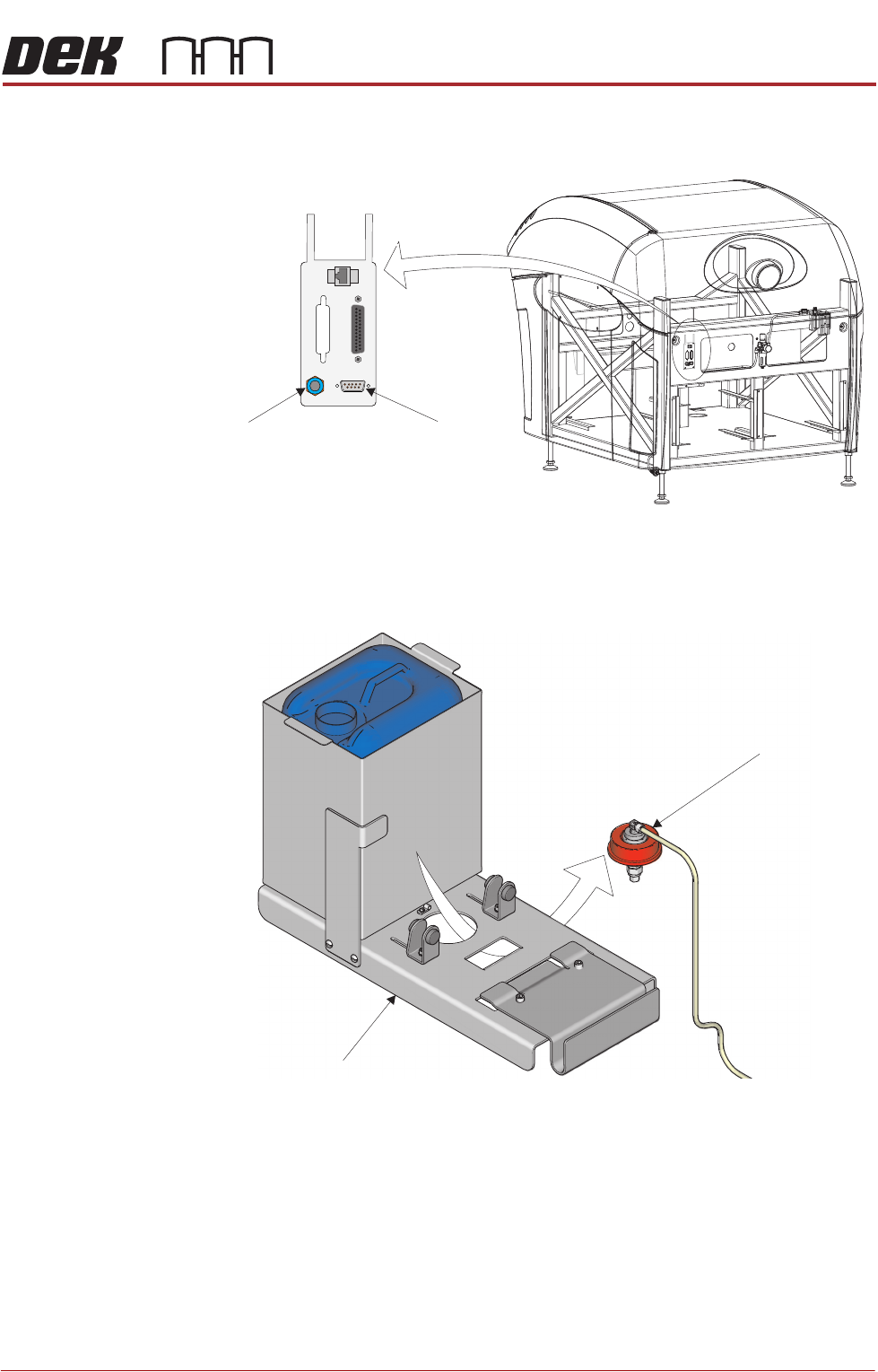
3. Disconnect the external solvent tank cable from 9SK69 on the external
services panel located at the rear of the machine.
4. Unscrew the cap from the solvent container allowing any surplus solvent to
drain back into the solvent container.
5. Pass the cap through the hole in the external solvent tank base plate.
6. Secure the combined solvent container cap and 4mm tubing inside the
machine, as high as possible to prevent solvent drainage.
7. Fit the original solvent container cap to seal the solvent container.
8. Remove the solvent container from the external solvent tank.
9. Supporting its weight, slide the external solvent tank towards the machine,
releasing the mounting bracket from the machine frame.
10. Remove the external solvent tank from the machine.
11. Fit the rear panel using the maintenance key.
View on Rear of Machine
POWER ON
PART No. 160740
M/C AVAILABLE
BOARD AVAILABLE
BOARD PASS
D
O
W
N
L
IN
E
BOARD AVAILABLE
BOARD PASS
M/C AVAILABLE
U
P
L
IN
E
FMI POD
Solvent Fluid
Connector
Solvent Sensor
9SK69
Solvent Container Cap
Base Plate