Micron Technical Reference V9 Volume 4.pdf - 第46页
STINGER CALIBRATIONS 38.22 Technical Reference Manual Chapter Issue 2, Aug 14 7. Select Options . Select St inger Options the stinger options p age is dis- played. 8. Select Stinger Calibrated Offset X to set the p arame…
STINGER
CALIBRATIONS
Chapter Issue 2, Aug 14 Technical Reference Manual 38.21
CALIBRATIONS
Creating a
Calibration Test
Product
A calibration test product is a useful tool to have and can be created using a
blank board. The checklist for the test product should include positional accu-
racy tests and deposit consistency checks.
Running a test product pre-production exercises the system and eliminates any
minor discrepancies that may occur due to the physical properties involved in
the process.
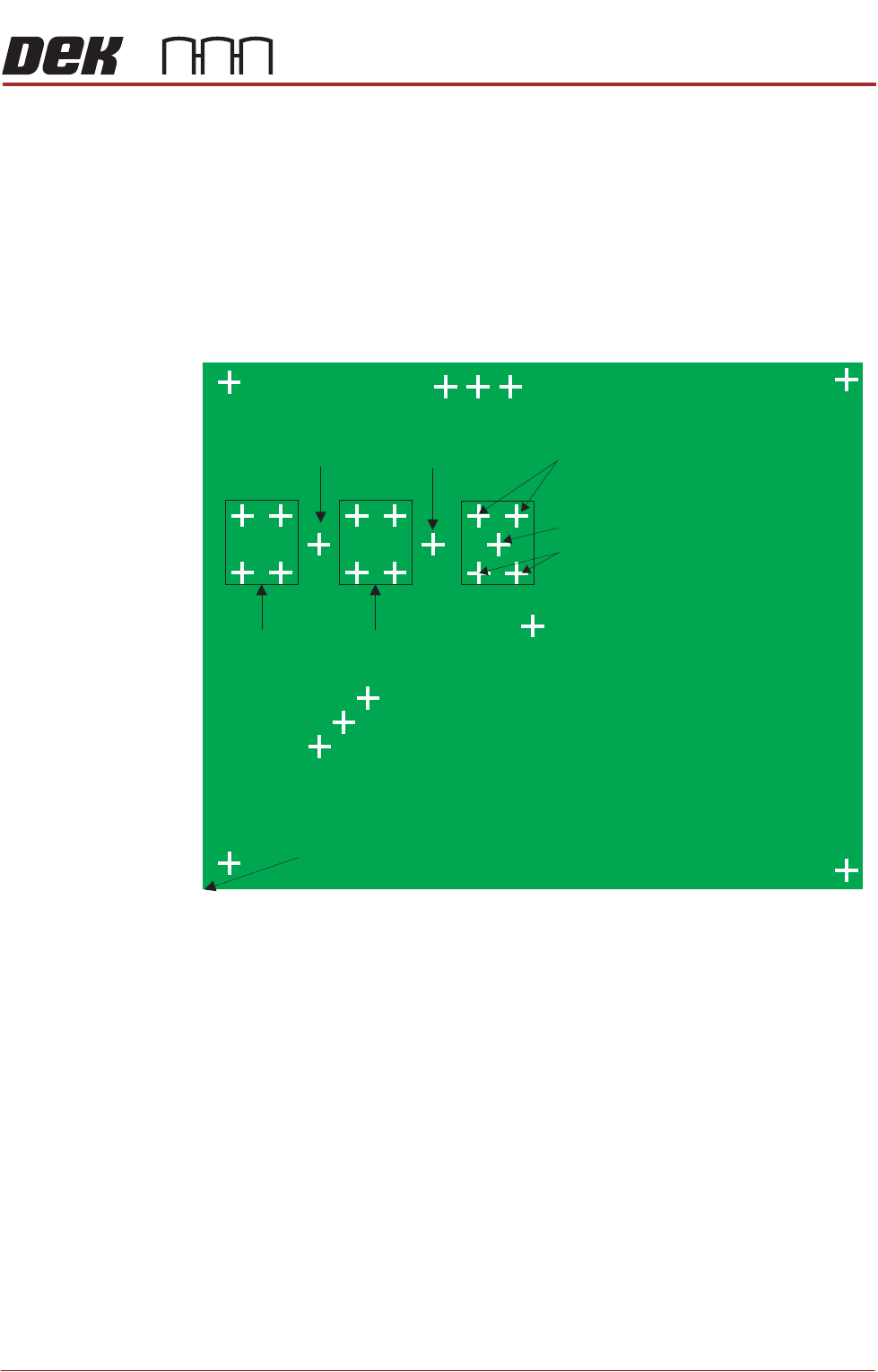
An example of a test product is shown below, it should be representative of a
production board.
Select Maintenance \ Test Cycles to turn Data Logging ON. Turning data
logging on allows the user to monitor the height of readings taken at the top
surface of the product. The centre and four outside test points give global board
topography, however, a localised view requires device level measurement.
Calibrated Offsets NOTE
Program the offset tests below to perform multiple deposits on one site only, at
the centre of the calibration board. This prevents the system from depositing
and / or measuring at every programmed site, and allows the opportunity to
make accurate measurements from a single location.
1. Select Open Cover and load a screen.
2. Select Close Cover.
3. Press the System button to restore system power.
4. Select Load Screen.
5. Select Maintenance.
6. Select Machine Setup.
NOTE
Measurements are made reference to X=0, Y = 0
10 Steps
50 Steps
100 Steps
Product Centre 110, 80
(Purge Process Point)
Dispense
Dispense
Dispense
Top Left 10, 150
Bottom Left 10, 10
Bottom Right 210, 10
Sacrificial Purge Points
Top Right 210, 150
Measure
Measure
Measure
Measure & Dispense
STINGER
CALIBRATIONS
38.22 Technical Reference Manual Chapter Issue 2, Aug 14
7. Select Options. Select Stinger Options the stinger options page is dis-
played.
8. Select Stinger Calibrated Offset X to set the parameter initially to 0 (zero
offset). This parameter sets a factor to compensate for the offset of the
camera and the nozzle centres in the X plane.
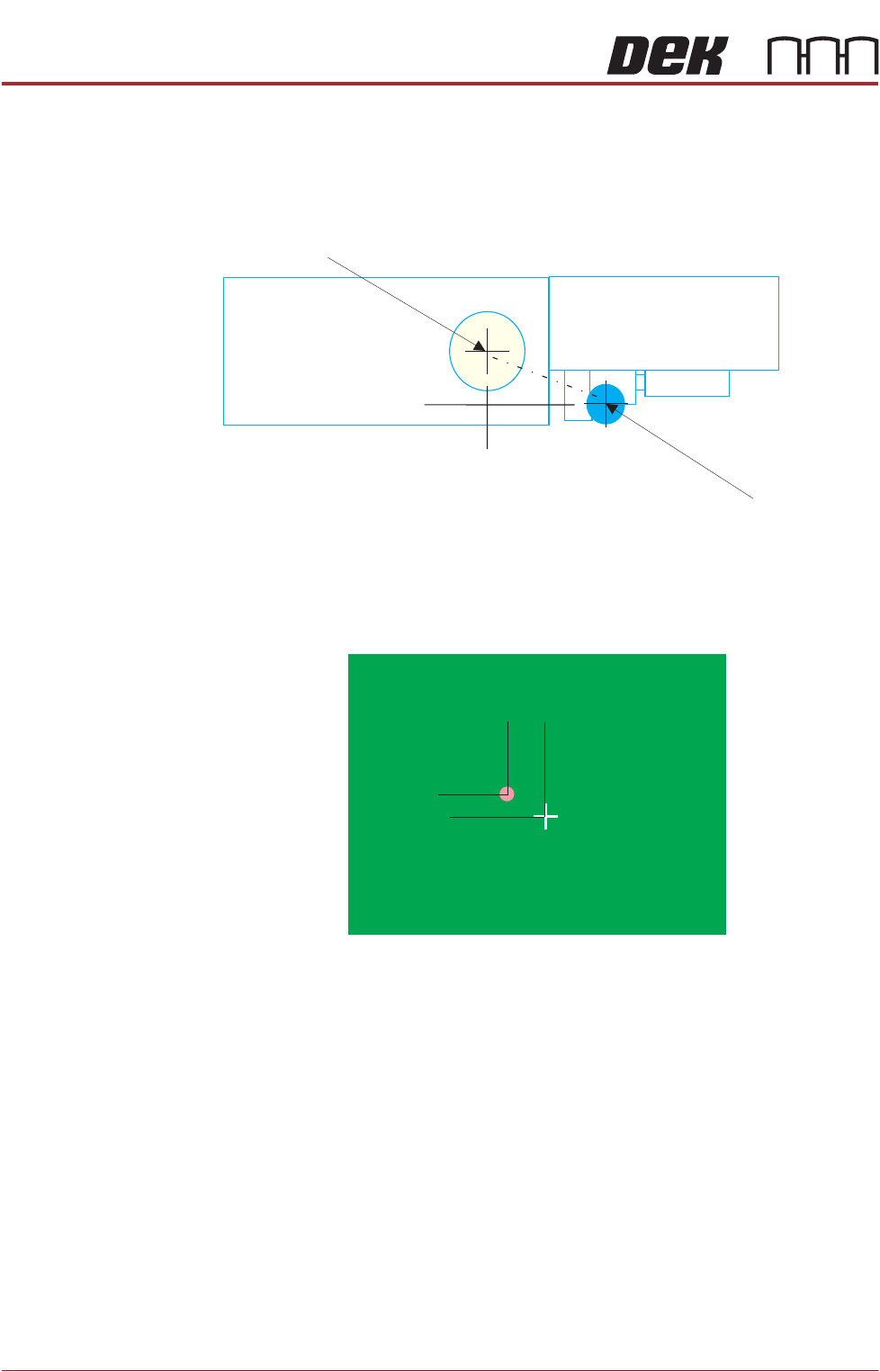
The offset can be calculated by measuring a known point on a test product or
calibration board. Accurately draw a mark at this point and set up stinger to
dispense a corresponding dot. The measured difference between the mark and
the dot in the X plane is the value to be input. This can be any value between
-5mm and +5mm.
Camera Centre
Nozzle Centre
Y Offset
1.0 mm
X Offset -1.25mm
Product Centre 110, 80
STINGER
CALIBRATIONS
Chapter Issue 2, Aug 14 Technical Reference Manual 38.23
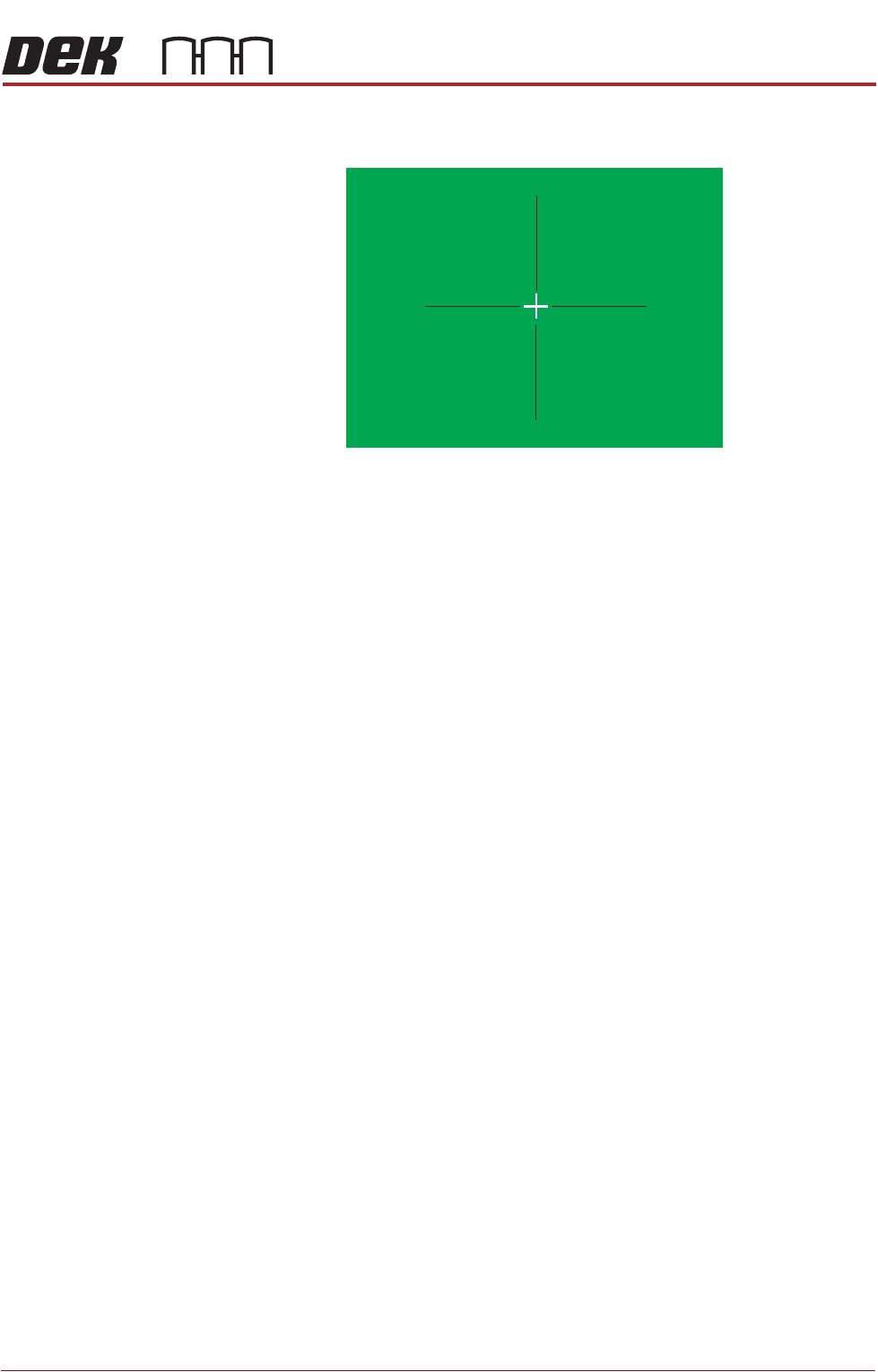
Remove the product from the printer and measure the offsets. The offset
quadrants are shown below. Amend the X and Y calibrated offset parameters.
9. Select Stinger Calibrated Offset Y to set the parameter initially to 0 (zero
offset).
10. Select Back four times to access the Ready page.
11. Select Setup Product.
12. Select Options.
13. Select Stinger Dispenser.
14. Select Load Board. Choose the preferred load board method, auto or
manual.
15. Select Dispense Sweep.
The system dispenses at the programmed site. Any offset between the pro-
grammed site and the material is the equivalent offset in the Y plane. Program
the parameter to compensate for this; it can be any value between
-5mm and +5mm.
X Offset +
X Offset +
Y Offset - Y Offset -
X Offset -
X Offset -
Y Offset +YOffset +