Micron Technical Reference V9 Volume 4.pdf - 第207页
TRANSPORTATION - MAJOR RELOCATION MACHINE ASSEMBLY Chapter Issue 2, Jul 16 Technical Reference Manual 43.67 MACHINE ASSEMBL Y Carry out the following procedures to assemble the mach ine: • T ricolour Beacon •M M I • HTC …
TRANSPORTATION - MAJOR RELOCATION
MACHINE HEIGHT AND LEVELLING
43.66 Technical Reference Manual Chapter Issue 2, Jul 16
25. Remove the engineering level from the machine.
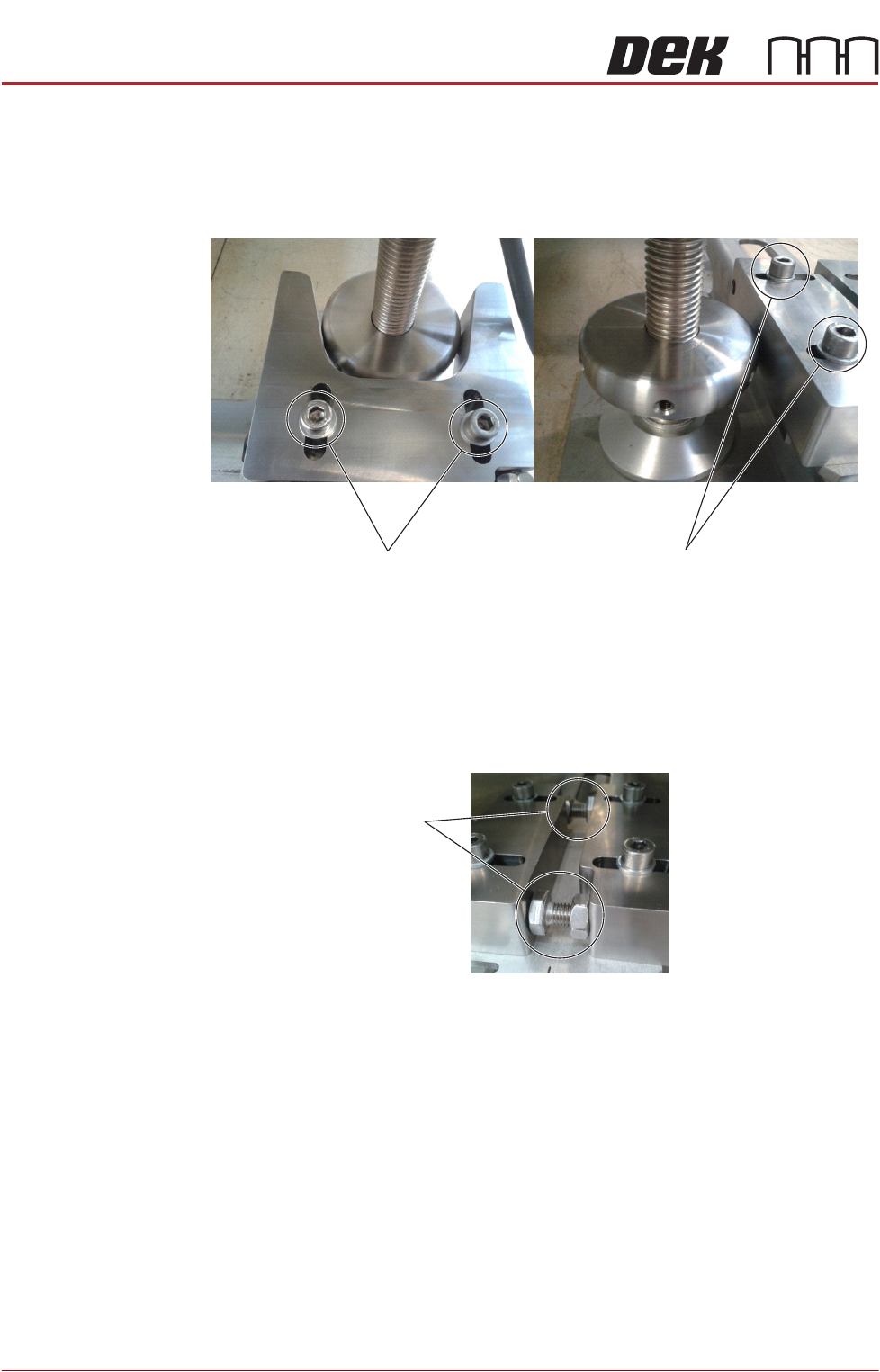
26. Position the V-block so contact is made with the locating collar on foot (4).
27. Position the location block so contact is made with the locating collar on foot
(3).
28. Fully tighten the fixing screws securing both location blocks.
29. Position the locator blocks for Machine B to achieve maximum adjustment,
and ensure parallel to the locator blocks for Machine A.
30. Rotate the stopper bolts by hand until they make contact with the opposing
block, and then secure them using the locknuts.
31. Move Machine A back into position locating foot (3) into V-Block.
32. Position locating foot (4) against Locating Block.
33. Recheck the machine is level.
34. Recheck the machine height has not been disturbed.
V-Block
Fixing Screws
Location-Block
Fixing Screws
Stopper Bolts
TRANSPORTATION - MAJOR RELOCATION
MACHINE ASSEMBLY
Chapter Issue 2, Jul 16 Technical Reference Manual 43.67
MACHINE ASSEMBLY
Carry out the following procedures to assemble the machine:
• Tricolour Beacon
•MMI
• HTC Auxiliary Rails
• ProFlow
• External Solvent Tank
Tricolour Beacon
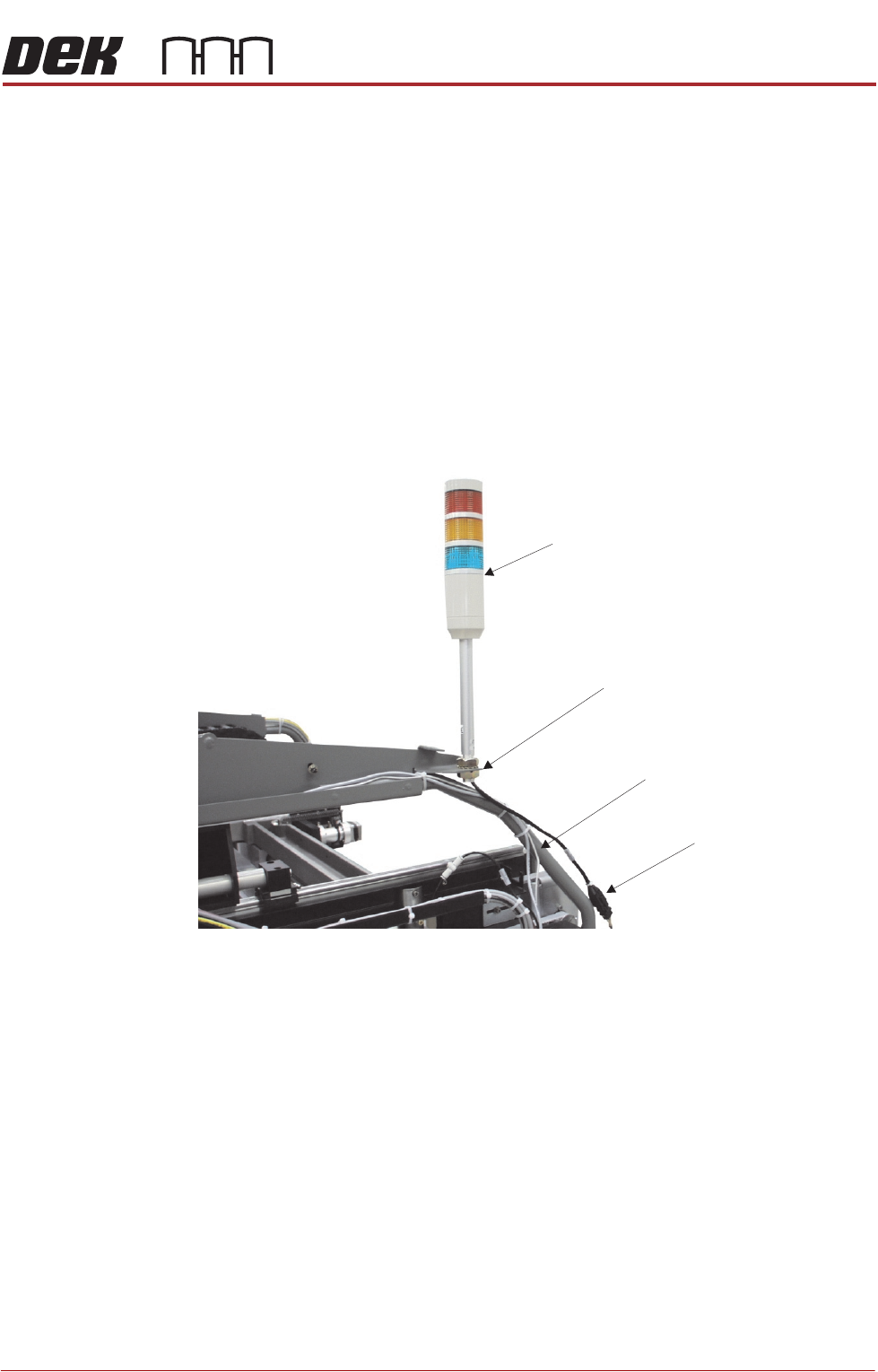
Style 1 Covers 1. Fit the tricolour beacon to the beacon bracket ensuring that the cable is not
trapped between the beacon and the cover frame.
2. Connect the tricolour beacon connection 14PL07 to 14SK07.
3. Cable tie the loose cable to the cover frame.
View on Right Hand Side of Machine (covers removed)
Beacon Connection
Tricolour Beacon
Beacon Bracket
Cover Frame
TRANSPORTATION - MAJOR RELOCATION
MACHINE ASSEMBLY
43.68 Technical Reference Manual Chapter Issue 2, Jul 16
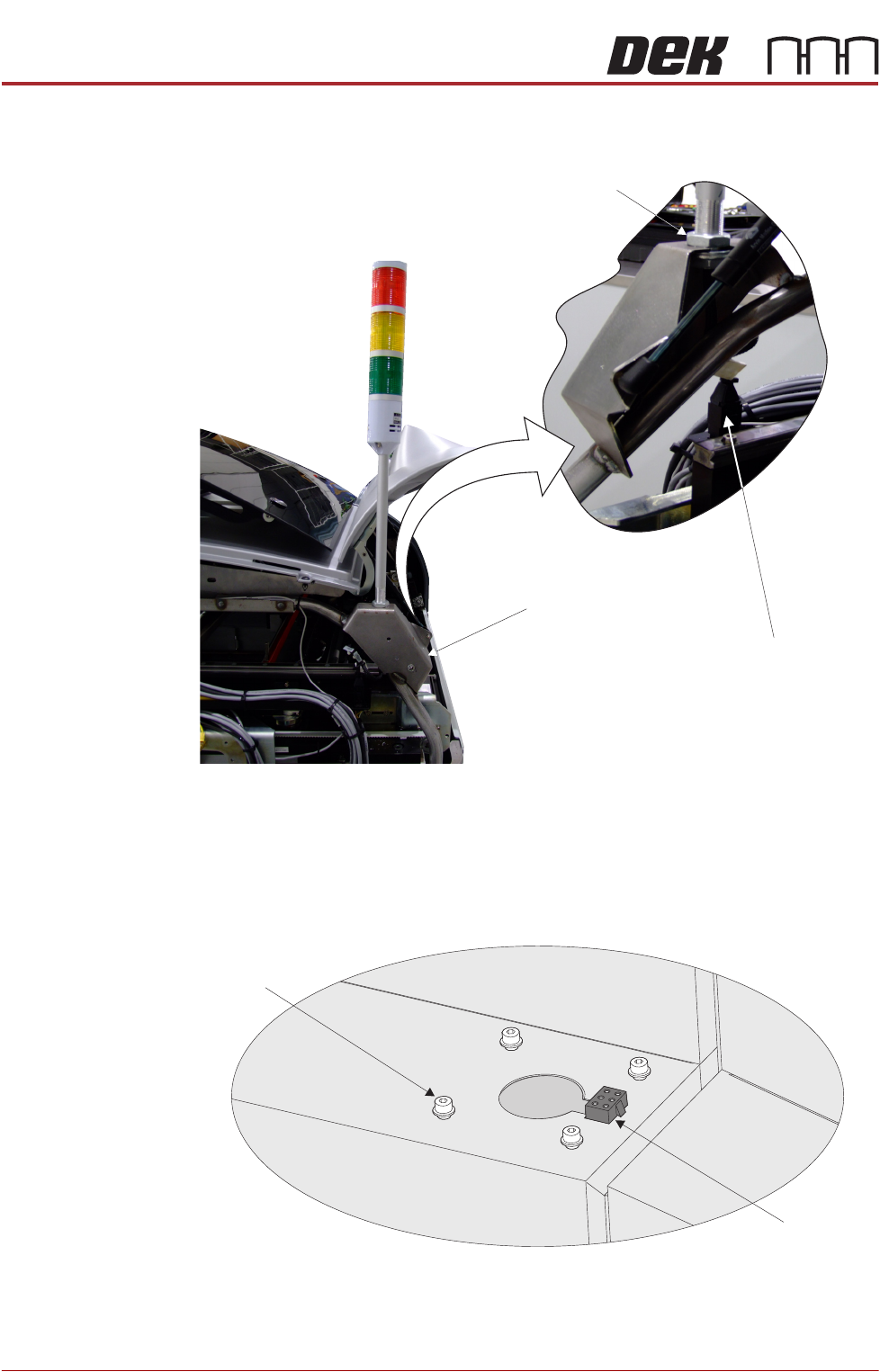
Style 2 Covers 1. Fit the tricolour beacon to the beacon bracket ensuring that the cable is not
trapped between the beacon and the cover frame.
2. Connect the tricolour beacon connection 14PL07 to 14SK07.
3. Cable tie the loose cable to the cover frame.
Style 3 Covers 1. Using a 3mm Allen key, remove the beacon bracket securing screws from
the machine cover.
2. Maintaining hold of the socket 14SK07 (to prevent the socket from falling
into the machine through the hole), lift the socket from its location.
View on Rear of Printer
Beacon Connection
Beacon Bracket
Beacon Locking Nut
Beacon Bracket
Securing Screws
(in 4 positions)
Beacon Connector
(14SK07)
View on Right Hand Side of the Machine