Micron Technical Reference V9 Volume 4.pdf - 第31页
STINGER ADJUSTMENTS AND SETTINGS Chapter Issue 2, Aug 14 Technical Reference Manual 38.7 ADJUSTMENTS AND SETTINGS WARNING BOARD CLAMPS. EXTREME CA RE MUST BE EXERCIS ED WHEN WORKING IN THE TOOLING AREA OF THE MACHINE TO …
STINGER
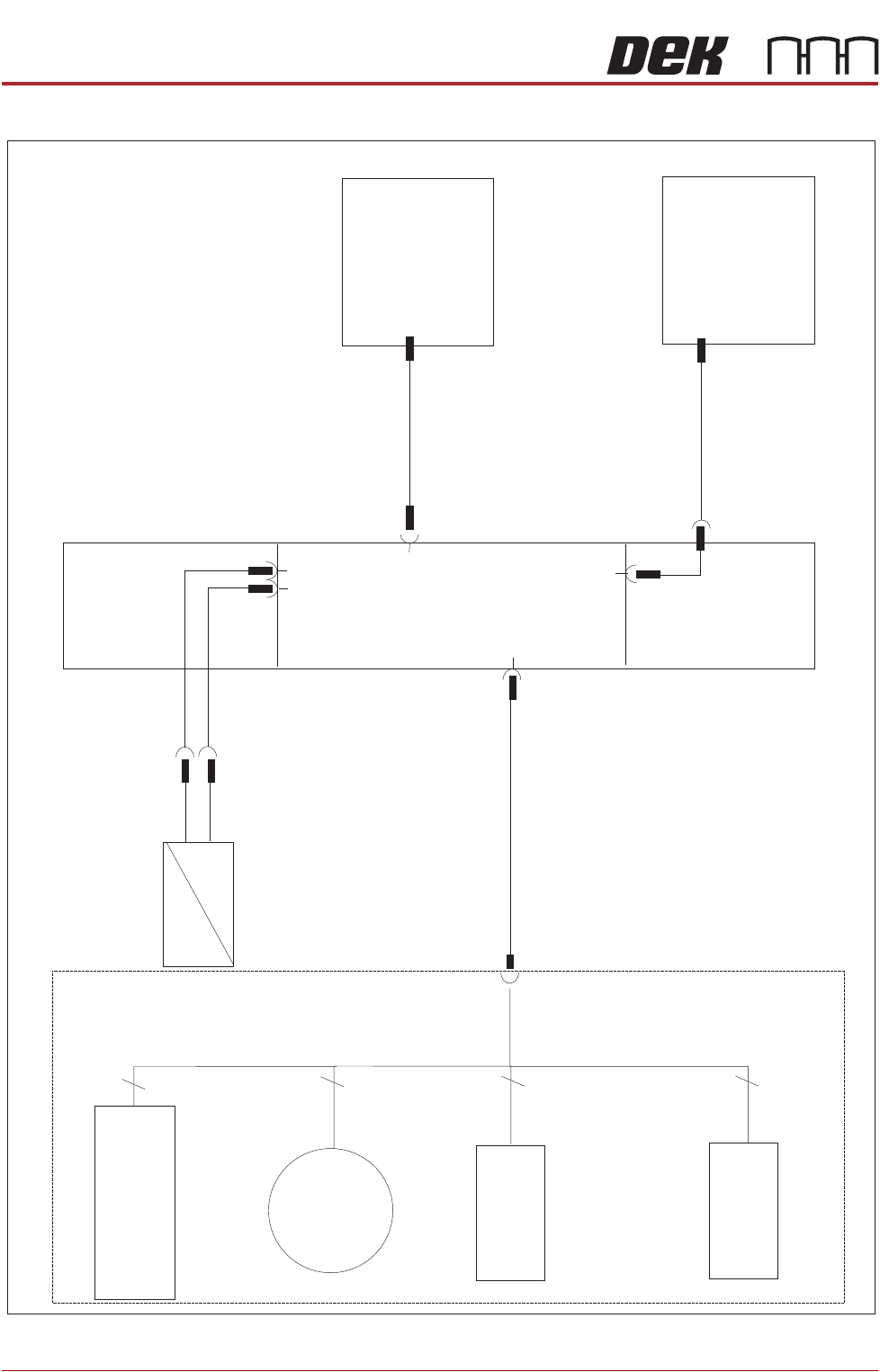
ELECTRICAL SHEMATIC
38.6 Technical Reference Manual Chapter Issue 2, Aug 14
ELECTRICAL SHEMATIC
M37 PSU
IBUS PC
4
3
4
4
M37PL10
8PL34
M48SK02
M48PL07
M48SK07
M48PL01
M48PL05
M48PL06
M48SK06
M48PL08
M48PL09
M48SOL01
Air Feed
Pneumatic Cylinder
Stinger
Enclosure
Stinger
Board
Laser Sensor
M48SE01
Consumable
Level Sensor
M48SE02
Dispense
Motor
M48M01
Z Axis
Motor (Linear Actuator)
M48M02
STINGER
ADJUSTMENTS AND SETTINGS
Chapter Issue 2, Aug 14 Technical Reference Manual 38.7
ADJUSTMENTS AND SETTINGS
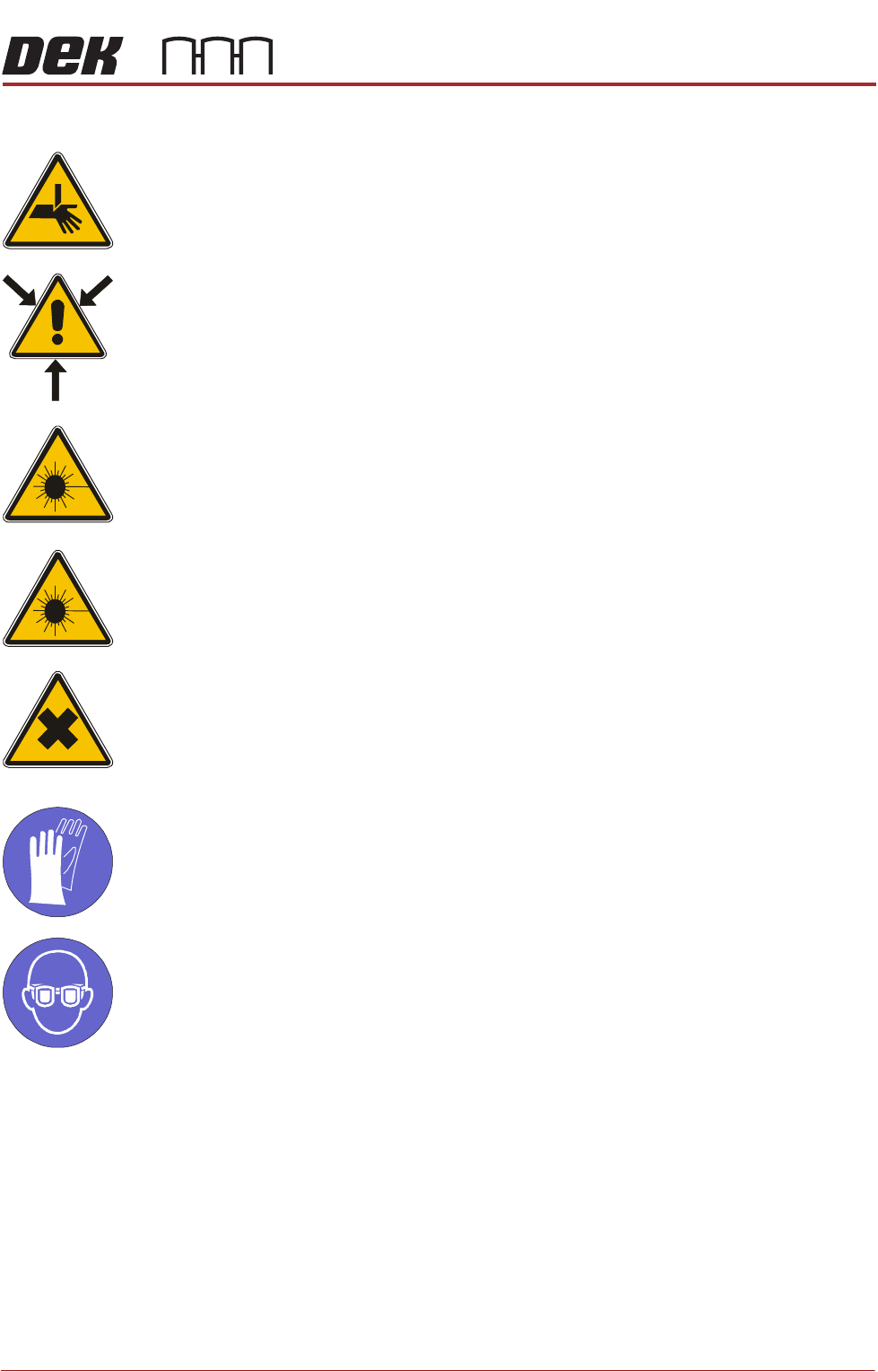
WARNING
BOARD CLAMPS. EXTREME CARE MUST BE EXERCISED WHEN WORKING IN
THE TOOLING AREA OF THE MACHINE TO AVOID INJURY. THE FOILS ON THE
FRONT AND REAR BOARD CLAMPS ARE VERY SHARP.
WARNING
COMPRESSED AIR. COMPRESSED AIR SHOULD NEVER IMPINGE UPON THE
BODY. PORTS, PIPES, ETC MUST NEVER BE BLOCKED BY HAND. BEFORE
CONNECTING OR DISCONNECTING ANY PNEUMATIC COMPONENTS, ENSURE
THE COMPRESSED AIR SUPPLY HAS BEEN DISSIPATED AND DISCONNECTED
FROM THE MACHINE.
CAUTION
EQUIPMENT SERVICING. THE LASER DOES NOT CONTAIN USER
SERVICEABLE PARTS. OPENING THE UNIT COULD CAUSE MIS-ALIGNMENT
OF THE LASER, THIS MAY MAKE THE EQUIPMENT DANGEROUS TO OPERATE.
CAUTION
RADIATION. RISK OF INJURY TO THE EYES DUE TO LASER LIGHT BEING
PRESENT IN THE VICINITY OF THE LABEL. DO NOT LOOK AT THE LIGHT
SOURCE OR REFLECTIONS FROM A SURFACE.
WARNING
HARMFUL SUBSTANCES. CLEANING WIPES AND CLEANING SOLUTIONS MAY
CONTAIN SUBSTANCES HAZARDOUS TO HEALTH. WHEN USING CLEANING
WIPES AND CLEANING SOLUTIONS THE MANUFACTURERS’ SAFETY DATA
SHEETS MUST BE STRICTLY ADHERED TO.
MANDATORY
TOXIC CHEMICALS MAY BE PRESENT. SAFETY GLOVES MUST BE WORN.
MANDATORY
TOXIC CHEMICALS MAY BE PRESENT. EYE PROTECTION MUST BE WORN.
Idle height is the position to which the needle tip is set, between dispensing
actions. The dispenser moves to its dispense site, after dispensing it is moved
to the idle position, before moving on to the next location. There are two
procedures:
• Manual
• Automatic

STINGER
ADJUSTMENTS AND SETTINGS
38.8 Technical Reference Manual Chapter Issue 2, Aug 14
Stinger Heights
(Manual)
This procedure relates to units that:
• Do not have the automatic calibration option
• Have had a hardware change
• Are being set up for the first time
• Have undergone a product changeover
The height calibrations are a reference for all programmed deposits. For non-
automatic calibration units, two heights are set: Contact Height and Idle Height.
Idle height tracks the contact height automatically.
The Z-Axis contact position, for any product, must be within (+/-1mm (manual)
+/-1.5mm(automatic)) of the calibrated contact position. If the contact position
cannot be guaranteed to be within these limits, there is a likelihood that a
variation in dot size may occur and deposit quality degraded.
Contact Height Contact height sets the laser to needle height in relation to the upper surface of
the product. A relative measurement is made for all other programmed loca-
tions.
1. Open the printhead front cover.
2. Remove the screen.
3. Close the printhead front cover.
4. Select Setup Product.
5. Select Setup Options.
6. Select Stinger Dispenser.
7. Select Load Board and load a product.
8. Select Stinger Heights to open the stinger heights calibration page.
9. The camera axis moves the stinger unit to the centre of board location by
default, however, this position can be set to any location using the Calibra-
tion Point X / Calibration Point Y parameter pair. See information on
placing the calibration point, later in this manual.
10. Select Stinger Jog Mode and initially set the mode to Coarse (1 step =
0.5mm).