Micron Technical Reference V9 Volume 4.pdf - 第36页
STINGER ADJUSTMENTS AND SETTINGS 38.12 Technical Reference Manual Chapter Issue 2, Aug 14 Setting the Regulator Pressure The pneumatic regulator shou ld be set to 0.8 Bar (0.08 MPa) . 1. Remove the printer’s rear cover .…

STINGER
ADJUSTMENTS AND SETTINGS
Chapter Issue 2, Aug 14 Technical Reference Manual 38.11
NOTE
The following procedure is continued from the ‘Contact Height’ procedure.
21.
Select Stinger Jog Mode set the mode to Coarse (1 step = 0.5mm).
22. Select Step Up to move the nozzle into position above the surface of any
obstructions.
23. Select Save Idle.
24. Close the printhead cover.
25. Press the System button to restore system power.
26. Select Back.
If the contact height has been changed, the laser unit performs its calibration.
Calibrating
Stinger Heights
(Automatic)
This procedure relates to units that do have the automatic calibration option.
NOTE
If the product is changed, or if the equipment has been replaced, or it is being
set up for the first time, performing a manual height calibration first improves
system accuracy as the contact height is set up accurately.
1. Select Product Changeover.
2. Select Stinger Dispenser.
3. Select Auto Calibrate.
The camera axis is driven to the calibration location and the Z axis motor
automatically jogs down until the nozzle reaches the top surface of the product.
At this point, the correct contact height is set. Because the idle height is set in
a parameter Setup Product\Options\Stinger Dispenser, there is no need to
set the idle height as the difference (between contact height and the set value
for idle height), is maintained by the laser tracking the surface of the product
during printing.
NOTE
Range checks are only carried out after setting contact height in manual mode.
STINGER
ADJUSTMENTS AND SETTINGS
38.12 Technical Reference Manual Chapter Issue 2, Aug 14
Setting the
Regulator
Pressure
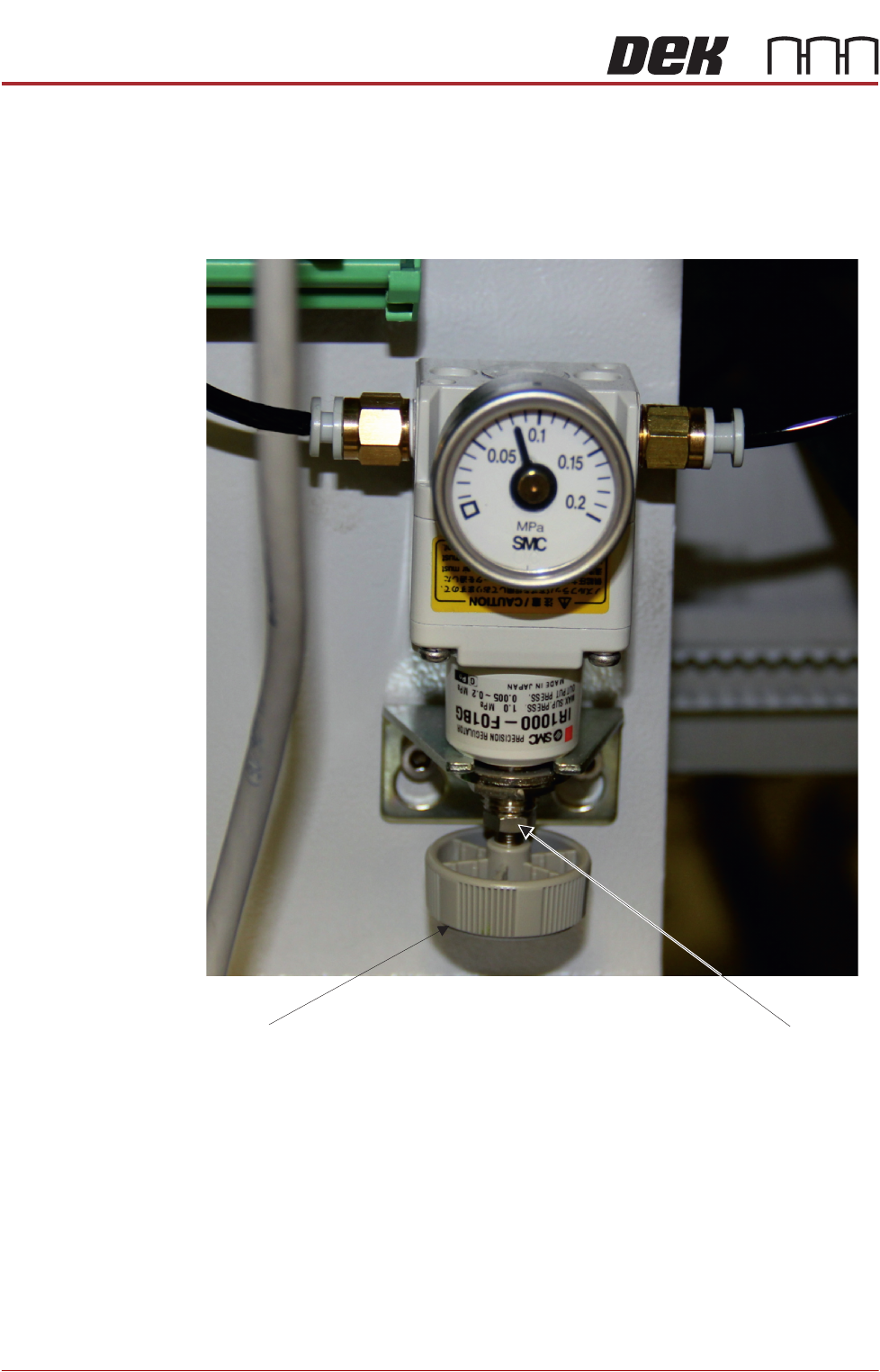
The pneumatic regulator should be set to 0.8 Bar (0.08 MPa).
1. Remove the printer’s rear cover.
2. Check the dial indicator setting; if it is as shown above the unit does not
require adjustment.
3. If adjustment is required, using a 8mm open-ended spanner release the lock
nut.
4. Turn the adjuster on the bottom of the regulator to increase or to decrease
the pressure until the reading is set to 0.8 Bar (0.08MPa).
5. Tighten the lock nut.
6. Refit the printer’s rear cover.
Lock nut
Adjuster
STINGER
REPLACEMENT PROCEDURES
Chapter Issue 2, Aug 14 Technical Reference Manual 38.13
REPLACEMENT PROCEDURES
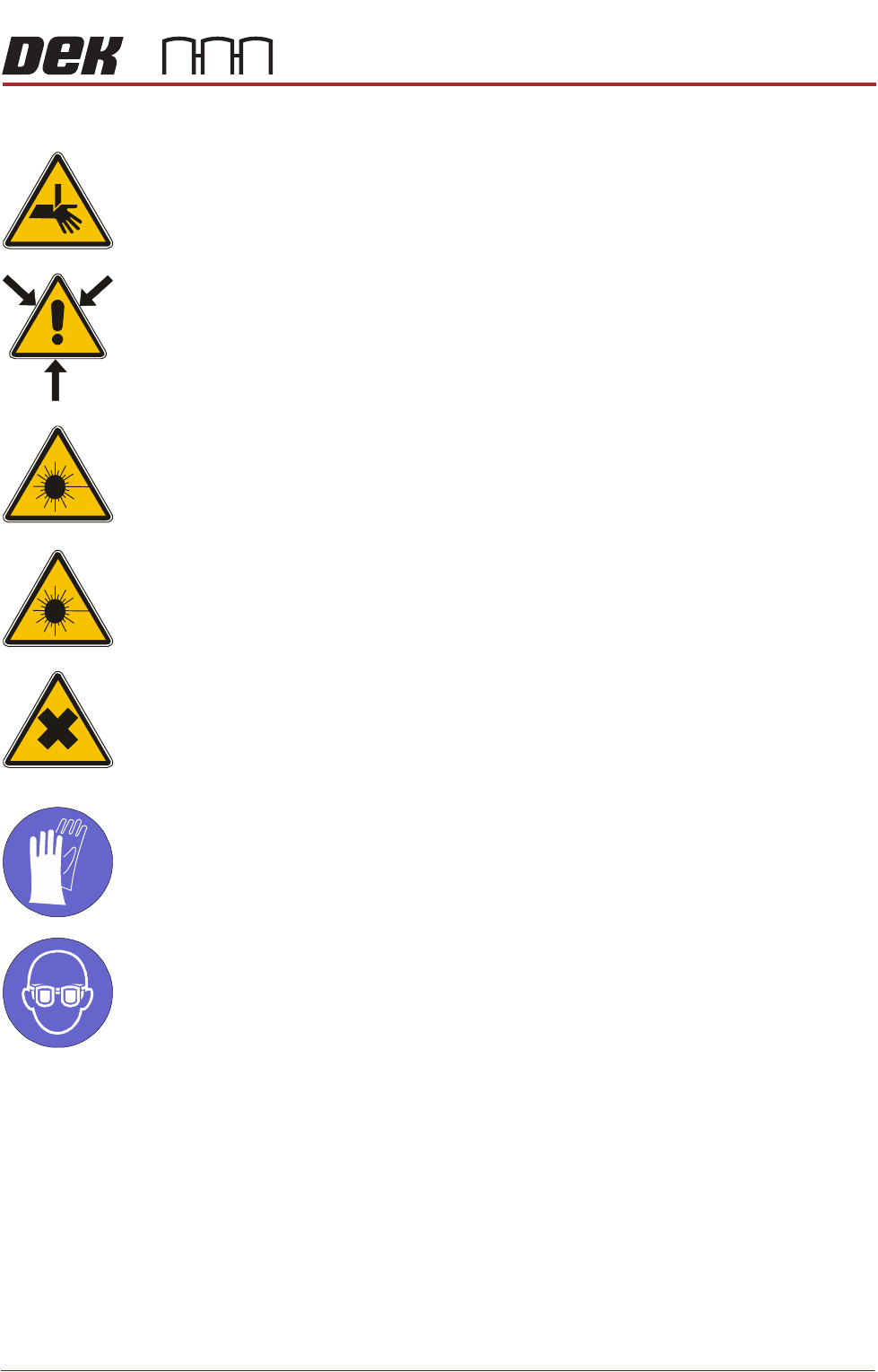
WARNING
BOARD CLAMPS. EXTREME CARE MUST BE EXERCISED WHEN WORKING IN
THE TOOLING AREA OF THE MACHINE TO AVOID INJURY. THE FOILS ON THE
FRONT AND REAR BOARD CLAMPS ARE VERY SHARP.
WARNING
COMPRESSED AIR. COMPRESSED AIR SHOULD NEVER IMPINGE UPON THE
BODY. PORTS, PIPES, ETC MUST NEVER BE BLOCKED BY HAND. BEFORE
CONNECTING OR DISCONNECTING ANY PNEUMATIC COMPONENTS, ENSURE
THE COMPRESSED AIR SUPPLY HAS BEEN DISSIPATED AND DISCONNECTED
FROM THE MACHINE.
CAUTION
EQUIPMENT SERVICING. THE LASER DOES NOT CONTAIN USER
SERVICEABLE PARTS. OPENING THE UNIT COULD CAUSE MIS-ALIGNMENT
OF THE LASER, THIS MAY MAKE THE EQUIPMENT DANGEROUS TO OPERATE.
CAUTION
RADIATION. RISK OF INJURY TO THE EYES DUE TO LASER LIGHT BEING
PRESENT IN THE VICINITY OF THE LABEL. DO NOT LOOK AT THE LIGHT
SOURCE OR REFLECTIONS FROM A SURFACE.
WARNING
HARMFUL SUBSTANCES. CLEANING WIPES AND CLEANING SOLUTIONS MAY
CONTAIN SUBSTANCES HAZARDOUS TO HEALTH. WHEN USING CLEANING
WIPES AND CLEANING SOLUTIONS THE MANUFACTURERS’ SAFETY DATA
SHEETS MUST BE STRICTLY ADHERED TO.
MANDATORY
TOXIC CHEMICALS MAY BE PRESENT. SAFETY GLOVES MUST BE WORN.
MANDATORY
TOXIC CHEMICALS MAY BE PRESENT. EYE PROTECTION MUST BE WORN.
Auger Assembly
Replacement
1. Remove the replacement syringe assembly from refrigeration and allow the
temperature to rise in accordance with the manufacturers’ recommenda-
tions. Remove the end dust cap.
2. Isolate the printer from the pneumatic supply and lockout the mains electri-
cal isolator.
3. Open the printhead front cover.
4. If fitted, remove the screen.