Micron Technical Reference V9 Volume 4.pdf - 第162页
TRANSPORTATION - MAJOR RELOCATION DISMANTLING THE MACHINE 43.22 Technical Reference Manual Chapter Issue 2, Ju l 16 S tyle 3 Covers 1. Remove the monitor from the top of the machine. 2. Remove the following connections o…
TRANSPORTATION - MAJOR RELOCATION
DISMANTLING THE MACHINE
Chapter Issue 2, Jul 16 Technical Reference Manual 43.21
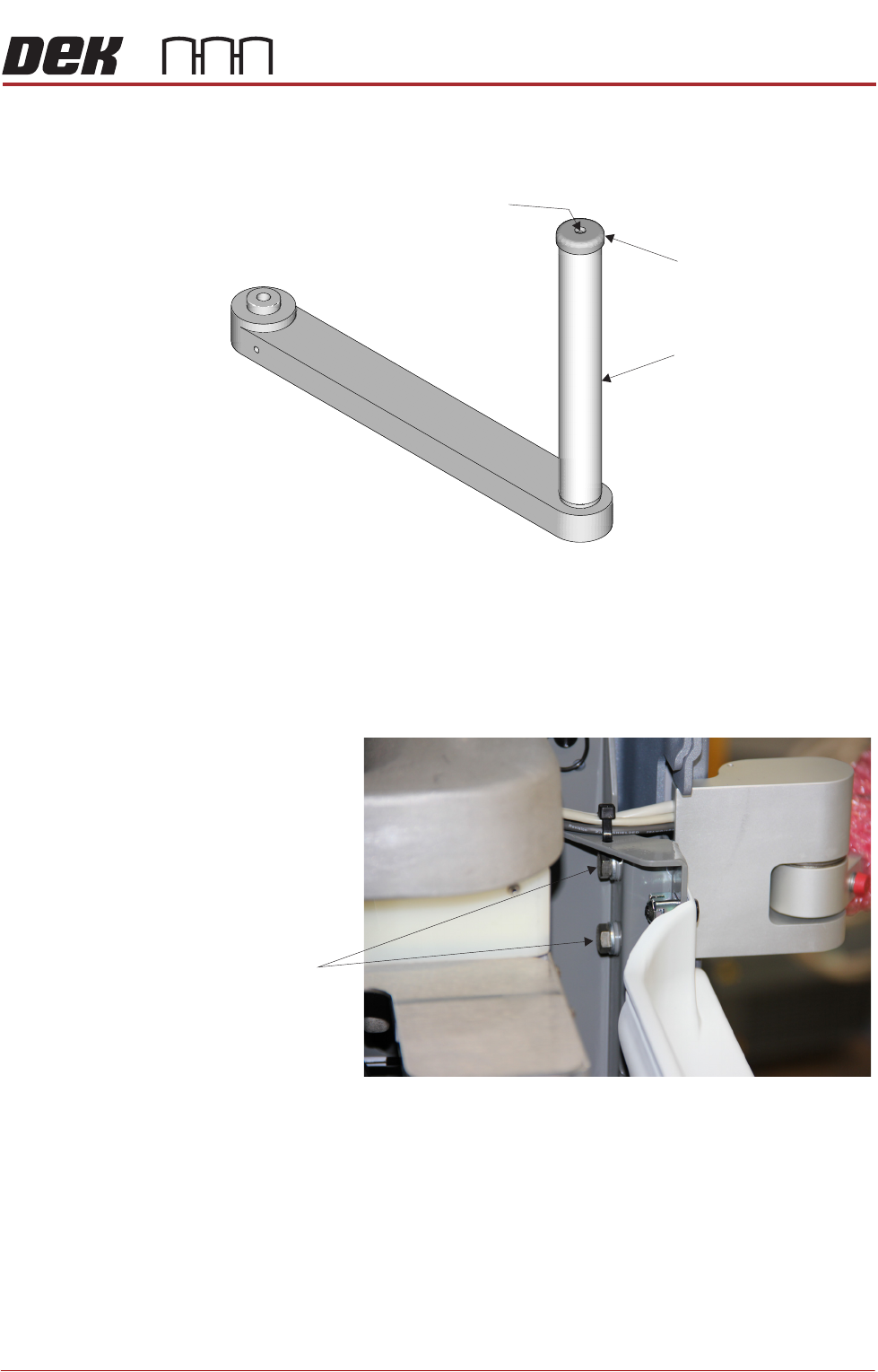
9. Remove the monitor bracket shaft cap using a 2mm Allen key (bracket
shown removed for clarity).
10. Unlock the release catch and slide the monitor bracket upwards and off the
monitor bracket shaft.
11. Refit the cap.
12. Using a 13mm spanner, remove the two bolts that secure the monitor arm
to the machine frame and remove the monitor arm.
13. Feed the cables into the machine and tie up securely.
14. Refit the front cover.
Securing Screw
Monitor Bracket Shaft
Cap
Securing Bolts
TRANSPORTATION - MAJOR RELOCATION
DISMANTLING THE MACHINE
43.22 Technical Reference Manual Chapter Issue 2, Jul 16
Style 3 Covers 1. Remove the monitor from the top of the machine.
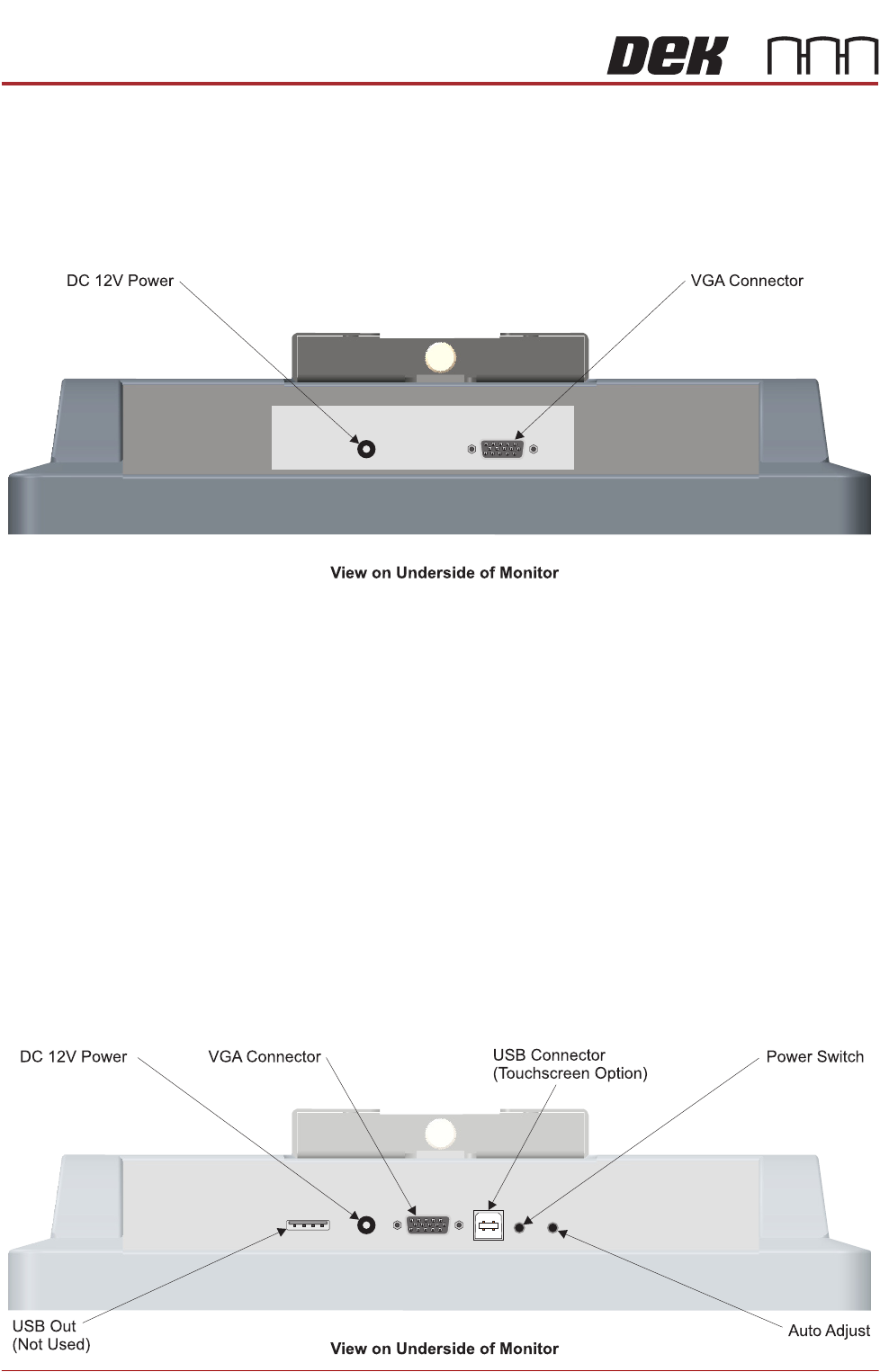
2. Remove the following connections on the rear of the monitor:
• Monitor Power Cable (DC)
•VGA Cable
3. Open the printhead cover.
4. Feed the two MMI cables into the machine and tie up securely.
5. Remove the front cover.
6. Locate the free floating USB connector inside the machine that the keyboard
connects to.
7. Disconnect the keyboard from the USB connector and feed the cable
outside the machine.
8. Remove the keyboard from the machine.
9. Refit the front cover.
Style 4 Covers 1. Remove the following connections on the rear of the monitor:
• Monitor Power Cable (DC)
•VGA Cable
• Touchscreen Cable (USB)
TRANSPORTATION - MAJOR RELOCATION
DISMANTLING THE MACHINE
Chapter Issue 2, Jul 16 Technical Reference Manual 43.23
2. Disconnect the Rear Monitor USB Connection (free floating connector
behind the monitor).
3. Remove the front cover.
4. Locate the free floating USB connector inside the machine that the keyboard
connects to.
5. Disconnect the keyboard from the USB connector and feed the cable
outside the machine.
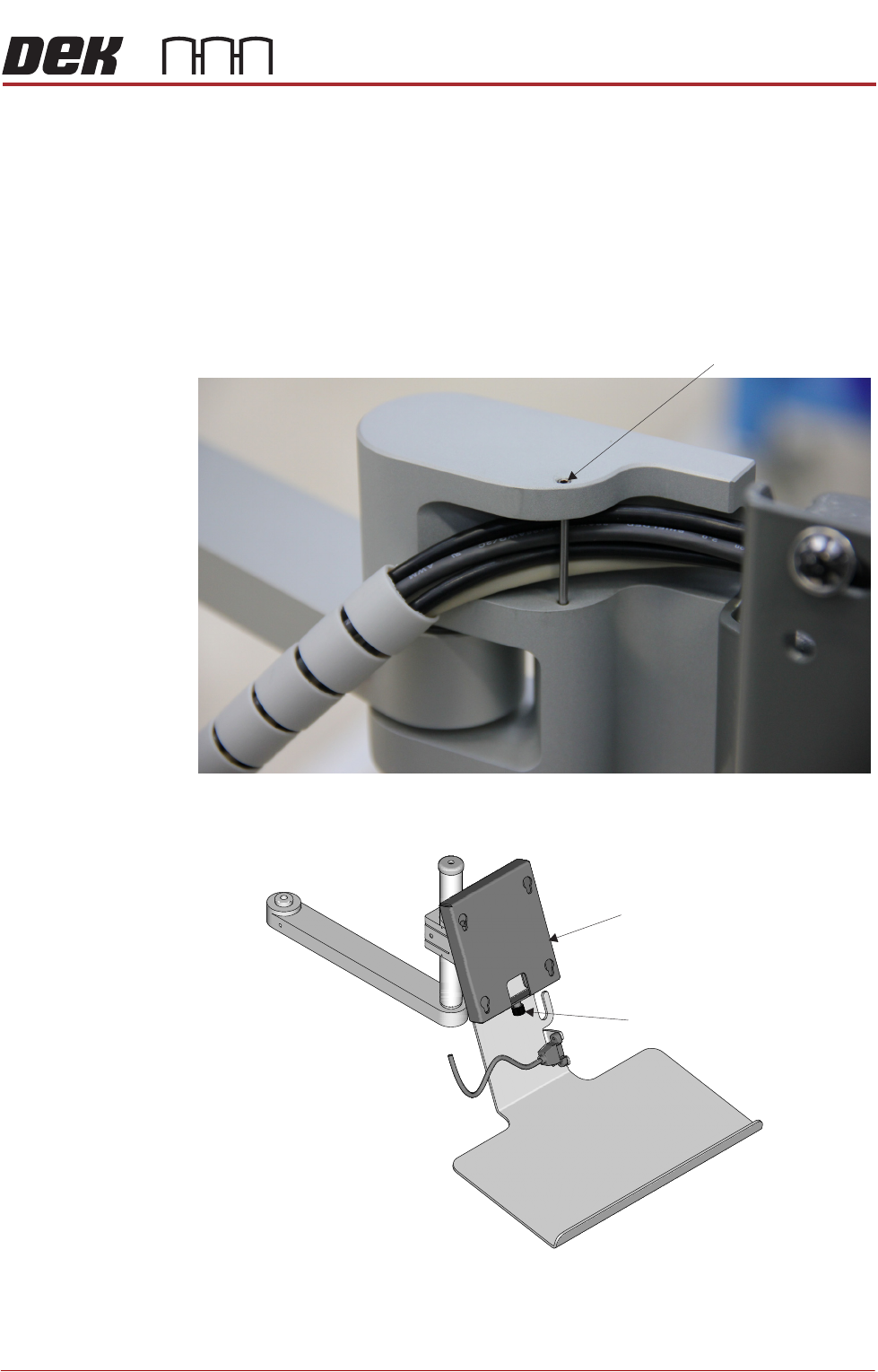
6. Using a 2mm Allen key, remove the dowel pin to release the MMI cables.
7. Unscrew the monitor securing screw and lift the monitor upwards to remove
it from the monitor fixing bracket (monitor shown removed for clarity).
Dowel Pin
Monitor Fixing Bracket
Monitor Securing Screw