00196062-03_SM_LDU-X_EN.pdf - 第31页
4 Service Work 4.2 Replacing Spare Parts Service Manual SIPLACE LDU-X Linear Dipping Unit 11/2017 31 4.2.11 Replacing the Display Board Overview Display board [03055413-xx] 1. Display 2. Switch for membrane key 3. Connec…
4 Service Work
4.2 Replacing Spare Parts
30 Service Manual SIPLACE LDU-X Linear Dipping Unit 11/2017
Removal
► Remove the cover on the X adapter controller. (See 4.2.29.11 "Removing the Controller
Cover" [}65])
► Loosen the cable clamp and unplug the connector to the EDIF unit. (See 4.2.29.12 "Removing
the EDIF Unit" [}66])
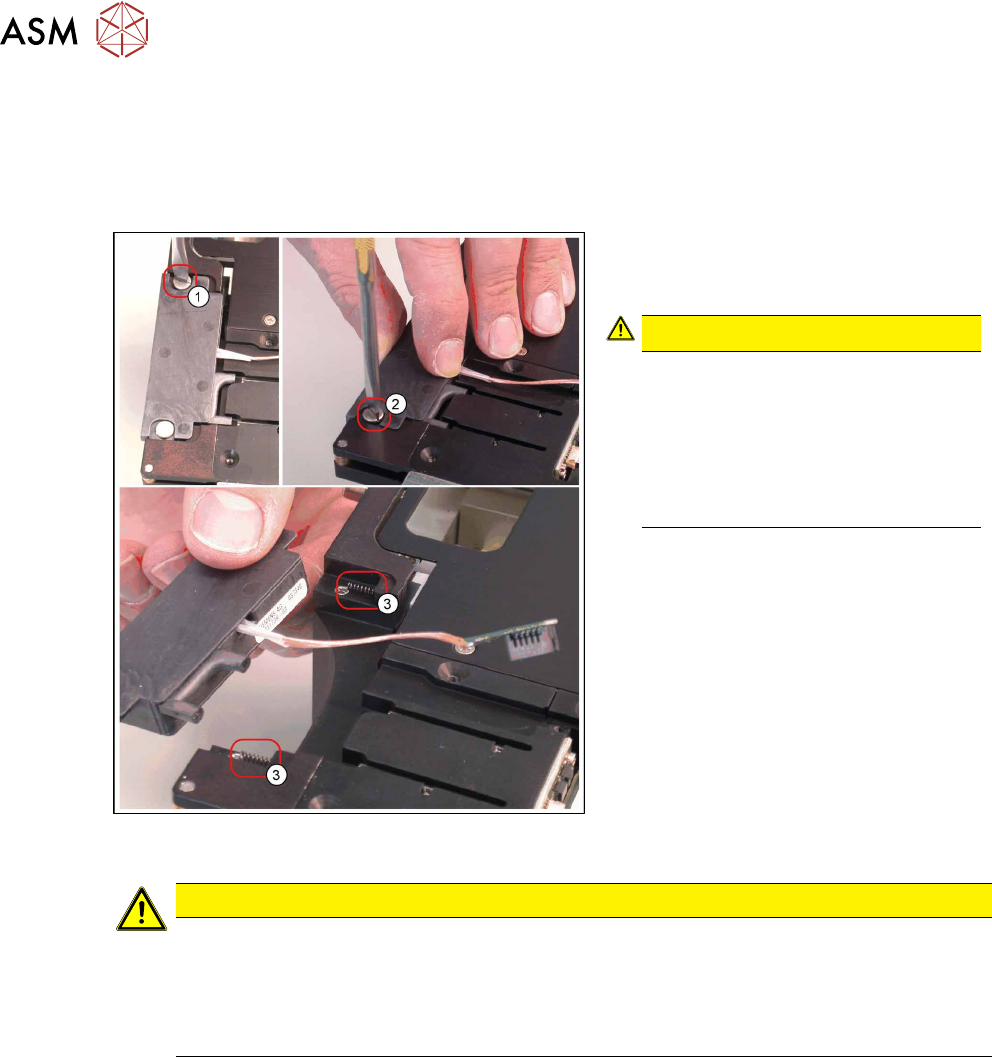
► Loosen the two slotted screws(1)
und(2). Use a screwdriver with a thin
tip.
CAUTION!
Springs
The EDIF unit has 2 springs(3).
When removing the EDIF unit, hold it
tight, to prevent it suddenly jumping
out.
Make sure that the springs are not
lost!
.
► Carefully remove the EDIF unit.
Installation
CAUTION
Important installation instructions
► The EDIF unit is flexibly mounted with 2 collar screws. Take care not to overtighten
these screws.
► When connecting the cable to the EDIF unit, make sure that the cable has enough
play between the cable clamp and the EDIF unit.
► Installation is performed by following the above instructions in the reverse order.
See also
2 4.2.5 "Replacing the X Adapter controller" [}21]
2 4.2.29.13 "Fitting the EDIF Unit" [}66]
2 4.2.29.14 "Fitting the Controller Cover" [}67]
4 Service Work
4.2 Replacing Spare Parts
Service Manual SIPLACE LDU-X Linear Dipping Unit 11/2017 31
4.2.11 Replacing the Display Board
Overview
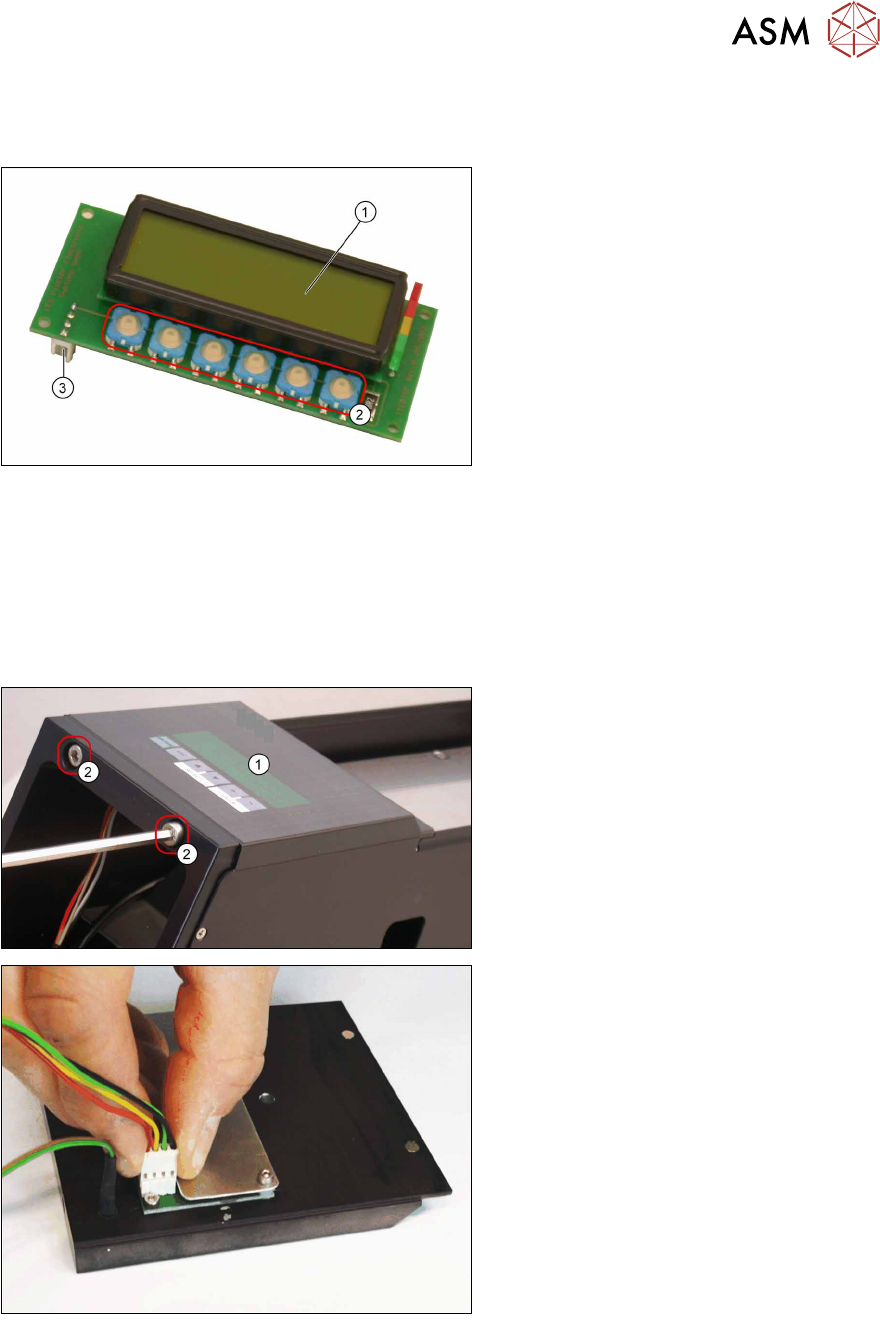
Display board [03055413-xx]
1. Display
2. Switch for membrane key
3. Connection to the LDU-X control
board
Equipment required
●
Standard tools
●
Allen key size 2 and 5
●
Spare part: display board [03055413-xx]
Removal
► Loosen the two fastening screws (2)
at the front of the LDU-X and carefully
remove the display (1) .
► Disconnect the plug from the display.
4 Service Work
4.2 Replacing Spare Parts
32 Service Manual SIPLACE LDU-X Linear Dipping Unit 11/2017
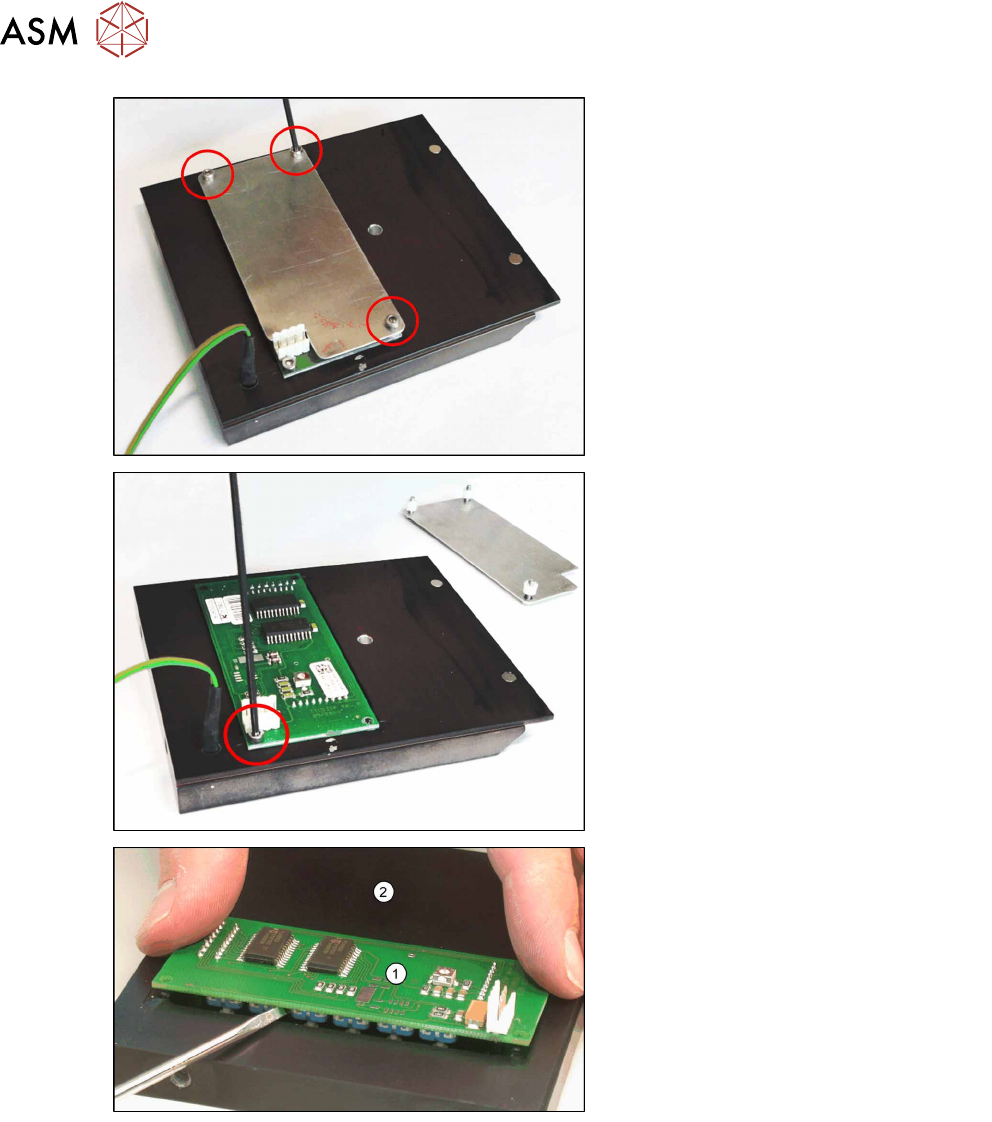
► Loosen the 3 screws fastening the
cover plate.
► Loosen the screws fastening the dis-
play board.
► Gently lever the board (1) out of the
display housing (2) e.g. with a flat
screwdriver.