00196062-03_SM_LDU-X_EN.pdf - 第36页
4 Service Work 4.2 Replacing Spare Parts 36 Service Manual SIPLACE LDU-X Linear Dipping Unit 11/2017 ► Carefully unscrew the plastic nut (1) from the switch. CAUTION! The plastic nut is very sensitive and could easily…
4 Service Work
4.2 Replacing Spare Parts
Service Manual SIPLACE LDU-X Linear Dipping Unit 11/2017 35
Removal
NOTICE
Cable tie
► Cable ties can be opened carefully with a pair of pliers if necessary. Make sure you do
not damage any cables.
► These must be replaced by new cable ties after the replacement! Note their position if
necessary.
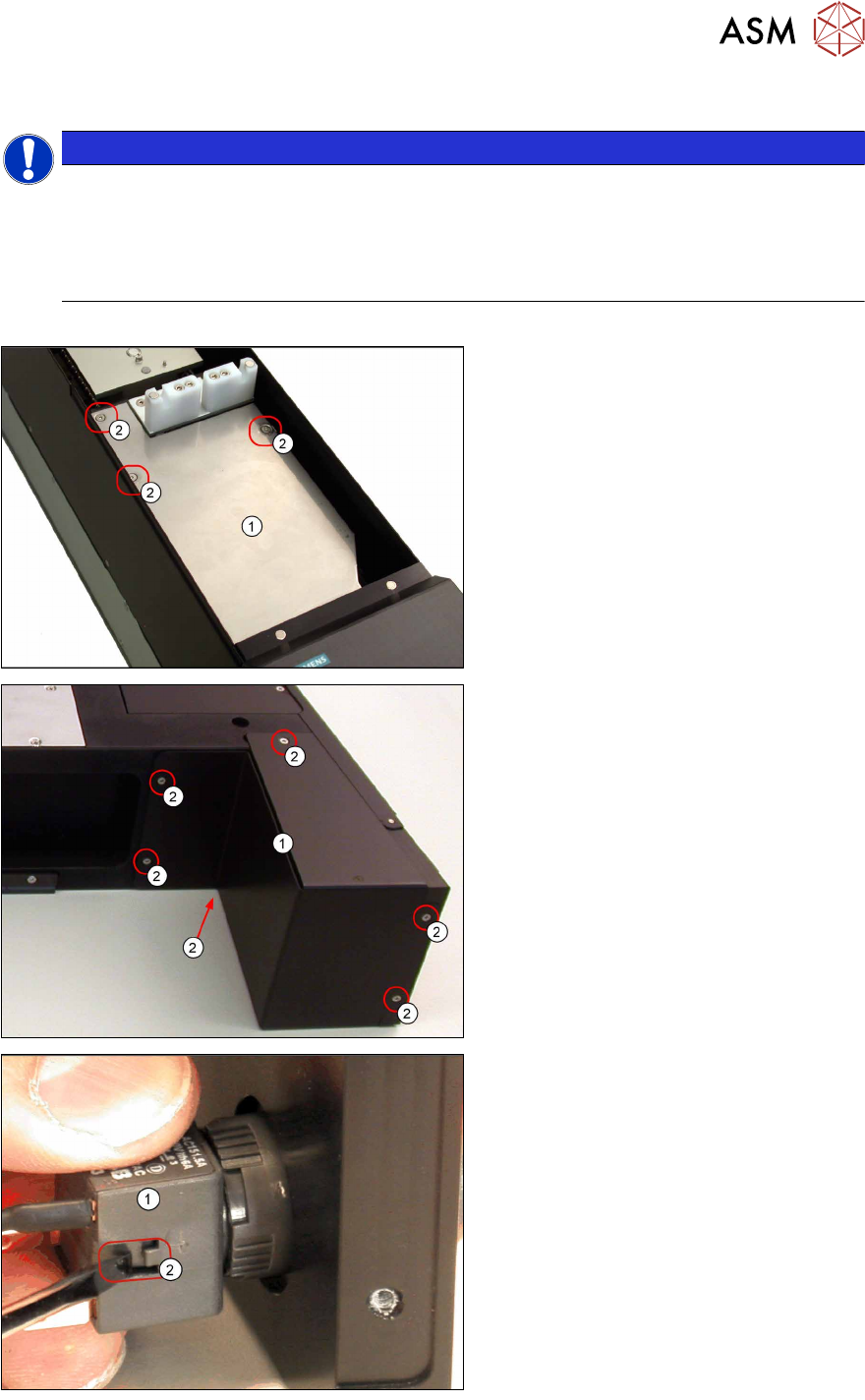
► Remove the side covers (see 4.2.29.1 "Removing the Side Covers" [}57]).
► Undo and remove the 3 screws (2)
fastening the upper stainless steel
cover (1) .
► Loosen the 6 screws (2) fastening the
lower cover (1).
► Loosen the switch unit (1) by pressing
sideways on the clip (2) with a screw-
driver and pulling the switch unit off
the connector.
4 Service Work
4.2 Replacing Spare Parts
36 Service Manual SIPLACE LDU-X Linear Dipping Unit 11/2017
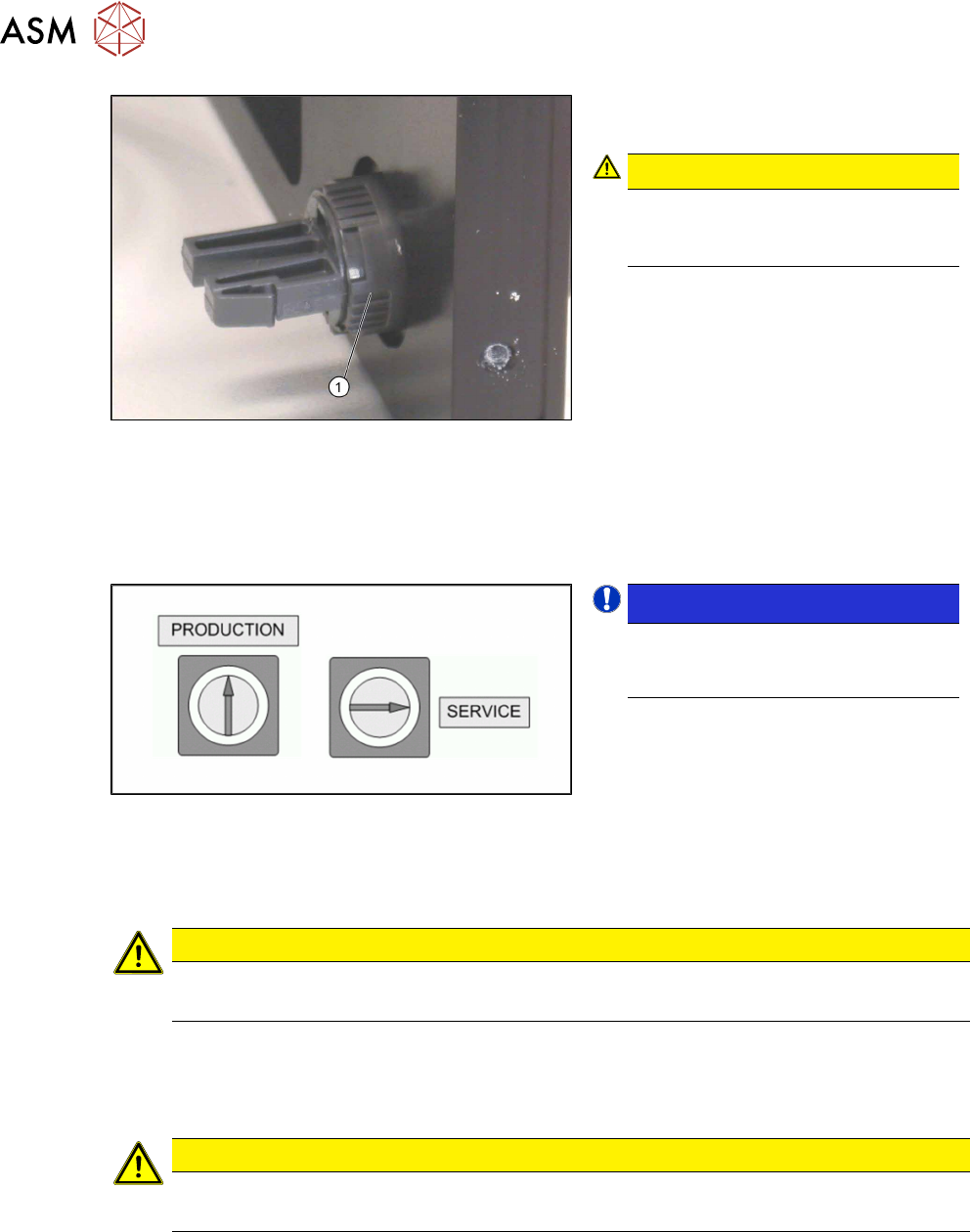
► Carefully unscrew the plastic nut(1)
from the switch.
CAUTION!
The plastic nut is very sensitive and
could easily break!
Avoid the use of pliers etc.
.
► Carefully pull the switch out of the
housing towards the front.
► Disconnect the switch cable from the main control board (see section 4.2.29.8 "LDU-X Con-
troller" [}62]). Note the colour and the exact position of the cable. You may need to use a
pair of tweezers to help you.
► Take the cable with the switch unit out of the LDU-X.
Installation
NOTICE!
When installing the switch make sure
that it is possible to adjust the two il-
lustrated switch positions.
.
► Insert the new switch. The seal must be inserted on the outside of the housing, between the
service switch and the housing panel.
► Place the plastic nut on the switch. However, do not tighten the nut completely, so that you
can still turn the switch.
CAUTION
The plastic nut is very sensitive and could easily break!
► Avoid the use of pliers etc.
► Plug in the switch unit.
► Turn the switch in such a way that the switch unit clip points downwards.
► Carefully tighten the nut per hand.
CAUTION
Important installation instructions
► Replace any opened cable ties with new ones.
► Further installation is performed by following the above instructions in the reverse order.
See also
2 4.2.19 "Replacing the Motor with Gearing and Encoder" [}41]
4 Service Work
4.2 Replacing Spare Parts
Service Manual SIPLACE LDU-X Linear Dipping Unit 11/2017 37
4.2.15 Replacing the EMERGENCY STOP Button
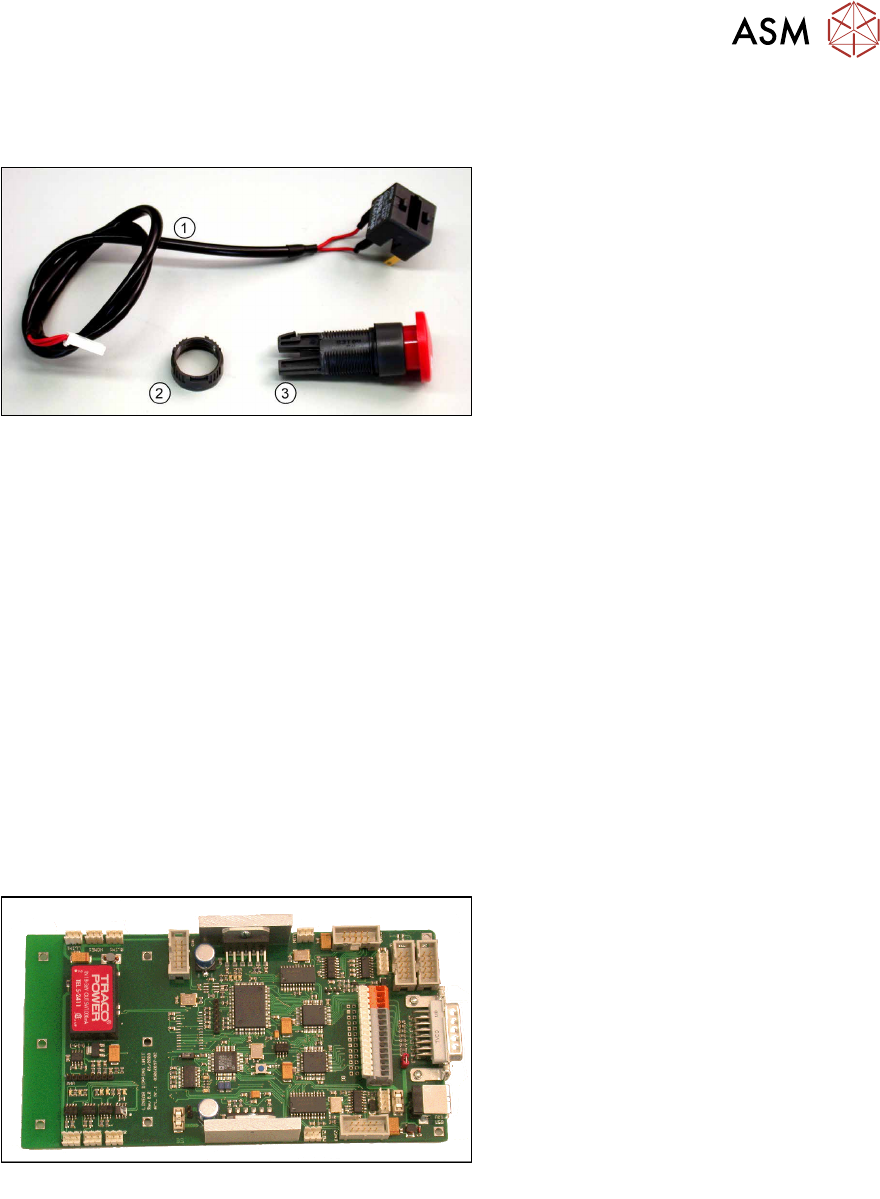
Overview
Emergency stop switch [03062334-xx]
1. Cable to LDU-X controller
2. Plastic nut
3. EMERGENCY STOP SWITCH
Equipment required
●
Standard tools
●
Allen key size 6
●
Cable tie
●
Spare part: emergency off switch [03062334-xx] (incl. switch unit with cable and plastic nut)
Removal / installation
The removal and installation of the emergency off switch follows the same procedure as that for the
service switch.
See also
2 4.2.14 "Replacing the Service Switch" [}34]
4.2.16 Replacing the LDU-X Controller
Overview
LDU-X control board [03062897-xx]
Equipment required
●
Standard tools
●
Allen key, sizes 5, 3 and 2.5
●
Spare part: LDU-X control board [03062897-xx]