00196062-03_SM_LDU-X_EN.pdf - 第34页
4 Service Work 4.2 Replacing Spare Parts 34 Service Manual SIPLACE LDU-X Linear Dipping Unit 11/2017 4.2.13 Replacing the Display Foil Overview Equipment required ● Standard tools ● Allen key size 2 and 5 ● Lint-free cle…
4 Service Work
4.2 Replacing Spare Parts
Service Manual SIPLACE LDU-X Linear Dipping Unit 11/2017 33
Installation
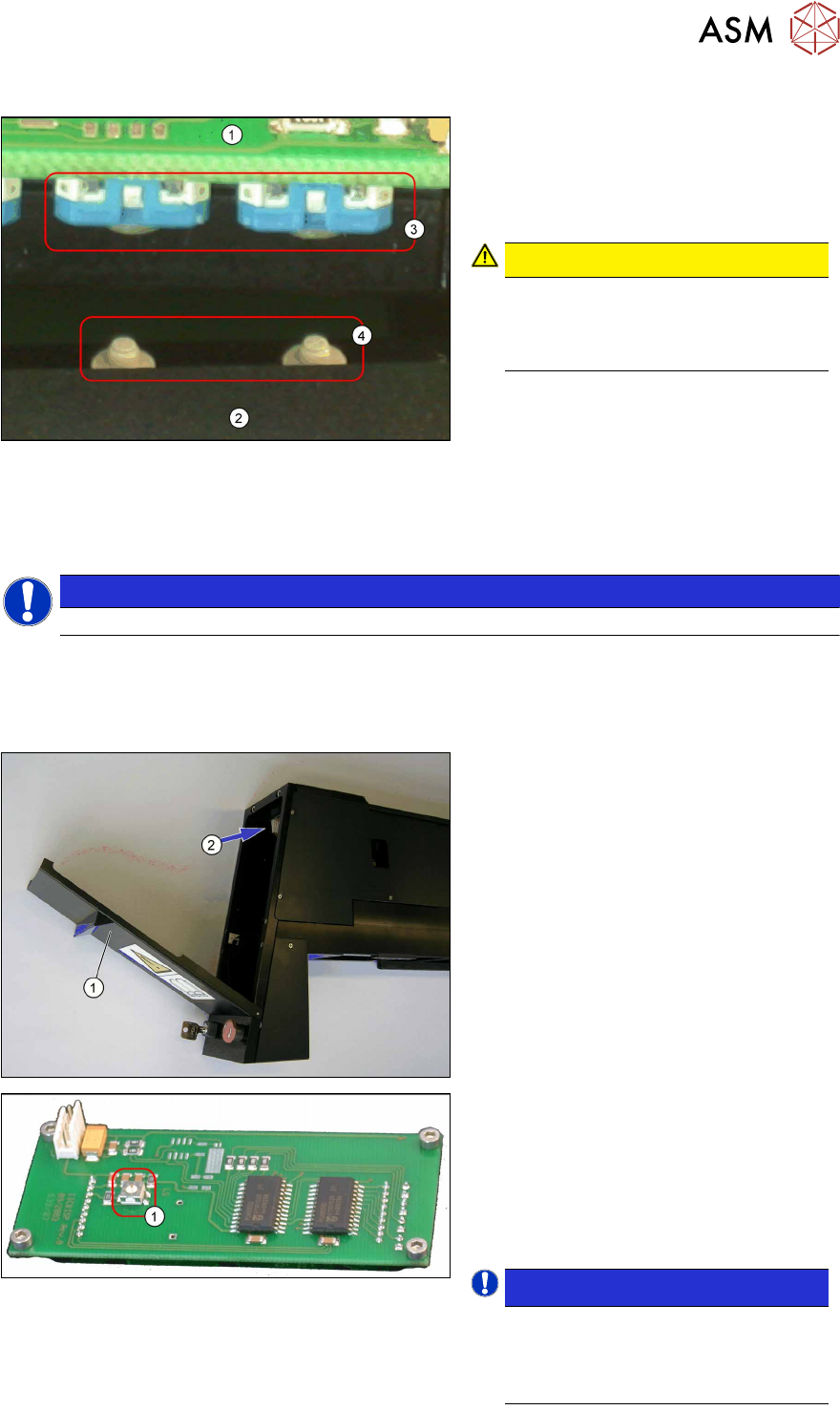
1. Display board
2. Display housing
3. Switch on the display board
4. Studs (bumps) on the buttons
CAUTION!
During the installation make sure that
the studs (bumps) (4) on the buttons
properly clip into the switch cavities
(3) on the display board.
.
► Further installation is performed by following the above instructions in the reverse order.
► Check the contrast of the display after the replacement and adjust it correctly if required.
4.2.12 Setting the Display Contrast
NOTICE
The display contrast cannot be set for an LDU-X with re-fill unit.
Equipment required
●
Small screwdriver
Setting the contrast
► Place the LDU-X onto the machine.
► Switch the LDU-X on.
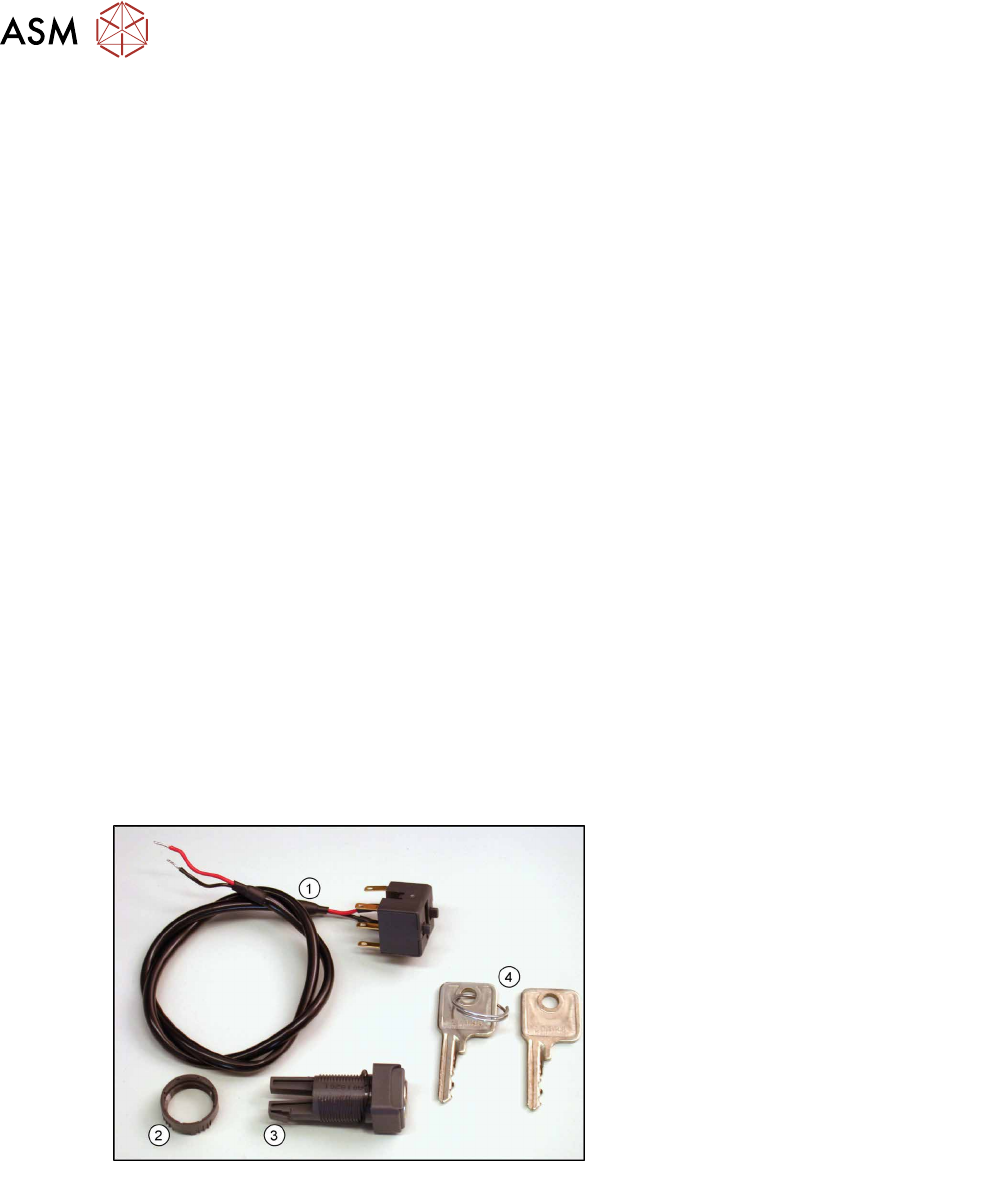
► Open the front flap (1) of the LDU-X,
so that the underside of the display
unit(2) is accessible.
Display board
The display board is located on the under-
side of the display. This has a rotary en-
coder (1) (potentiometer) for the display
contrast.
► Use the small screwdriver to set the
rotary encoder so that the display can
be read easily.
NOTICE!
Optimum setting
The setting is correct when you can
no longer see the gray segments be-
hind the numbers.
.
4 Service Work
4.2 Replacing Spare Parts
34 Service Manual SIPLACE LDU-X Linear Dipping Unit 11/2017
4.2.13 Replacing the Display Foil
Overview
Equipment required
●
Standard tools
●
Allen key size 2 and 5
●
Lint-free cleansing tissues
●
Ethanol
●
Spare part: Display foil [03063561-xx] (self-adhesive, on paper)
Removal
► Dismantle the display unit and remove the display board. (See 4.2.11 "Replacing the Display
Board" [}31])
► The display foil is attached to the housing. Carefully remove the foil from the housing with a
sharp object (knife, chisel).
► Remove all residual adhesive from the housing. Use a knife and a cloth moistened with eth-
anol.
Installation
► Take the new display foil and remove the protective sheet on the underside of the foil. The ad-
hesive surface is now uncovered.
► Position the new display foil correctly on the housing and press firmly into place.
► Further installation is performed by following the above instructions in the reverse order.
4.2.14 Replacing the Service Switch
Overview
Service switch [03062342-xx]
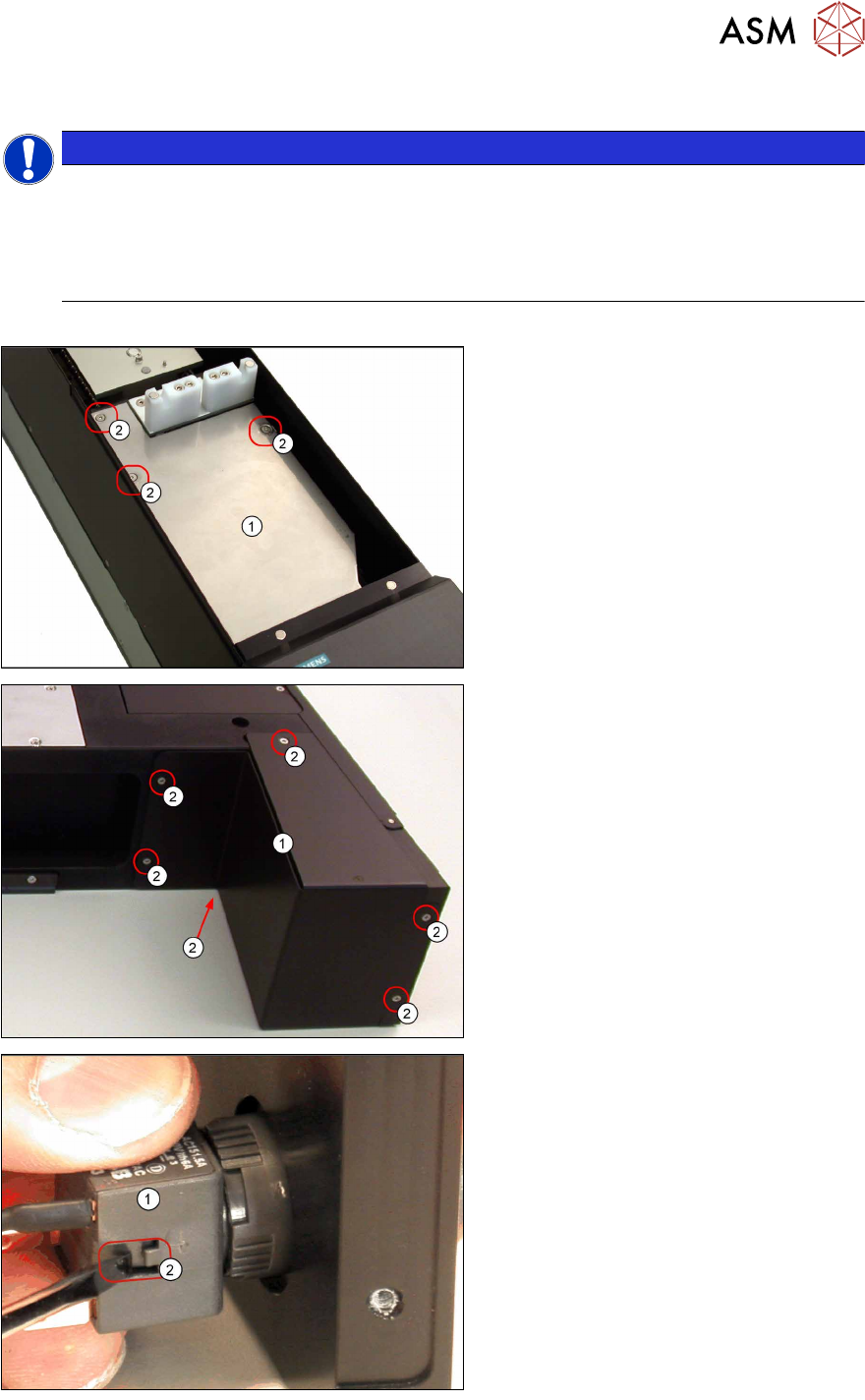
1. Cable to LDU-X controller
2. Plastic nut
3. Service switch
4. Key
Equipment required
●
Standard tools
●
Allen key size 6
●
Cable tie
●
Spare part: Service switch [03062342-xx] (incl. switch unit with cable, plastic nut and 2 keys)
4 Service Work
4.2 Replacing Spare Parts
Service Manual SIPLACE LDU-X Linear Dipping Unit 11/2017 35
Removal
NOTICE
Cable tie
► Cable ties can be opened carefully with a pair of pliers if necessary. Make sure you do
not damage any cables.
► These must be replaced by new cable ties after the replacement! Note their position if
necessary.
► Remove the side covers (see 4.2.29.1 "Removing the Side Covers" [}57]).
► Undo and remove the 3 screws (2)
fastening the upper stainless steel
cover (1) .
► Loosen the 6 screws (2) fastening the
lower cover (1).
► Loosen the switch unit (1) by pressing
sideways on the clip (2) with a screw-
driver and pulling the switch unit off
the connector.