COU2000 PRO计数器英文说明书 Operaton Manual-en(1).pdf - 第18页
VERSION: .1.01 E 18 / 52 The COUP2000EX Pro adopts a transmi tter -receiver fi ber op tic sen sor , which determines the difference in the amount of incoming l ight sensed by the se nsor under two conditions: with and wi…
VERSION: .1.01 E
17 / 52
the tape manually, until the last component is aligned withthe arrow indicated on the guide
pulley。 .
Note: because of the inertia of the motor and the different tensile forces of the pocket, the
counting value where the device stops is often greater than the preset value.
4.1.11 If no value is preset, please press the STOP key to stop running. When the tape is to
come to an end, and drag the tape manually, until the last component is aligned with the
arrow indicated on guide pulley.
4.112. At the time, the data displayed on the device is the quantity for the
components in the tape. Please record it onto the original reel.
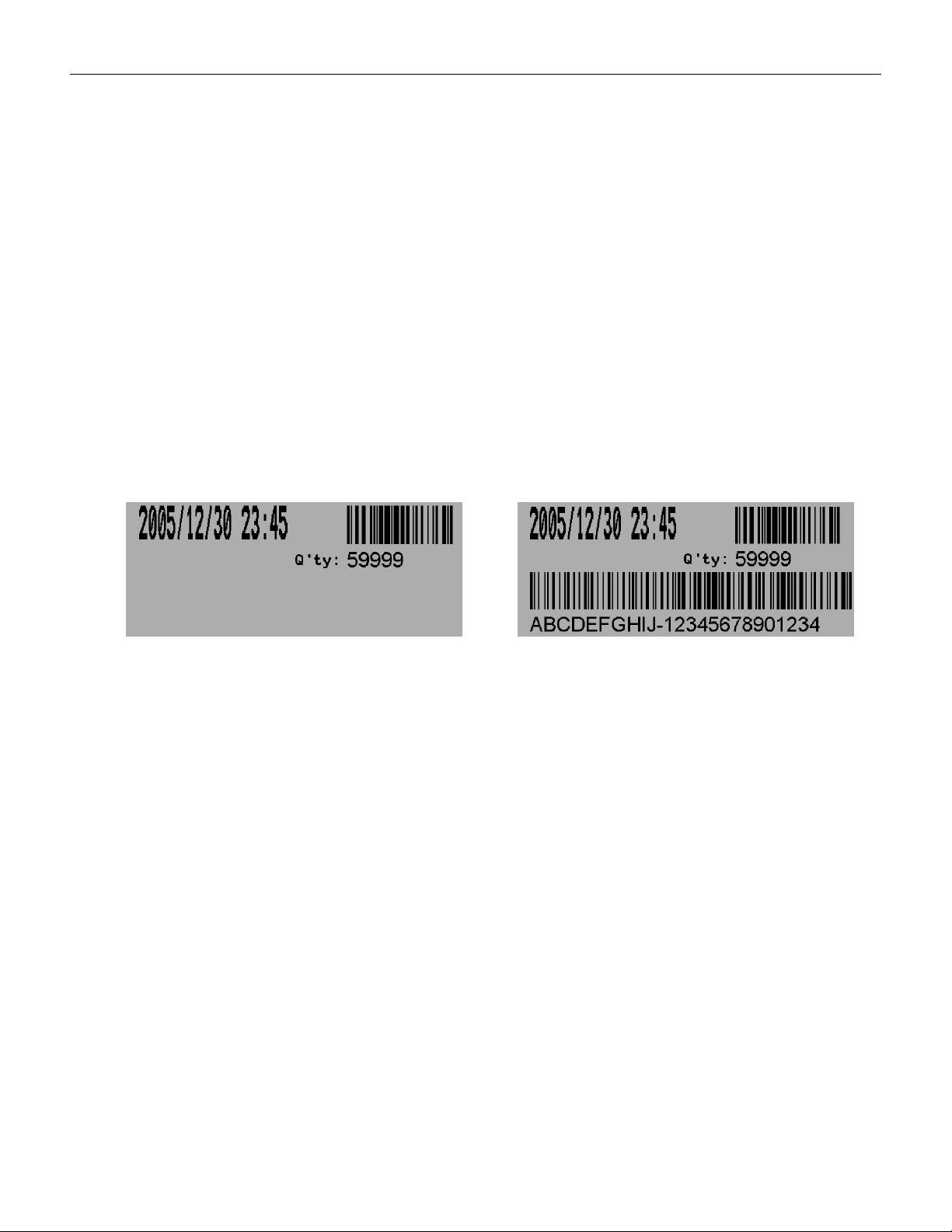
4.1.13 If a label printer is equipped, press the PRINT key to print the label,if a bar-code
reader is equipped, scan the barcode on the original reel into the device, then the printed
label will cover information such as time, quantity and bar-code, as shown in the following
figure:
without bar-code of component with bar-code of component
4.1.14 Press the REWIND key, and the tape will roll back from the temporary reel to the
original reel. When the counting is decreased to zero, the device will stop automatically;
drag the tape manually, and check whether the corresponding location zero at this time is
consistent with location zero at start. This is called double check.
4.1.15. Press the REWIND key again, and all the tape will return back to the
original reel
4.2 Operation guide for Pocket Check
4.2.1 Overview of Pocket Check
The Pocket Check function can be used to automatically detect whether there are missing
parts in the material belt, stop and prompt when there are missing parts.
VERSION: .1.01 E
18 / 52
The COUP2000EX Pro adopts a transmitter-receiver fiber optic sensor, which determines the
difference in the amount of incoming light sensed by the sensor under two conditions: with
and without parts in the material strip.
Therefore:
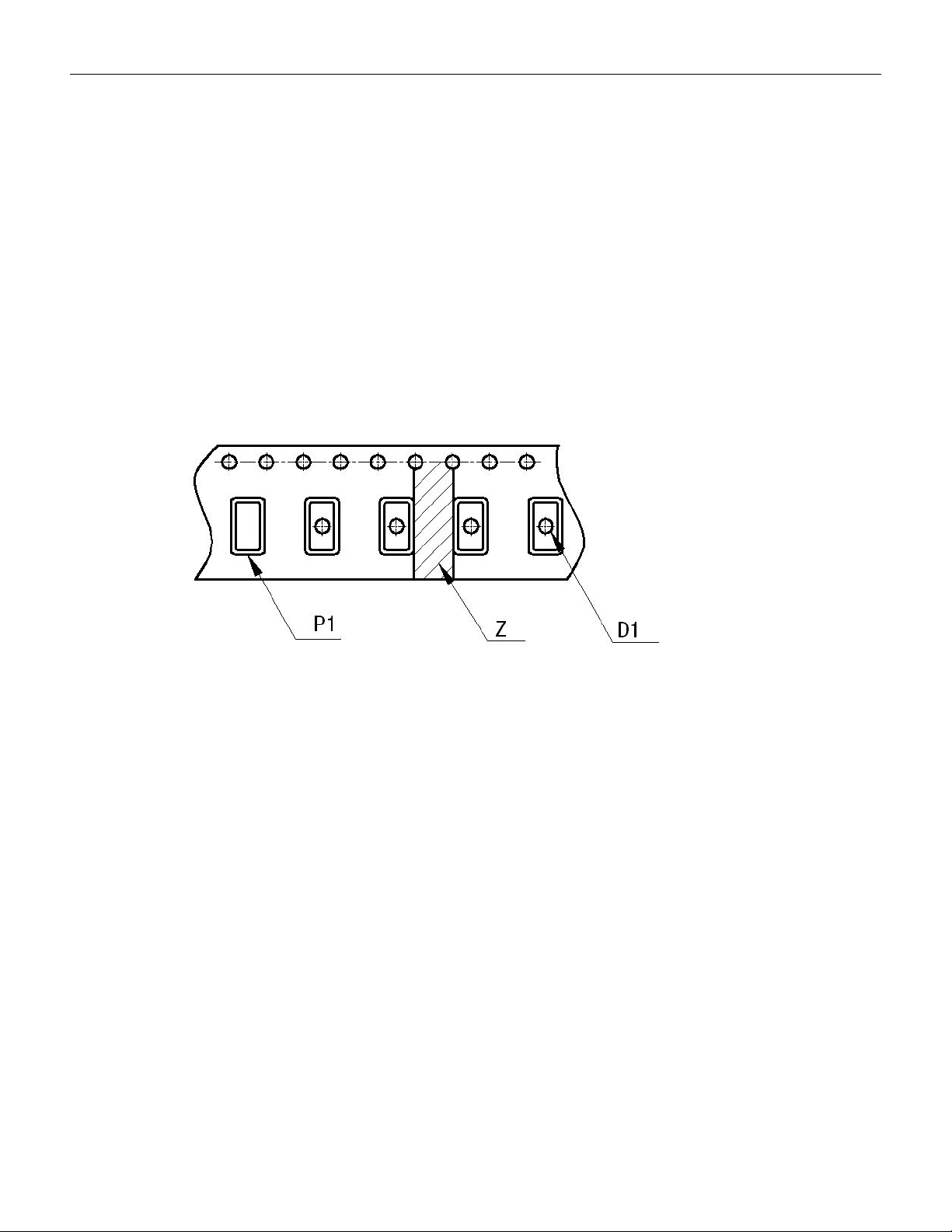
*For black plastic material strips with no holes in the center of the part slot (as shown in
Figure P1, this function is invalid!
*For a completely transparent material strip, the amount of light entering when there are no
parts in the part slot is very close to the amount of light entering the material strip between
the part slots (as shown in the Z part of Figure 3-1), which can easily lead to misjudgment.
*This function can be achieved for black plastic material with holes in the
Center of the part groove and paper material strip
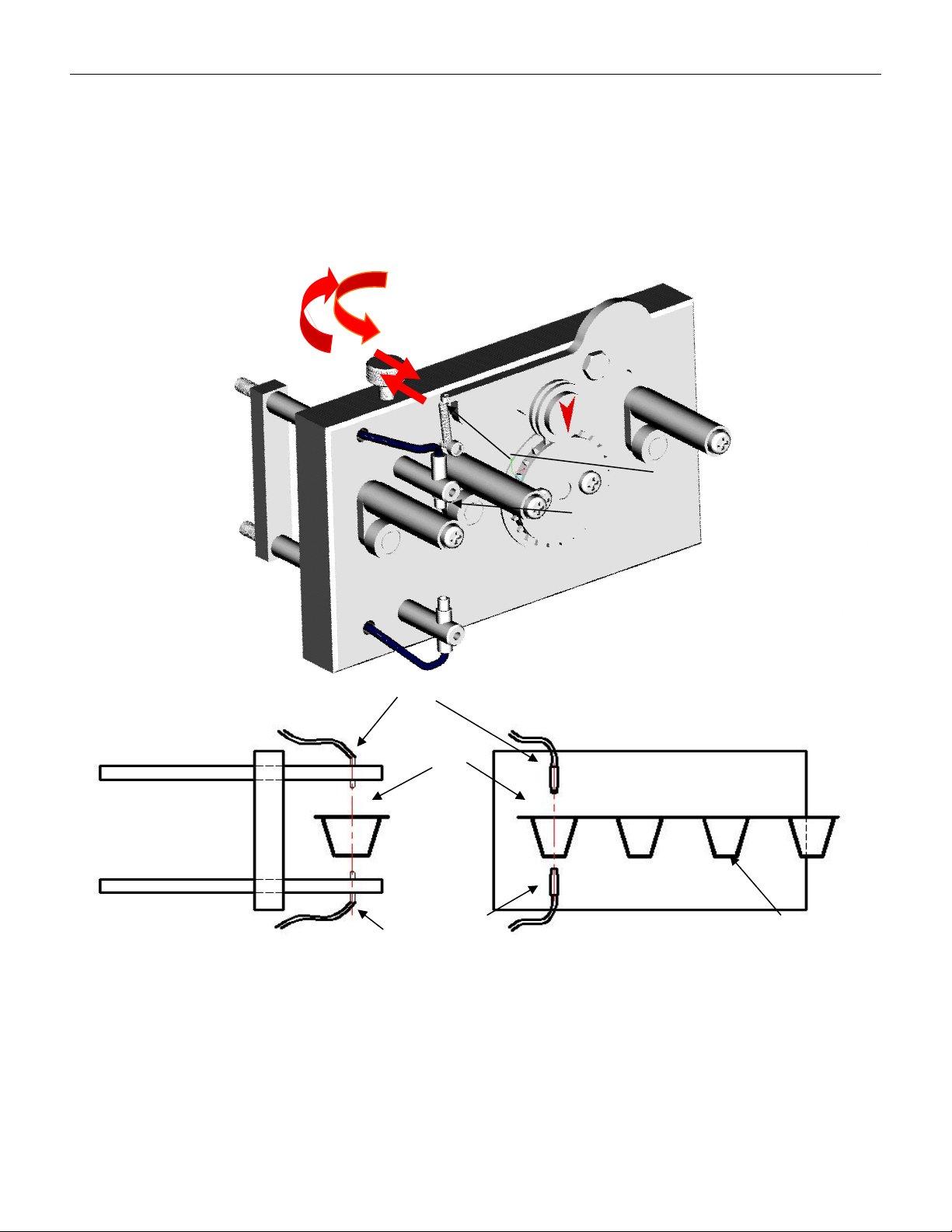
4.2.2 Pocket Check device consists of three parts :
4.2.2.1 Fiber
We have updated to use SUNX's transmitter-receiver type fiber FX-501-C2, which can also
be replaced with other transmitter-receiver type fibers of the same grade, diameter, and
flexibility。
VERSION: .1.01 E
19 / 52
Receive end
Transmitter end
Transmitter
end
Tape
Groove
Receiver end
Loose
Tighten
4.2.2.2 Fiber optic alignment mechanism
To activate the empty material detection function for different widths of material strips, the
fiber optic alignment mechanism must be relaxed first to align the fiber optic emitting end
with the center hole of the part slot on the material strip (i.e. D1 in Figure 3-1), and then
locked.