COU2000 PRO计数器英文说明书 Operaton Manual-en(1).pdf - 第21页
VERSION: .1.01 E 21 / 52 4.2.3 Advanced settin g of the a mplifier Please see the i nstruction manual for FX-501(FX-551 ) for mo re detailed setting 4.2.4 Instructions for Po cket check function 4.2.4.1 Ple ase refer to …
VERSION: .1.01 E
20 / 52
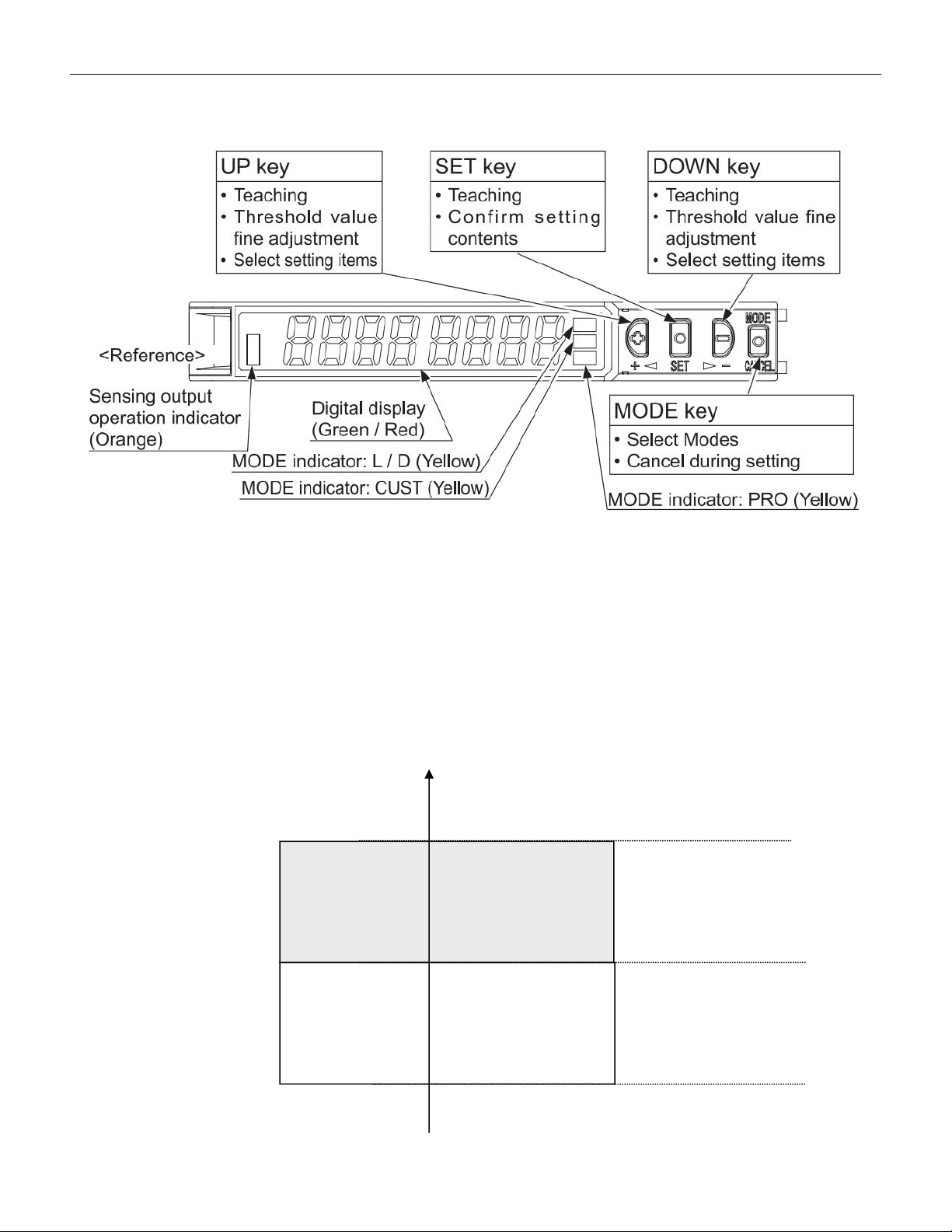
4.2.2.3 Amplifier for FX-501-C2
4.2.2.3.1 Part description:
4.2.2.3.2 Threshold value of the amplifier
The threshold value is very important, this value represent the difference of 2 status, with
and without components. When using pocket check function, we need to set this
threshold value. Once the light input exceeds the threshold value, the amplifier will
determine that there are missing parts in the material strip. As shown in the figure below:
Threshold
value
With component
No component
Light
sensing
ON
OFF
VERSION: .1.01 E
21 / 52
4.2.3 Advanced setting of the amplifier
Please see the instruction manual for FX-501(FX-551) for more detailed
setting
4.2.4 Instructions for Pocket check function
4.2.4.1 Please refer to the section on basic operations in section 4.1 to activate the empty
material detection function by pressing Pocket check.
4.2.4.2 Please refer to the section on basic operations in 4.1 to perform operations such as
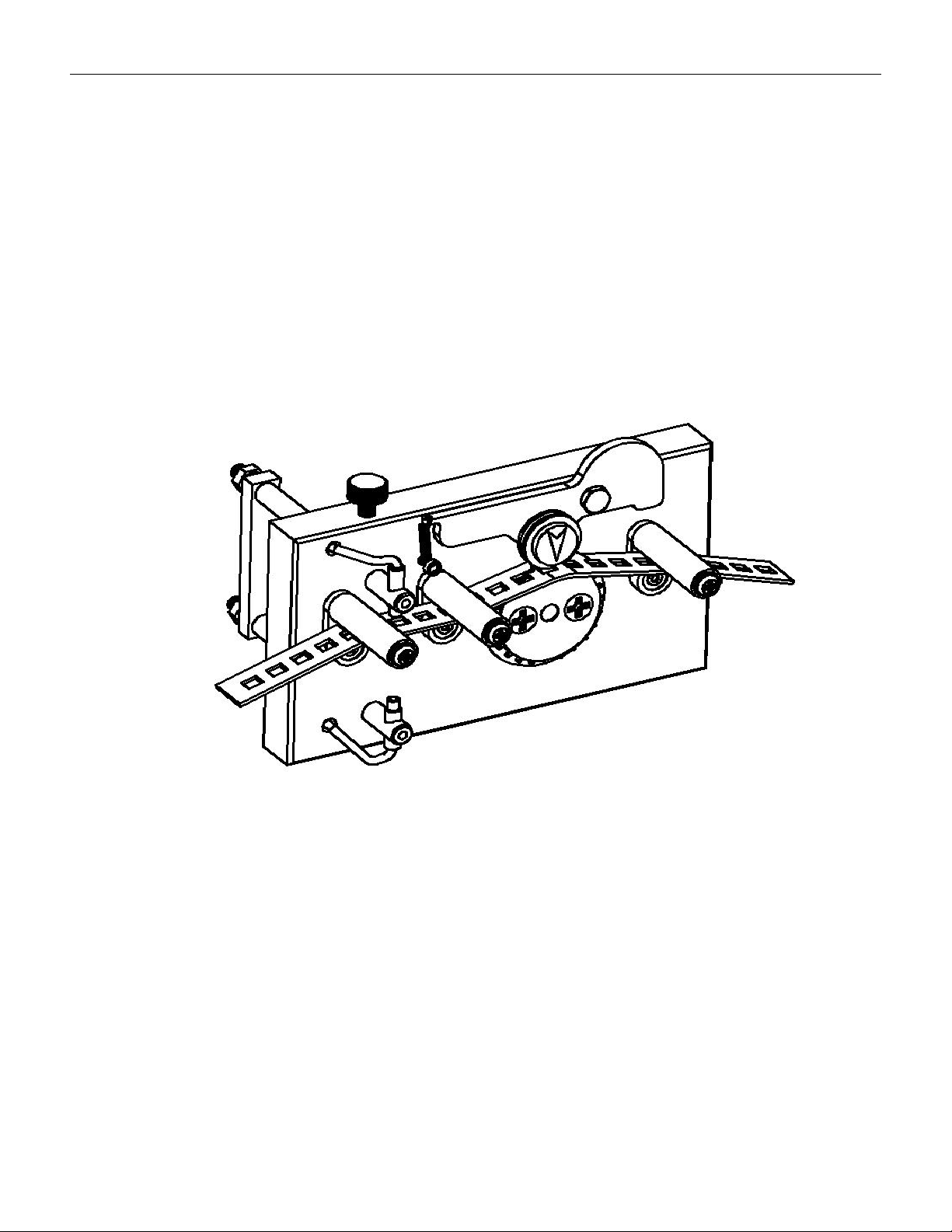
resetting, setting pitch, preset values, etc. As shown in the figure below, the material strip
passes through the upper and lower guide columns and penetrates into the material strip
(as shown in the figure below)。
The material strip passes through between the upper and lower guide columns
4.2.4.3 Adjust the fiber alignment mechanism to align the fiber with the center of the
component slot in the material strip,
4.2.4.4 Setting of threshold values
Drag the carrier tape to align the emitting end of the optical fiber with the center of the
slot that there is no component, press the SET button once, and the light input amount on
the display screen will flash for about 1 second before returning to the current value, while
the TEACH yellow cursor will continue to flash. Drag the tape again to align the emitting
end of the optical fiber with the center of the slot that there is componen, and press the SET

VERSION: .1.01 E
22 / 52
button again. If the setting is allowed, the light input amount on the display screen will flash
for about 1 second and then display the intermediate value between the two settings (i.e.
the threshold value). If the amplifier determines that it can detect stably, it will flash and
display "good" for about three seconds before stabilizing, and the machine can detect
normally.
Note:
When the threshold value is set incorrectly or deviates significantly, it may cause the
machine to give an error alarm and stop or not stop when there is empty material.
4.2.4.5 Fine tuning of threshold values
When the machine makes incorrect judgments during use, it may be due to uneven material
strip, resulting in inappropriate threshold values. Please adjust the threshold values
according to the following methods:
Press the SET button to point the yellow cursor to ADJ. When pressing UP/DOWN to display
the desired reference value, confirm the reference value setting with the SET switch once,
and then press the SET button to point the yellow cursor to RUN mode.
Notes:
The appropriate threshold value should be greater than the minimum light input when
there is no component in slot and less than the maximum light input when there is
component in slot. The closer it is to the maximum light input when there is component in
slot, the higher the sensitivity and the faster the pocket check response. However, if it is too
close, it may cause misjudgment when there is material, resulting in alarm and stop
counting.
4.2.4.6 When using the COUP2000EX Pro, if there is an empty material in the material belt,
the buzzer will sound a warning and the motor will stop. Please confirm if there is a
shortage of material, which will be displayed in the icon below. If there is indeed an empty
material, the final inventory quantity should be reduced by the amount of empty material; if
there is no empty material and an alarm is triggered, the reference value of the fiber
amplifier needs to be reset
Pocket check alarm screen
XXX PCS CHIP LOST
CHECK IT PLEASE!