COU2000 PRO计数器英文说明书 Operaton Manual-en(1).pdf - 第35页
VERSION: .1.01 E 35 / 52 you p urchased a scanner of the same model yourself , please b lock the 5 V interface using the me thod sh own below; Applying 5V to the scanner connector will damage the machine. If you n eed as…
VERSION: .1.01 E
34 / 52
5.2 Barcode Copy
5.2.1 Overview
The barcode duplicate option provided by the COUP2000 Pro series SMD counter is used to
duplicate the barcode on the original label of the material being counted onto the newly
printed label after counting, avoiding confusion。
The barcode copying function is only meaningful when a printer is installed on the
COUP2000 Pro series machine。
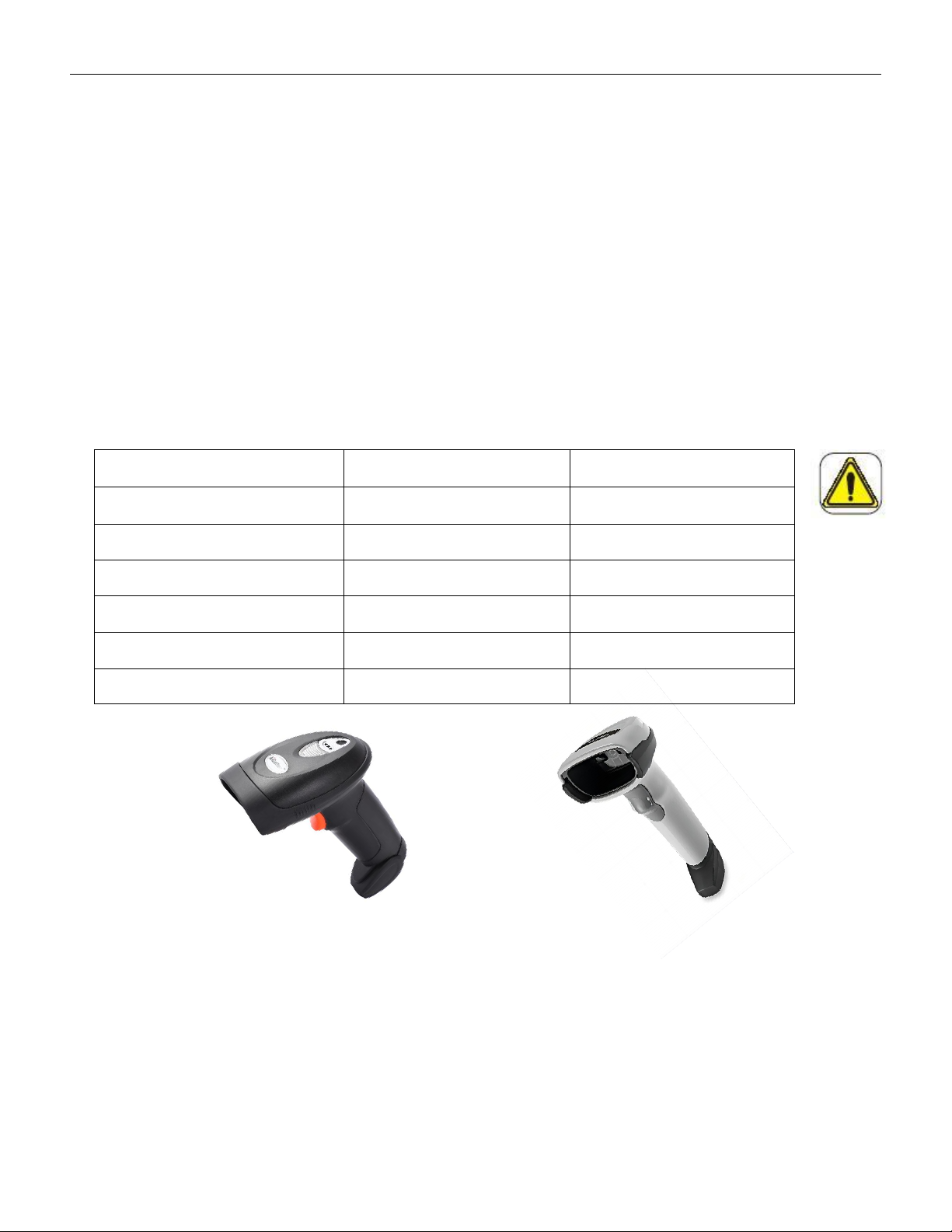
This barcode scanner is only used as an input for the part counter COUP2000 Pro series. The
communication method, character format, and barcode specifications have been debugged
and set, as shown in the table below:
Scanner model
SCAN:A-9295P
Zebra:DS2208
Light source
660nm
624nm
Scan distance
5-210mm
50-360mm
Scan width
210mm
150mm
Scan angle
±60°
±65°
Communication
USB
USB
Power supply
5V
5V
A-9295P DS2208
Please do not attempt to modify the settings of this barcode scanner. If you have any special
requirements, please contact us or our distributors
The barcode scanner SCAN: A-9295P/Zebra: DS2208 operates at 5V, and the counter
automatically supplies 5V voltage to the scanner without the need for external voltage; If
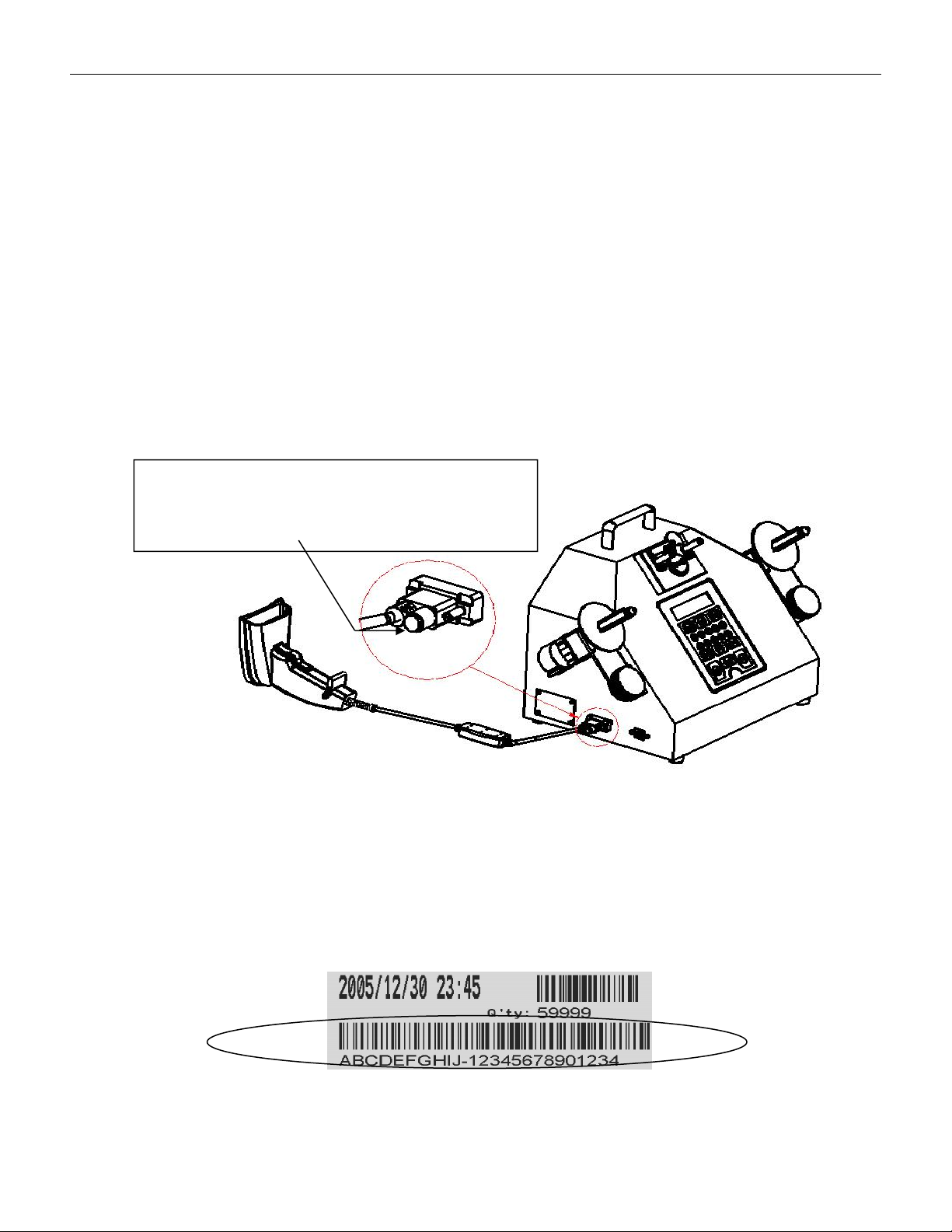
VERSION: .1.01 E
35 / 52
you purchased a scanner of the same model yourself, please block the 5V interface using
the method shown below; Applying 5V to the scanner connector will damage the machine.
If you need assistance, please contact us or our distributors。
5.2.2 Setup the scanner
5.2.2.1 Unpacking & Check
Please check the scanner for any damage caused by transportation before opening the box.
If there is any damage, please contact us or our distributors
5.2.2.2 Connect to the counter
5.2.2.2.1Keep the power switch of the printer and counter in the "off" position。
5.2.2.2.2 Connect the barcode scanner communication cable to the counter barcode reader
interface and tighten it with screws to prevent loosening. As shown in the following figure:
圖一
5.2.3 Barcode duplicate
The COUP2000 series, which has selected the label printing function option, can print labels.
If equipped with the barcode reader option, the barcode on the original part reel will be
scanned into the machine before printing. The printed label will contain information about
the time, quantity, and part specification barcode, as shown in the following icon:
Label with barcode fo P/N
The 5Vconnector needs to be blocked,
otherwise it will damage the machine
when applied with voltage

VERSION: .1.01 E
36 / 52
5.2.3.1Instructon of operation:
5.2.3.1.1 Connect the printer and scanner to the SMD counter properly
5.2.3.1.2 Run the counter and counting
5.2.3.1.3 Pick up the scanner and align it vertically with the barcode on the original label of
the material being pointed at. When the distance is 0-50mm, press the trigger of the
scanner to start scanning. At this time, a red light source will be emitted from the scanning
head of the scanner. After scanning the barcode correctly, the buzzer will make a "beep"
sound and store the data in the counter.
5.2.3.1.4 Pressing the PRINT key on the counter panel will print the information of the
quantity of materials and part specifications barcode as mentioned above in the printer。
Precautions:
When the counter is turned on, the buzzer of the scanner will make a "beep" sound, which is
a normal , indicating that it is connected to the counter properly。
If the trigger of the scanner is pressed and no red light source is emitted from the scanning
head, please confirm if the connector is loose or if the scanner is damaged。
If the trigger of the scanner is pressed for a long time to start scanning, and a red light
source is emitted from the scanning head of the scanner, but the buzzer does not make a
beep sound, please confirm whether the scanned barcode is damaged or the scanner is
damaged。
5.3 How to use the option functions
The COUP2000ADV Pro and COUP2000EX Pro series SMD counters are equipped with
label printing and barcode duplicate options. Customers only need to purchase the
corresponding hardware (printer or barcode reader) to implement label printing and
barcode duplicate options