COU2000 PRO计数器英文说明书 Operaton Manual-en(1).pdf - 第28页
VERSION: .1.01 E 28 / 52 \ 5.1.4.2 La bel roll i nstallation: 5.1.4.2.1 Lif t up th e printer cover an d keep it in th e op en position 5.1.4.2.2 Pick up the paper r oll suppor t sh aft, i nsert it into the middle paper …
VERSION: .1.01 E
27 / 52
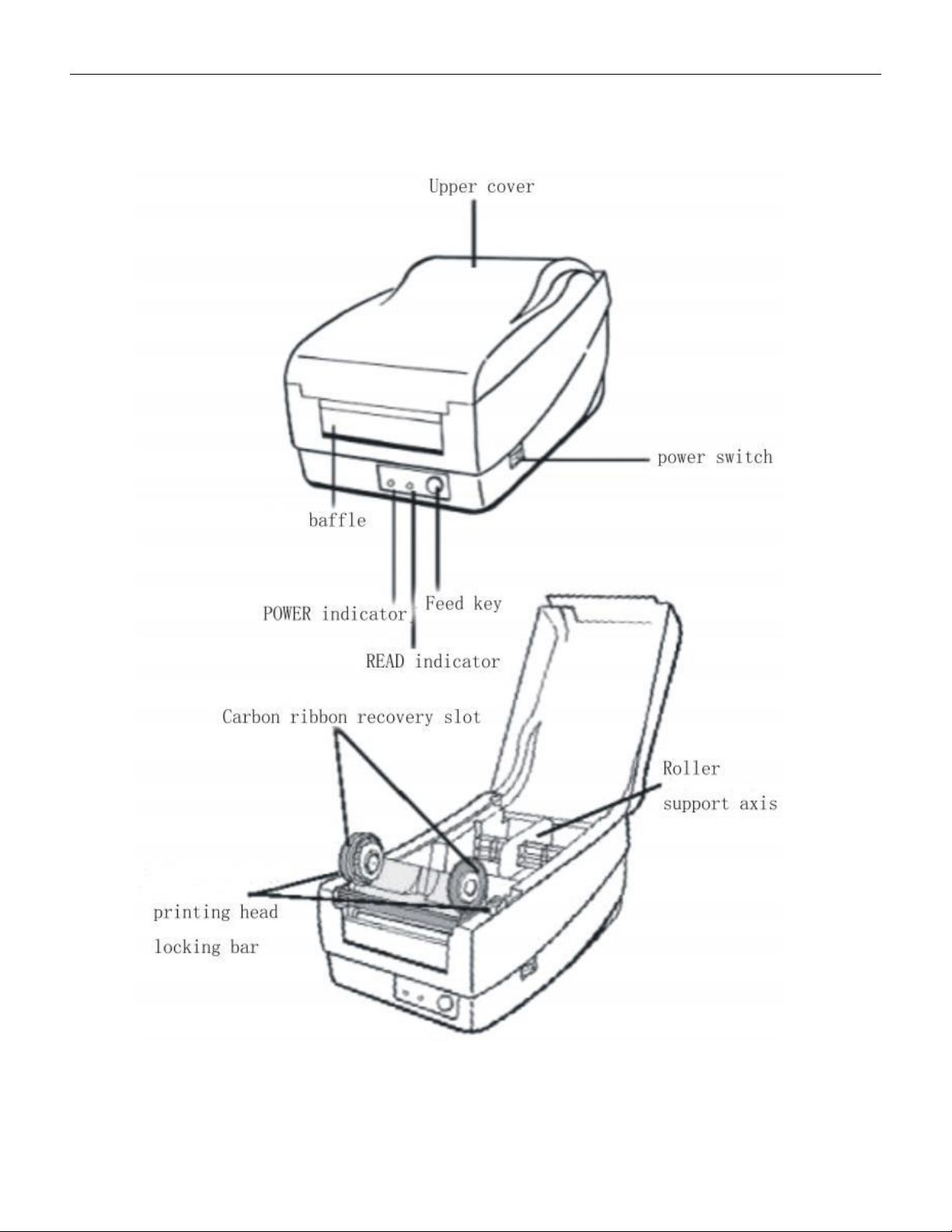
5.1.4 Introduction of Printer
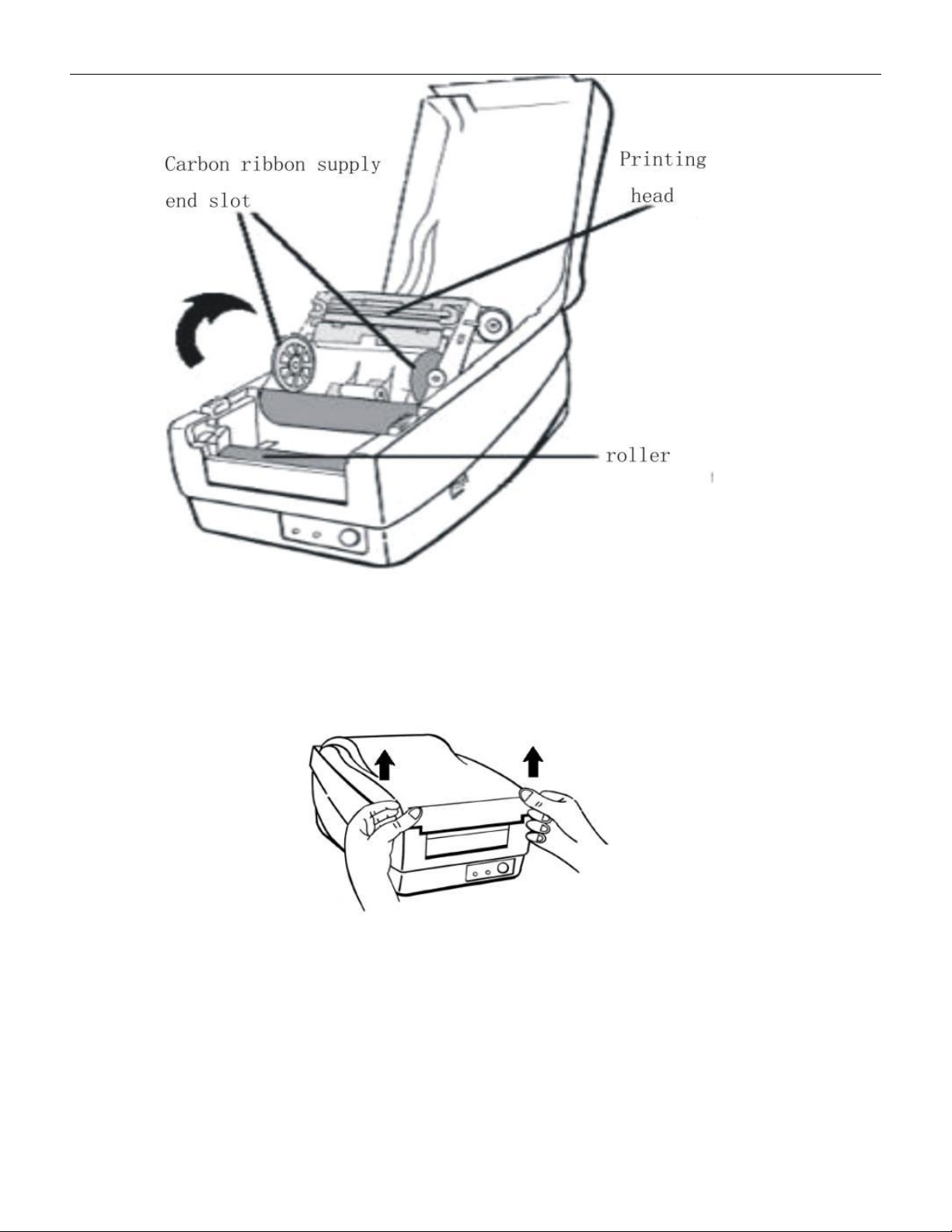
5.1.4.1 Structure of Printer, see below pictures
VERSION: .1.01 E
28 / 52
\
5.1.4.2 Label roll installation:
5.1.4.2.1 Lift up the printer cover and keep it in the open position
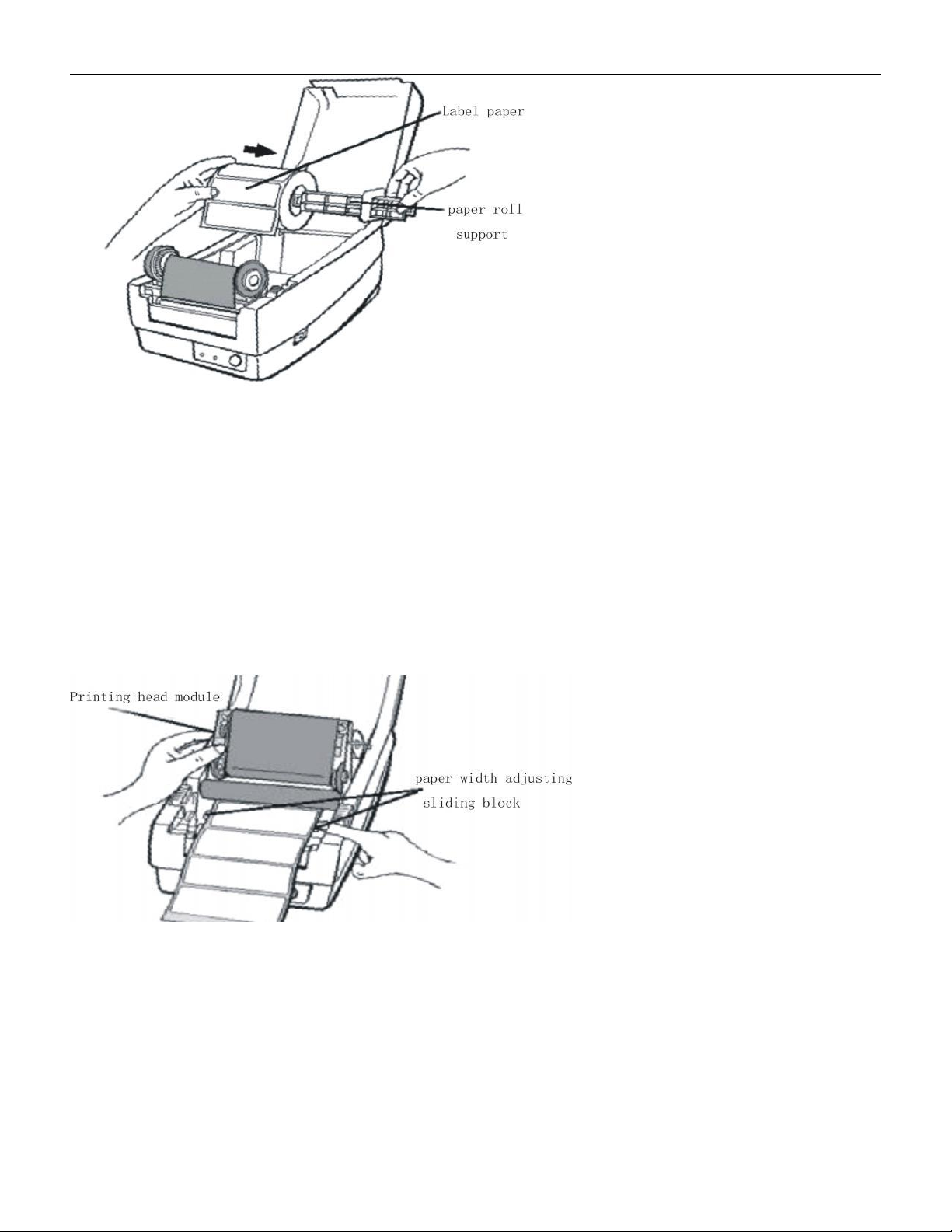
5.1.4.2.2 Pick up the paper roll support shaft, insert it into the middle paper tube of the
label paper, and place it in the paper slot of the printer. Place the baffle on the right end and
try to align it with the left as much as possible。
VERSION: .1.01 E
29 / 52
5.1.4.2.3 Release the print head lock column and open the print head module to a vertical
position.
5.1.4.2.4 Pull out the label paper and pass it through the paper width adjustment groove
under the print head module。
5.1.4.2.5 Move the slider on the right end to align with the left and clamp the paper, while
pulling out the label paper to the appropriate position to exceed the column print head
module。