COU2000 PRO计数器英文说明书 Operaton Manual-en(1).pdf - 第45页
VERSION: .1.01 E 45 / 52 Our f actory default set spe eds are: low-speed S1=15, me dium speed S2=30, high-speed S 3=45. If you h ave specific requirement s for the set speeds, you can directly ch ange the corresponding s…
VERSION: .1.01 E
44 / 52
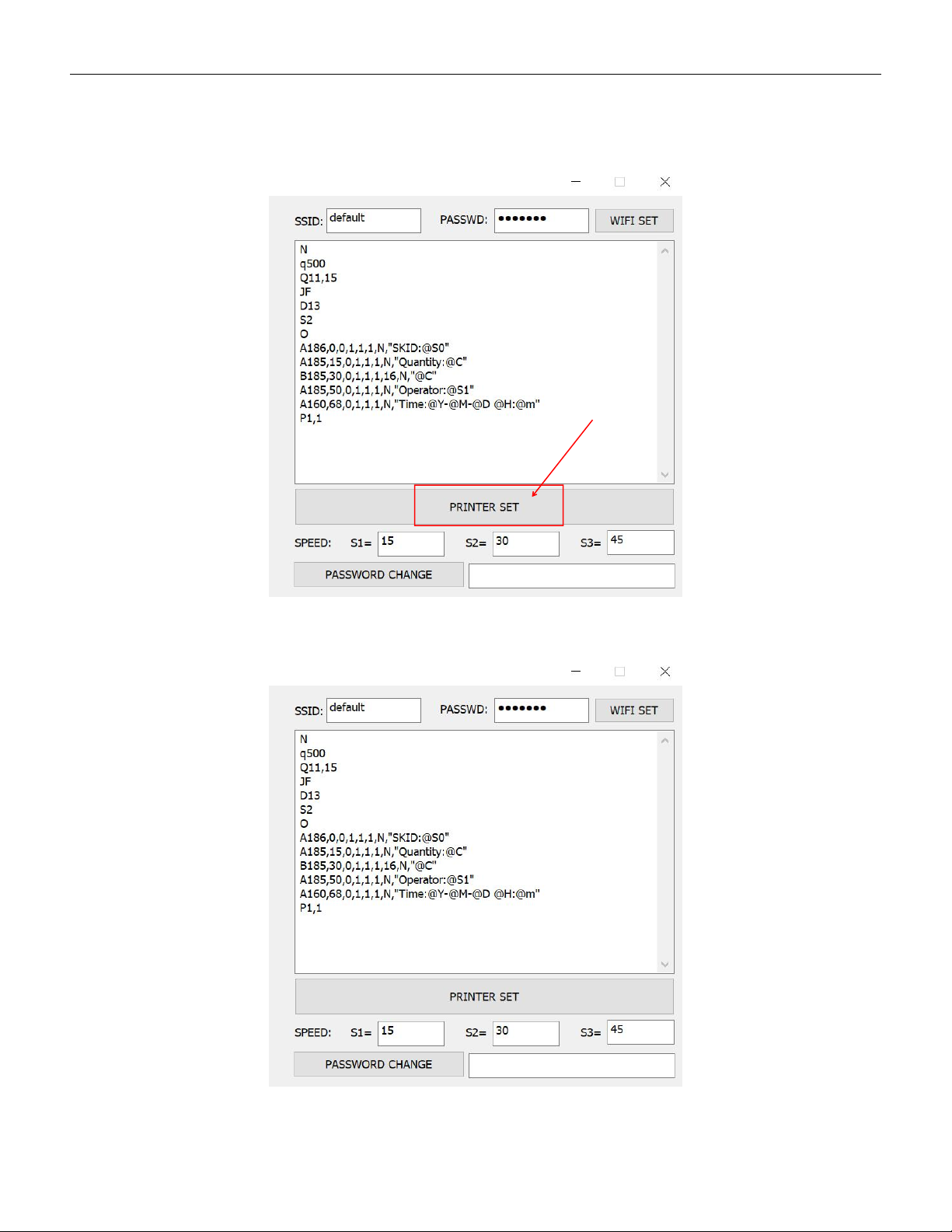
When the print code is set, click "PRINTER SET" and the device gives a "beep"sound, the
print format setting is successful and the settings are permanently saved unless it is
changed next time.
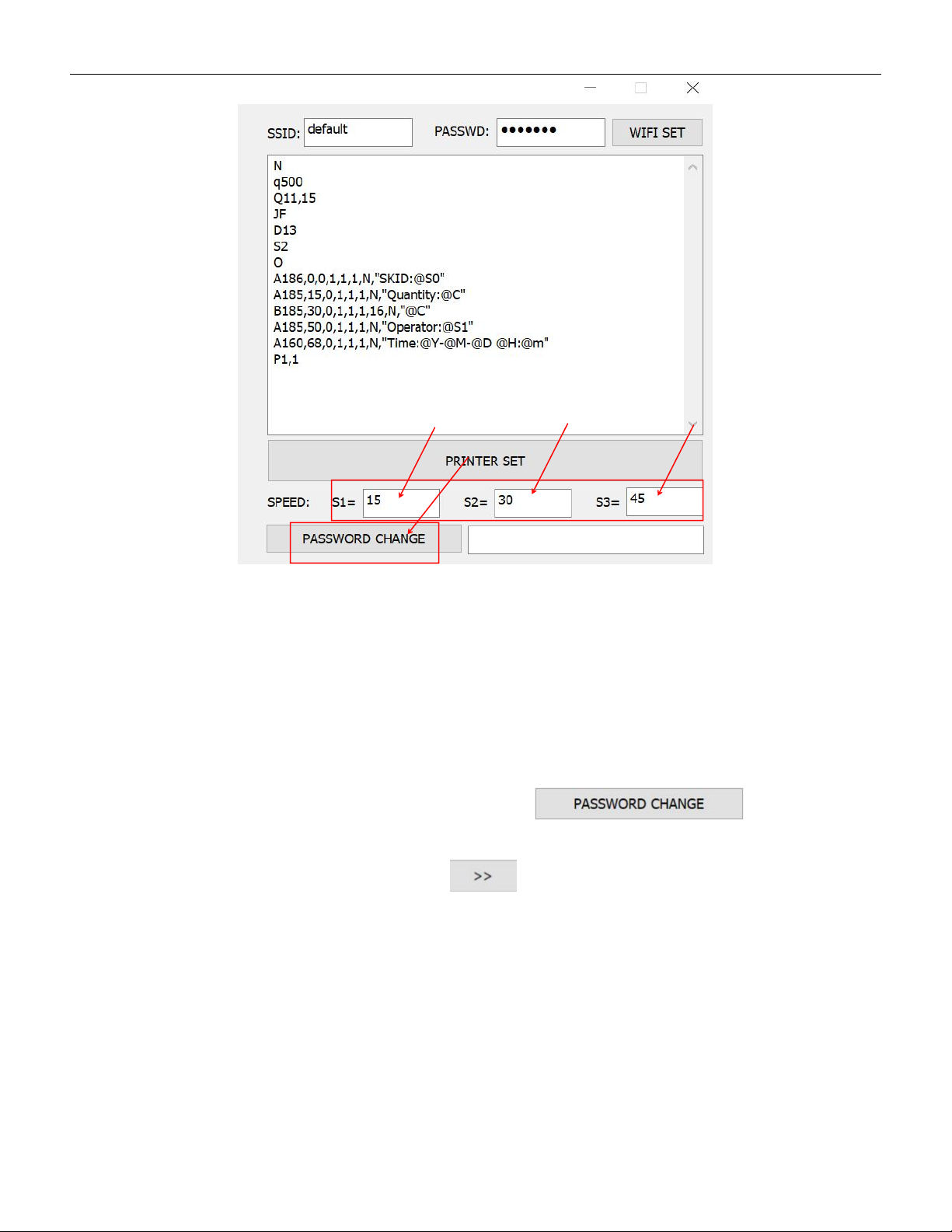
5.4.3 Set the rotating speed of counting motor
VERSION: .1.01 E
45 / 52
Our factory default set speeds are: low-speed S1=15, medium speed S2=30,
high-speed S3=45. If you have specific requirements for the set speeds, you
can directly change the corresponding speed values.
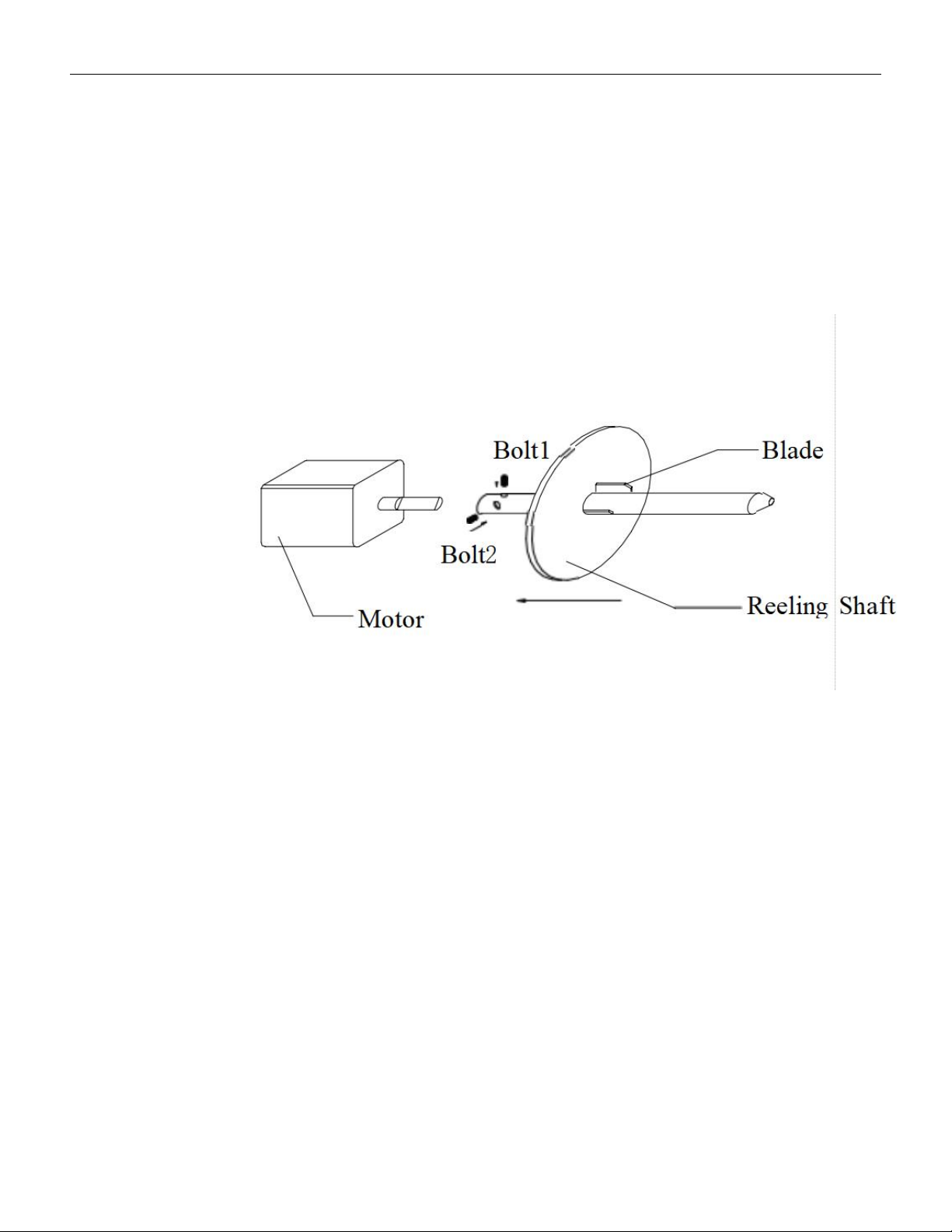
5.4.4 Change password
The factory-set password is:root,if you want to change the password,
just fill new password in the input column and click
to save the new password
If you forget your password, you can click 10 times and the left page
will appear.
VERSION: .1.01 E
46 / 52
6.Maintenance
6.1 ADV Pro
Appropriate cleanness of counting gear is required for the
COU2000ADV pro series products.
Long time use of the device will result in locking loosening between the reeling shaft
and motor shaft. In such a case, please use a hexagonal spanner to lock it fast.。
Every three months, please use a two millimeter hexagonal spanner to remove the
reeling shaft from the motor shaft, clean and reassemble it。
When guide spring deform,please replace a new one。
6.2 EX Pro
·Please see 6.1 for basic maintenance same as ADV Pro。
·
If empty material detection fails, please check if the fiber optic cable is broken。
·If empty material detection fails, check whether the screws at the fiber optic
transmitter and receiver are loose.