COU2000 PRO计数器英文说明书 Operaton Manual-en(1).pdf - 第25页
VERSION: .1.01 E 25 / 52 5.1.3 Set up the pri nter 5.1.3.1 Un packing& check After opening the box, take out the filling material first, and t hen carefully take ou t the printer。 Check i f the fo llowing i tems are …
VERSION: .1.01 E
24 / 52
company. If you need it, please contact us or our distributor to purchase it. The printing
cable purchased by yourself will damage the machine or device and cannot be driven
.
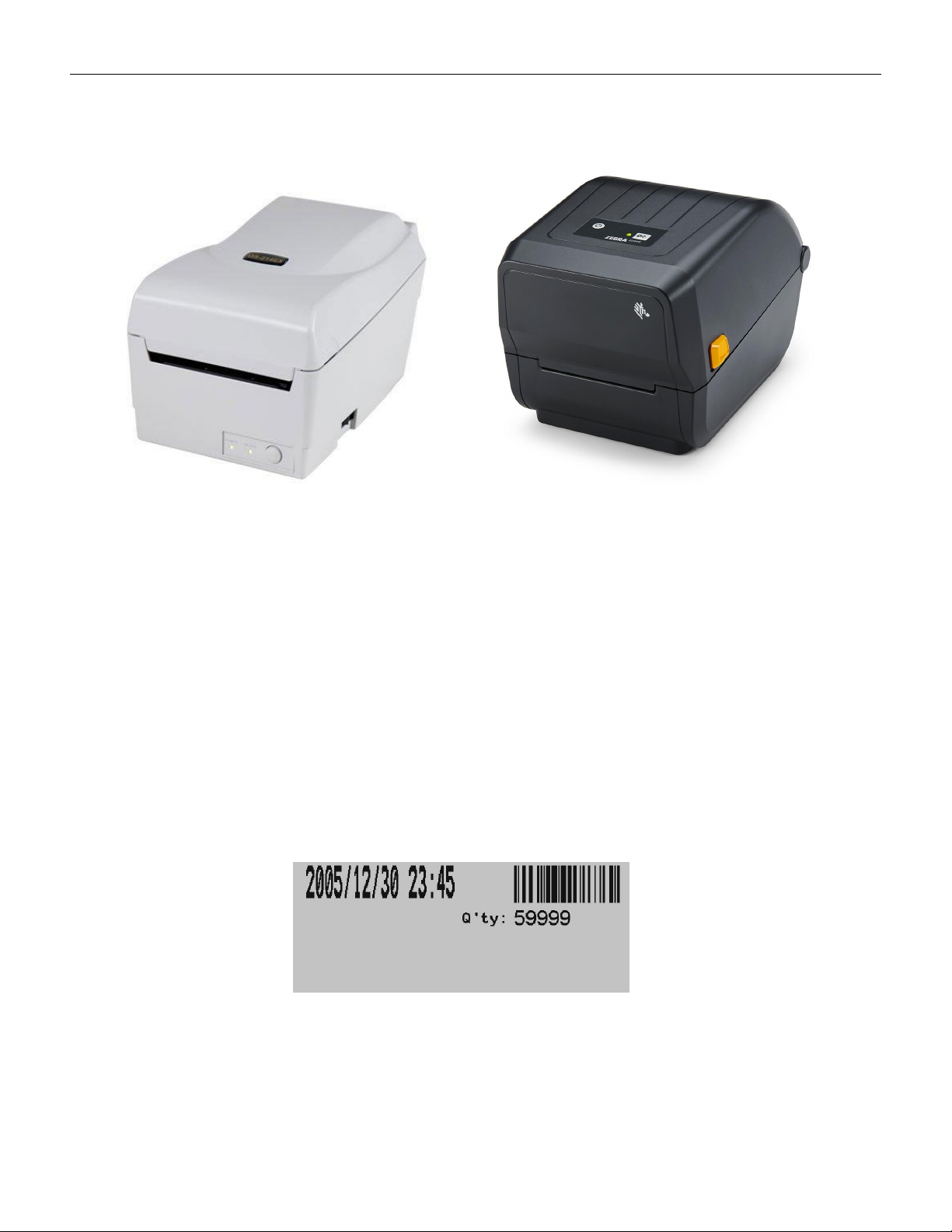
ARGOS:OS-214Plus(U) Zebra: ZD888
5.1.2 Label Printing
The COUP2000 Pro series that has selected the label printing function option can print
labels.
When the counting is complete and the number of parts is displayed on the screen, press
the PRINT key on the control panel, and the printer will print labels indicating the time and
number of parts. As shown in the following figure:
Label(not includes p/n of component)
VERSION: .1.01 E
25 / 52
5.1.3 Set up the printer
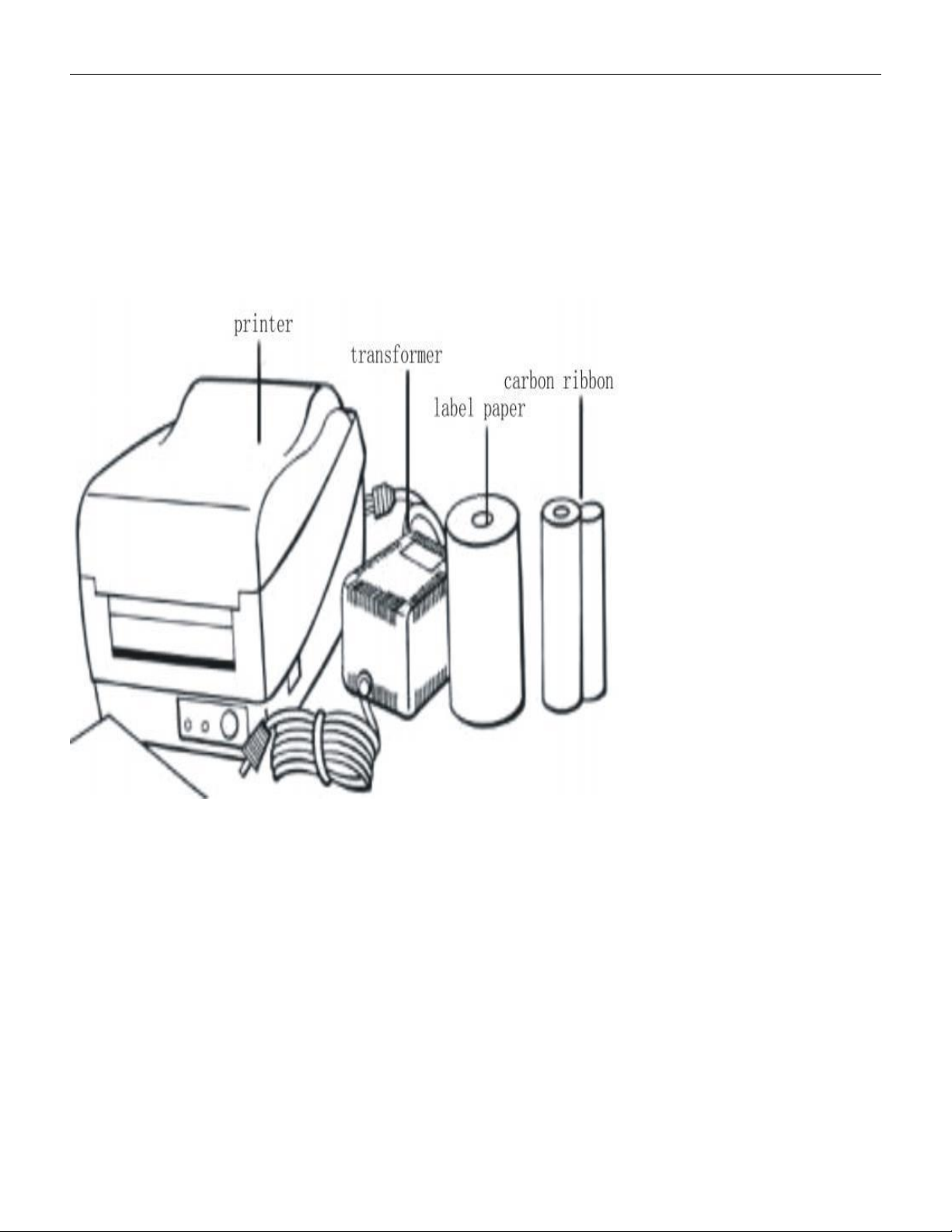
5.1.3.1 Unpacking& check
After opening the box, take out the filling material first, and then carefully take out the
printer。
Check if the following items are complete: (printer, transformer, ribbon, label paper, and
communication cable)
Please place the printer on a flat and sturdy surface and check for any damage caused by
transportation
5.1.3.2 Power and communication connection
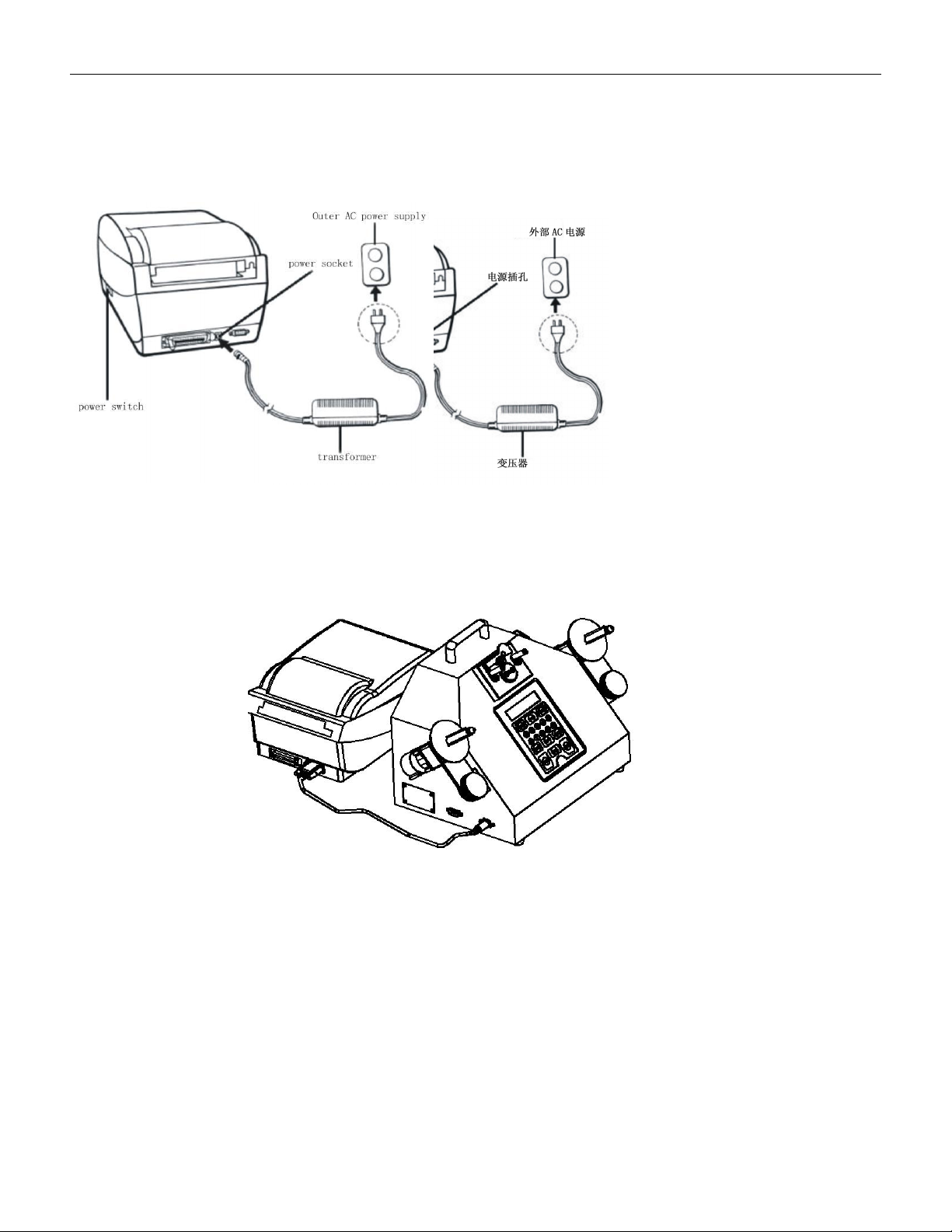
5.1.3.2.1Connect the printer power cord
Keep the power on switch in the "off" position
Connect one end of the transformer to the power socket of the printer, and the other end to
VERSION: .1.01 E
26 / 52
an external AC power source
Note:
When connecting to the power socket of the printer, it is necessary to avoid touching the
locking ring of the parallel port
5.1.3.2.2After confirming that both the printer and counter power are turned off, please use
a dedicated communication cable to connect the barcode machine serial port to the
counter printer interface and tighten it with screws to prevent loosening。