COU2000 PRO计数器英文说明书 Operaton Manual-en(1).pdf - 第38页
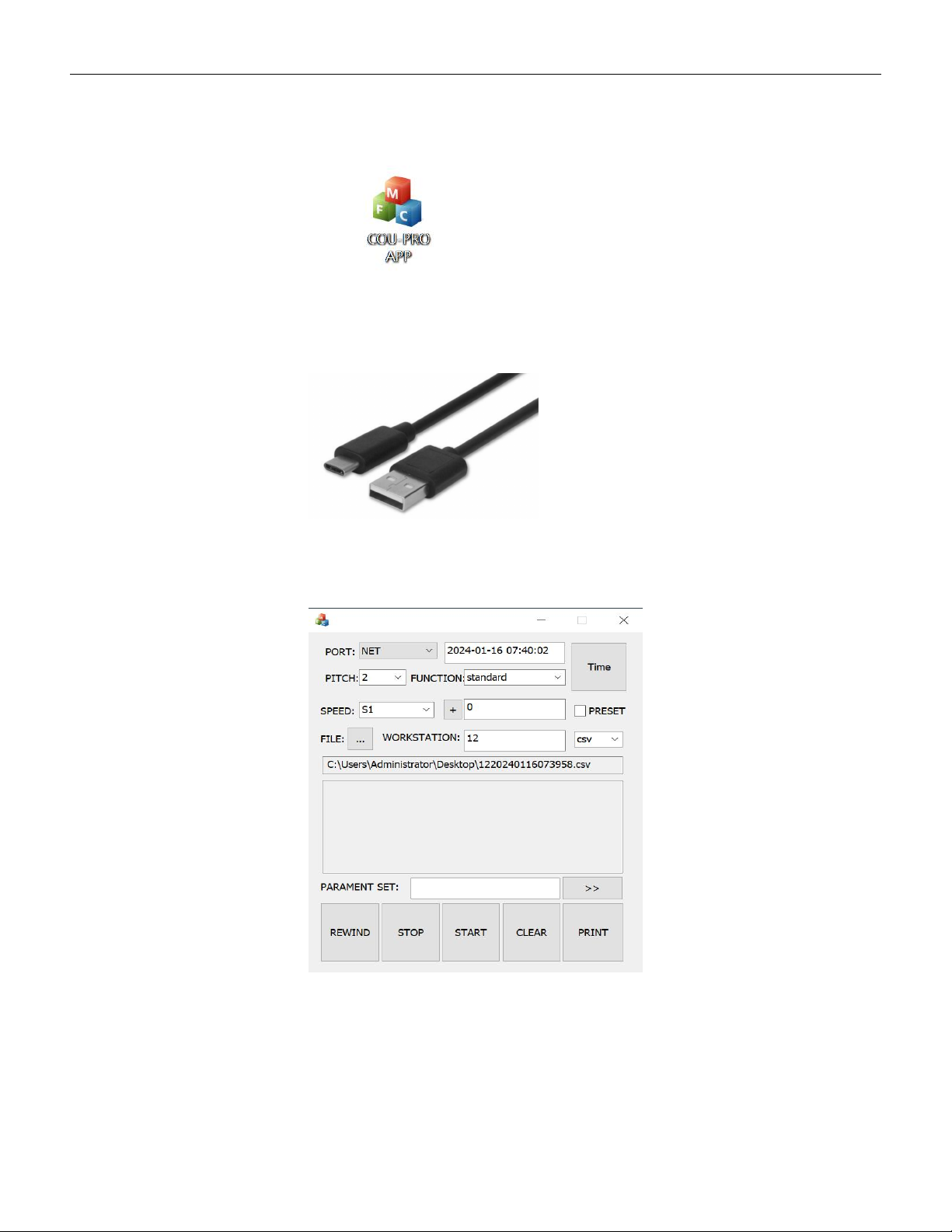
VERSION: .1.01 E 38 / 52 5.4 Data transmission ● Prepare a PC and do wnload the software COU-PRO APP as below: ● Prepare a USB type A to type C cable as below 5.4.1 Wired connection 5.4.1.1 Open COU-PRO APP,UI as be low:…
VERSION: .1.01 E
37 / 52
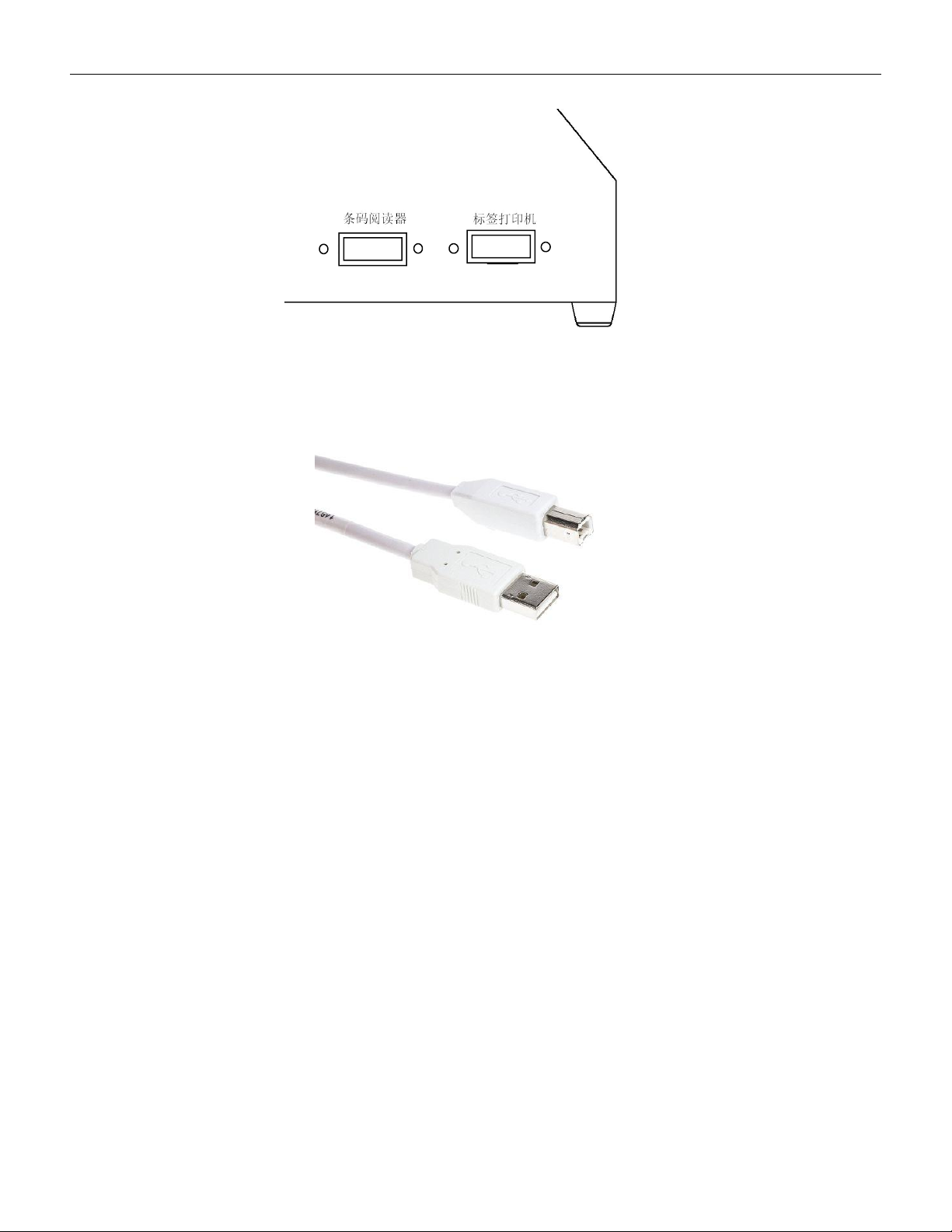
5.3.1 Please confirm that the counter you purchased is shown as below:
5.3.2 Please purchase a communication cable from us or our distributor to connect the
counter and printer,as below:
5.3.3 Label printing option function
If the label printing option function is needed, please purchase one ARGOX
OS-214Plus/Zbra - ZD888 printer and request the supplier to confirm that its programming
language is PPLB (if the programming language is PPLA, it cannot be used on this machine);
Follow the operation in section 4.1 to achieve the label printing option function。
5.3.4 Barcode duplicate function
If barcode duplicate function needed, please purchase a SCAN: A-9295P/Zebra: DS2208
barcode scanner and follow the steps in 5.2 to achieve the barcode duplicate function。
USB type B cable
VERSION: .1.01 E
38 / 52
5.4 Data transmission
● Prepare a PC and download the software COU-PRO APP
as below:
● Prepare a USB type A to type C cable as below
5.4.1 Wired connection
5.4.1.1 Open COU-PRO APP,UI as below:
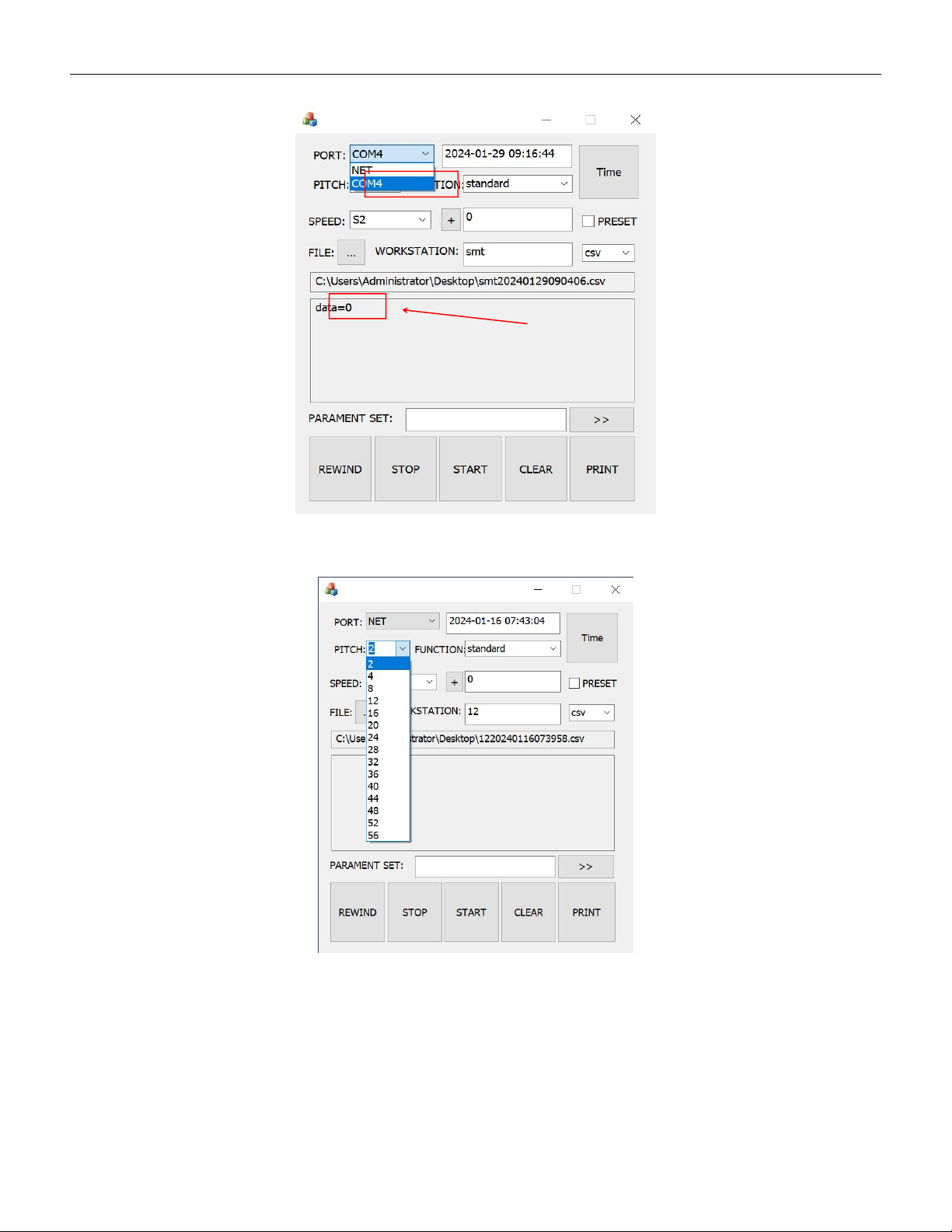
5.4.1.2 Connect the SMD counter and PC with the type C cable,Click on the "PORT" drop
down menu to select the correct COM port. When the status bar displays the number of
VERSION: .1.01 E
39 / 52
data, it indicates a successful connection.
5.4.1.3 Select correct pitch data