COU2000 PRO计数器英文说明书 Operaton Manual-en(1).pdf - 第39页
VERSION: .1.01 E 39 / 52 data, it indicates a successful connection. 5.4.1.3 Se lect correct pitch data
VERSION: .1.01 E
38 / 52
5.4 Data transmission
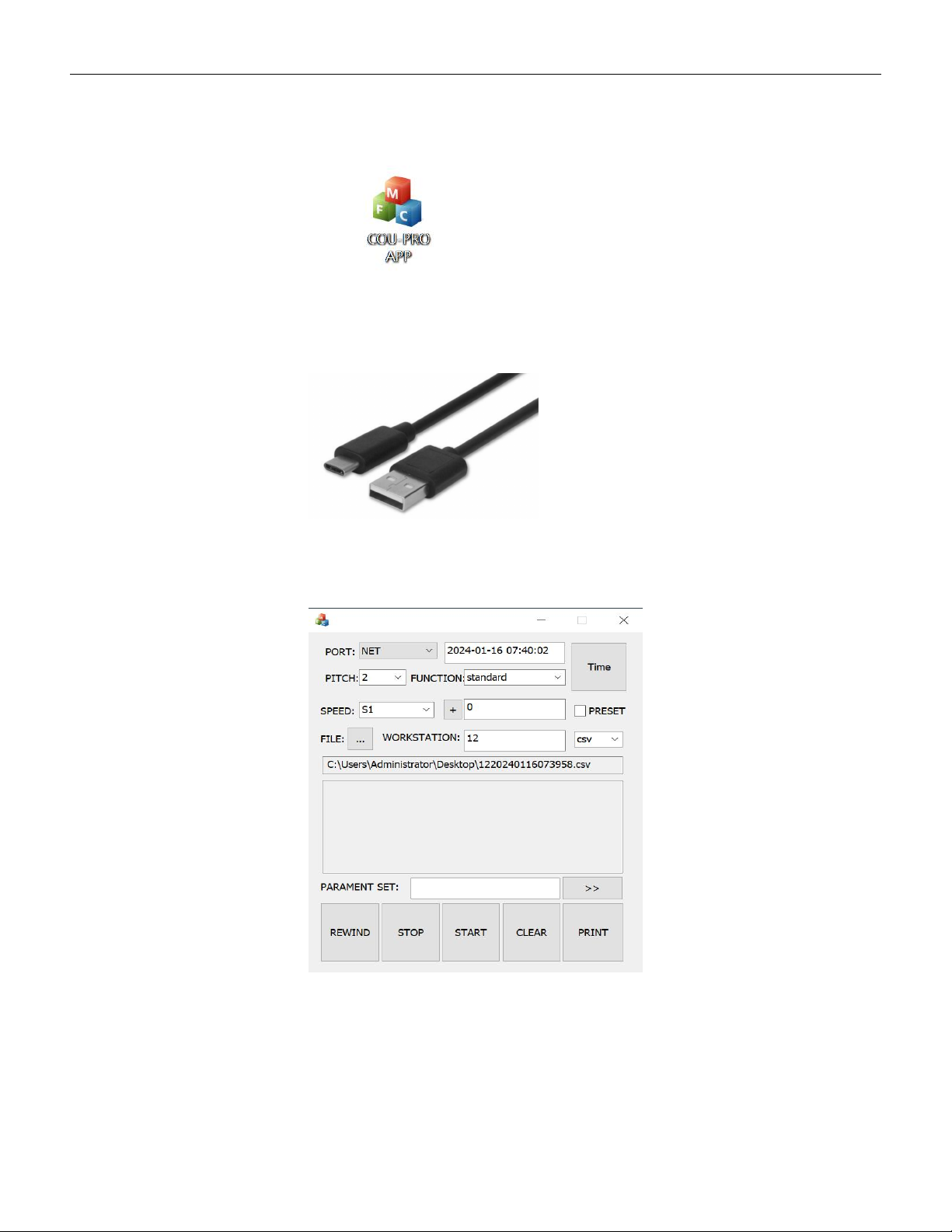
● Prepare a PC and download the software COU-PRO APP
as below:
● Prepare a USB type A to type C cable as below
5.4.1 Wired connection
5.4.1.1 Open COU-PRO APP,UI as below:
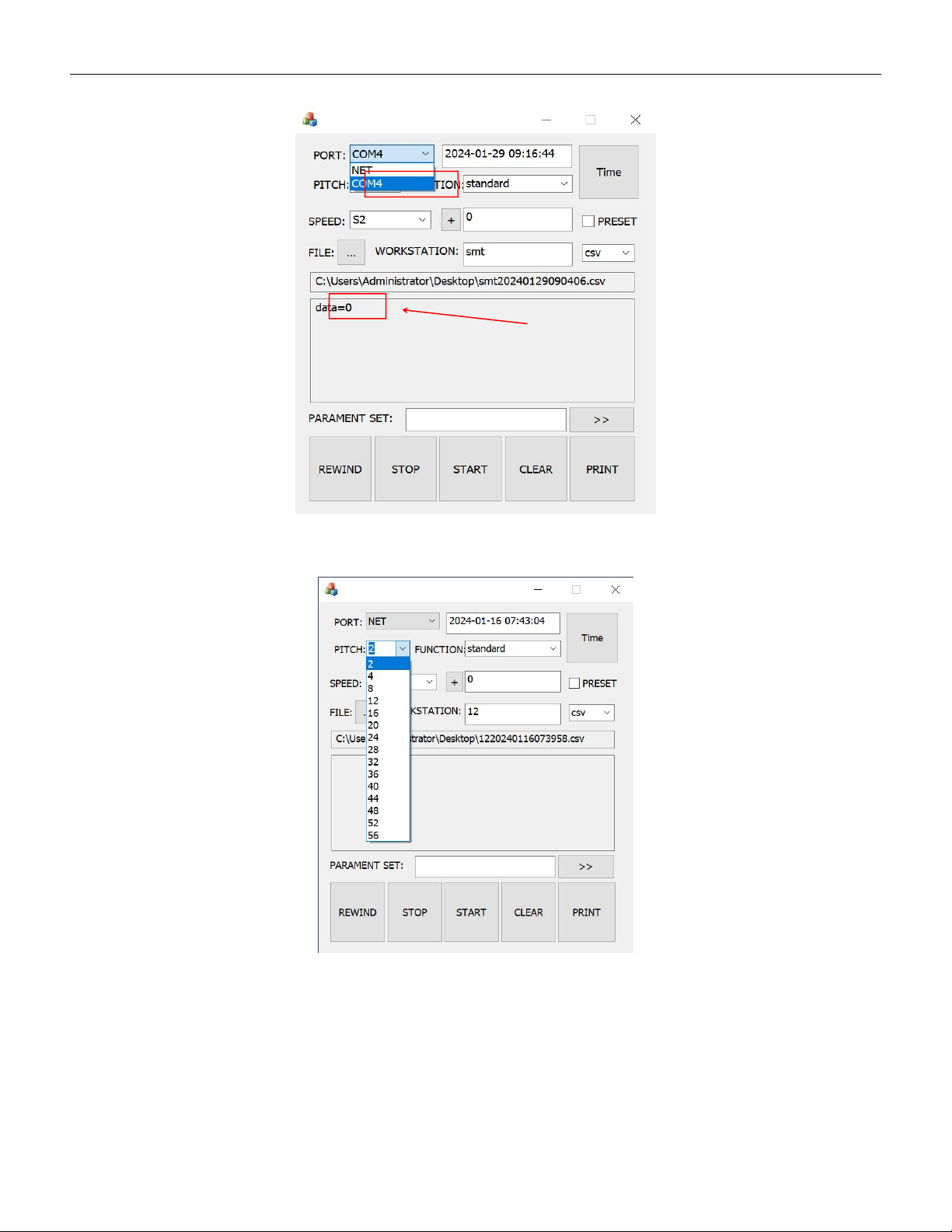
5.4.1.2 Connect the SMD counter and PC with the type C cable,Click on the "PORT" drop
down menu to select the correct COM port. When the status bar displays the number of
VERSION: .1.01 E
39 / 52
data, it indicates a successful connection.
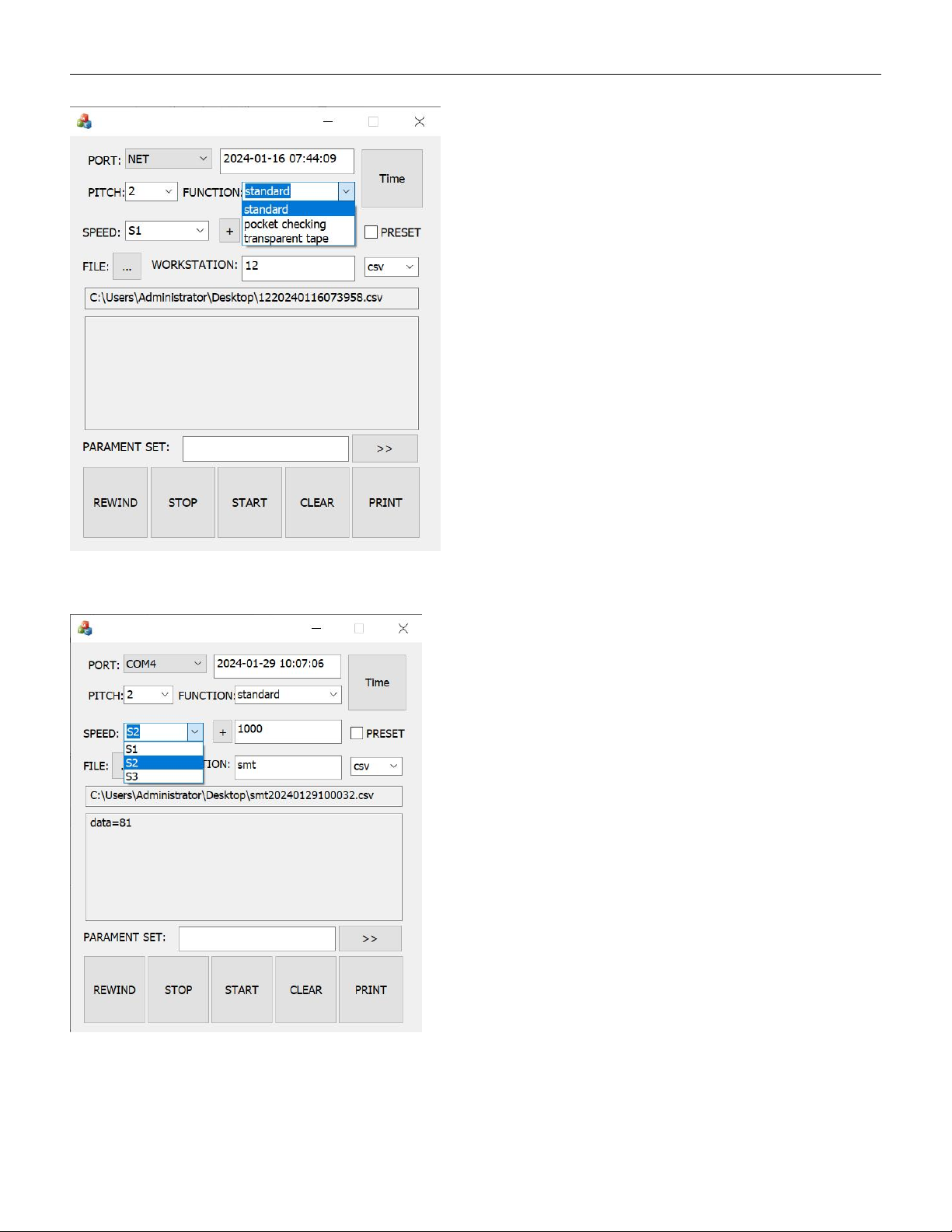
5.4.1.3 Select correct pitch data
VERSION: .1.01 E
40 / 52
5.4.1.4 Select counting mode(Standard, PC,TT)
5.4.1.5 Select counting speed