COU2000 PRO计数器英文说明书 Operaton Manual-en(1).pdf - 第48页
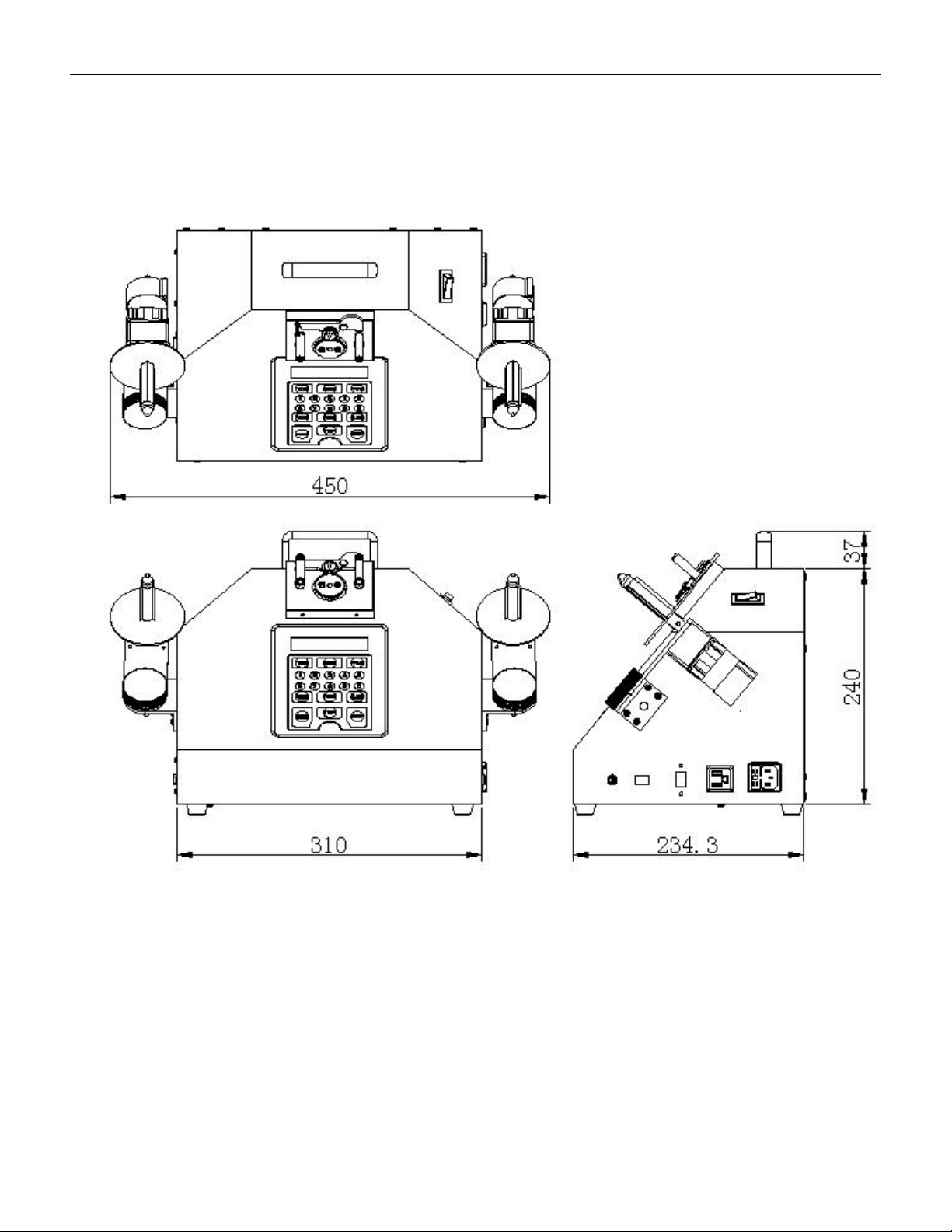
VERSION: .1.01 E 48 / 52 7.Appendix 7.1 Outer dimensions

VERSION: .1.01 E
47 / 52
6.3 Printer and Scanner
6.3.1 Printer:
6.3.1.1 Cleaning of printing heads and sensors
6.3.1.1.1The cleaning of the printing head is the most important and regular maintenance.
First, dip a small amount of cotton (or cotton ball, which contains less cotton debris and is
not rough) in a small amount of alcohol, and wipe the heating wire on the printing head in a
"one-way" manner. The number of wiping times is mainly to wipe off the carbon powder
adhered to the printing head. Then, confirm and wipe twice repeatedly (about once after
printing a roll of paper).
6.3.1.1.2The main purpose of sensor cleaning is to enable the machine to operate normally,
correctly grasp the spacing of paper, and detect the safety of carbon tape. If not cleaned
and maintained for a long time, dust will accumulate on the sensor and spread in the air.
After a long time, when the light source of the sensor is covered to a certain extent, the
machine will malfunction. Therefore, please use an air pressure bottle that does not contain
any components, and the amount of spraying should be judged according to the working
environment of the machine (about once a month, maintenance should be done).
6.3.2 Scanner:
6.3.2.1The cleaning of the scanning head is the most important and regular maintenance.
Please use cotton (or cotton balls or other cleaning tools that contain less cotton debris and
are not rough) to wipe it, and do not use alcohol. (Period: once every 3 months)
6.3.2.2The handheld and switch parts of the scanner are prone to dirt and stains. Please use
cotton (or cotton balls or other cleaning tools that contain less cotton debris and are not
rough) to wipe them, and a small amount of alcohol can be used .(Period: once every 3
months)
VERSION: .1.01 E
48 / 52
7.Appendix
7.1 Outer dimensions

VERSION: .1.01 E
49 / 52
7.2 FAQ:
Q1: How can I improve the situation where the printed part leans towards one side when
printing labels?
A: Reinstall the label paper and confirm that it is aligned to the left with the baffle, and pass
through the paper width adjustment groove under the print head module.
Q2: one or more blank labels was skipped during printing?
A: Please perform CALIBRATION and re-detect the label size once more.
if the problem is still not solved. please troubleshoot the problem in the following order
1, The actual label size used does not match the required label size.
2,The transparency of the label is abnormal. Please use the right label reel
Q3: Barcode can not be printed?
A: 1,The barcode format is not accepted, please select the correct barcode
2, The barcode is not scanned. Under normal circumstances, the LED of the barcode reader
will light up and emit a BEEP sound when reading the barcode; Please note that barcode
reader always retains only one barcode in its memory, and the new one will automatically
overwrite the old one and be cleared after each print output to ensure the accuracy of
barcode replication.
Q4:Part of the barcode can not be printed?
A: The longest acceptable barcode currently designed is 24 digits. If it exceeds 24 digits, the
excess cannot be printed.
Q5: The printer doesn’t work when pressing the PRINT button?
A:1, The printer is not connected or powered on;
2, When counting quantity is a non positive number, printing is prohibited.
Q6: The printer doesn’t work when pressing the PRINT button, and POWER
LED flashed.
A:The communication between the printer and the counter has been interrupted,