COU2000 PRO计数器英文说明书 Operaton Manual-en(1).pdf - 第27页
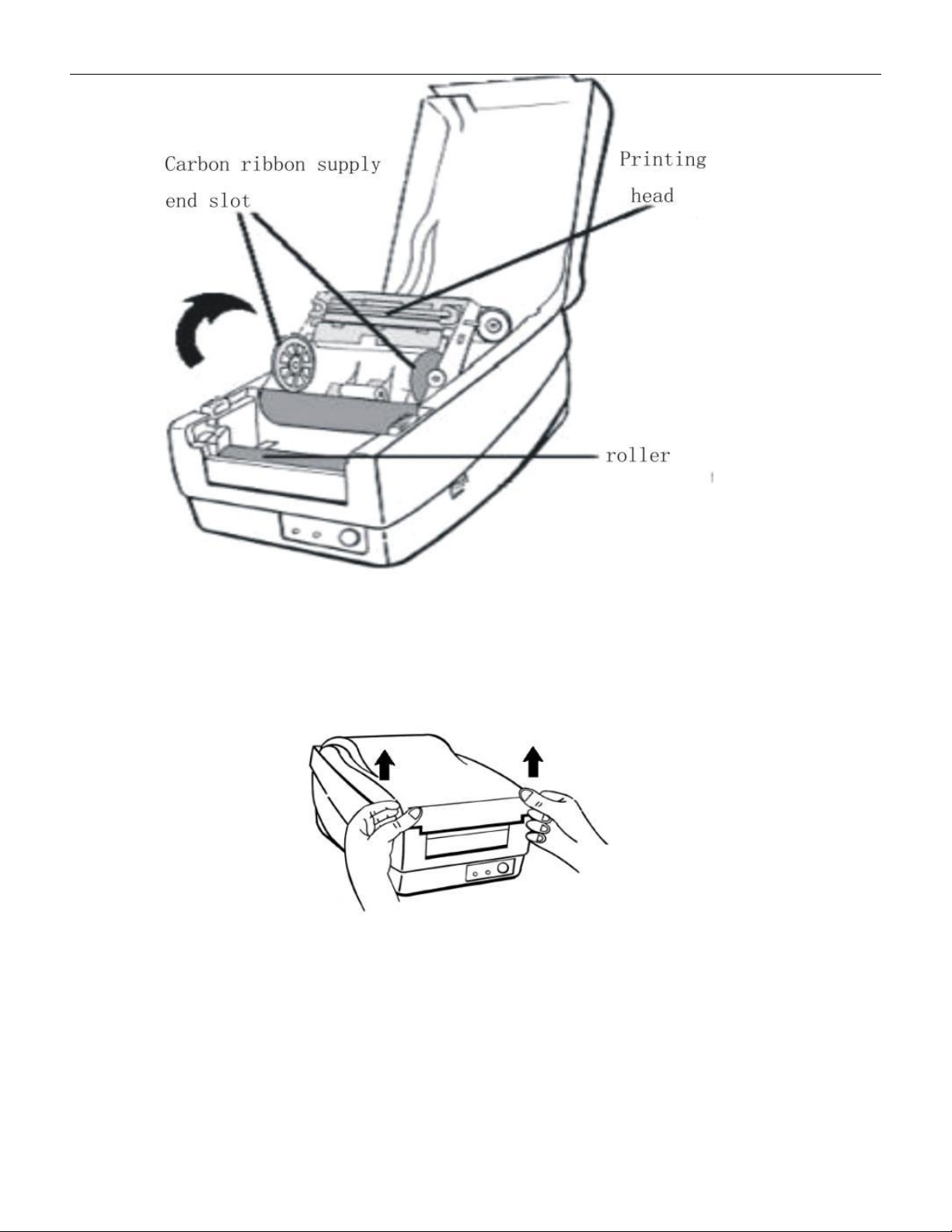
VERSION: .1.01 E 27 / 52 5.1.4 Introduction of Printer 5.1.4.1 Structure of Printer , see below p ictures
VERSION: .1.01 E
26 / 52
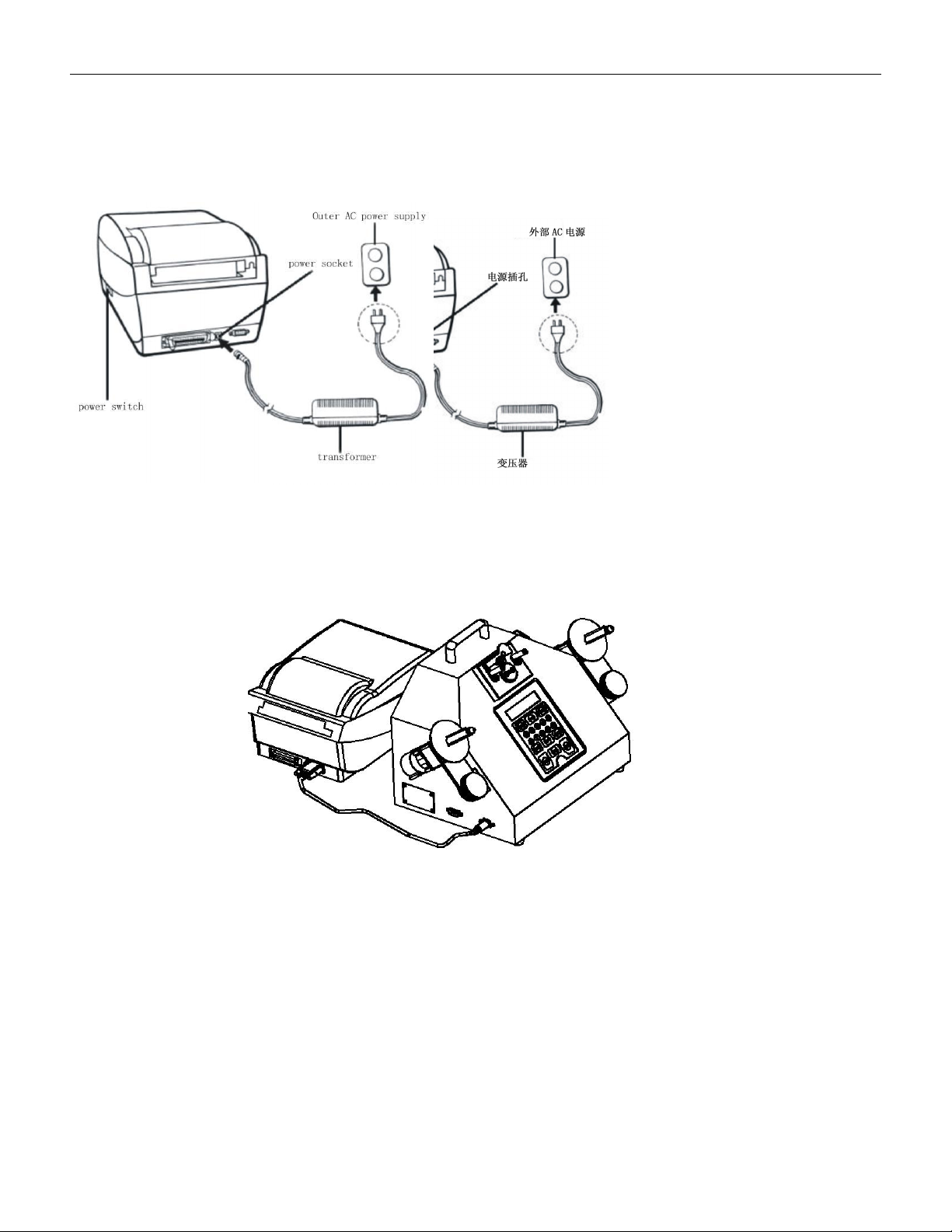
an external AC power source
Note:
When connecting to the power socket of the printer, it is necessary to avoid touching the
locking ring of the parallel port
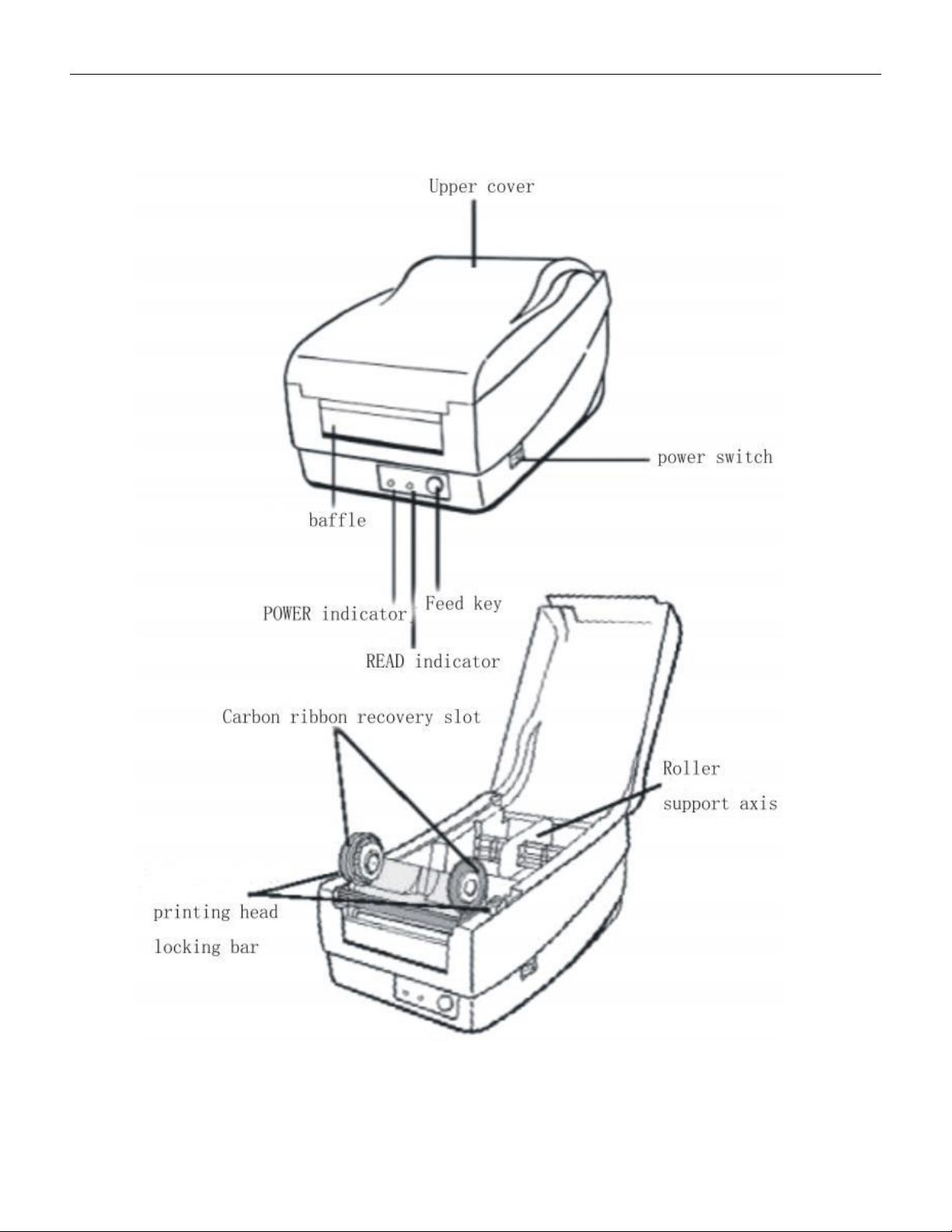
5.1.3.2.2After confirming that both the printer and counter power are turned off, please use
a dedicated communication cable to connect the barcode machine serial port to the
counter printer interface and tighten it with screws to prevent loosening。
VERSION: .1.01 E
27 / 52
5.1.4 Introduction of Printer
5.1.4.1 Structure of Printer, see below pictures
VERSION: .1.01 E
28 / 52
\
5.1.4.2 Label roll installation:
5.1.4.2.1 Lift up the printer cover and keep it in the open position
5.1.4.2.2 Pick up the paper roll support shaft, insert it into the middle paper tube of the
label paper, and place it in the paper slot of the printer. Place the baffle on the right end and
try to align it with the left as much as possible。