COU2000 PRO计数器英文说明书 Operaton Manual-en(1).pdf - 第8页
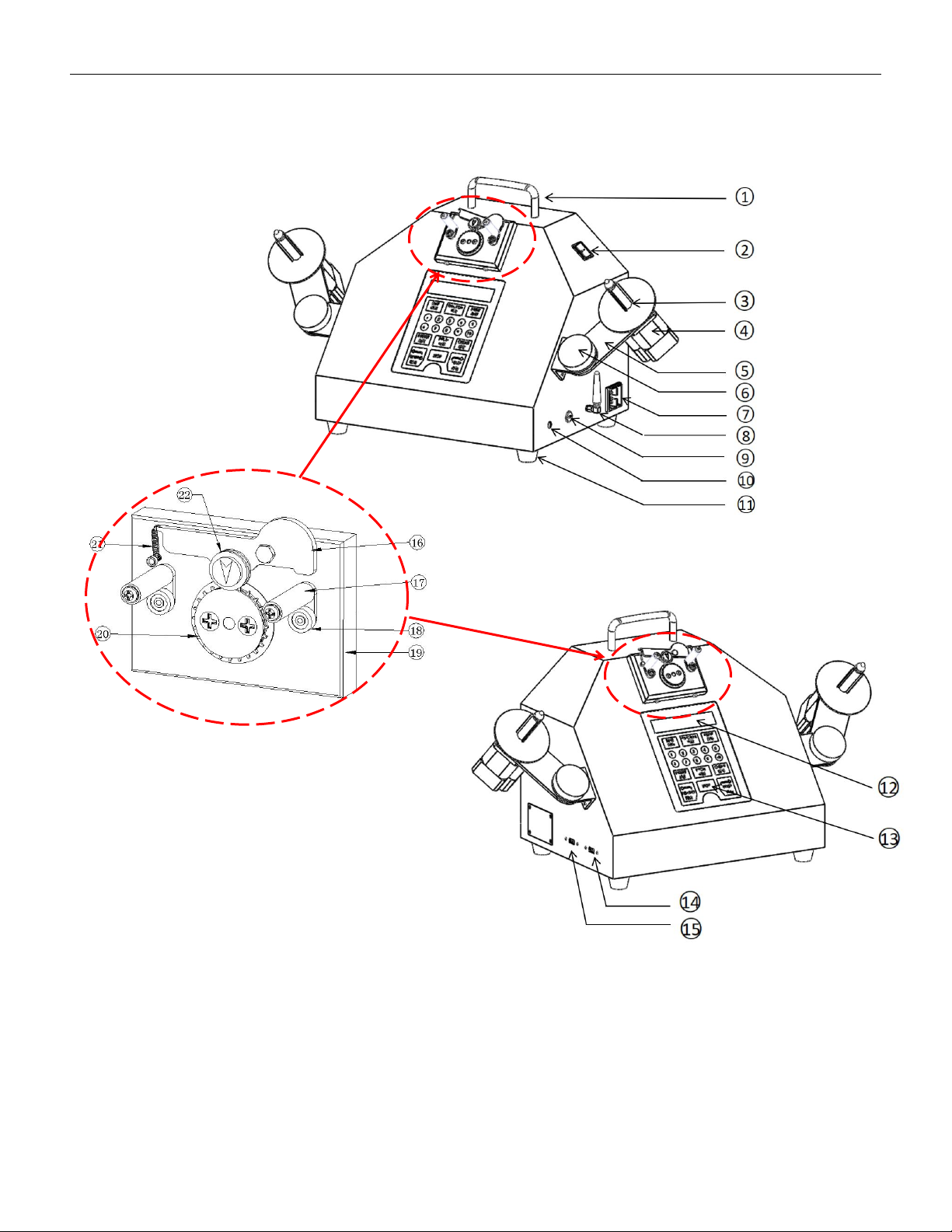
VERSION: .1.01 E 8 / 52 3.2 EX Pro 1)Handle 11)Foot pad 2)P owe r switch 12)L CD 3)Re eling shaf t 13)Conttrol pan e l 2 1 ) G u i d e s p r i n g 4)Motor 14)Lable printer p o r t 2 2 ) G u i d e p u l l e y 5)Adjustable…
VERSION: .1.01 E
7 / 52
3.Parts description
3.1 ADV Pro
1) Handle
2) Power switch
3) Reeling shaft
4) Motor
5)Adjustable arm
6) Locking knob
7) Power supply
8)2.4G Antenna
9)Type C port
10) Enclosure grounding point
11)Foot pad
VERSION: .1.01 E
8 / 52
3.2 EX Pro
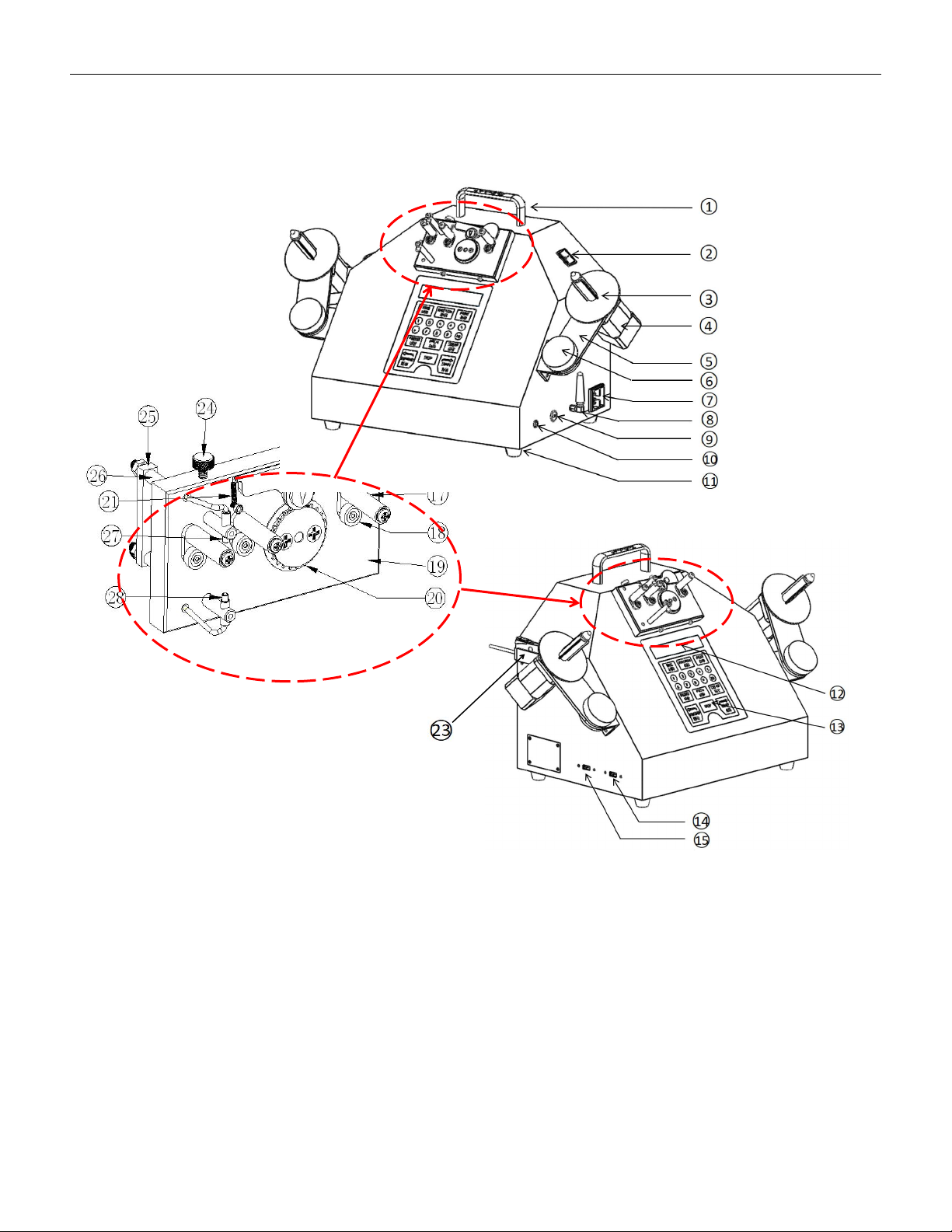
1)Handle 11)Foot pad
2)Power switch 12)LCD
3)Reeling shaft 13)Conttrol panel 21)Guide spring
4)Motor 14)Lable printer port 22)Guide pulley
5)Adjustable arm 15)Barcode reader port 23)Amplifier
6)Locking knob 16)Guide pulley 24)Adjust screw
7)Power supply 17)Upper guiding Pole 25)Guide rod fixing block
8)2.4G Antenna 18)Lower guiding Pole 26)Fiber optic tube fixing rod
9)Type-C port 19)Counter box 27)Fiber optic transmitter
10)Enclosure grounding point 20)Counter gear 28)Fiber optic receiver

VERSION: .1.01 E
9 / 52
4. Operation guide
4.1 Basic operation
4.1.1 Power on: select a workbench which closes to the power supply, connect the power
supply, and position the cabinet onto the workbench,and make sure grounding properly.
4.1.2 Self check: press on power switch, and there will be the following
display on the LCD:
Then the display will be changed to the following
.
indicating that the device has finished self check.
4.1.3 Usage of operation panel:
TIME :used to manage the time of the device; press the key to display the current time
inside the device; press this key for ten seconds to enter the time setting display:
Key in the corresponding year, month, date and time, press the TIME key,
and the display will automatically return back to:
SMD CHIP COUNTER
COU2000 SERIES
YY MM DD HH :MM
2099 01 01 00 :00
S2 DATA PITCH PRESET
000000 04mm
YY MM DD HH : MM
20**-**-**-** : **