COU2000 PRO计数器英文说明书 Operaton Manual-en(1).pdf - 第30页
VERSION: .1.01 E 30 / 52 5.1.4.2.6 Cover the p rint he ad module an d ensure that it is fully inser ted in to the column print h ead lock column。 5.1.4.2.7 Cover the up per cover of the printer。 5.1.4.3 Pri nting T est W…
VERSION: .1.01 E
29 / 52
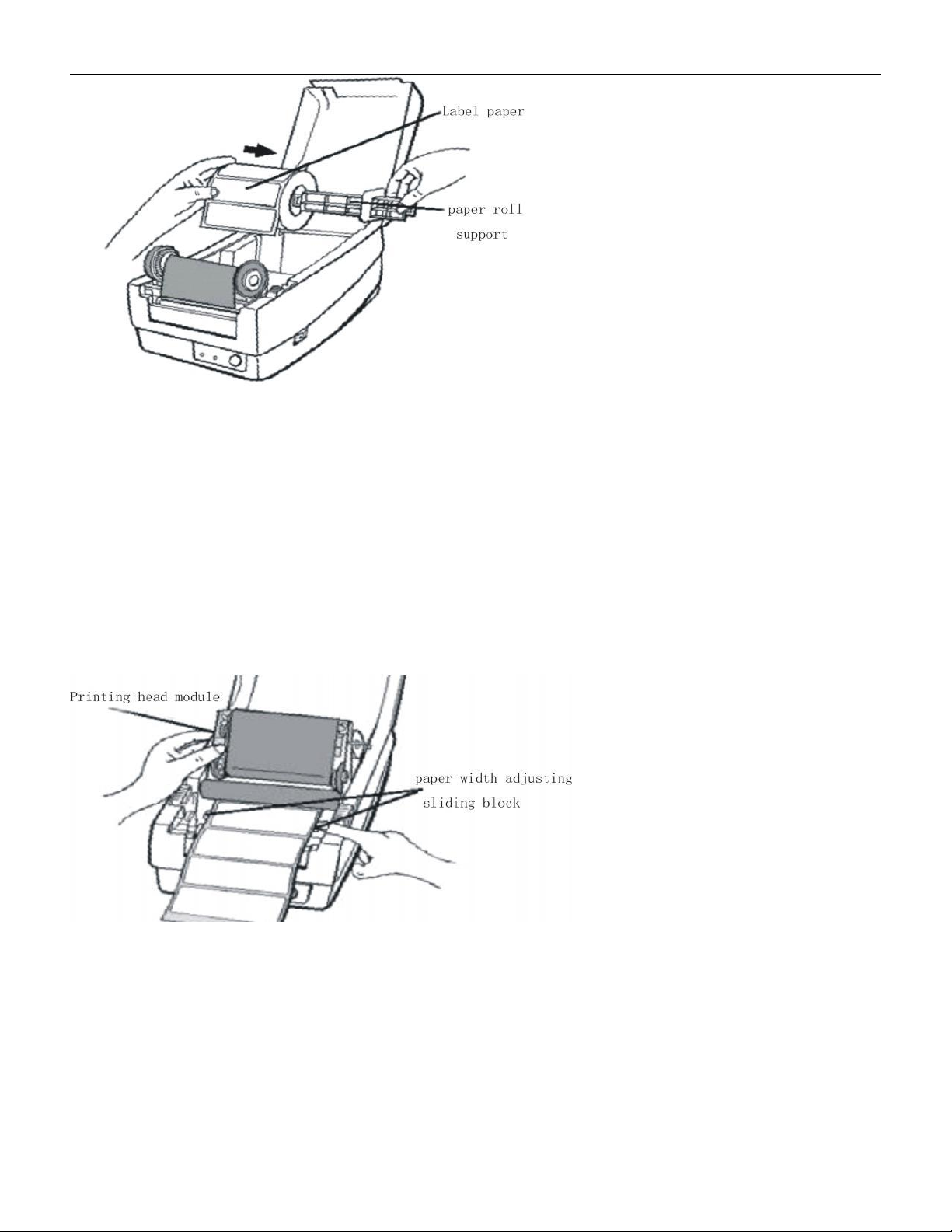
5.1.4.2.3 Release the print head lock column and open the print head module to a vertical
position.
5.1.4.2.4 Pull out the label paper and pass it through the paper width adjustment groove
under the print head module。
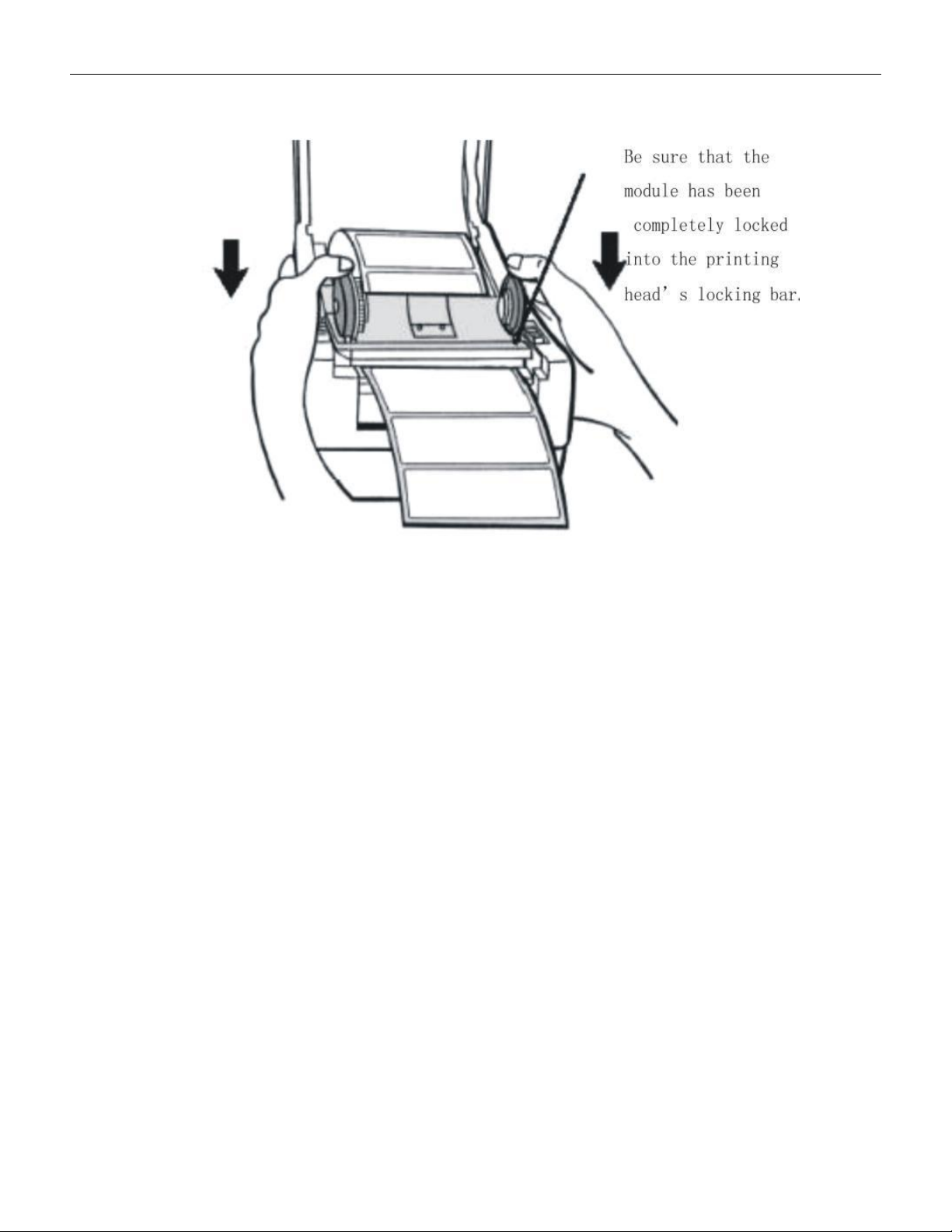
5.1.4.2.5 Move the slider on the right end to align with the left and clamp the paper, while
pulling out the label paper to the appropriate position to exceed the column print head
module。
VERSION: .1.01 E
30 / 52
5.1.4.2.6 Cover the print head module and ensure that it is fully inserted into the column
print head lock column。
5.1.4.2.7 Cover the upper cover of the printer。
5.1.4.3 Printing Test
When the label paper is installed and printed for the first time, it is necessary to confirm the
paper output position. Please hold down the "FEED" button and turn on the power until the
printer motor starts and release it; The printer automatically sends out labels of a certain
length to complete the paper measurement operation.
VERSION: .1.01 E
31 / 52
5.1.4.4 Ribbon installation
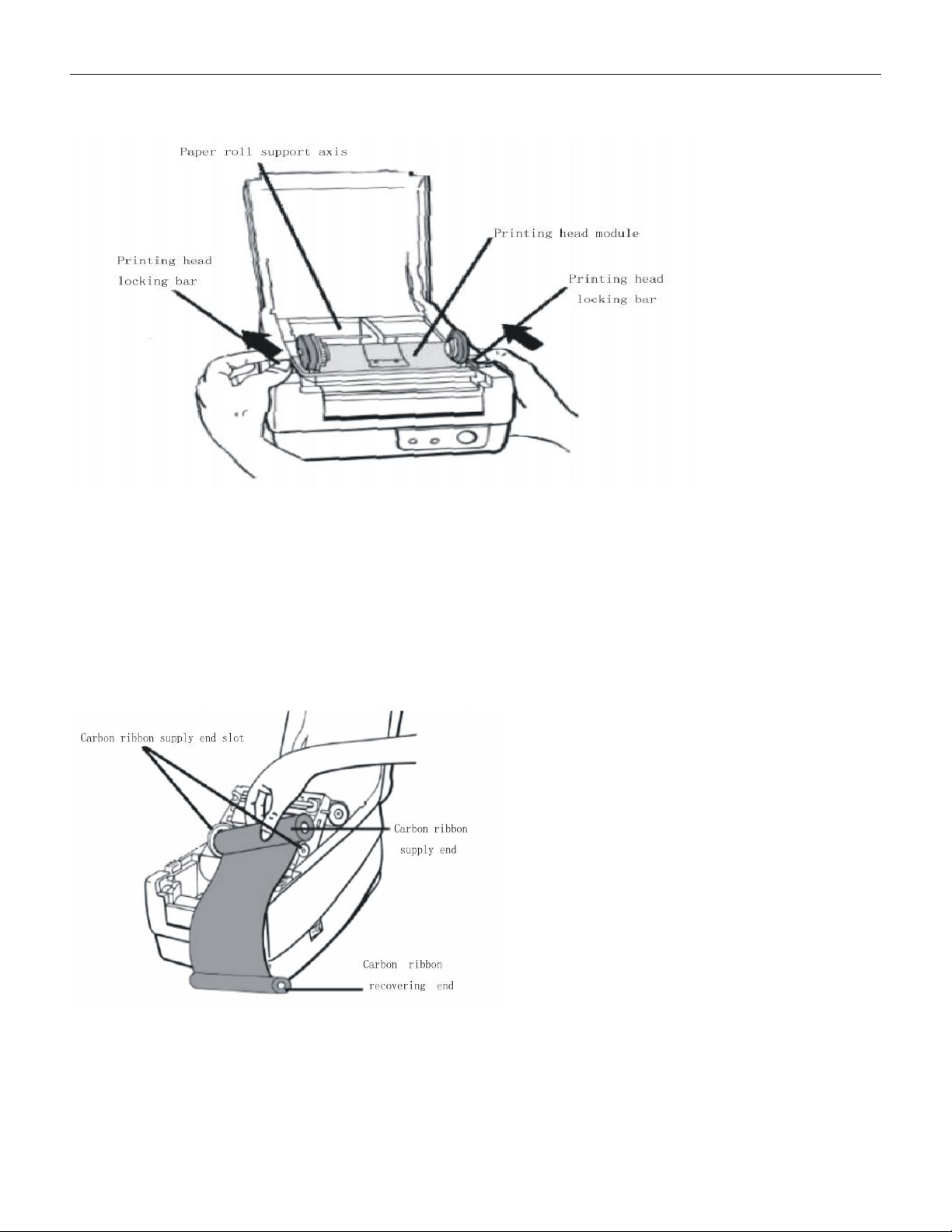
5.1.4.4.1 Open the upper cover of printer and keep it in open position。
5.1.4.4.2 Release the print head lock column and open the print head module to a vertical
position.。
5.1.4.4.3 Open the ribbon and insert the ribbon supply end into the ribbon supply end slot
(first insert the left end of the ribbon)
Insert the paper tube into the left slot, apply slight force to the left, and insert the paper
tube at the right end of the carbon ribbon into the right slot
5.1.4.4.4 Insert the carbon ribbon recycling paper tube into the carbon ribbon recycling slot