DEK INFINITY USER MANUAL.pdf.pdf - 第115页
INFINITY 0$&+,1 (352*5 $00,1* 63&&21 ),*85$ 7,21 Soft ware Ver sion 7 User Manual 1.113 SP C CONF IGUR A TION When the cursor on the Edit Current Process Para meters page highlights the SPC Configuration op…
INFINITY
0$&+,1(352*5$00,1*
0(183$5$0(7(56
1.112 User Manual Software Version 7
Paste Stop This parameter determines the stop position of the paste dispense measured from
the centre line of the machine. The maximum value depends on the type of
screen fitted.
SPC Configuration This preference allows the user to set up the Machines SPC operation. On
selecting the SPC Configuration by pressing the Incr. or Decr. buttons, a window
opens and the menu bar changes.
NOTE
See the SPC Configuration section in this chapter for further details.
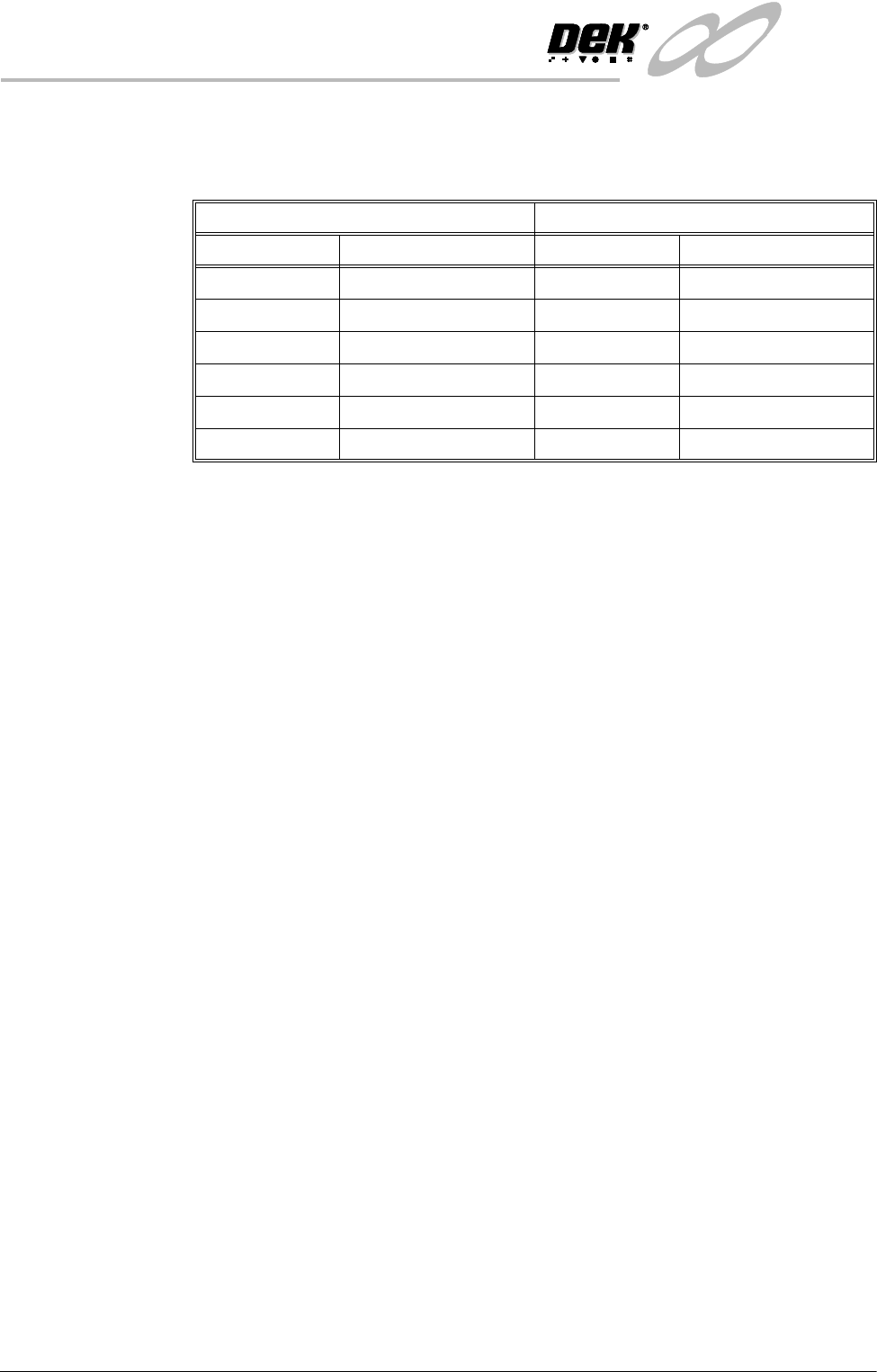
Minimum Maximum
Adapter Start Position Adapter Start Position
No Adapter -255.0mm No Adapter +255.0mm
255 -230.0mm 255 +230.0mm
Sanyo -210.0mm Sanyo +210.0mm
Heraeus -172.0mm Heraeus +172.0mm
249 -215.0mm 249 +215.0mm
Default - half the board length Default + half the board length
INFINITY
0$&+,1(352*5$00,1*
63&&21),*85$7,21
Software Version 7 User Manual 1.113
SPC CONFIGURATION
When the cursor on the Edit Current Process Parameters page highlights the SPC
Configuration option and Incr. or Decr. are pressed an SPC Configuration
Window opens and two extra menu options become available:
Configuration
Window
The configuration window allows the user to setup the machines SPC operation.
Data Output Rate Two rates of data output are available as follows:
Every Cycle - Outputs SPC data every cycle except for the camera data, which
is output dependant upon the settings of the parameters start rate, sample rate
and start rate limit.
On Inspect - Outputs all SPC data at a rate dependant upon the settings of the
parameters start rate, sample rate and start rate limit.
Start Rate Limit Sets the amount of SPC output cycles at the start rate. When this limit is reached
the sample rate parameter becomes the active SPC output rate. The range is 0-
100, where 0 = continuous SPC output at the start rate.
NOTE
Setting both start rate limit and sample rate to zero causes continuous SPC
output at the start rate.
Start Rate Sets the initial SPC output rate, for setting up a line. If start rate is set to 10, SPC
data is output every 10 cycles until the start rate limit is reached, when the rate
becomes that set in the sample rate parameter. The range is 1-100.
Sample Rate Sets the rate of SPC output after the start rate limit has been reached. The range
is 0-100, where 0 = continuous SPC outputs at start rate. If sample rate is set to
15, SPC data is output every 15 cycles after the start rate limit is reached.
Edit
Outputs
Edit
Limits
Next Previous Incr. Decr. Exit
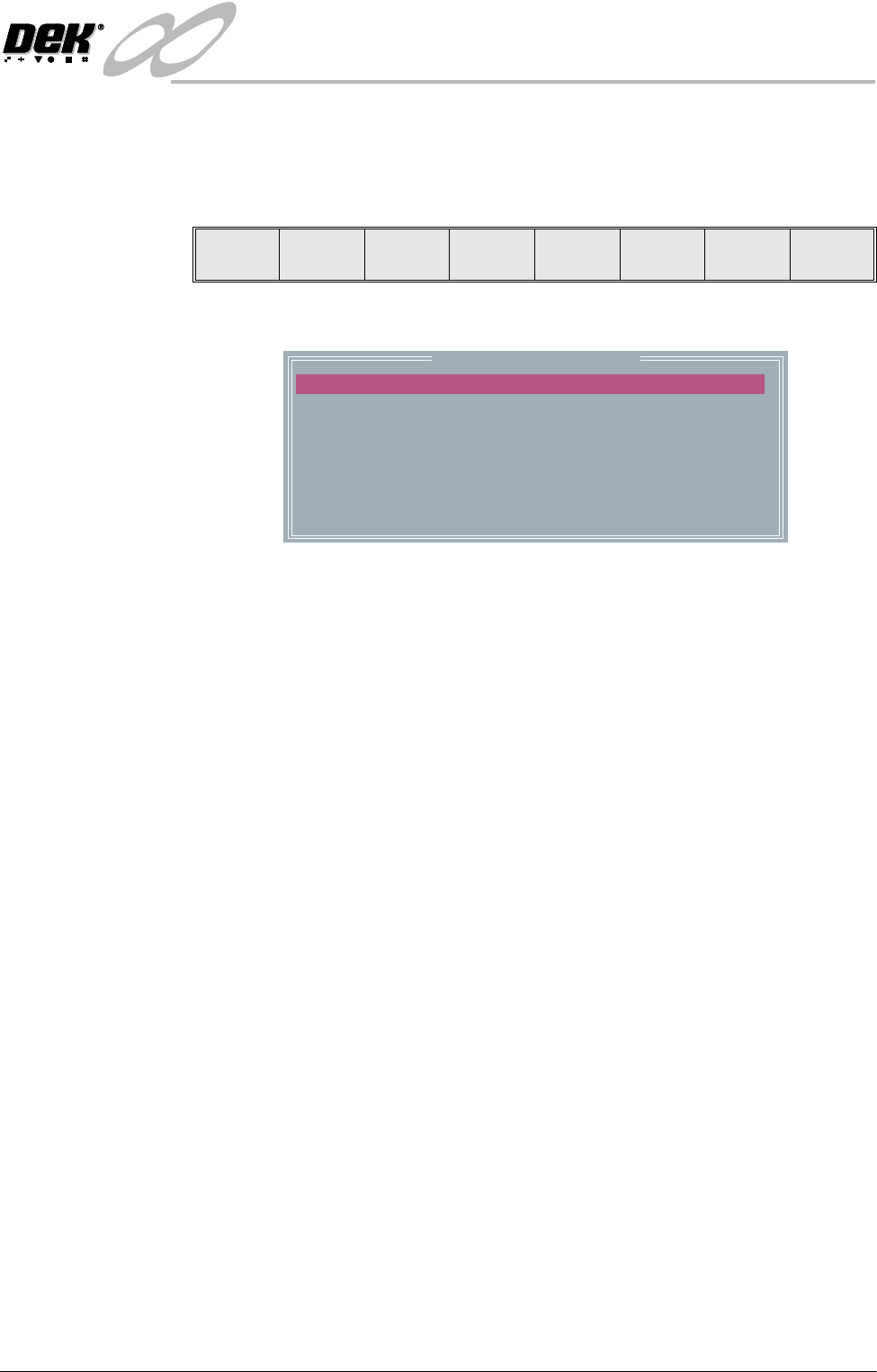
SPC Configuration Page
DATA OUTPUT RATE
START RATE
SAMPLE RATE
START RATE LIMIT
SPC DATA MODE
SPC FORMAT
UPDATE ON START-UP
ALIGN INSPECT MODE
EVERY CYCLE
1
10
10
NONE
WINDOWS
NO
PRE PRINT
cycles
cycles
cycles
INFINITY
0$&+,1(352*5$00,1*
63&&21),*85$7,21
1.114 User Manual Software Version 7
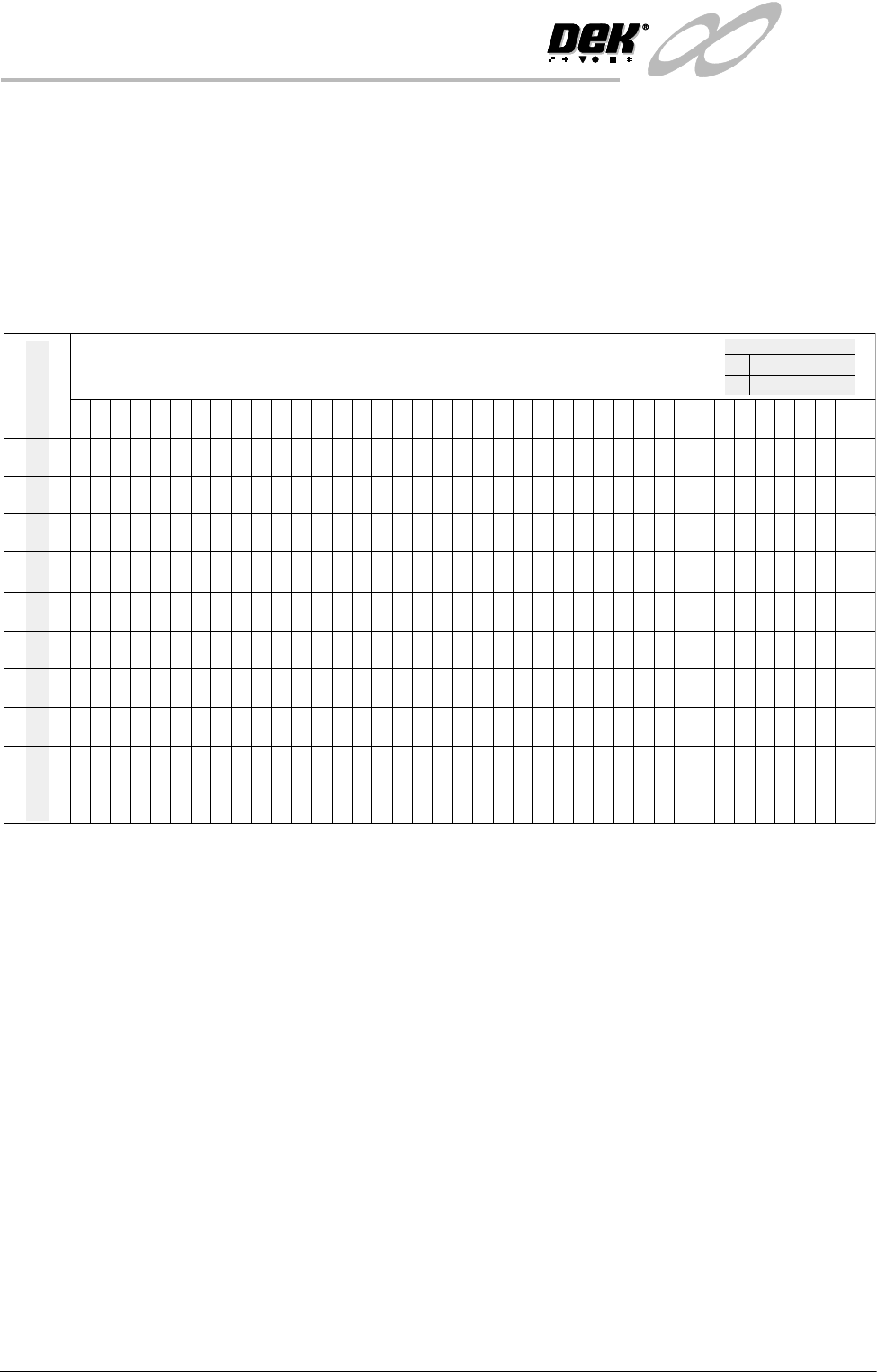
The table below illustrates how the use of the following SPC Configuration
parameters can vary the sampling of SPC Output Parameters from the machine:
• Data Output Rate
• Start Rate
• Sample Rate
• Start Rate Limit
NOTE
Machine Data and Camera Data are defined in the table in SPC Output
Parameters section.
SPC Data Mode Six modes of data transfer are available as follows:
• None - No SPC data is output at any time.
• Remote - The data is written to a file called READINGS.DEK located on
a remote network drive.
• Serial - The data is output from the machines serial SPC port.
• Disk - The data is written to a file called READINGS.DEK located on the
machines local drive.
• Serial + Remote - Outputs data in both modes.
• Serial + Disc - Outputs data in both modes.
SPC Format All data, irrespective of SPC data mode, is in the selected SPC format, options
are: DOS or Windows.
1 2 3 4 5 6 7 8 9 10111213141516171819202122232425262728293031323334353637383940
Machine Cycles
Start Rate
Sample Rate
Start Rate Limit
Every Cycle
Every Cycle
Every Cycle
Every Cycle
Every Cycle
On Inspect
On Inspect
On Inspect
On Inspect
On Inspect
100
1
00
1510
1510
2510
2510
5120
5
120
1510
15
10
X
X
XXXXXXXXXXXXXXXXXXXXXXXXXXXXXXXXXXX
XX
X
0000000000000000000000000000000000000000
XXXXXXXXXXXXXXXXXXXXXXXXXXXXXXXXXXXXXXXX
0000000000000000000000000000000000000000
XXXXXXXXXXXXXXXXXXXXXXXXXXXXXXXXXXXXXXXX
00000 0 0 0 0 0 0
XXXXX X X X X X X
00000 0 0 0 0 0 0
XXXXXX
X
XXXXXXXXXXXXXXXXXXXXXXXXXXXXXXXXX
0 0 0 000000000000000000000
X X X XXXXXXXXXXXXXXXXXXXXX
0 0 0 000000000000000000000
XXXXX X X X
00000 0 0 0
XXXXXXXXXXXXXXXXXXXXXXXXXXXXXXXXXXXXXXXX
00000 0 0 0
XXXXXXXXXX X X X X X X
0000000000 0 0 0 0 0 0
X
XXXXXXXX
X
XXXXXXXXXXXXXX XXXXXXXXXXXXXX
X
0000000000
0
000 0
X
0
Machine DataX
0
Legend
Camera Data