DEK INFINITY USER MANUAL.pdf.pdf - 第336页
INFINITY &21680$ %/(5(3/ (1,6+0(1 76 352)/2: 9.52 User Manual Software Versi on 7 Rechargeable T ransfer Heads It is nec essary at in tervals t o replenish the rechargeab le transf er head. If there is no print medi…
INFINITY
&21680$%/(5(3/(1,6+0(176
352)/2:
Software Version 7 User Manual 9.51
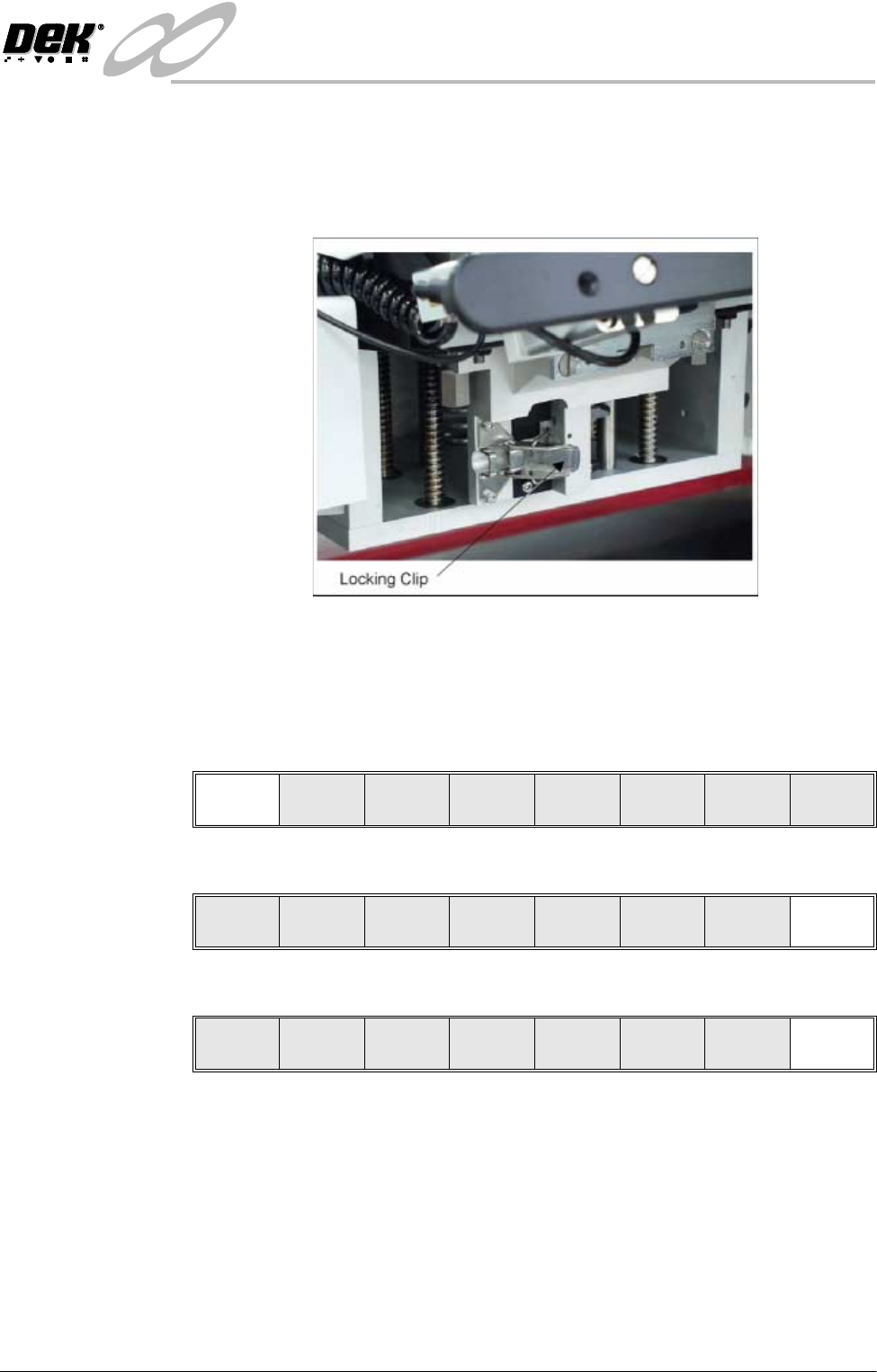
17.Check that the locking clip on the pressure mechanism is in the unlocked
position. Locate and fit the ProFlow transfer head unit to the pressure
mechanism by means of the two locating dowels. Slide the unit onto the
pressure mechanism. Once the unit is slid fully home, it is secured by closing
the locking clip.
18.Lower the pressure mechanism using the flush pull latch ensuring the
mechanism latch is engaged and is secured into place.
19.Close the front printhead cover.
20.Press the System button.
21.Press Continue (F1).
22.Press Exit (F8).
23.Press Exit (F8).
Continue
Change
ProFlow
Load
Cassette
Prime
ProFlow
Exit
Mode
Load
Data
Edit
Data
Setup
ProFlow
Change
Screen
Change
Tooling
Change
Language
Exit
INFINITY
&21680$%/(5(3/(1,6+0(176
352)/2:
9.52 User Manual Software Version 7
Rechargeable Transfer Heads
It is necessary at intervals to replenish the rechargeable transfer head. If there
is no print medium in the transfer head at the end of a print stroke, the warning
window ‘Print Medium Low. Please Replenish.’ is displayed.
WARNING
SOLDER PASTE AND SOLVENTS. WHEN USING OR HANDLING ANY SOLDER
PASTE OR SOLVENT FORMULATION THE MANUFACTURERS’ RECOMMEND
SAFETY PRECAUTIONS MUST BE STRICTLY ADHERED TO.
WARNING
PROTECTIVE CLOTHING. APPROVED PROTECTIVE CLOTHING SHOULD BE
WORN BY SOLDER PASTE AND SOLVENT HANDLERS AT ALL TIMES TO
ELIMINATE FUME INHALATION, EYE CONTACT, SKIN CONTACT AND
INGESTION.
Initial Fill If an empty/new rechargeable transfer head is to be used prior to printing. The
transfer head unit is to be initially charged in accordance with the following:
1. Ensure the empty transfer head is fitted with a base cover.
2. Using the recharging gun (mastic or pneumatic gun). Load a standard
cartridge and fit the long recharging nozzle to the cartridge.
NOTE
To prevent air bubbles, ensure that the long nozzle is charged with paste
prior to carrying out the next Step.
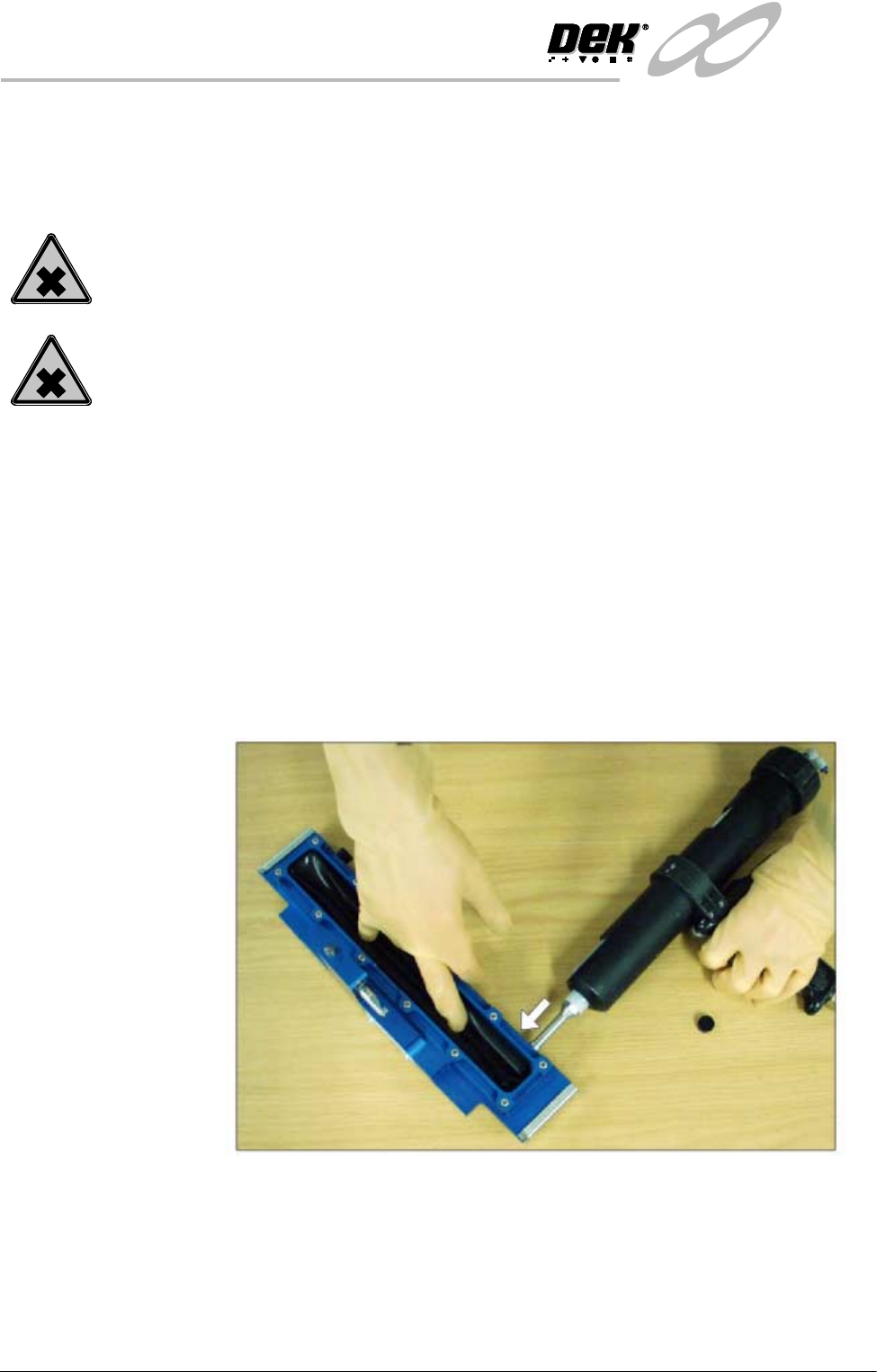
3. Starting at one end of the unit, remove the filling hole bayonet cap and insert
the recharging nozzle into the unit, (figure below refers).
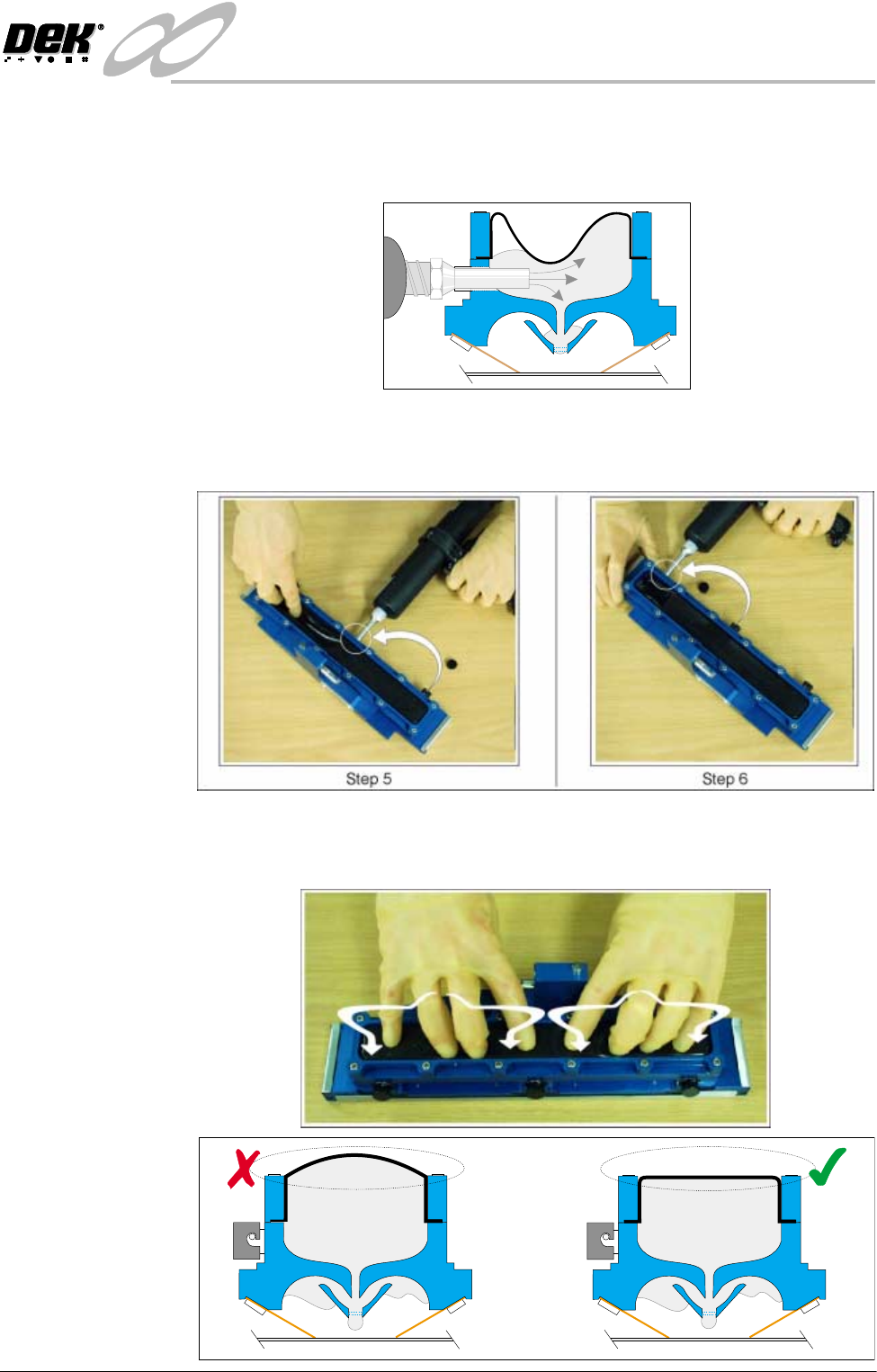
4. Start filling the cavity, at the same time push the diaphragm down with
fingers (Step 3 Figure refers), to feel the paste filling the void. Whilst the
paste is filling, gently knead the diaphragm to evenly distribute the paste and
also prevent ballooning. Fill approximately one third the length of the unit.
On completion remove the nozzle and refit the bayonet cap.
INFINITY
&21680$%/(5(3/(1,6+0(176
352)/2:
Software Version 7 User Manual 9.53
NOTE
Prior to completion, slowly retract the nozzle from the filling hole to avoid
creation of air bubbles within the paste fill.
5. Move the recharging unit to the centre filling port, and repeat Step 4.
6. Move the recharging unit to the last filling port and repeat Step 4 until the
void is full.
7. Knead the transfer head diaphragm so that the paste is dispersed evenly along
it’s length. The top of the diaphragm must be flat (not ballooned upwards).
Figures below refers.