DEK INFINITY USER MANUAL.pdf.pdf - 第225页
INFINITY +286 (.( (3, 1* 0$1$ *(0(1 7,1)250$ 7,219,(:(5 Soft ware Ver sion 7 User Manual 7.15 3. Select ManInfoV iewe r , the following window is displayed: 4. Select File , the following window is displayed:
INFINITY
+286(.((3,1*
0$1$*(0(17,1)250$7,219,(:(5
7.14 User Manual Software Version 7
For information on the other functions of the E-125 pocket PC refer to the
Hardware Manual and Pocket PC User’s Guide, which are both included as PDF
files on the CASSIOPEIA CD-ROM, supplied with the unit.
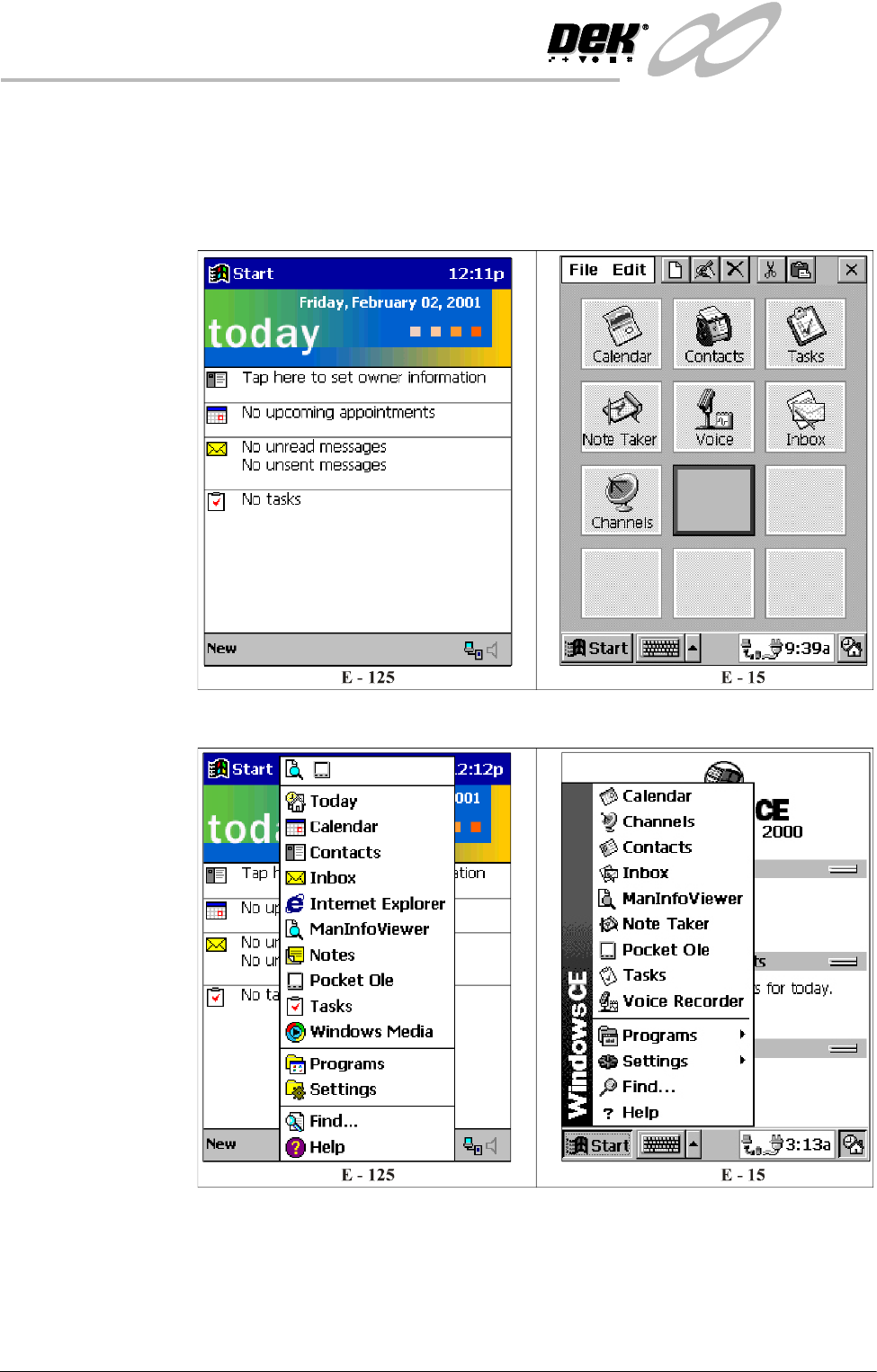
Start Up 1. Press the Power button, the following window is displayed:
2. Using the stylus select Start, the following menu is displayed:
INFINITY
+286(.((3,1*
0$1$*(0(17,1)250$7,219,(:(5
Software Version 7 User Manual 7.15
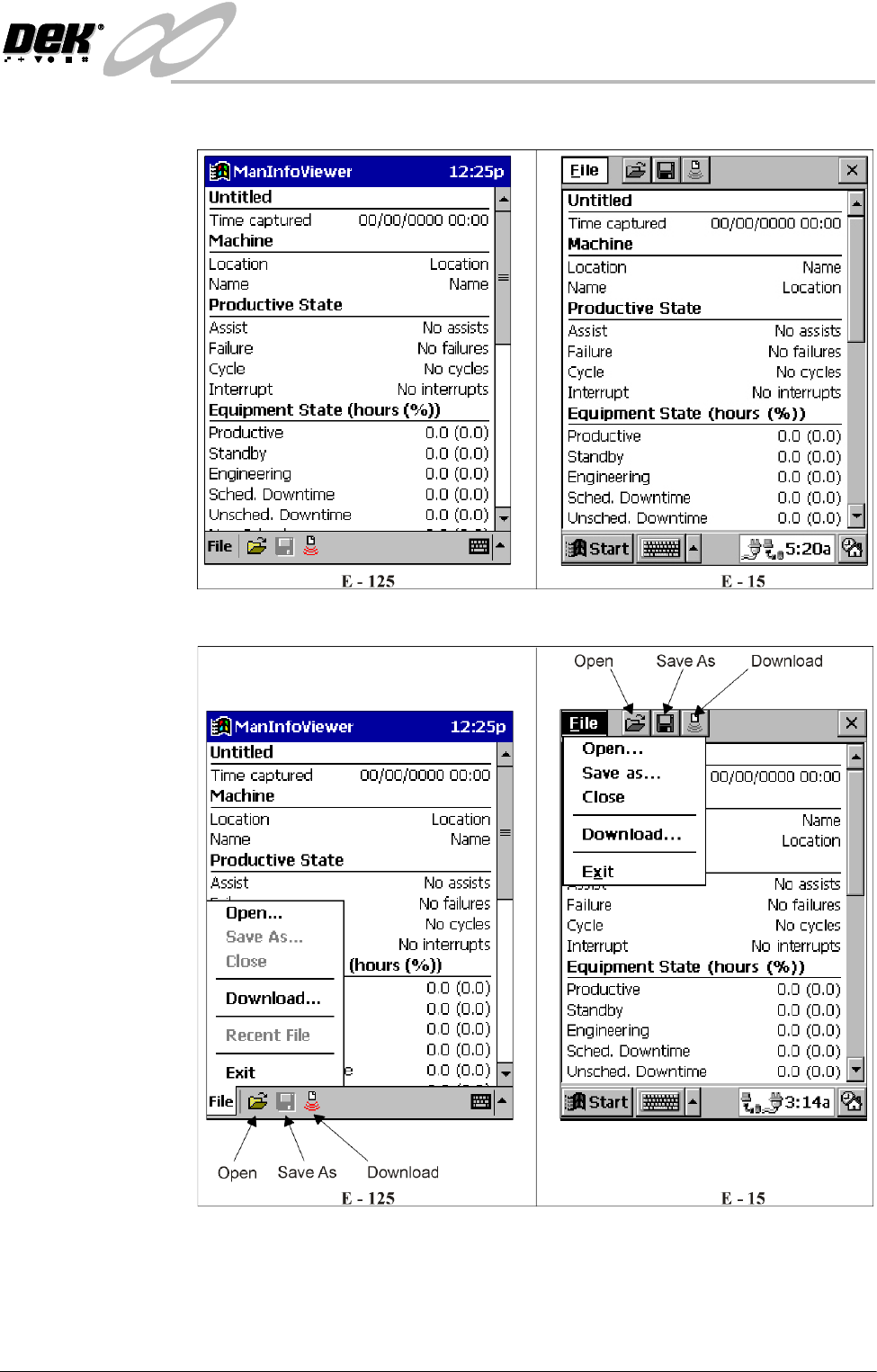
3. Select ManInfoViewer, the following window is displayed:
4. Select File, the following window is displayed:
INFINITY
+286(.((3,1*
0$1$*(0(17,1)250$7,219,(:(5
7.16 User Manual Software Version 7
Downloading To download the data from the printing machine to the palm size PC, proceed as
follows:
1. Ensure the Start Up section has been carried out.
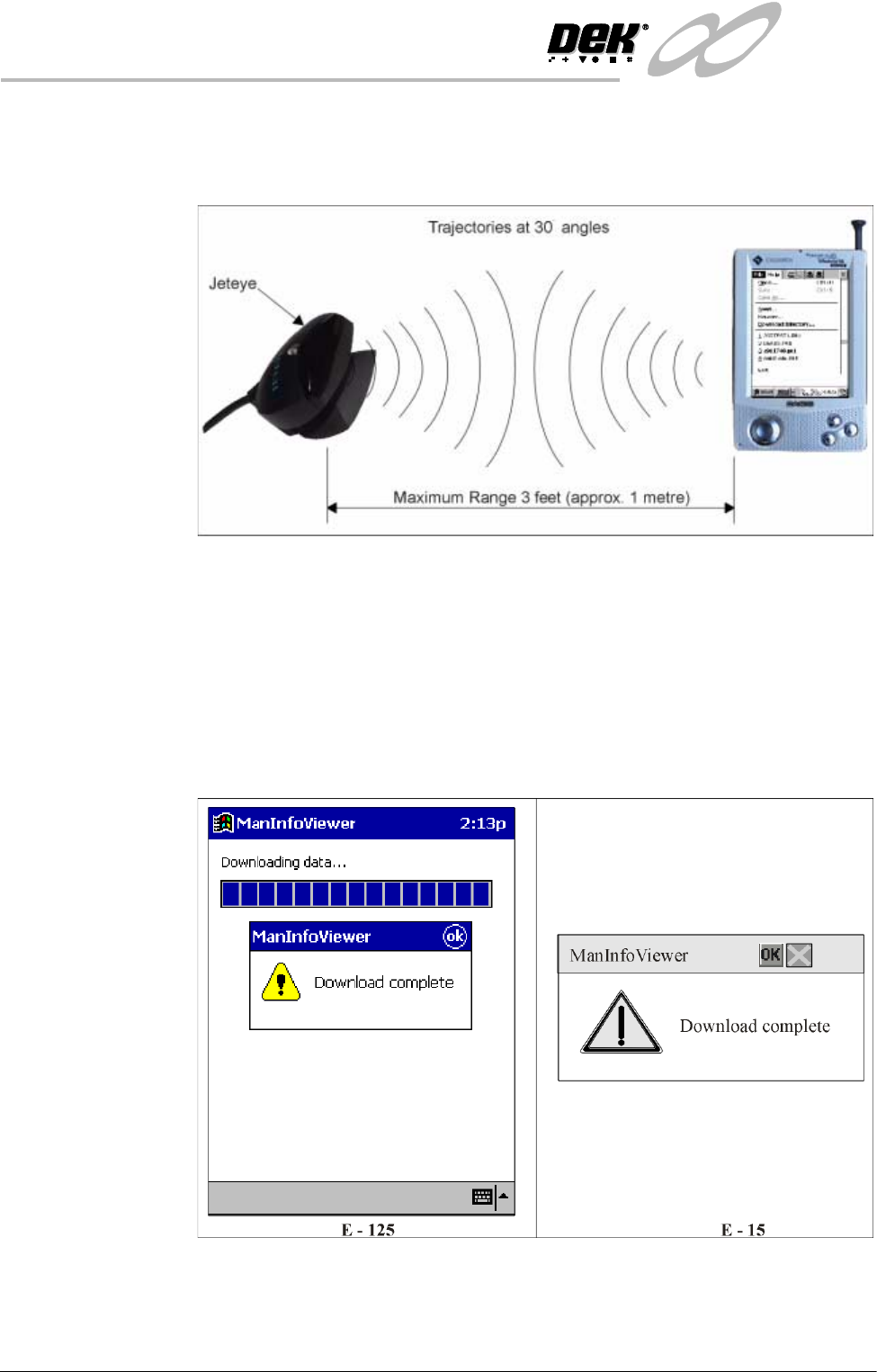
2. With reference to the above figure, aim the infrared port of the palm size PC
at the Jeteye.
NOTE
The CASSIOPEIA shown is the E-15, but the information is also valid for the
E-125.
3. Select Download, communications between the printer and the palm size PC
are established and data is downloaded using the infrared link.
4. Once the data is downloaded, a window of the following form is displayed:
NOTE
If the download is unsuccessful see the Error Messages information at the
end of this section.