DEK INFINITY USER MANUAL.pdf.pdf - 第275页
INFINITY ',163(& 7,21 ',163(&7,2 16(7 83 Soft ware Ver sion 7 User Manual 8.35 Adjustmen t During Print Cycle Most inspection pa rameters may be adj usted whilst a print cyc le is in progress. The …
INFINIT
Y
',163(&7,21
',163(&7,216(783
8.34 User Manual Software Version 7
20.Select Exit.
21.Select Exit.
22.Select Step to remove the board from the machine.
23.Clean the board and stencil.
24.Carry out Section How to Add a Site and create all required sites, using the
same lighting parameters as before (see Auto Learn).
25.On completion carry out Section Inspect.
26.Set required 2D inspect rate and the Min site/cycle parameters in edit global.
27.This completes the 2Di setup. Commence print run in auto mode.
NOTE
During production use Adjust Inspect to fine tune the inspection process.
Auto
Scale
Toggle
Paste
Next Previous
Save
Image
Exit
Edit
Global
Edit
Limits
Delete
Site
Edit
Site
Inspect
Site
Exit
Step
Inspect
Setup
Single Exit
INFINITY
',163(&7,21
',163(&7,216(783
Software Version 7 User Manual 8.35
Adjustment During
Print Cycle
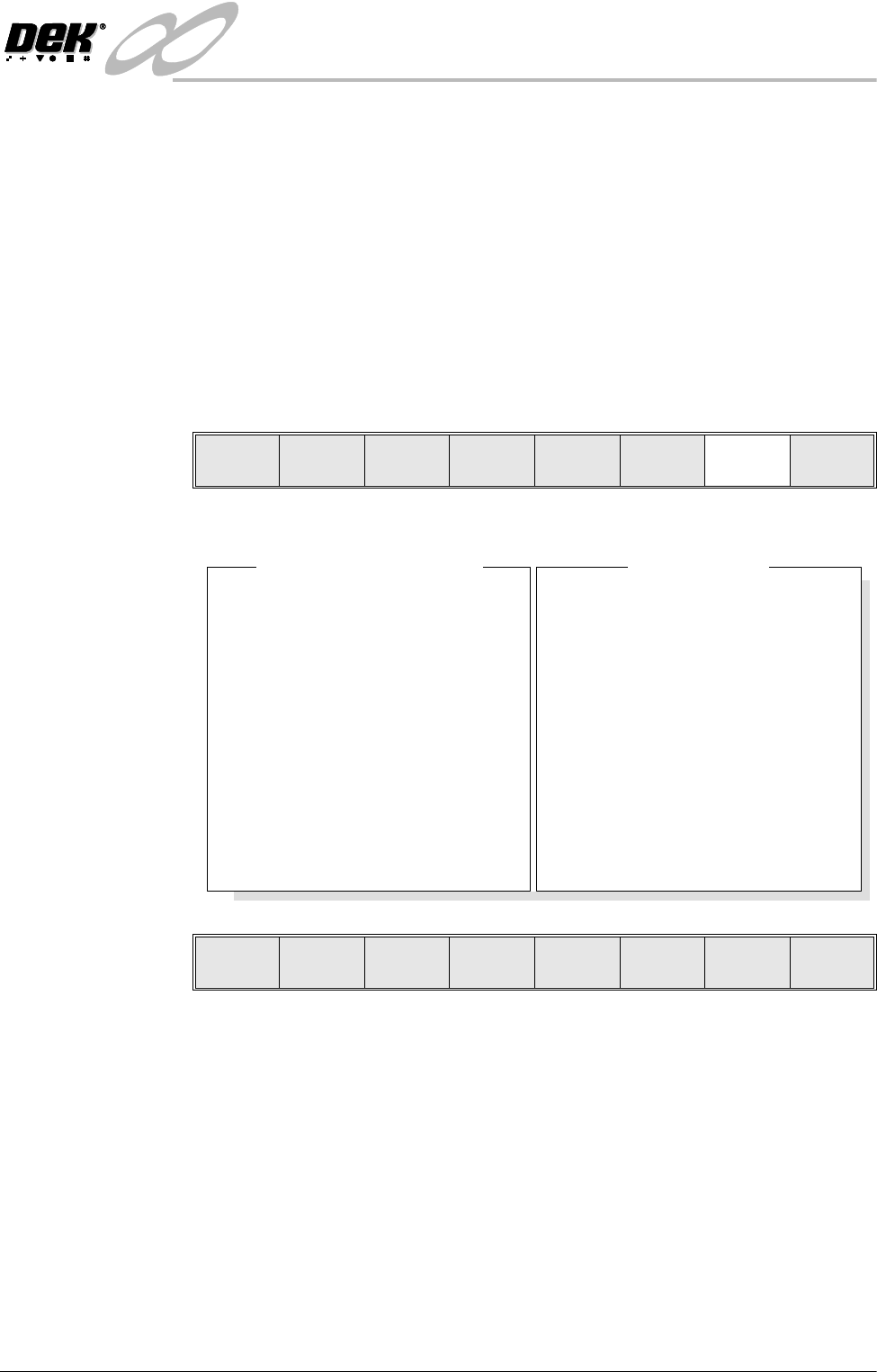
Most inspection parameters may be adjusted whilst a print cycle is in progress.
The parameters that may be adjusted are:
• Global Limits
• Limit Sets
• Site Parameters
NOTE
The site coordinate parameters are not available whilst a print cycle is in
progress.
To access the parameter adjustment menu during a print cycle select Adjust
Inspect.
The following window is displayed:
The New Pre-images button is only available if Pre-image is set to 1.
NOTE
If an error occurs when adjusting inspection parameters during a print cycle,
the adjustment page closes.
Any changes made are saved.
End
Run
Stop
Cycle
Paste
Load
Clean
Screen
Adjust
Knead
Paste
Adjust
Inspect
SiteName
SitePriority
StencilInspectType
BoardInspectType
SiteAlignment
LimitSetID
PasteScaling
IC27-1
General
Advanced
Advanced
XandY
Fine
1.00
2DInspectRate
StencilInspectType
BoardInspectType
Pre-image
Min.Sites/Cycle
WarningLimit
BlockageAction
BlockageClean
SmearAction
SmearClean
LowPasteAction
InspectAfterClean
No.Sites
1
Advanced
Advanced
Every
10
3
Auto
Mode2
Manual
Mode1
Re-print
Enabled
30
GlobalInspectParameters
SiteParameters
Edit
Global
Edit
Limits
New Pre-
images
Edit
Site
Exit
INFINIT
Y
',163(&7,21
6(7837,36
8.36 User Manual Software Version 7
SETUP TIPS
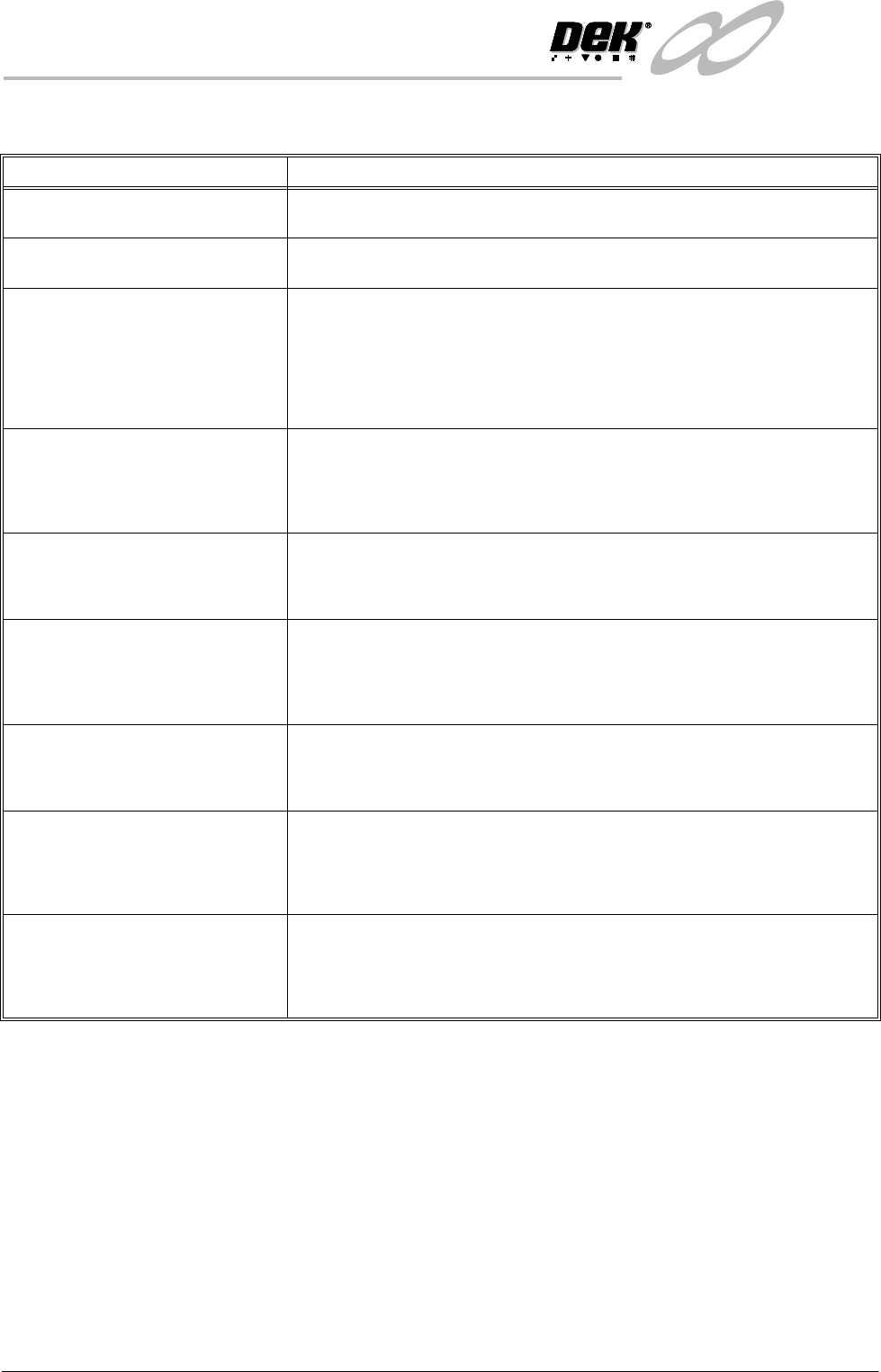
Setup Problem Guide
No inspection setup available Ensure that 2D inspection is enabled in Set Prefs.
System not inspecting or inspection
cycle not being carried out
The 2D option may be disabled or 2D inspect rate may equal 0.
Order of Inspection If a particular sequence of site inspection is required, the sites should be selected
as every cycle sites and setup in the sequence required.
Every cycle sites are inspected in the order that they were setup.
General sites are inspected in an order that depends on their position and their
inspection sequence cannot be set.
If at a later date a site is edited the sequence is affected.
Stencil and Board - Cleaning Before
Setup
Before 2D inspection setup, ensure the stencil and board being used have been
thoroughly cleaned and are free of all paste deposits.
If either are not cleaned thoroughly any remaining smearing, partially blocked
apertures or paste on the board may cause an incorrect setup.
Site Area Accuracy Ensure that when setting site parameters (height, width etc.), the site graphic is
placed around the site to give clearance from the apertures and pads thus
preventing other areas being inspected.
Lighting Conditions If the inspection result is not as expected, it is possible that the site was learnt
under different lighting conditions.
This problem may be resolved by re-learning the site under new lighting
conditions, or by the use of paste scaling for paste present adjustment.
Site Quality The sites selected for inspection should be of good quality.
Sites should not have rounded or chamfered edges or uneven or excessive tinning,
this can lead to misleading results when attempting to learn sites.
Sites Being Lost Ensure that both board and stencil have been learnt.
After adjusting board or stencil site parameters always learn both, further editing
can be done at a later stage.
The number of pads must equal the number of apertures for a successful site.
Inspection Alarms too Frequent
and Unnecessary
This may be a symptom of limits being set too tight.
Relax the limits so that results of an acceptable print produce pass or warning, not
alarm, or use the global limit option or limit options to disable the particular limit
checking.