2OM-1751-003w_G5S.pdf - 第294页
2OM-1751 6-22 1303-001 [8] [Place. Noz Edit] Button When the [Place.Noz Edit] button is pressed, the "Edit Placement Nozzle Data" window appears. F2F24 [9] [Nozzle Disce Rslt] Button When the [Noz.Disce Rslt] b…
2OM-1751
6-211303-001
F2F22
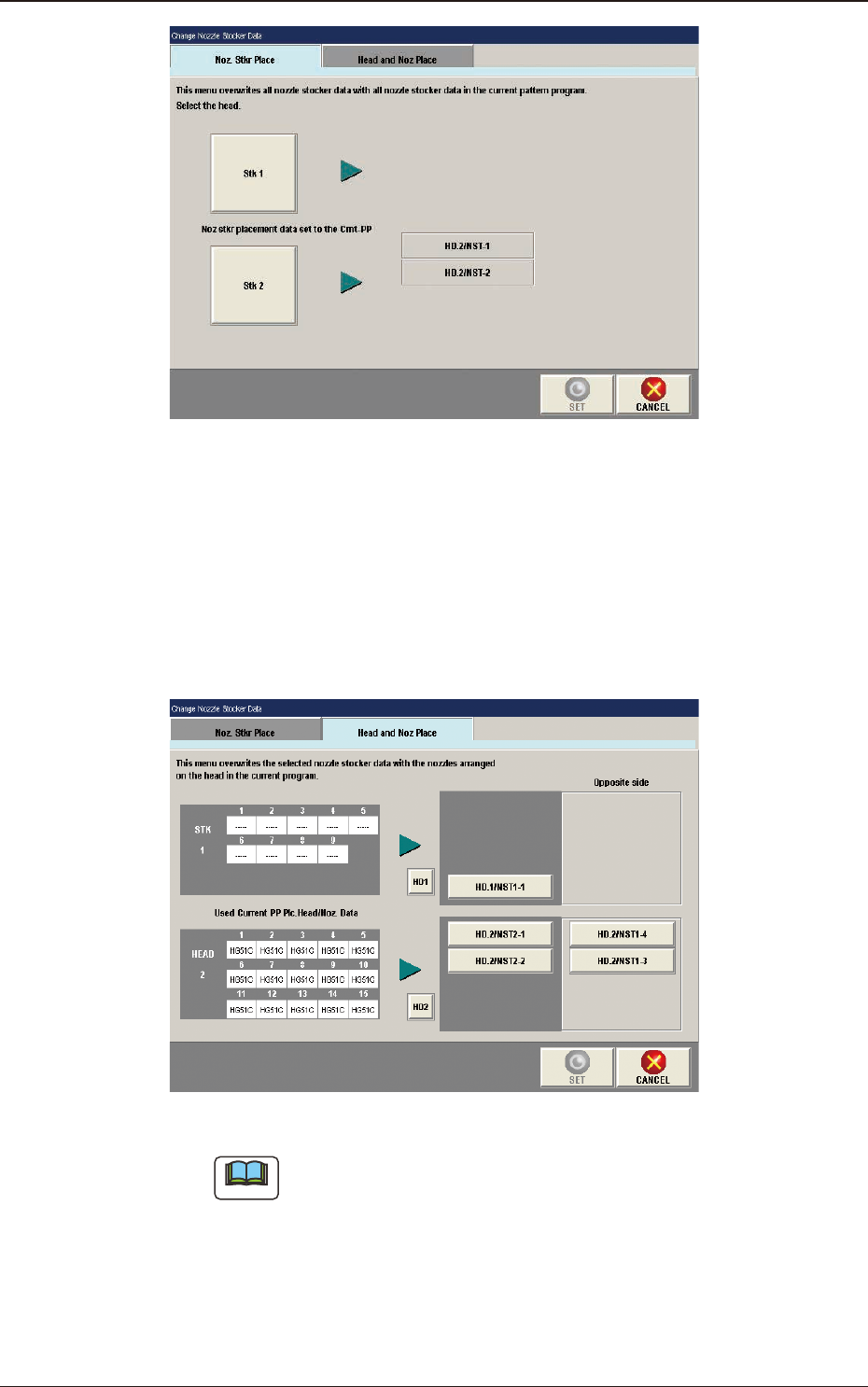
[Head and Noz Place] Tab
When the [Head and Noz Place] tab is pressed, the tab sheet is changed to
the "Head and Noz Place" setup tab sheet.
When the button for the stocker, for which the head and nozzle placement
data is to be re-written, is pressed and the [SET] button is pressed the data
rewriting is performed.
F2F23
Note
(a)
Only the nozzles corresponding to each nozzle stocker (housing) can
be allocated. That is, only the high-speed nozzles can be allocated
to the high-speed nozzle stockers (housings) and only the middle-
size odd shaped nozzle to the middle-size odd shaped nozzle stockers
(housings).
(b) In the case that there is any nozzle stocker where the nozzle allocation
setting is available, on the opposite side, the nozzles can be allocated
on the opposite side.
5. "NOZ.CHG." Window
2OM-1751
6-221303-001
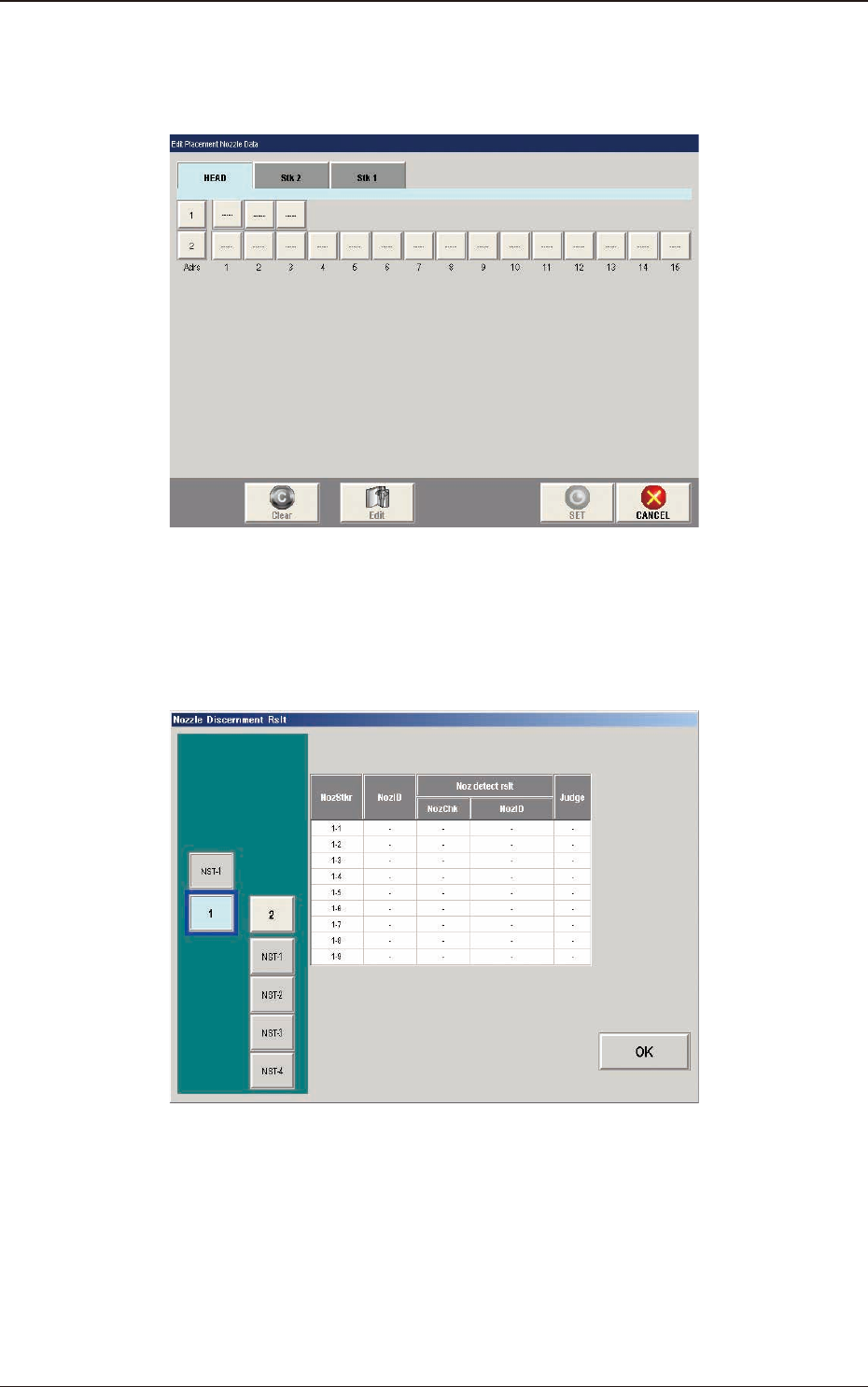
[8] [Place. Noz Edit] Button
When the [Place.Noz Edit] button is pressed, the "Edit Placement Nozzle
Data" window appears.
F2F24
[9] [Nozzle Disce Rslt] Button
When the [Noz.Disce Rslt] button is pressed, the "Nozzle Discernment Rslt"
window appears.
F2F25
5. "NOZ.CHG." Window
2OM-1751
6-231303-001
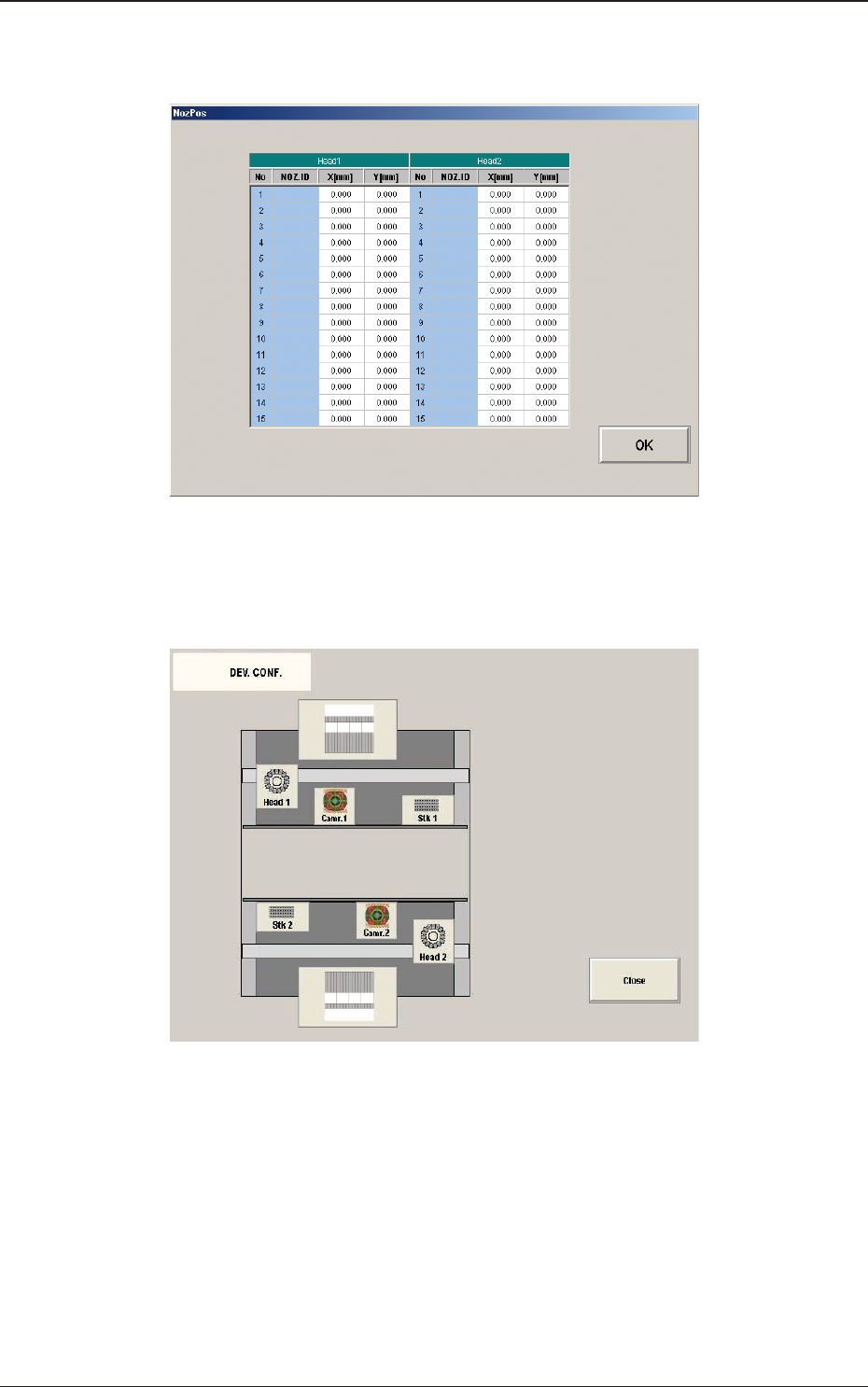
[10] [Noz Pos Teaching Rslt] Button
When pressed, the teaching results for each nozzle position are displayed.
F2F26
[11] [DEV.CONF.SCRN] Button
When pressed, the current device conguration is displayed.
F2F27
5. "NOZ.CHG." Window