2OM-1751-003w_G5S.pdf - 第70页
2OM-1751 1-18 1303-001 4. "OPERA TION" Window The constraints based on the designation of any of the various operation modes in the automatic operation and operation method in the test operation, are set in thi…
2OM-1751
1-171303-001
3.1 Cmp.Rem.List
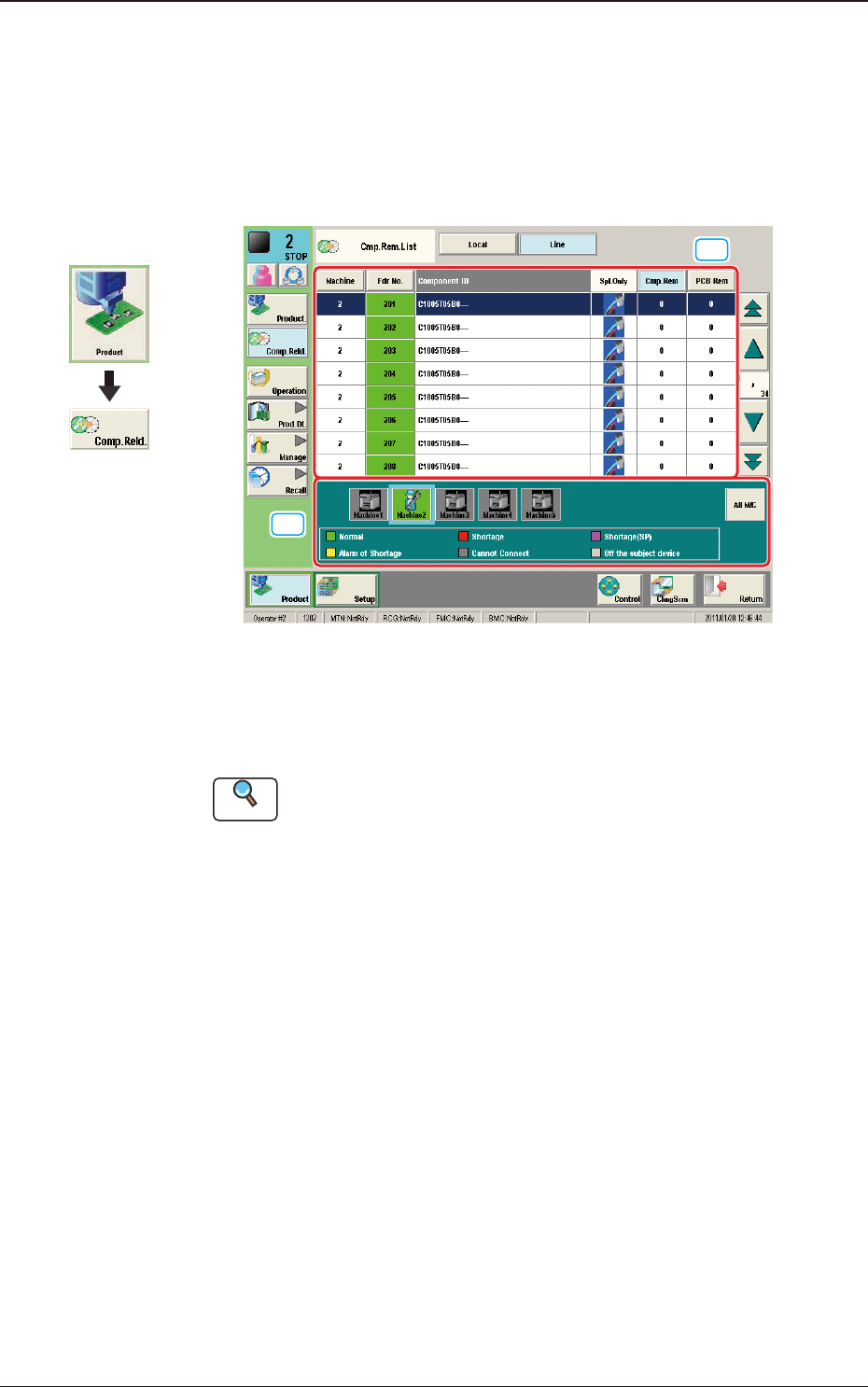
The list of the remaining components in the production line, can be checked in
this window.
When the [Line] button is pressed in the "Comp Reload" window, the following
window appears.
[1]
[2]
F2A14
[1] Feeder List
The feeder status in the selected machine is displayed in this area.
Reference
Refer to "3. "Comp Reload" Window" in Chapter 1 for the feeder list
details.
[2] Machine List
The list and status of the machines set in the line conguration are displayed
in colors.
When the machine in which the feeder is to be checked, is selected, the
feeder list of the selected machine is displayed in the feeder list area.
3.1 Cmp.Rem.List
Graphic
Development
2OM-1751
1-181303-001
4. "OPERATION" Window
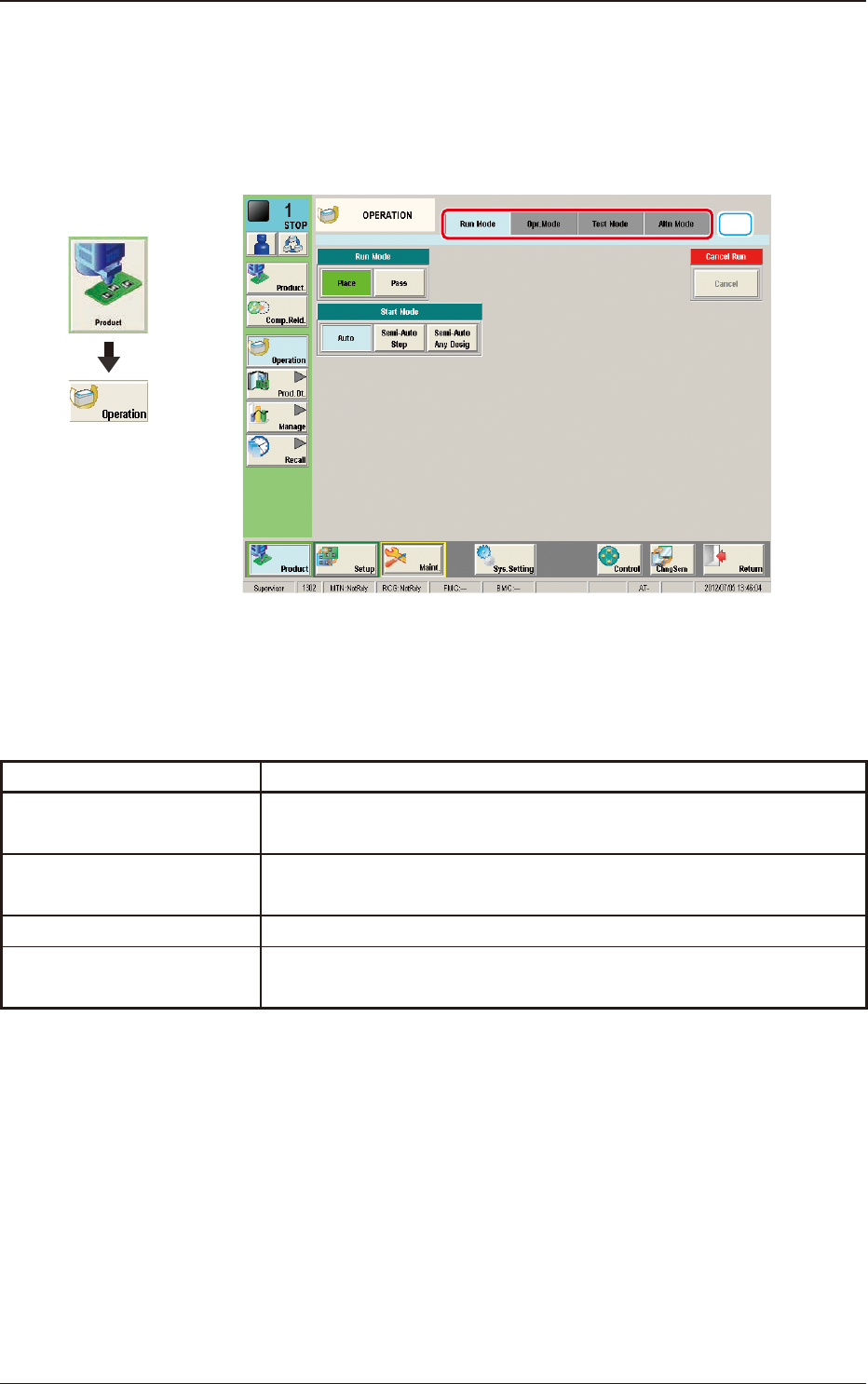
The constraints based on the designation of any of the various operation modes in
the automatic operation and operation method in the test operation, are set in this
window.
[1]
F2A15
[1] Tabs and Tab Sheets
The "OPERATION" window is provided with the following four tabs. When
each tab is pressed, the corresponding tab sheet appears inside the window.
Tabs Description
Run Mode
The corresponding tab sheet enables the operator to change the
operation mode or stop the production.
Opr. Mode
The corresponding window enables the operator to select an operation
mode such as Over Tact-Time Reduction.
Test Mode
The corresponding window enables the operator to set test modes.
Altn Mode
The corresponding tab sheet enables the operator to set the "Feeder
Alternate"function.
T2A1
Graphic
Development
4. "OPERATION" Window
2OM-1751
1-191303-001
4.1 "Run Mode" Tab Sheet
[3]
[1]
[2]
F2A16
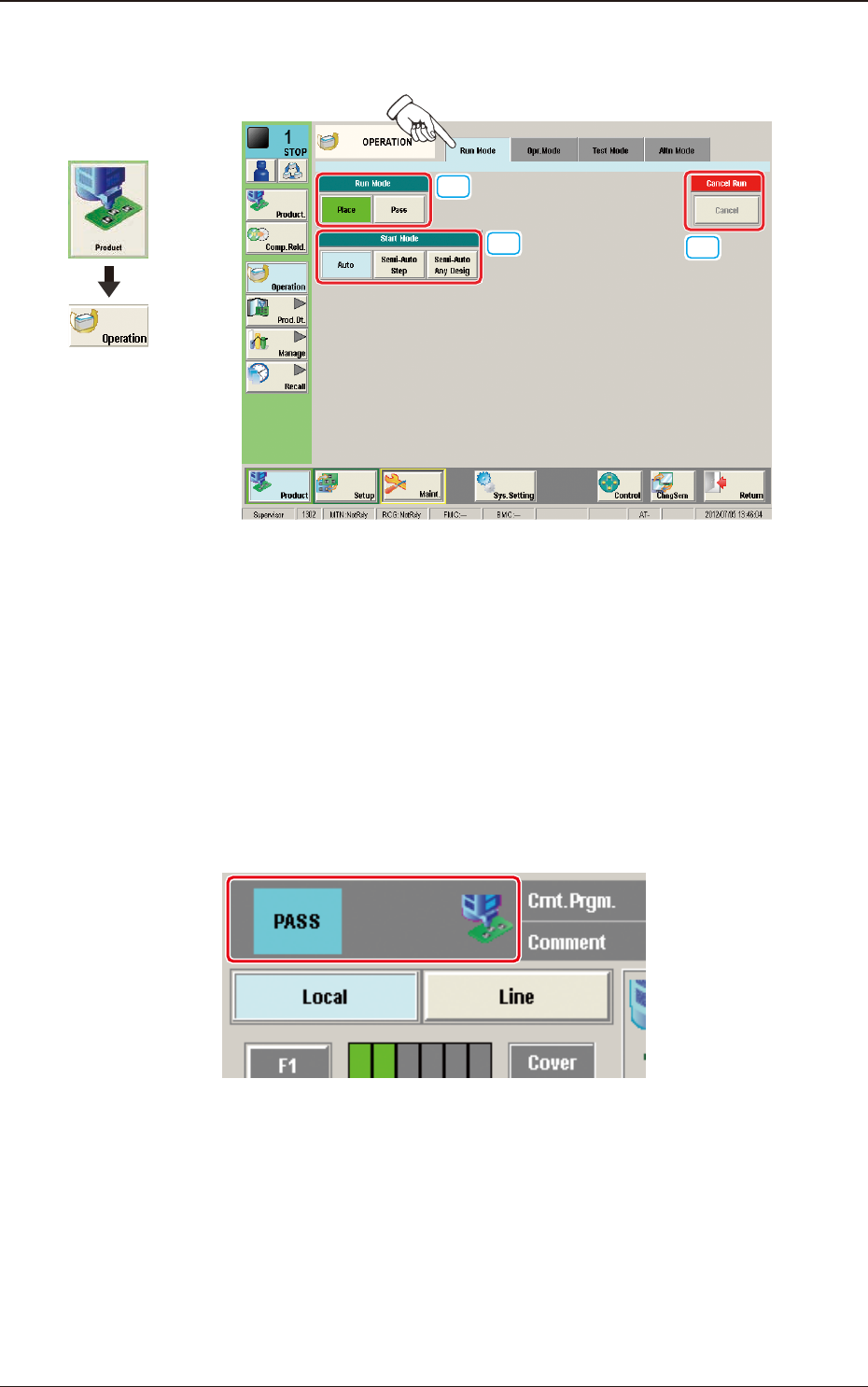
[1] "Run Mode" Selection Buttons
Press either one of the following buttons to select the desired run mode.
[Place] Button
: Select this button to set the machine in the "PLACE
(Automatic Operation)" mode.
[Pass] Button
: Select this button to set the machine in the "PASS" mode.
In the case that the pass operation has been setup, "PASS" is displayed in the
"Status Indicator" on the upper area of the "Product" window.
Status Indicator
F2A17
4.1 "Run Mode" Tab Sheet
Graphic
Development