2OM-1751-003w_G5S.pdf - 第323页
2OM-1751 6-51 1303-001 [8] Control Data Entry Window (2/4) [8] "Control Data" Entry Window (2/4) for the "Initial Data Setting" F2F49 [9] Control Data Entry Window (3/4) [9] "Control Data" E…
2OM-1751
6-501303-001
[Carrier Data]
The carrier data entry window is displayed.
[4] [Fr.] Button
When this button is pressed, the component recognition test window for the
Test & Teaching operation is transferred.
Reference
Refer to "7.3.4 "Component Recognition Test Execution" Window" in
chapter 6, Vol.2, in the Instruction Manual for the Main Machine for the
"COMP RCG" window for the Test & Teaching operation.
[5] [Return] Button
When this button is pressed, the "COMP RCG" test window is returned.
[6] Shape Data Entry Window
In this window, enter the shape data.
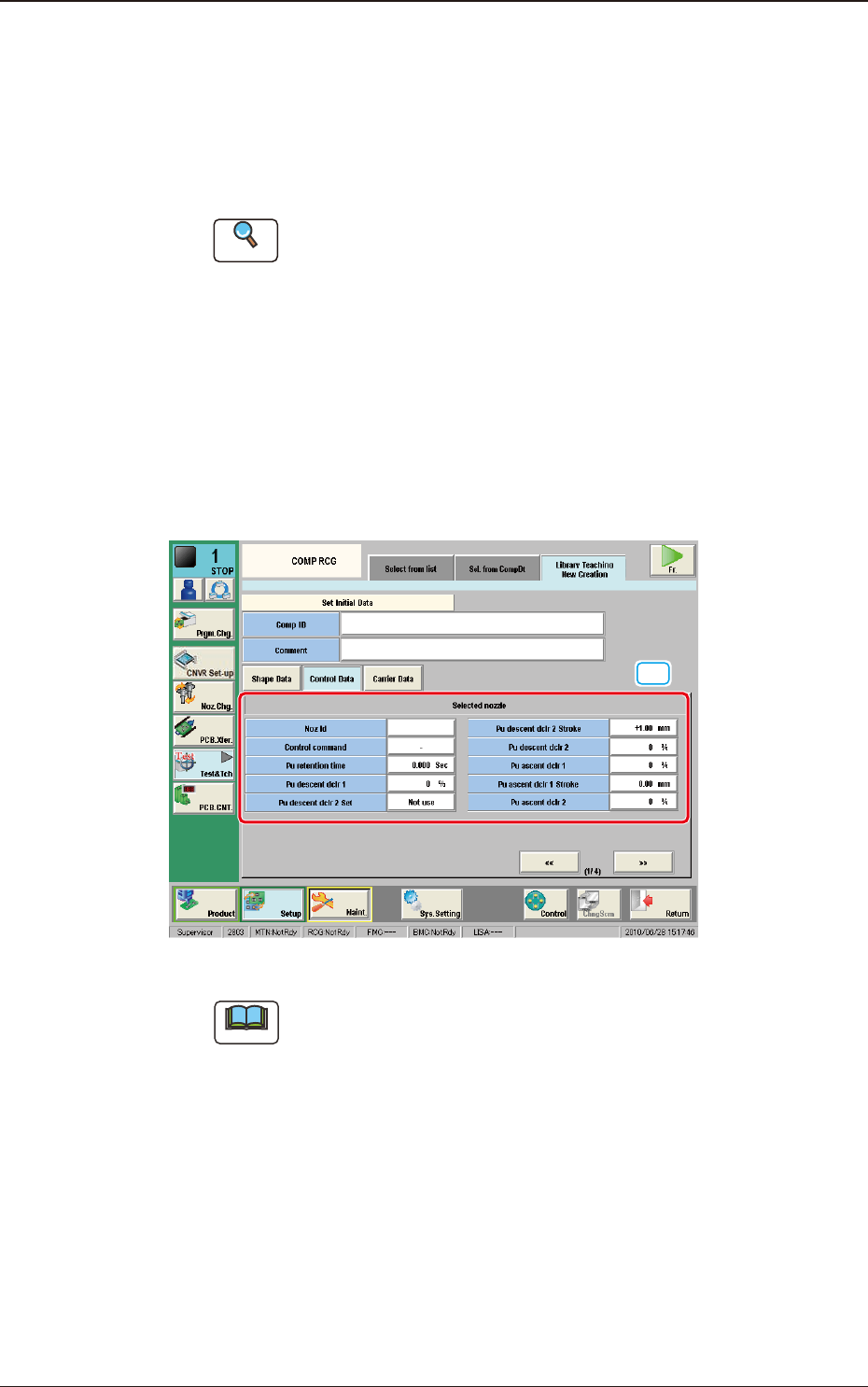
[7] Control Data Entry Window (1/4)
[7]
"Control Data" Entry Window (1/4) for the "Initial Data Setting" F2F48
Note
Enter the parameter for the "Nozzle ID".
If this setting is not performed, the procedure does not go to the
next step.
7.3 "COMP RCG" Test Window
2OM-1751
6-511303-001
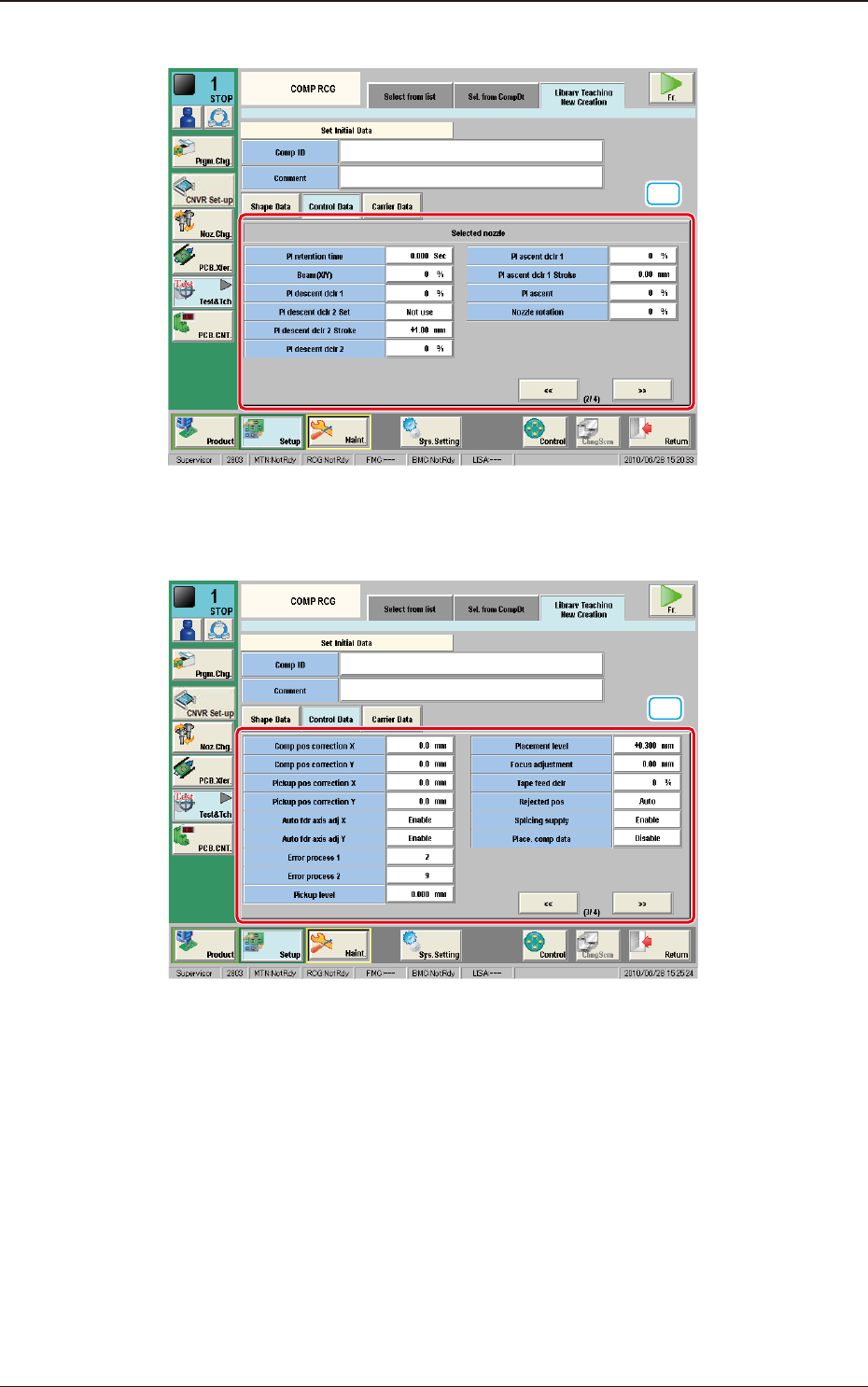
[8] Control Data Entry Window (2/4)
[8]
"Control Data" Entry Window (2/4) for the "Initial Data Setting" F2F49
[9] Control Data Entry Window (3/4)
[9]
"Control Data" Entry Window (3/4) for the "Initial Data Setting" F2F50
7.3 "COMP RCG" Test Window
2OM-1751
6-521303-001
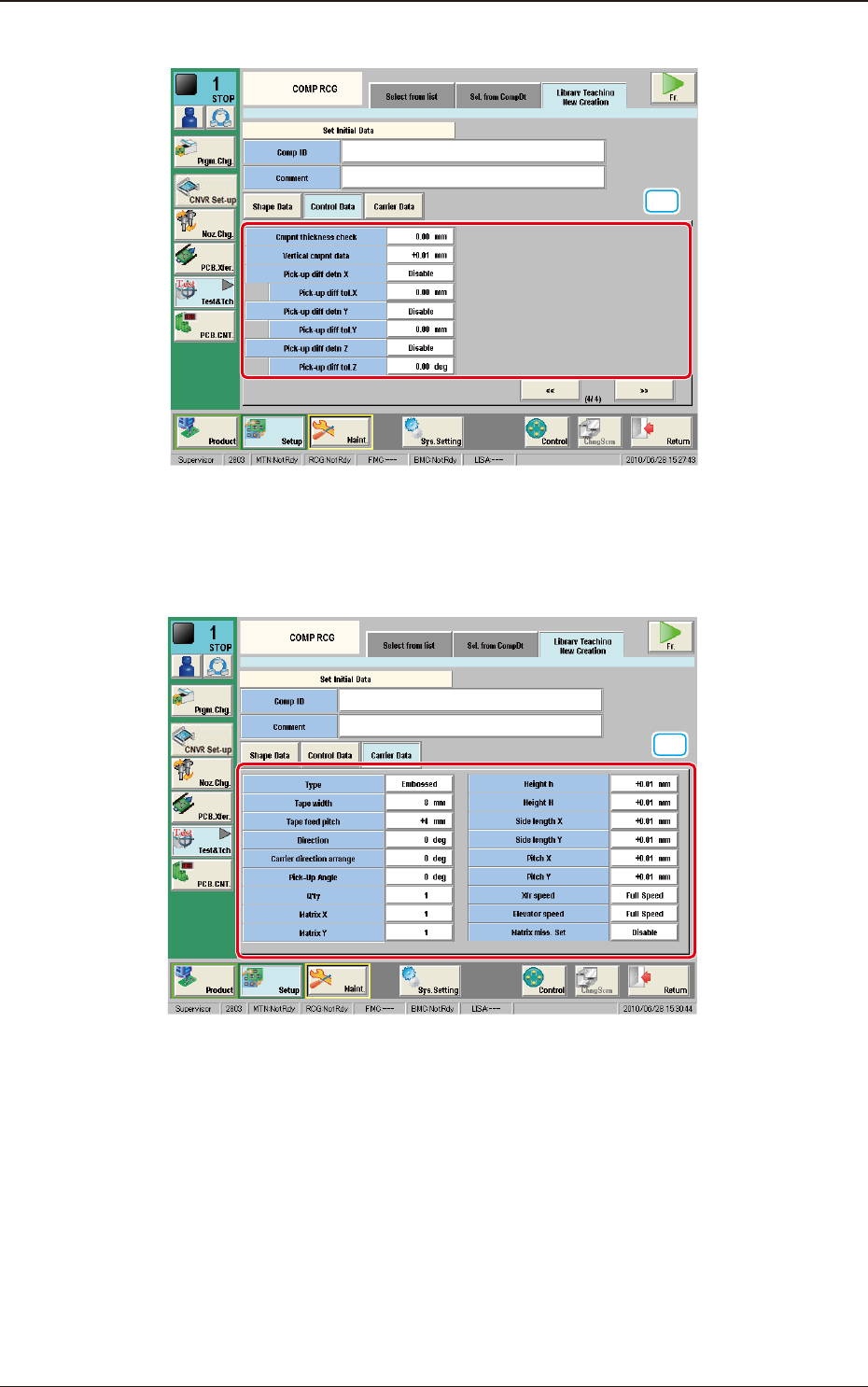
[10] Control Data Entry Window (4/4)
[10]
"Control Data" Entry Window (4/4) for the "Initial Data Setting" F2F51
[11] Carrier Data Entry Window
In this window, the carrier data parameters are set.
[11]
"Carrier Data" Entry Window for the "Initial Setting" F2F52
7.3 "COMP RCG" Test Window