2OM-1751-003w_G5S.pdf - 第343页
2OM-1751 6-71 7.3.7 "Create T each" Wizard Follow the steps below to newly create data to be taught. 7.3.7.1 Leaded Components - QFP Procedure (1) Select [Leaded], [IC] and [QFP] in this order . F2F65 F2F66 130…
2OM-1751
6-70
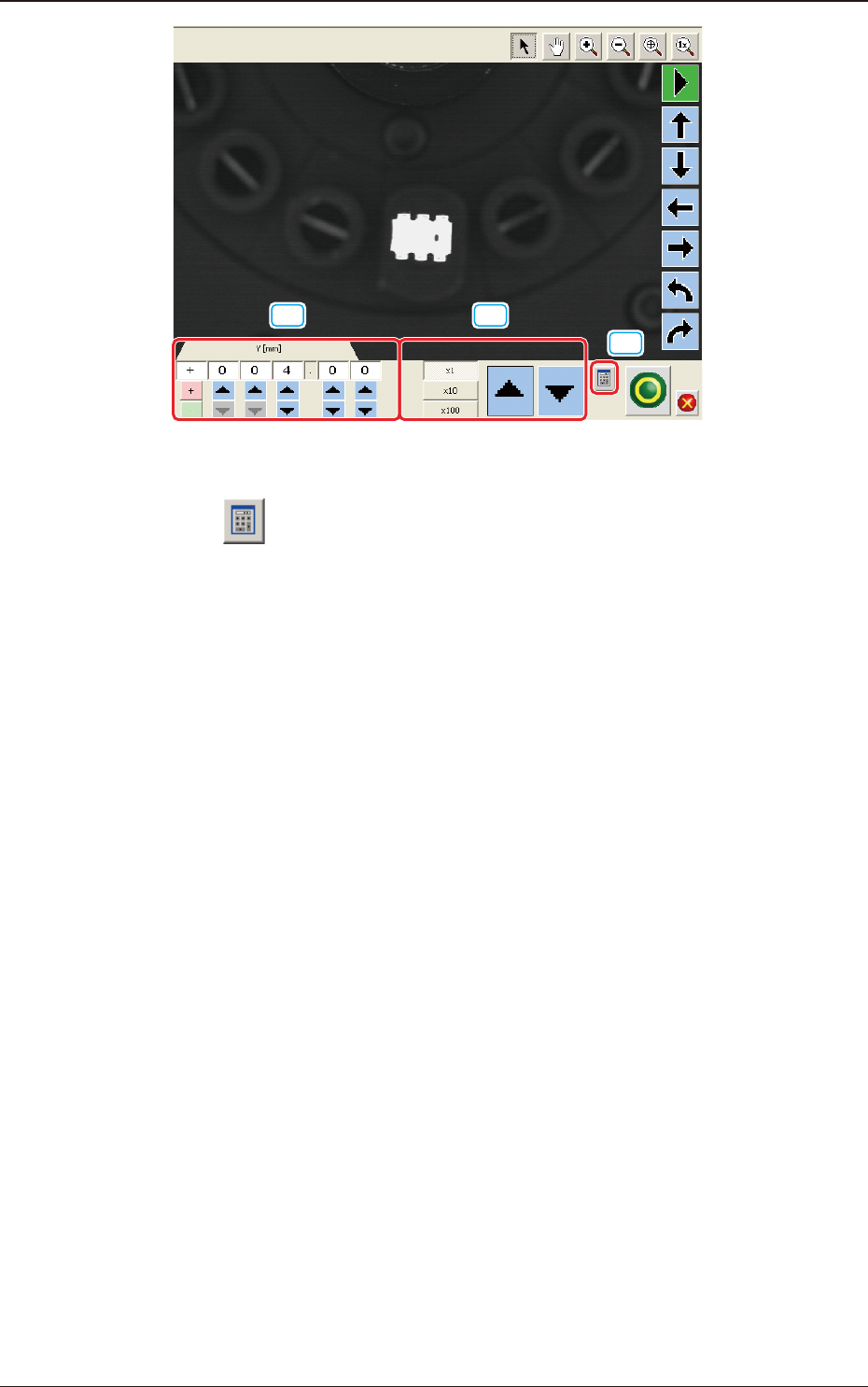
[19] [20]
[18]
F2F64
[18] [ ] Button
A ten-key pad appears for data entry.
[19] [increase / decrease] Button 1
Pressing the button for each unit directly increases or decreases the numerical
value.
[20] [increase / decrease] Button 2
Selecting each unit of
"
×
1(0.01)
"
"
×
10(0.1) and
"
×
100 (1)
"
, increases or
decreases the numerical value in the selected units.
1303-001
7.3 "COMP RCG" Test Window
2OM-1751
6-71
7.3.7 "Create Teach" Wizard
Follow the steps below to newly create data to be taught.
7.3.7.1 Leaded Components - QFP
Procedure
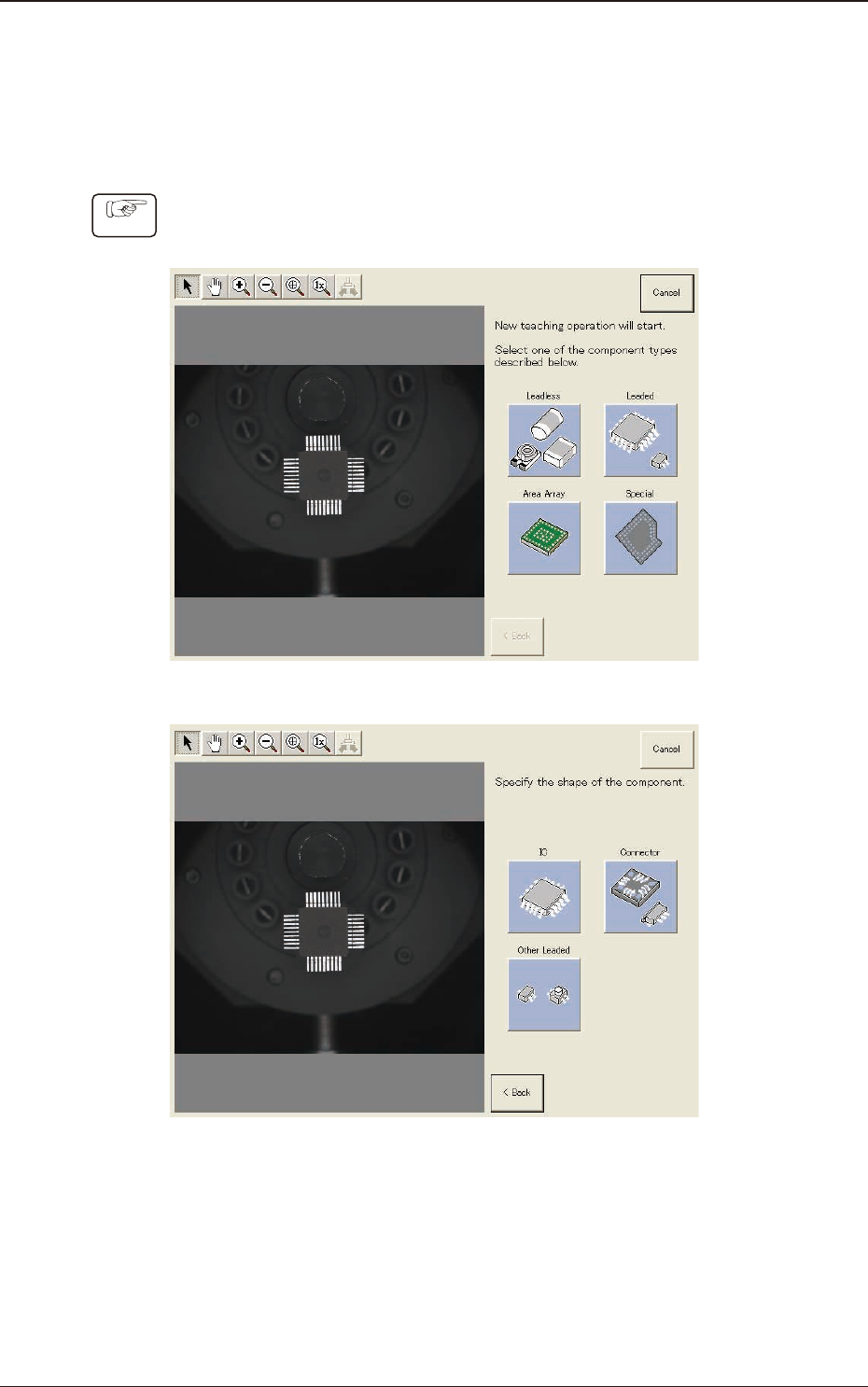
(1) Select [Leaded], [IC] and [QFP] in this order.
F2F65
F2F66
1303-001
7.3 "COMP RCG" Test Window
2OM-1751
6-72
F2F67
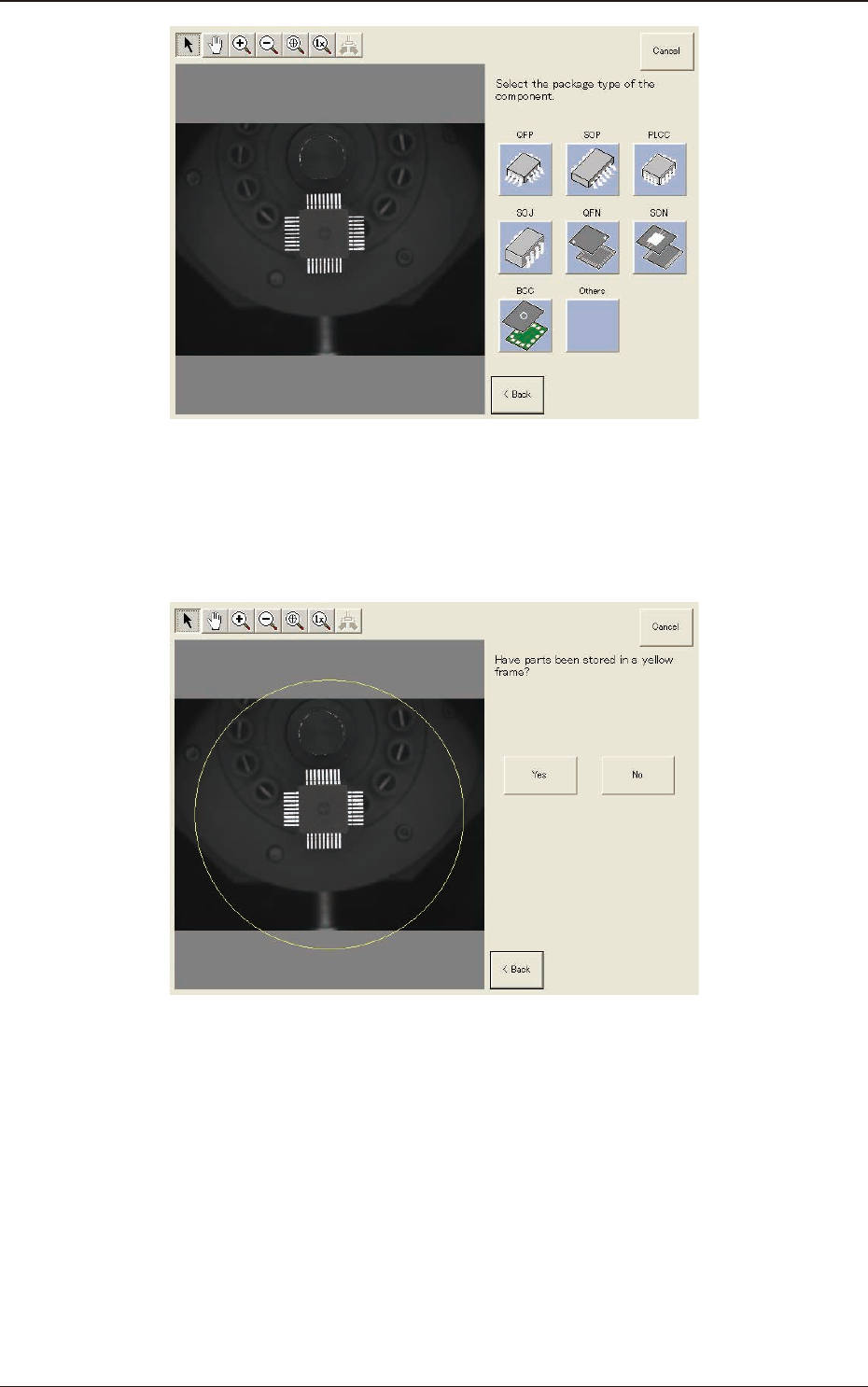
(2) Conrm that the component is in the yellow circle (frame).
When it is in the circle, press the [Yes] button. Otherwise, press the [No]
button.
F2F68
1303-001
7.3 "COMP RCG" Test Window