2OM-1751-003w_G5S.pdf - 第378页
2OM-1751 6-106 1303-001 • PCB Counter Stop Procedure Procedure (1) Display the "PCB.CNT ." window . (2) Set the "PCB Counter Stop Mode" to "Designate". (3) Press the [Count] button to displa…
2OM-1751
6-1051303-001
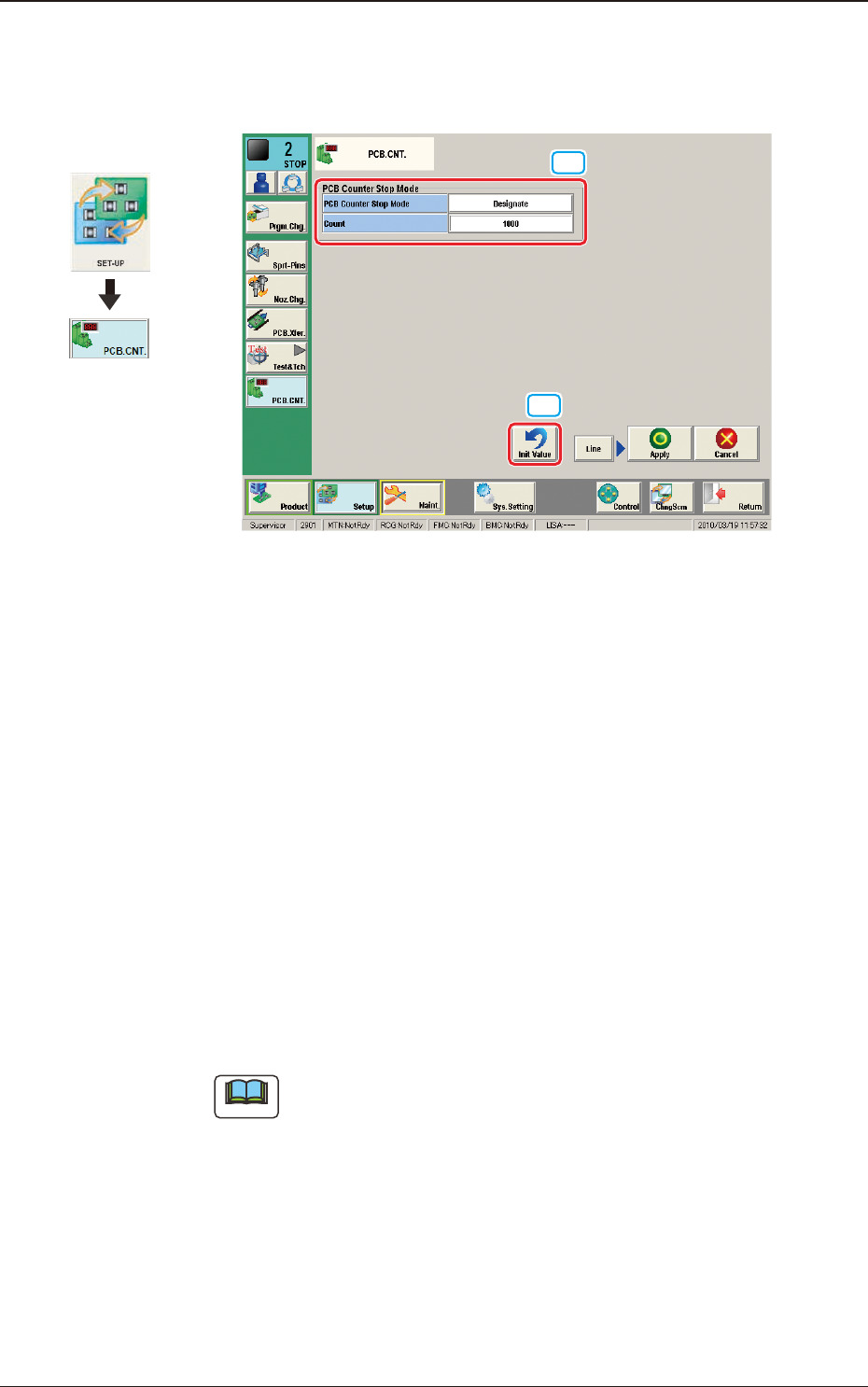
8. "PCB.CNT." Window
This window enables the operator to set the number of PCBs to be produced.
[2]
[1]
F2F122
[1] PCB Counter Stop Mode
PCB Counter Stop Mode
[Designate] Button
: When this button is selected and the
produced PCBs reach the value set in
"Count" text box, the PCB intake is
stopped and after all the PCBs in the
machine are discharged, the machine is
automatically stopped.
[No Designate] Button
: When this button is selected, the PCB
counter stop mode is not used.
Count
The number of produced PCBs for each lane for stopping the machine using
the PCB Counter Stop Mode, is set in this group box.
Note
The set count is displayed in the "Count" data box in the "AUTO. OPN"
window.
[2] [Init Value] Button
When this button is pressed, the set value for the "PCB Counter Stop Mode"
is returned to the initial value.
Graphic
Development
8. "PCB.CNT." Window
2OM-1751
6-1061303-001
•
PCB Counter Stop Procedure
Procedure
(1) Display the "PCB.CNT." window.
(2) Set the "PCB Counter Stop Mode" to "Designate".
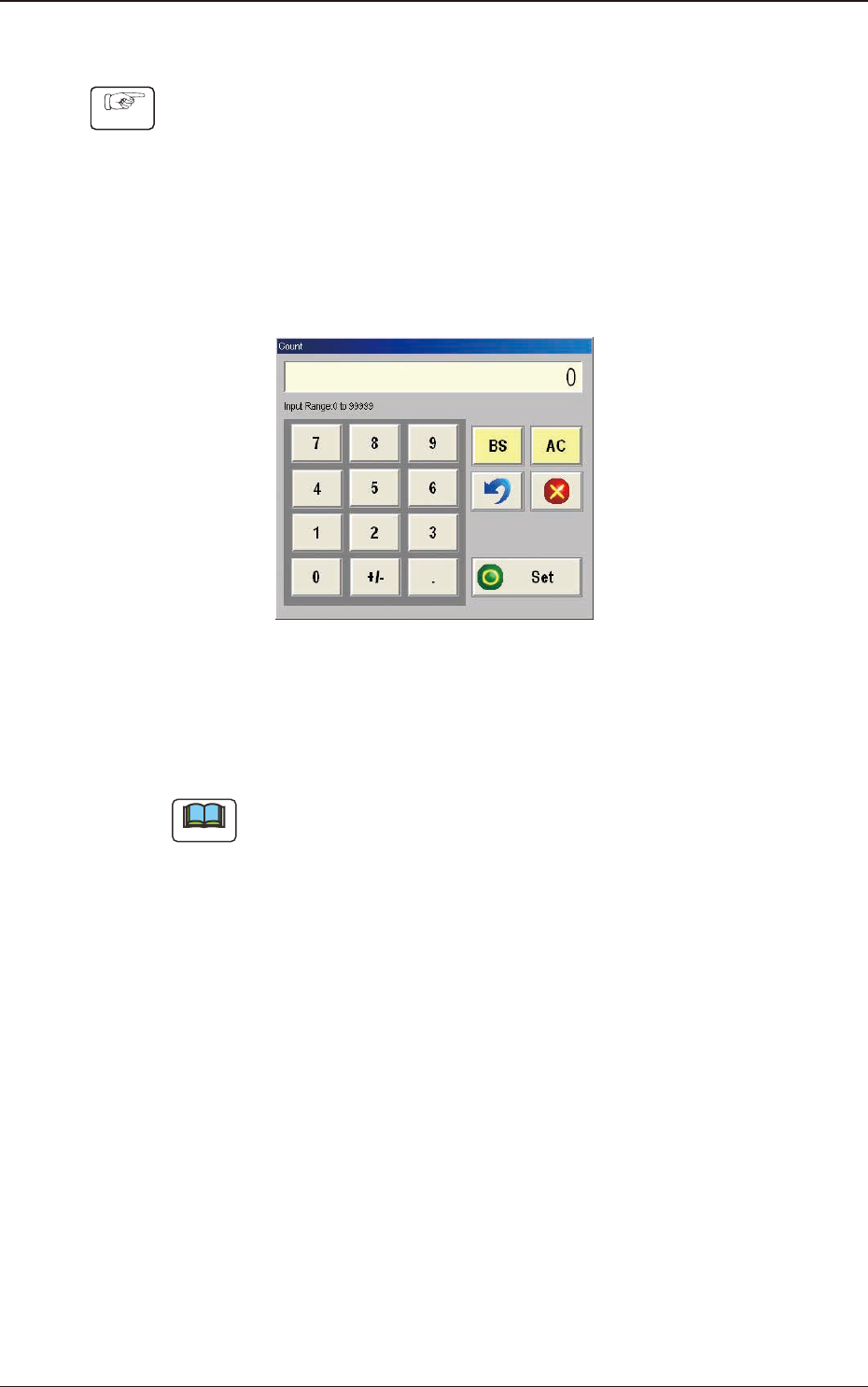
(3) Press the [Count] button to display the "Count" window and read the "Count"
barcode in the instruction sheet using the barcode reader attached to the
machine. (The value read using the barcode reader, will be displayed in the
"Count" window).
"Count" window F2F123
(4) Conrm the read value and when it is OK, press the [Set] button.
(5) Conrm that the read value has been entered in the "Count" data box.
Note
When the value in the "Count" data box is re-set, press the [Count] button and
change the set value.
8. "PCB.CNT." Window

2OM-1751
6-1071303-001