CP45FVNEO Maintenance Reference (Eng, Ver3).pdf - 第51页
W eekly Inspection Chapter 3 . W eekly Inspection 3-1 3.1. Weekly Inspection 3.1.1. Nozzle Holder Inspection As the nozzle holder may be bent by im prope r operation during the placement of parts, possible bending of the…
Weekly Inspection
Chapter 3 . Weekly Inspection
3-1
3.1. Weekly Inspection
3.1.1. Nozzle Holder
Inspection
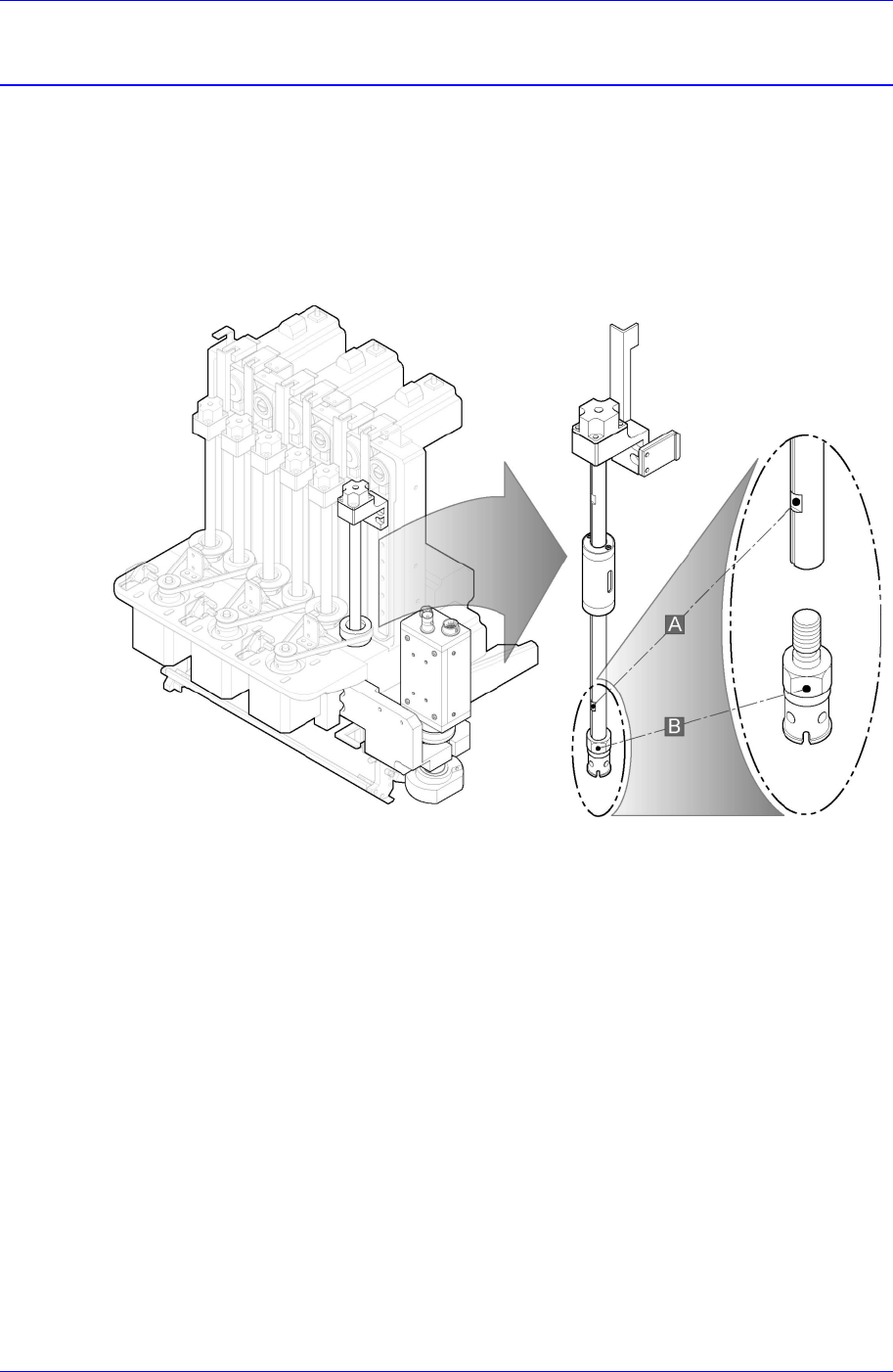
As the nozzle holder may be bent by improper operation during the placement of parts,
possible bending of the nozzle holder should be checked frequently. Bending causes
serious errors such as rotation of Z-axis eccentricity and inaccurate placement to occur.
Figure 3-1. Nozzle Holder
Solution
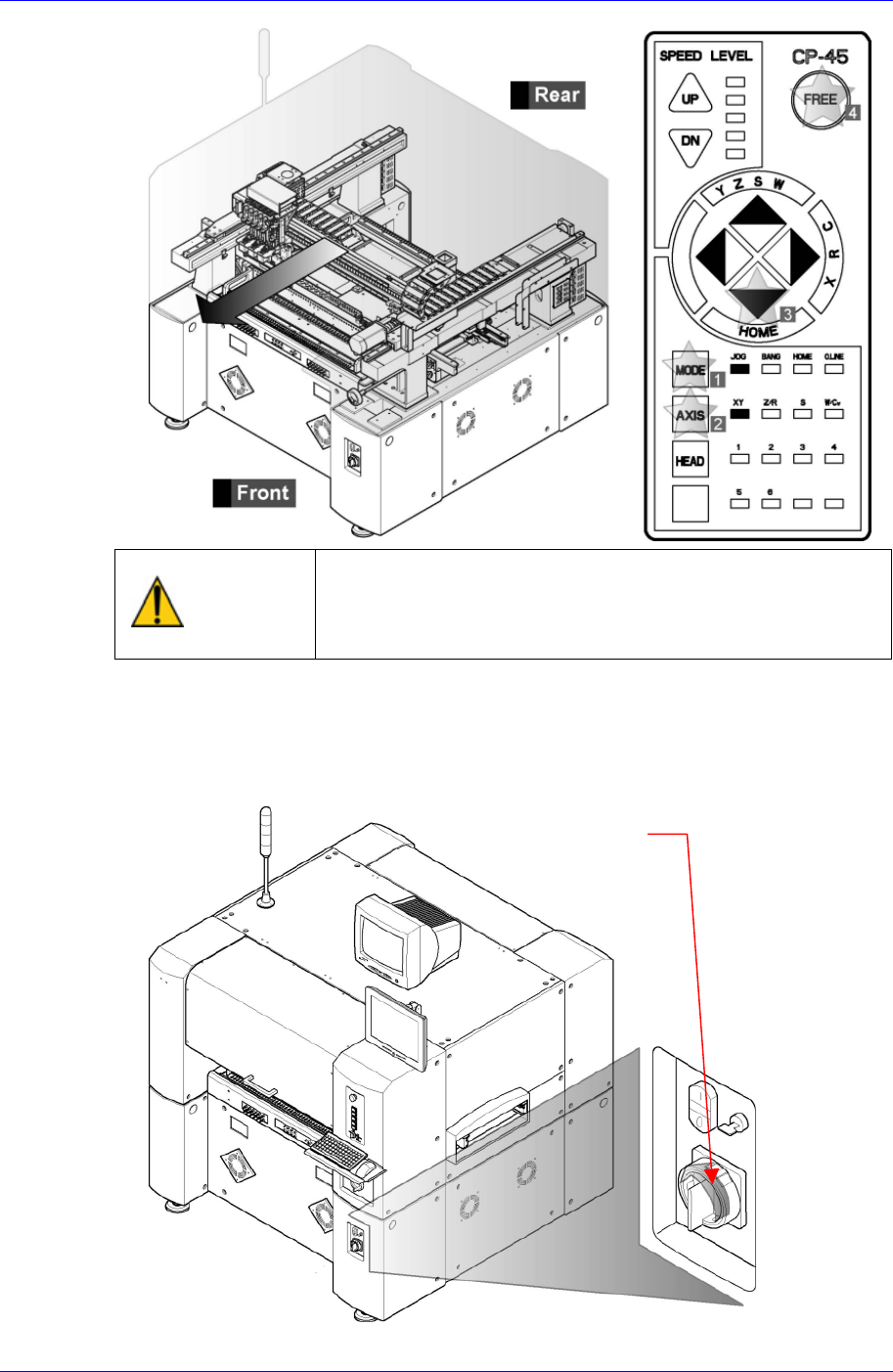
Operate the teaching box to move the head assembly to the front side as far as
possible.
Samsung Component Placer CP45NEO Series Maintenance Reference
Warning
After clicking the “Motor Free” button on the teaching box,
click the “Stop” and “Reset” buttons on the front operation
panel. Conduct inspection while the motor power supply is
turned off.
If the working space is insufficient, move the head assembly manually to the front
side.
After terminating the MMI and computer, Turn off the main switch on the front side
of the machine.
Main switch turn-of
f
direction
(
counterclockwise)
3-2