CP45FVNEO Maintenance Reference (Eng, Ver3).pdf - 第62页
Samsung Component Placer CP45NEO Series Maintenance Refer ence Solution Pulley Bel t If the tension of the belt is adjusted with the screw for belt tension adjustment, the motor might be af fected. When you need to adj…
Weekly Inspection
3-11
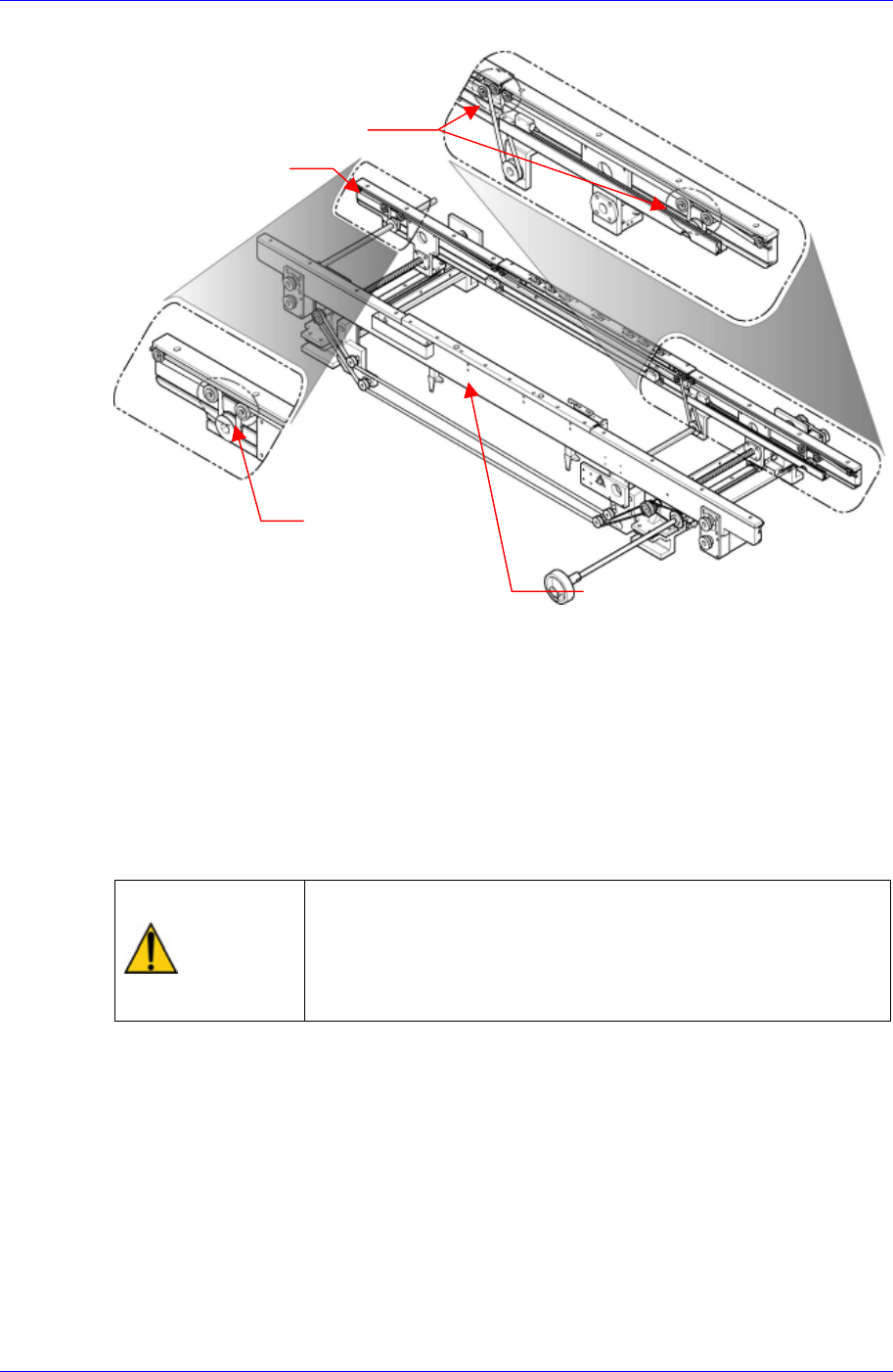
Figure 3-3. PCB Conveyor Belt
For more detailed information of the tension idler puller position, refer to the conveyor-
moving-frame-assembly and conveyor-fixed-frame-assembly in the Technical Reference.
Solution
Tension Idler Pulley
Moving Frame Ass’y
Tension Idler Pulley
Fixed Frame Ass’y
Use the support idler for the motor to adjust the tension of the belt if it seems too tight
or too loose.
Contact the service center to acquire replacement for the belt if an abnormal wear has
been found.
Caution
Each belt of the conveyor system has its own proper
tension value. When the user adjusts the tension at his/her
discretion, a problem may occur. The tension must be
adjusted after contacting our C/S company (STS) or local
agent.
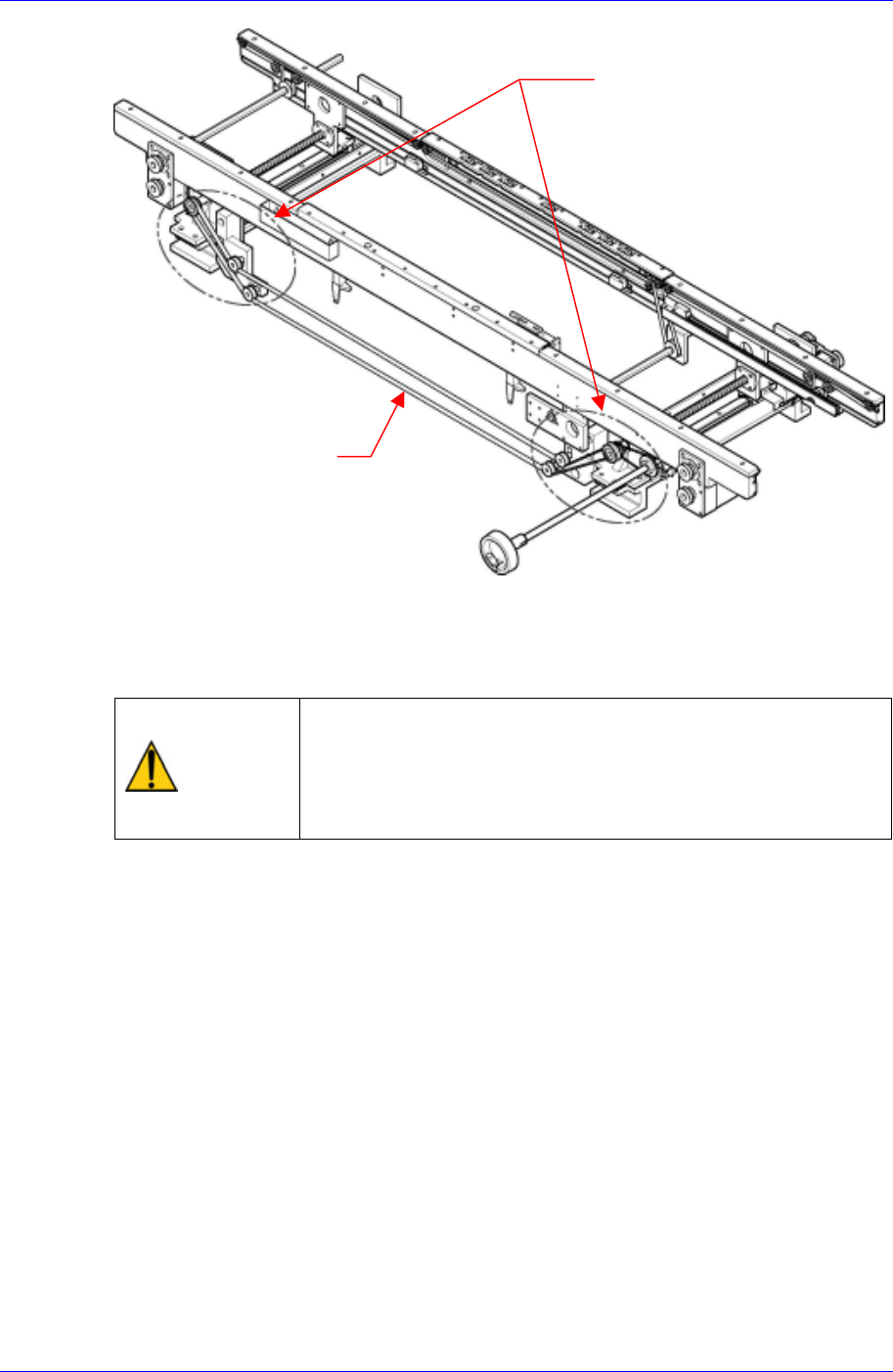
3.1.5.2. Belt and Pulley for Adjusting Conveyor Width On Automatic Operation
Inspection
Check the tension of the belt to see if it is too tight or too loose.
Check the belt for abnormal wear.
Check the pulley for abnormal wear.
Samsung Component Placer CP45NEO Series Maintenance Reference
Solution
Pulley
Bel
t
If the tension of the belt is adjusted with the screw for belt tension adjustment, the
motor might be affected. When you need to adjust the tension, please contact our
local agent immediately for A/S.
Caution
Each belt of the conveyor system has its own proper
tension value. When the user adjusts the tension at his/her
discretion, a problem may occur. The tension must be
adjusted after contacting our C/S company (STS) or local
agent.
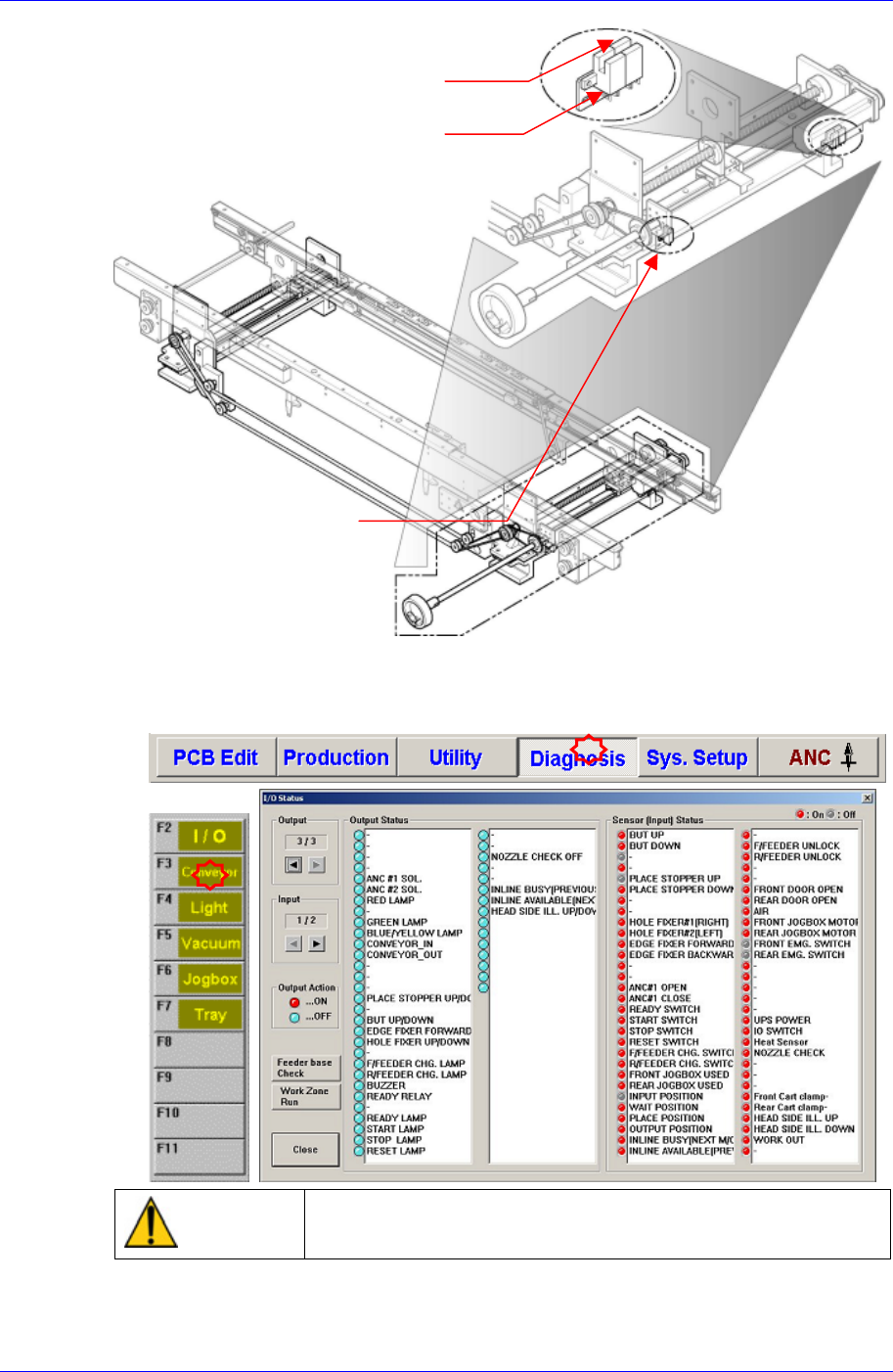
3.1.5.3. Conveyor Width Adjustment (+)(-)Limit Sensor, Home Sensor
Inspection
Check the operating state of the sensors through the MMI monitor.
3-12
Weekly Inspection
3-13
Solution
(+)Limit Sensor
Home Sensor
(-)Limit Senso
r
After selecting the Diagnosis from the main menu tool bar in the MMI screen, select
the I/O command from the sub menu tool bar to check the sensor operation.
Warning
Do not insert any part of your body into the machine during
I/O testing. Otherwise, serious injury may result.
If any problems still occur, contact our designated C/S company (STS) and local
agent.