CP45FVNEO Maintenance Reference (Eng, Ver3).pdf - 第55页
W eekly Inspection 3-5 Operate the teaching box to move the Head Assembly to the front side as far as possible so that front and rear head assemblies do not interfere with each other . Wa r n i n g After clicking the “…
Samsung Component Placer CP45NEO Series Maintenance Reference
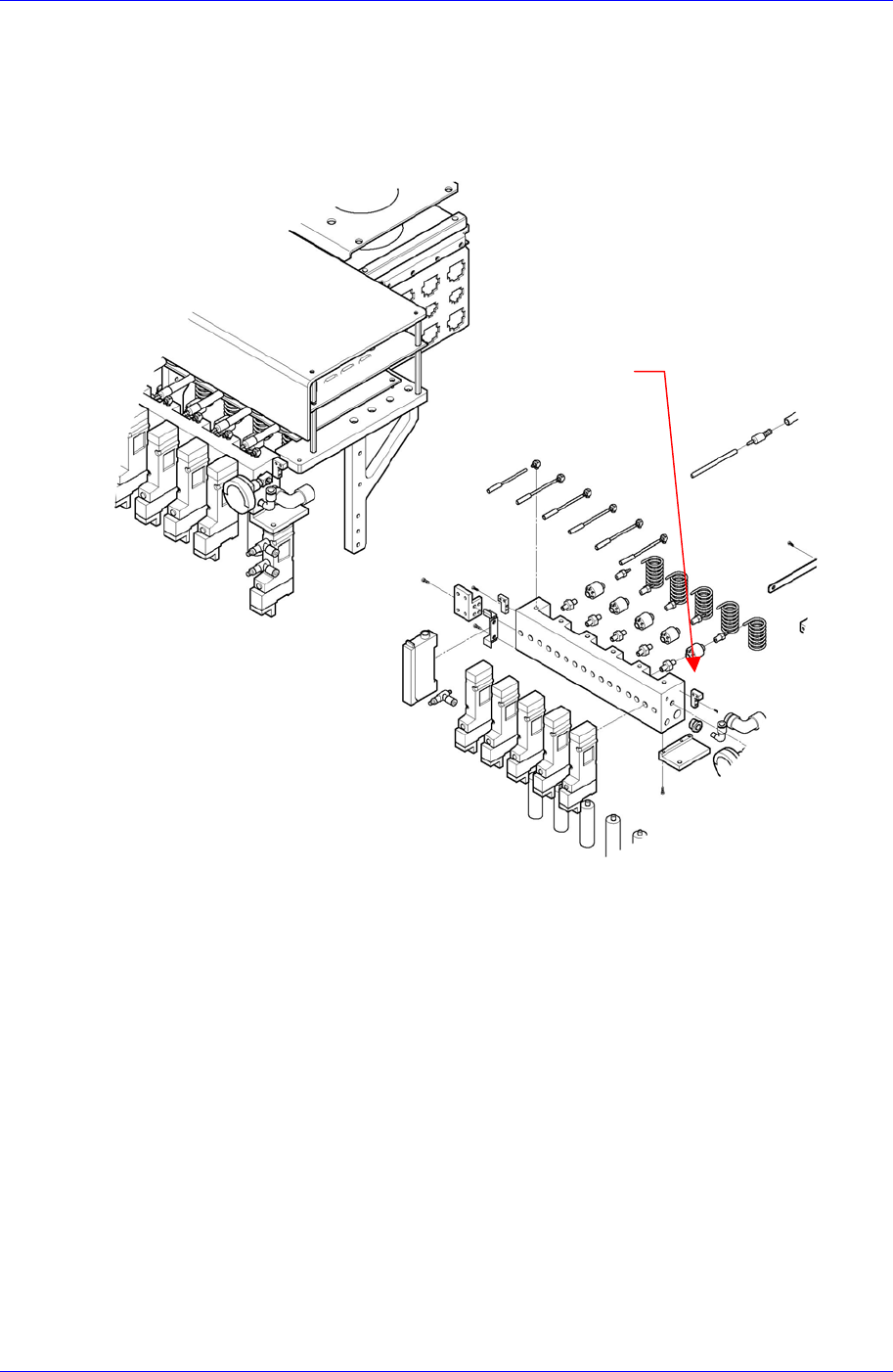
3.1.2. Vacuum Filter
Inspection
Problem to the vacuum can occur when the vacuum filter has been contaminated by dust
in the air or due to solder paste. Check the vacuum filter regularly to make sure the filter
element is free from contamination.
Figure 3-2. Vacuum Filter Inspection
Solution
Vacuum Filter
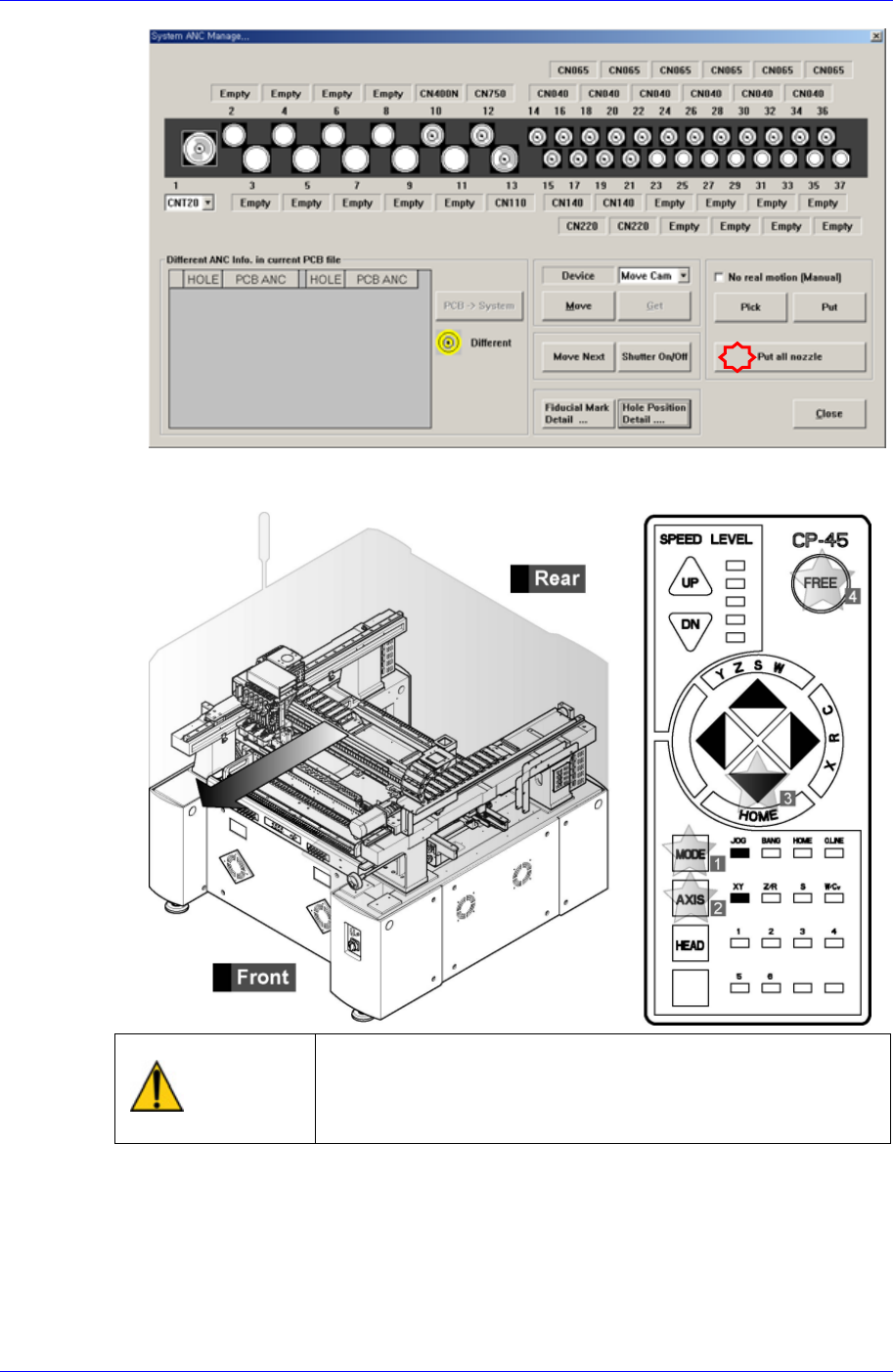
Move the nozzles installed on the spindle of the head assembly to ANC using the
“Put All Nozzle” command.
3-4
Weekly Inspection
3-5
Operate the teaching box to move the Head Assembly to the front side as far as
possible so that front and rear head assemblies do not interfere with each other.
Warning
After clicking the “Motor Free” button on the teaching box,
click the “Stop” and “Reset” buttons on the front operation
panel. Conduct inspection while the motor power supply is
turned off.
If the working space is insufficient, move the head assembly manually to the front
side
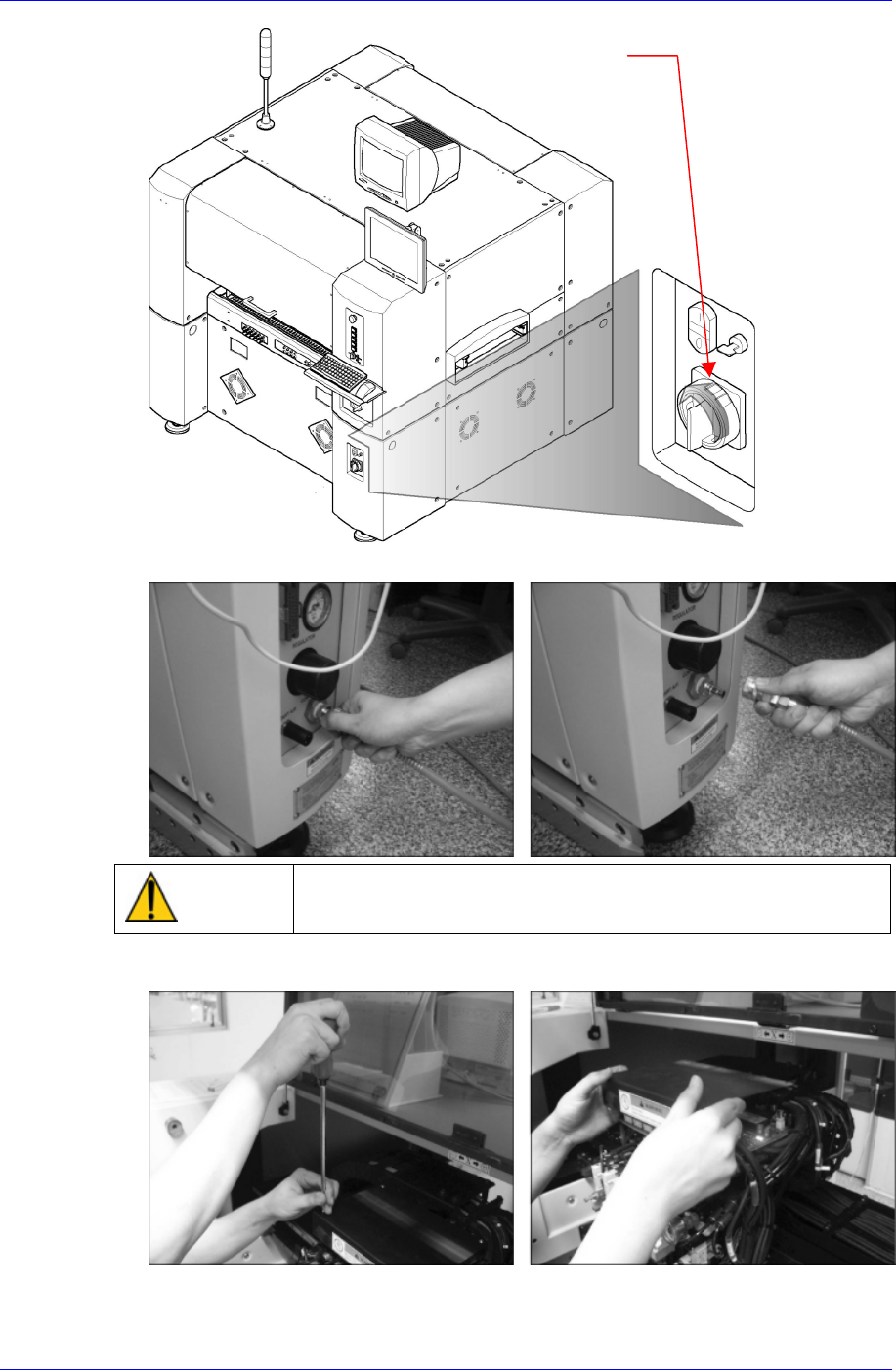
After terminating the MMI and computer, Turn off the main switch on the front
side of the machine.
Samsung Component Placer CP45NEO Series Maintenance Reference
Main switch turn-of
f
direction
(
counterclockwise)
Block the main pressurized air at the air panel on the rear of the machine.
Caution
Shock caused by pressurization while blocking the
pressurized air may be caused. Please handle with care.
Remove the top cover of the head assembly with a “+” shaped screwdriver.
After removing the pressure gauge on the head assembly air module by turning the
10mm spanner counterclockwise, assemble the elbow fitting by turning the 10mm
3-6