CP45FVNEO Maintenance Reference (Eng, Ver3).pdf - 第85页
W eekly Inspection 3-35 Bolt location of cove r Pull out the control rack. Separate the top cover of control rack and tur n on the main switch on the front side of the machine.
Samsung Component Placer CP45NEO Series Maintenance Reference
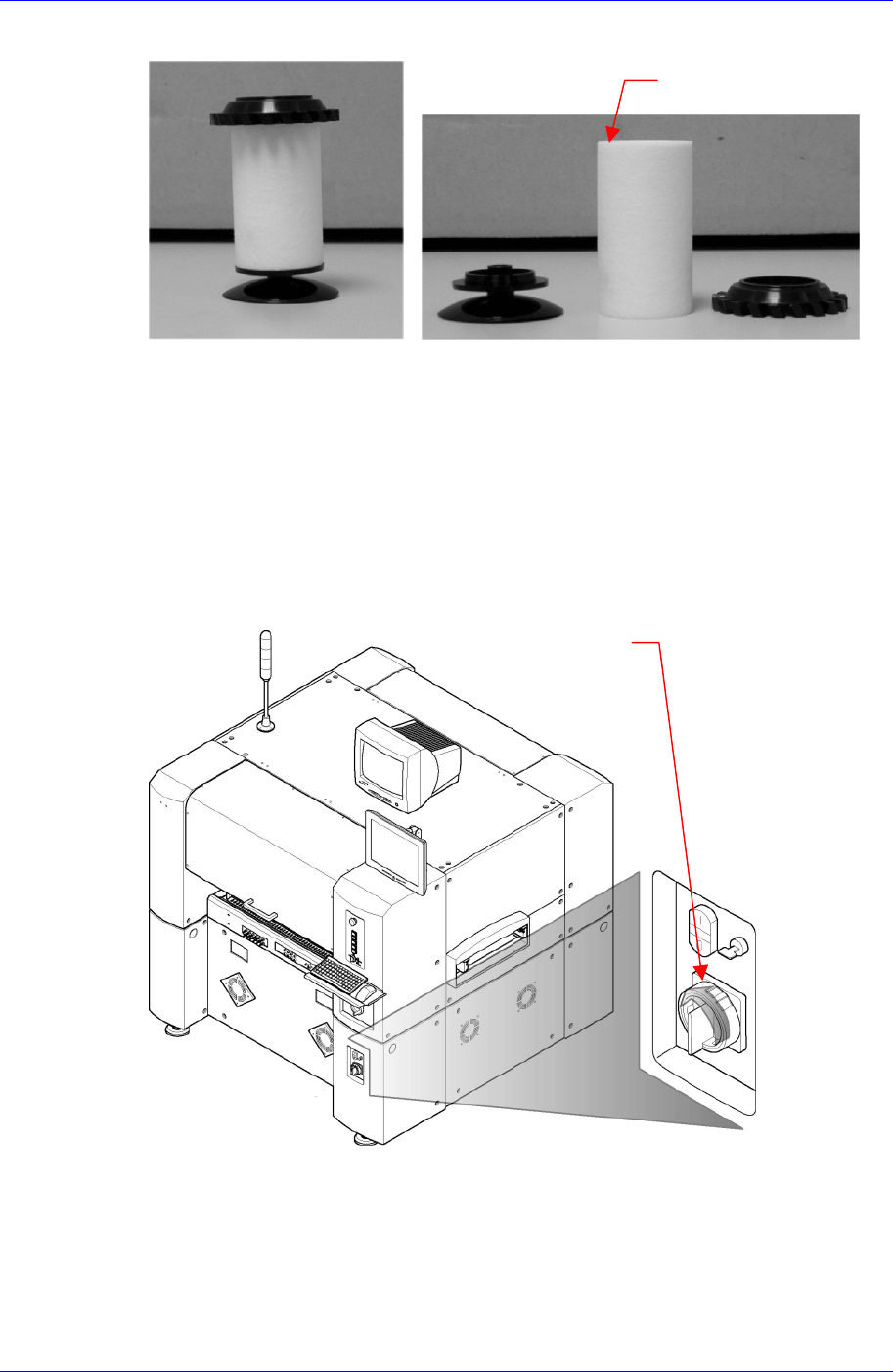
Separate the filter element from the filter element and replace it.
Filter Element
Assembling is done in the reverse order.
3.2.8. Control Rack Cool Fan
Inspection
Separate the front cover of the machine and check the operation of 4 cooling fans on the
control rack
Solution
After terminating the MMI and computer, Turn off the main switch on the front side
of the machine.
Main switch turn-of
f
direction
(
counterclockwise)
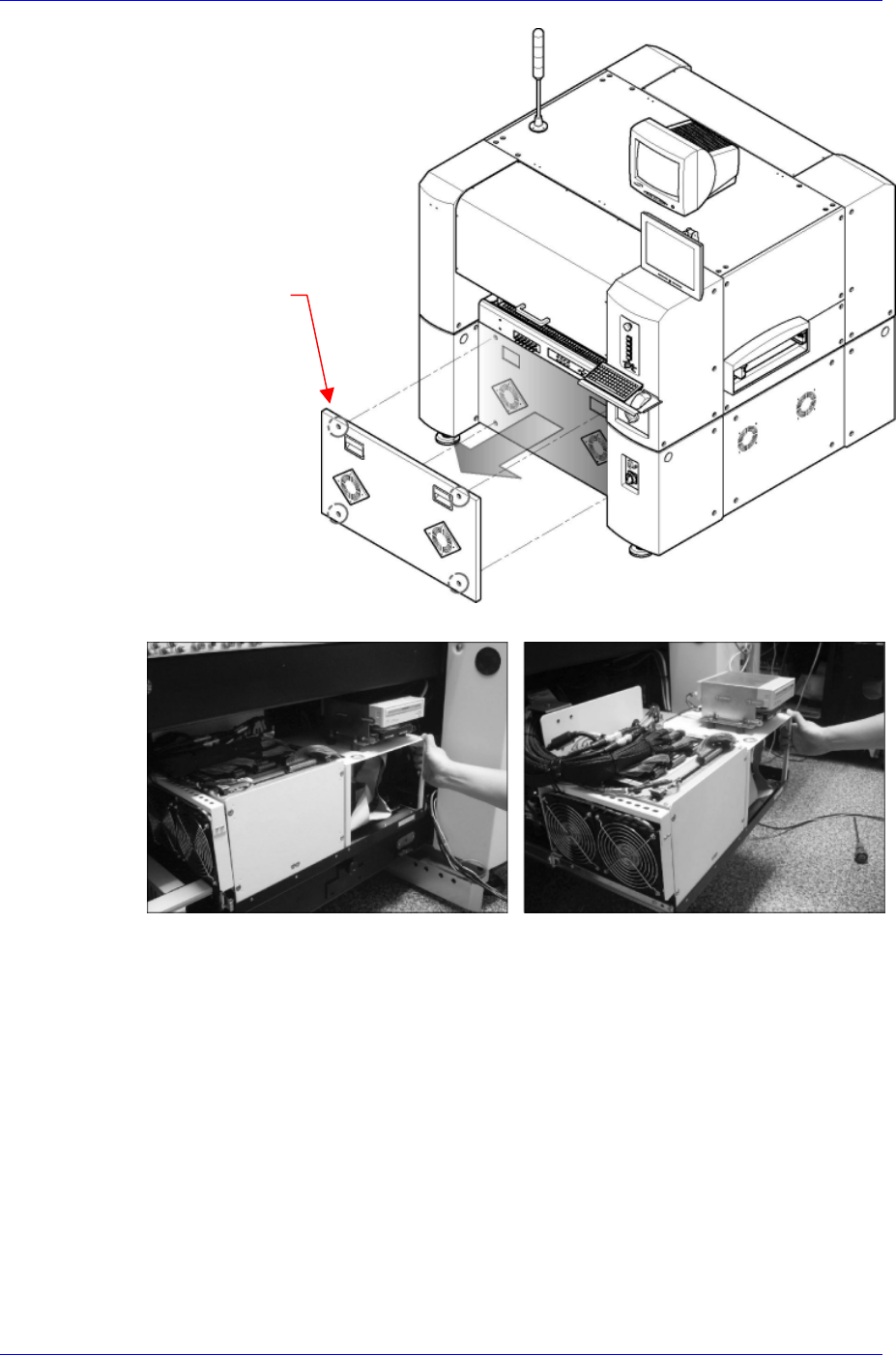
Remove the 4 bolts on the front side cover of the machine using the driver with (+)
shaped tip and then separate covers
3-34
Weekly Inspection
3-35
Bolt location of cove
r
Pull out the control rack.
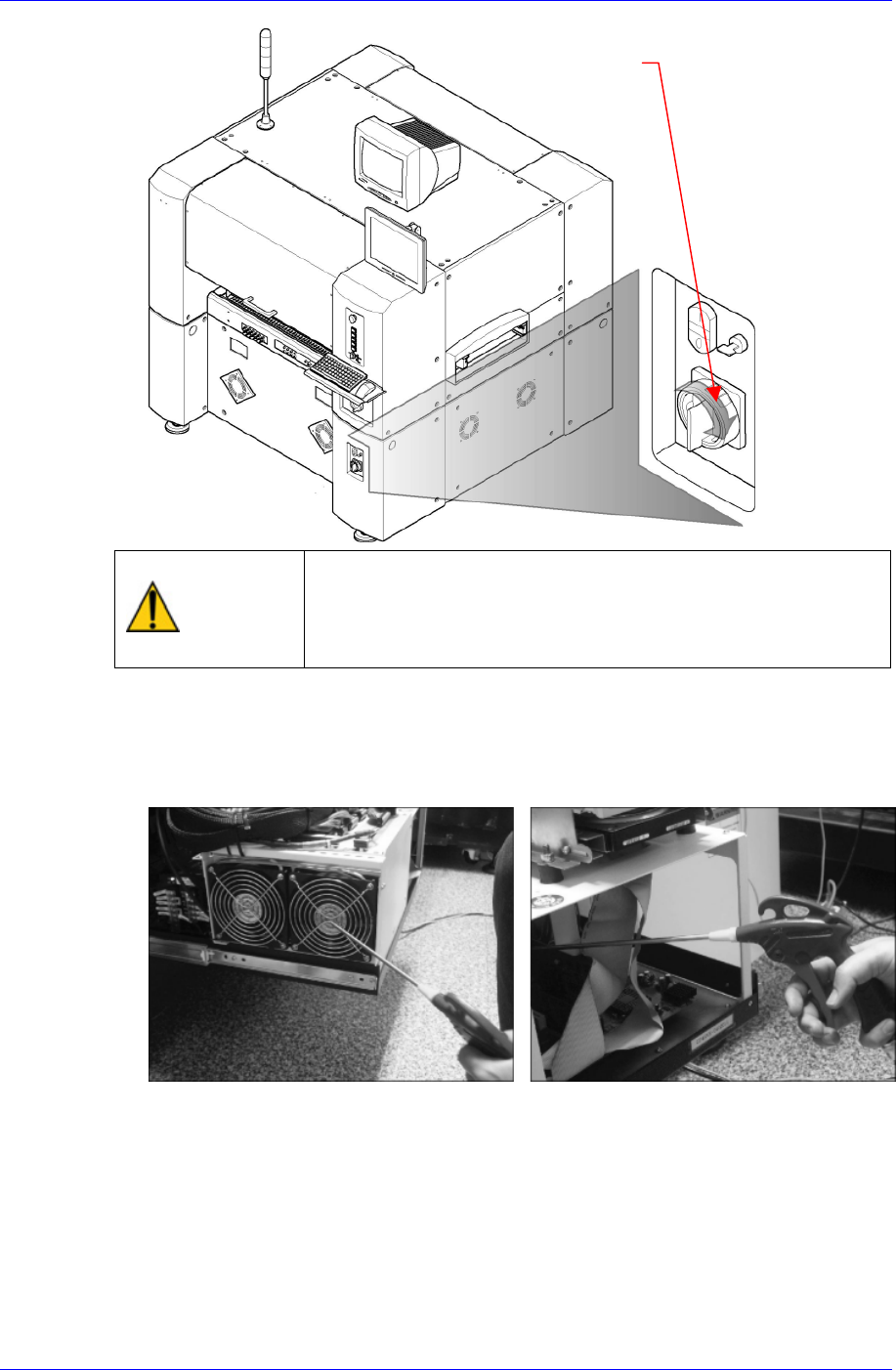
Separate the top cover of control rack and turn on the main switch on the front side of
the machine.
Samsung Component Placer CP45NEO Series Maintenance Reference
Main switch turn-of
f
direction (clockwise)
Warning
When the main switch is turned on, since the cooling fan
operates, user’s hand may get injured. Careless touching
of the cable, etc. may cause electric shock. Therefore,
special care is need while performing work.
Check the operation state of the two cooling fans in the control rack and if the noise
of the cooling fan is acceptable and there is no problem in its operation, clean the dust
in the control rack using vacuum cleaner and assemble it in the reverse order of
disassembling.
3-36