CP45FVNEO Maintenance Reference (Eng, Ver3).pdf - 第74页
Samsung Component Placer CP45NEO Series Maintenance Refer ence Wa r n i n g After clicking the “Motor Free” butto n on the teaching box, click the “Stop” and “Reset” buttons on the front operation panel. Conduct inspecti…
Weekly Inspection
3-23
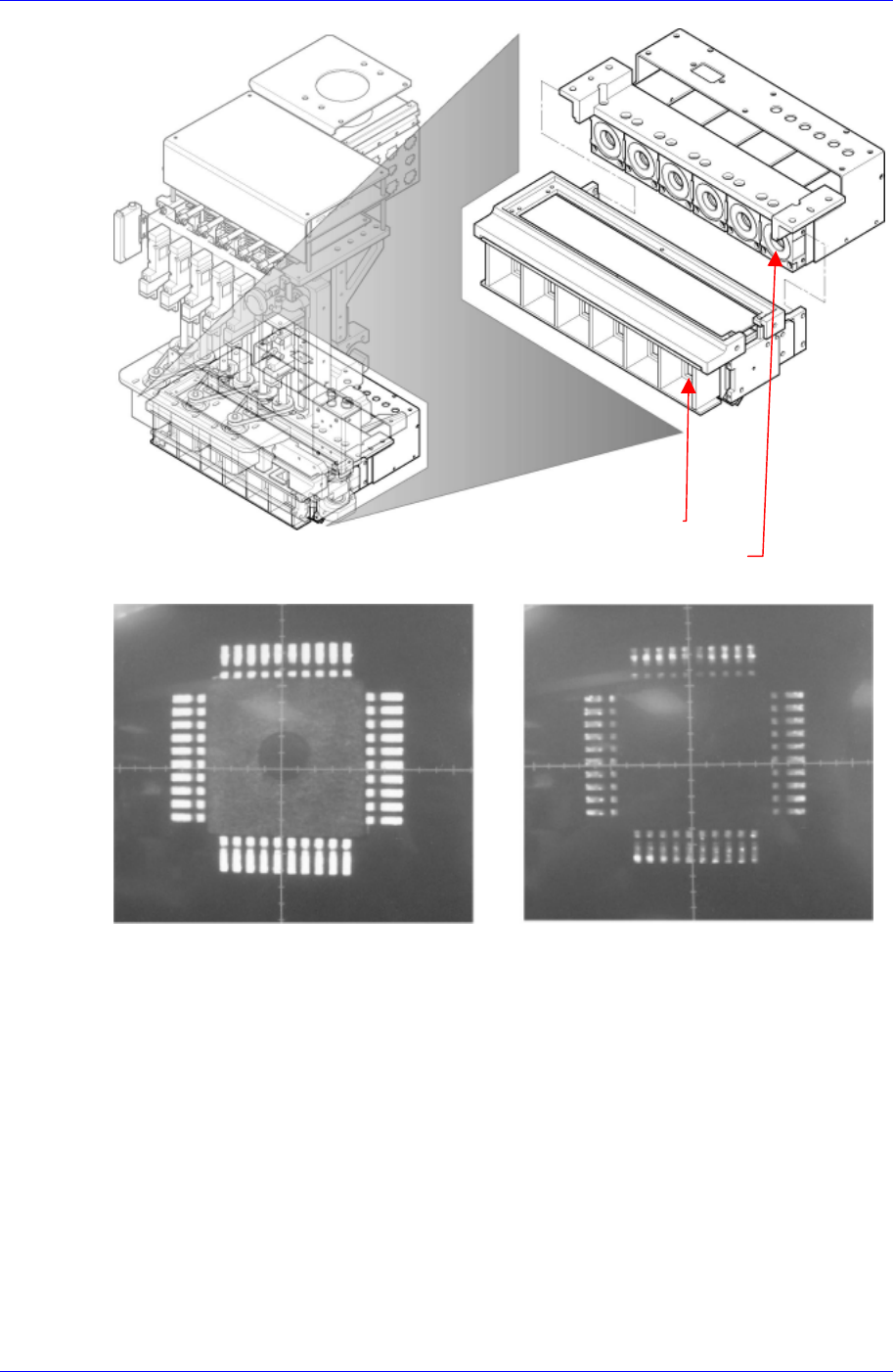
Figure 3-5. Flying vision
<Normal Flying Vision Image> <Abnormal Flying Vision Image>
Solution
Flying Vision Lightning
Flying Vision Lens
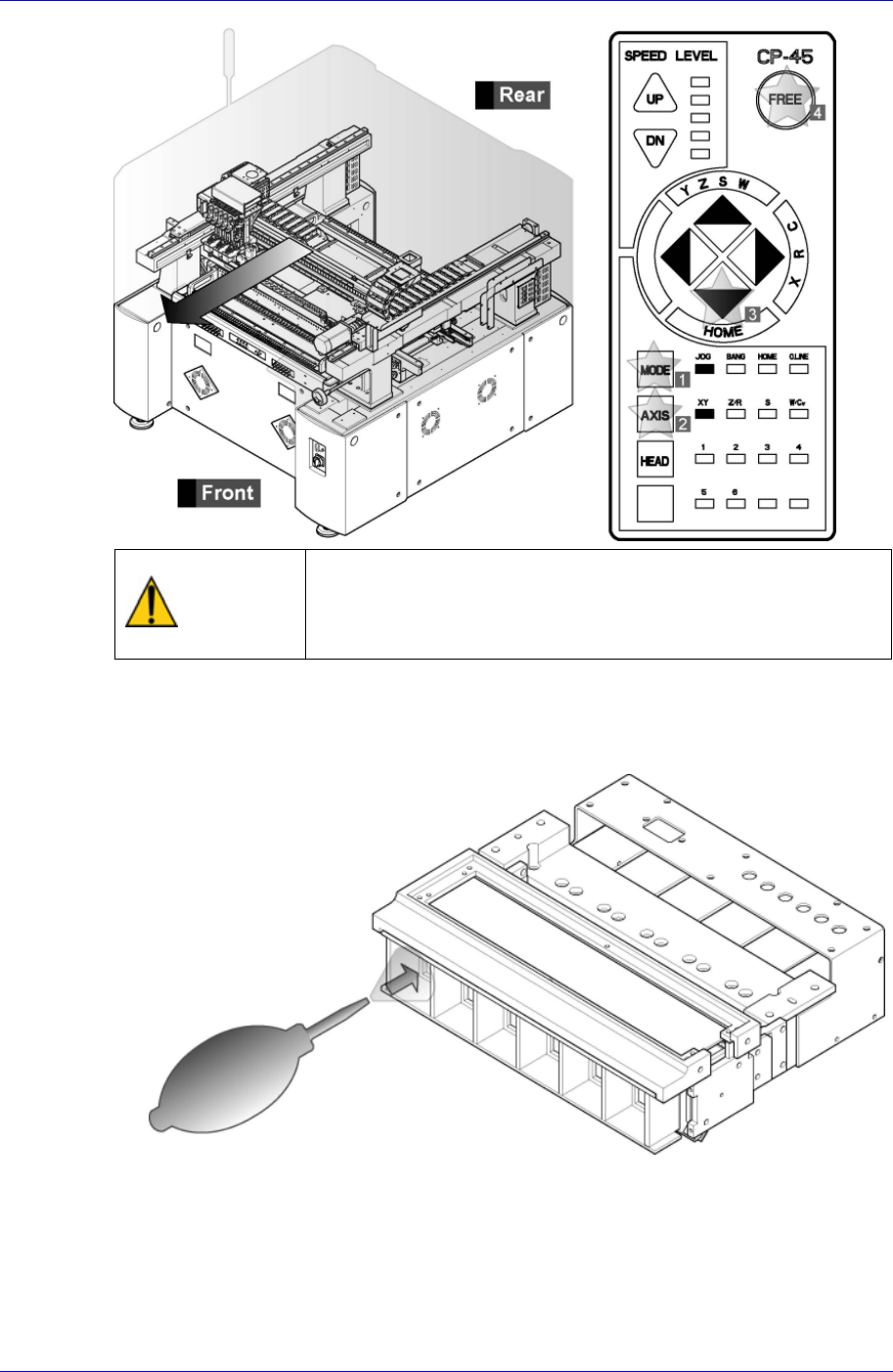
Operate the teaching box to move the head assembly to the front side as far as
possible and click the motor free button.
Samsung Component Placer CP45NEO Series Maintenance Reference
Warning
After clicking the “Motor Free” button on the teaching box,
click the “Stop” and “Reset” buttons on the front operation
panel. Conduct inspection while the motor power supply is
turned off.
Blow off lens dust from its front side using the air spray contained in the cleaning kit
provided by Samsung Techwin.
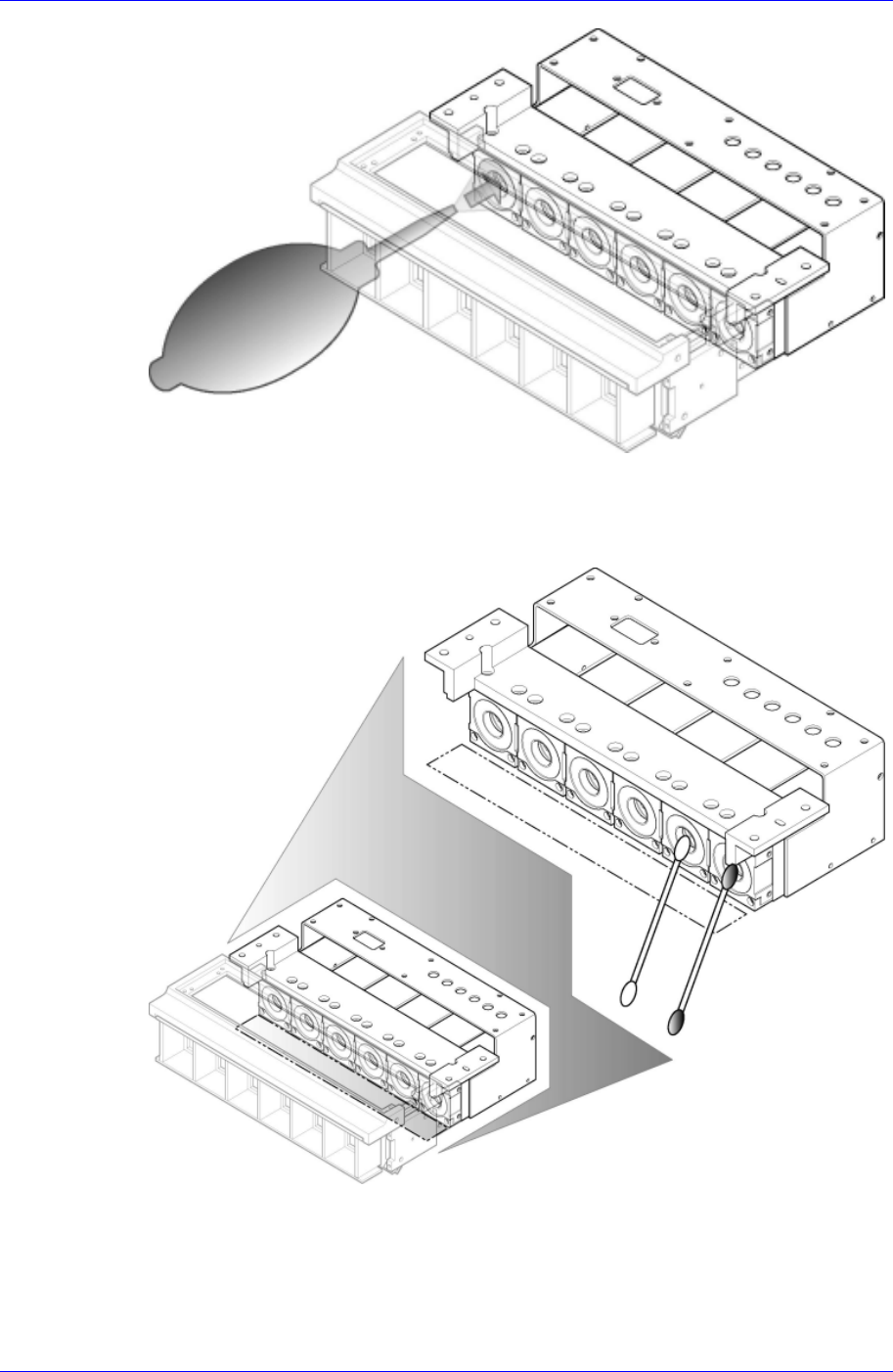
Blow off lens dust from its front side using the air spray contained in the cleaning kit
provided by Samsung Techwin.
3-24
Weekly Inspection
3-25
If viewed from below, there is an approximate 1cm gap between the lighting
assembly bracket and the lens. Clean any lens dust with a swab by inserting it through
the gap. If necessary, dip the swab in alcohol to moisten and then use it to clean the
lens.
When the lens has been cleaned using a swab moistened with alcohol, wipe the lens
surface again carefully using a clean dry swab.
3.2.2. X-Y Frame Section
Check the state of contamination and operation over all of the X-Y Frame.