Printer 710-810 v9 ProFlow ATX.pdf - 第16页
PROFLOW ATX ADJUSTMENTS & SETTINGS 12.16 Technical Reference Manual Chapter Issue 6, Jan 16 3. Inspect the alignment of the LED beam. View into P rint M edi um C artrid g e Thro ug h the V iew P ort
PROFLOW ATX
ADJUSTMENTS & SETTINGS
Chapter Issue 6, Jan 16 Technical Reference Manual 12.15
Configuring the
Print Medium Low
Sensor
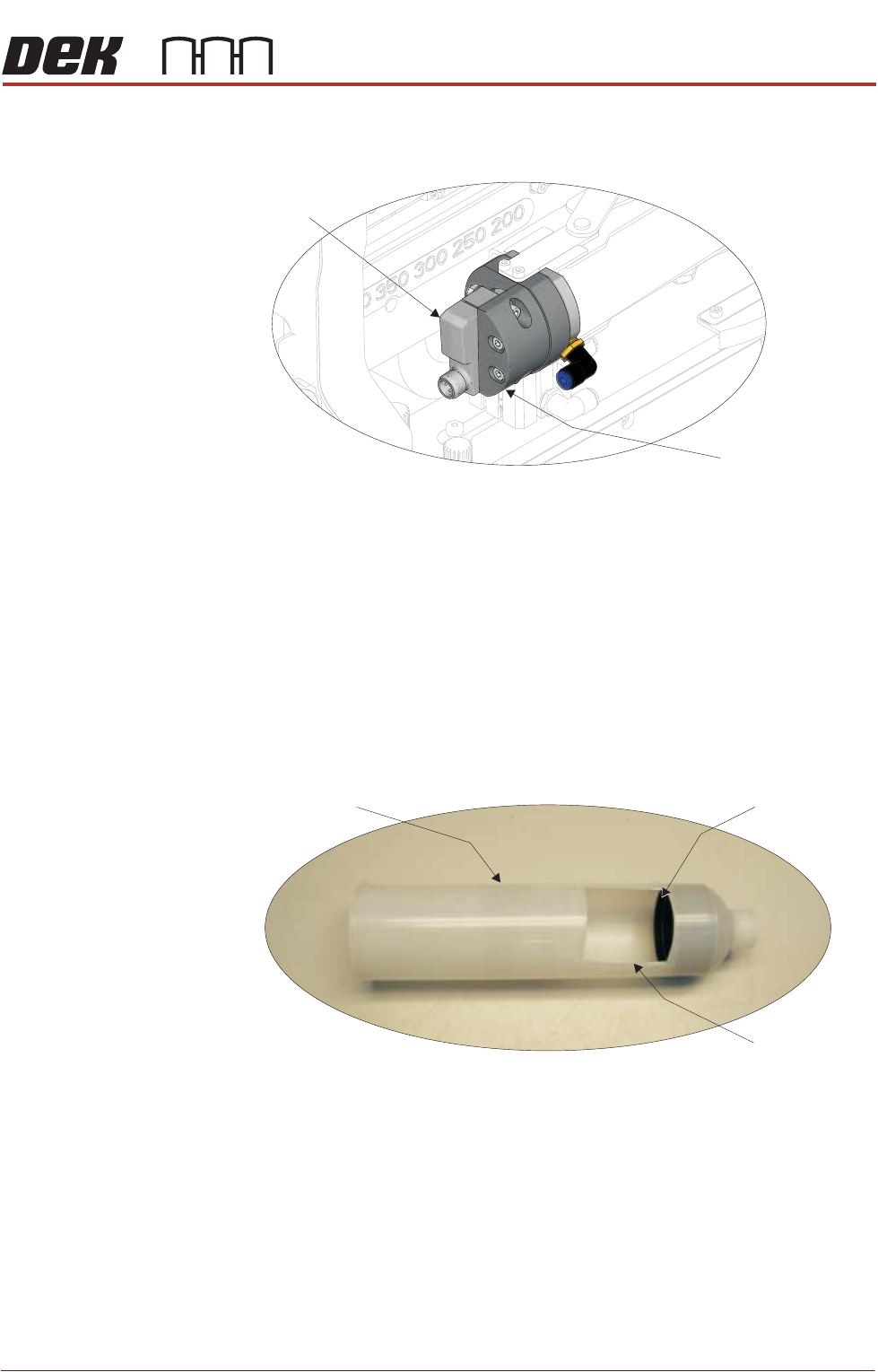
The print medium low sensor is mounted at the left hand end of the print medium
cartridge housing on the ProFlow ATx mount.
The sensor sends an LED beam toward the rear plate of the print medium
cartridge, registering the amount of print medium remaining in the cartridge. An
accurate reading can only be obtained after the LED beam has been configured
to hit the centre of the print medium cartridge’s rear plate.
NOTE
The sensor configuration procedure involves aligning the LED beam using an
empty print medium cartridge.
To configure the print medium low sensor beam, carry out the following:
1. Cut a view port into an empty print medium cartridge.
2. Fit the empty print medium cartridge into the ProFlow ATx mount. For more
information on fitting a print medium cartridge, see Fitting the Print Medium
Cartridge section of this manual.
View on Front of ProFlow ATx Mount
Print Medium
Low Sensor
Sensor Mount
Empty Print Medium Cartridge with View Port
Empty Cartridge
Rear Plate
View Port
PROFLOW ATX
ADJUSTMENTS & SETTINGS
12.16 Technical Reference Manual Chapter Issue 6, Jan 16
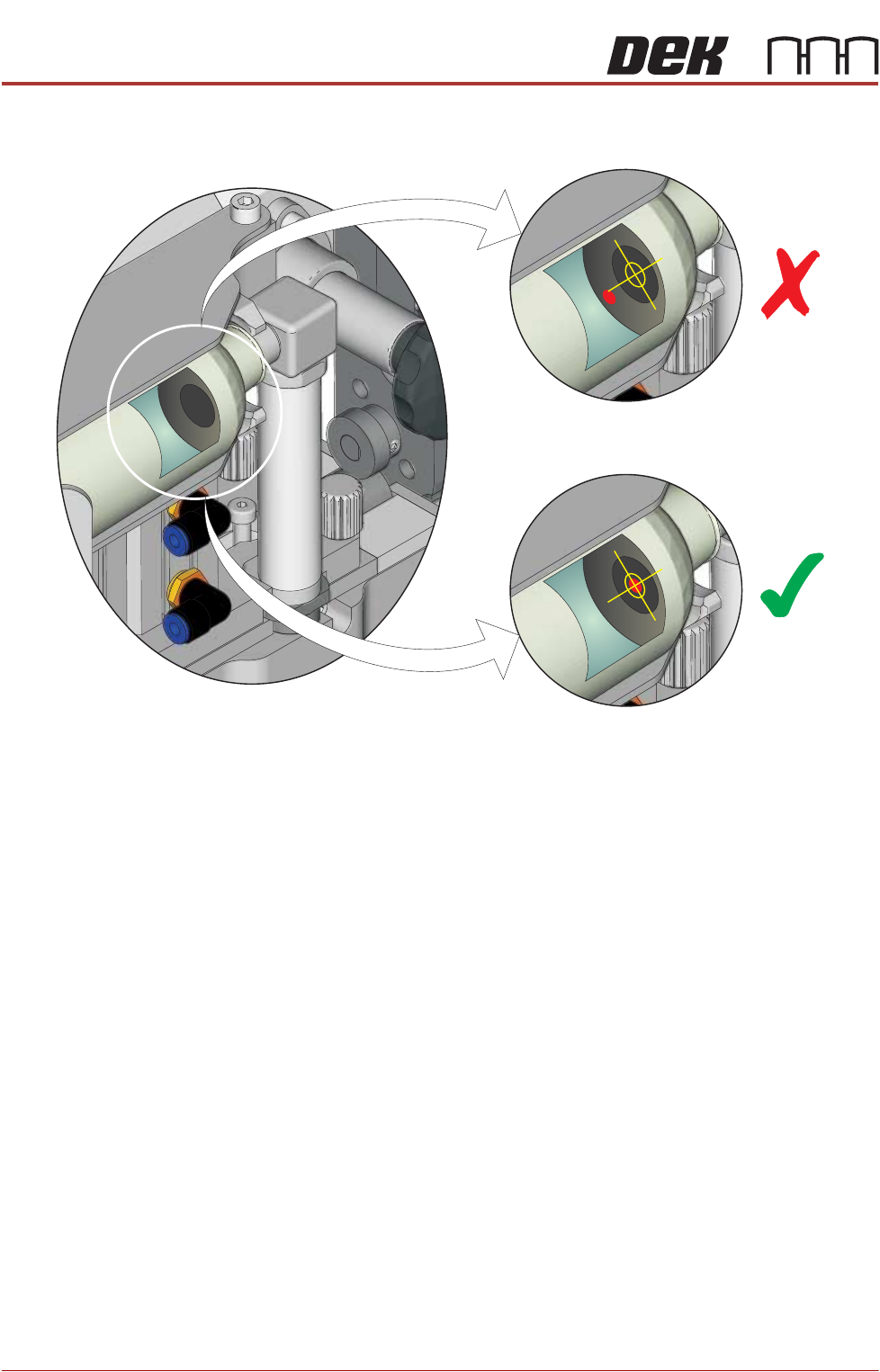
3. Inspect the alignment of the LED beam.
View into Print Medium Cartridge Through the View Port
PROFLOW ATX
ADJUSTMENTS & SETTINGS
Chapter Issue 6, Jan 16 Technical Reference Manual 12.17
4. If required, adjust the LED sensor to centralise the LED beam on the print
medium cartridge’s end plate:
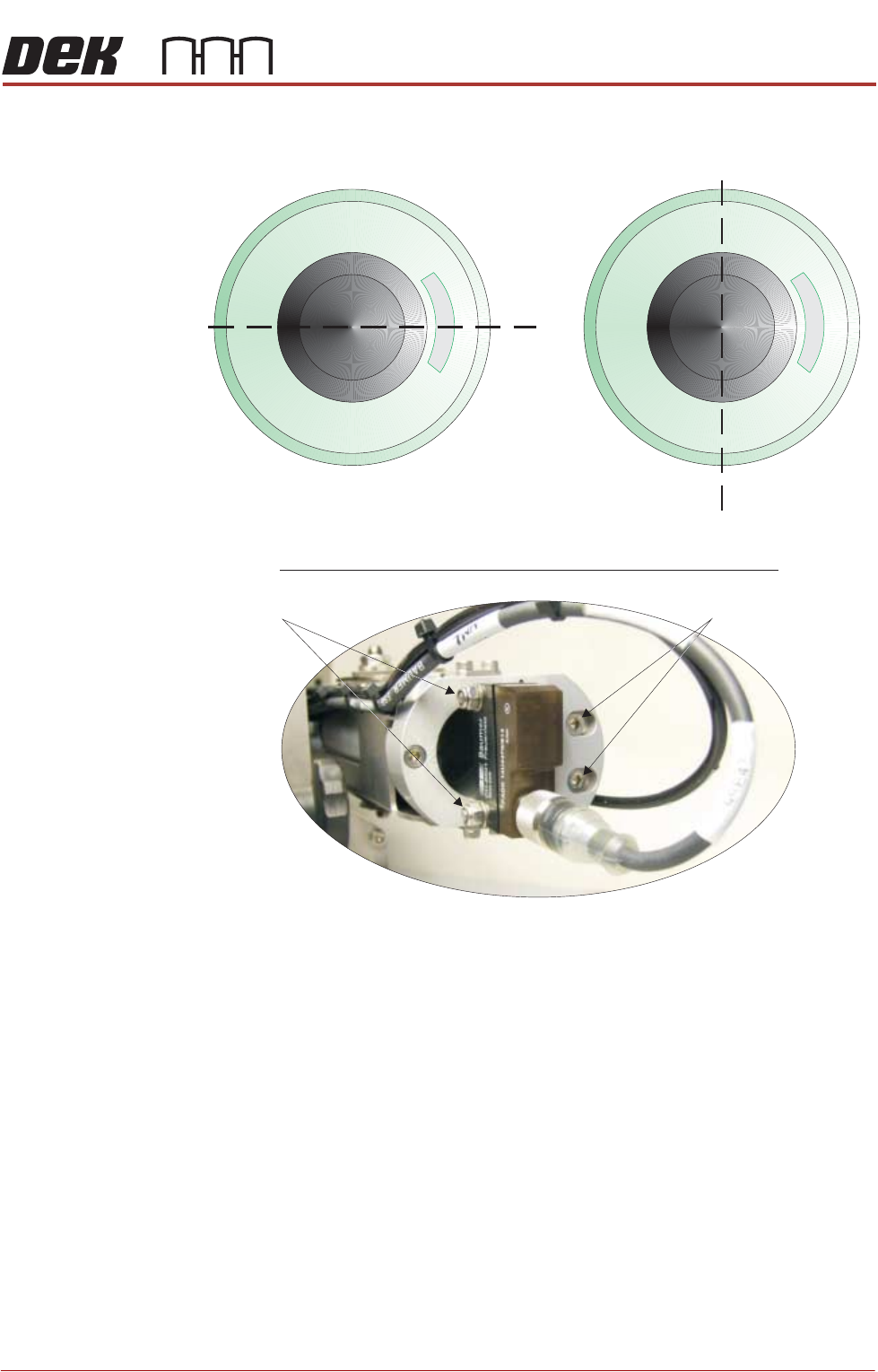
5. If the LED beam appears above or below the Y plane, loosen the two Y plane
adjustment screws using a 3mm Allen key and a 7mm spanner.
6. Adjust the sensor until the LED beam sits on the Y plane.
7. Tighten the Y plane adjustment screws.
NOTE
Do not over-tighten the screws; they pass through the sensor body which
can break under excessive pressure.
8. If the LED beam appears to the left or to the right of the Z plane, loosen the
two Z plane adjustment screws using a 3mm Allen key.
9. Adjust the sensor until LED beam sits on the Z plane
10. Tighten the Z plane adjustment screws.
End View Into Empty Print Medium Cartridge
Y Plane
Z Plane
View on Rear of Print Medium Cartridge Holder
Z Plane Adjustment
Y Plane Adjustment