Printer 710-810 v9 ProFlow ATX.pdf - 第33页
PROFLOW ATX REPLACEMENT PROCEDURES Chapter Issue 6, Jan 16 Technical Reference Manual 12.33 14. Connect the following transfer head c able and air feed connectors to the connectors on the lef t hand side of the ProFlow A…
PROFLOW ATX
REPLACEMENT PROCEDURES
12.32 Technical Reference Manual Chapter Issue 6, Jan 16
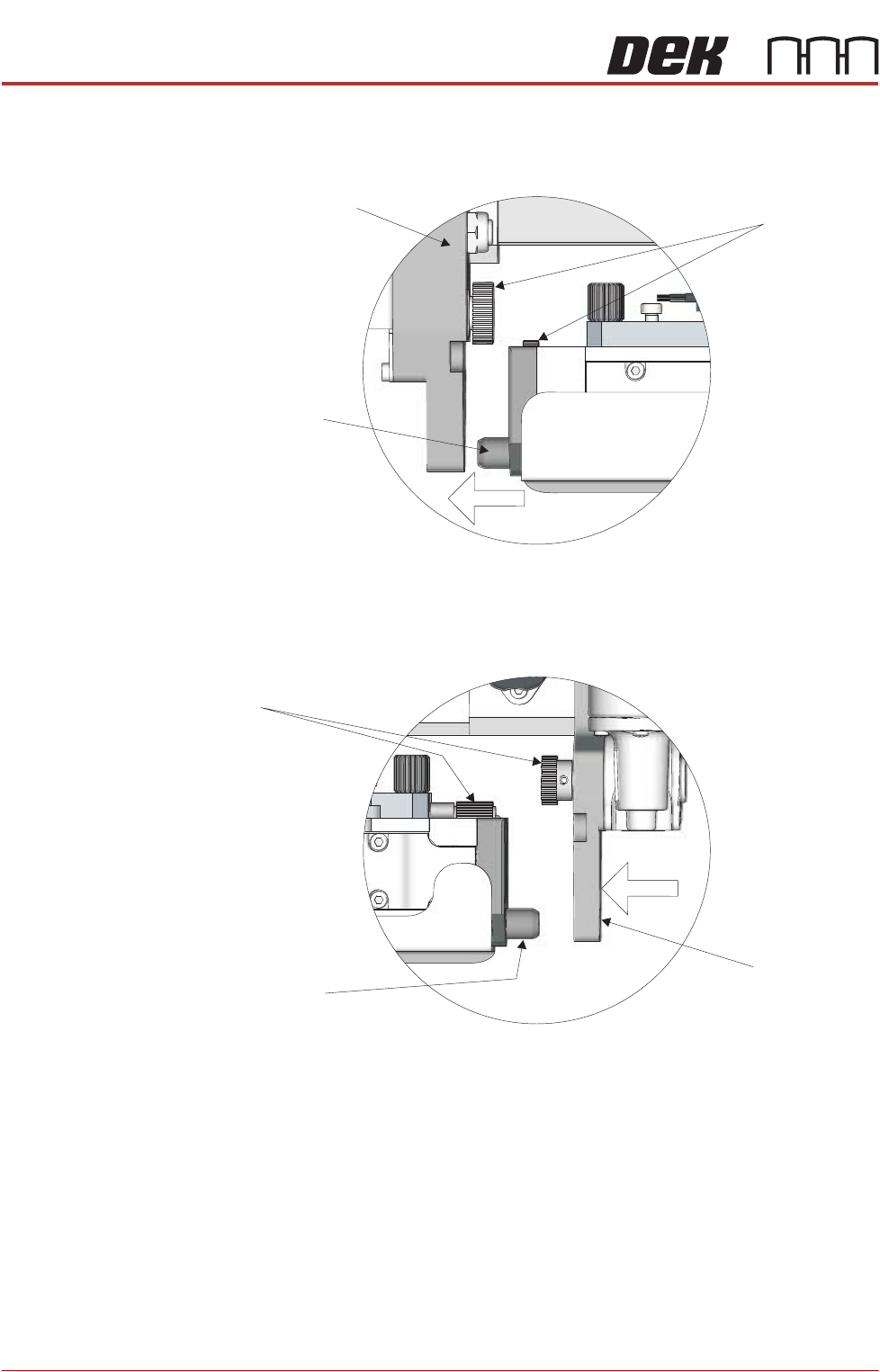
11. As the transfer head moves to the left, fit the transfer head’s left hand side
locator dowel into the mount bracket on the ProFlow ATx mount. Ensure the
conditioning grid gears engage smoothly.
12. Pull on the right hand side thumbscrew and slide the right hand side mount
bracket to the left so it engages with the transfer head locator dowel. Ensure
the Archimedes screw gears engage smoothly.
13. Tighten the right hand side thumbscrew to secure the mount bracket to the
beam.
View on Left Side of the Mount
Conditioning
Grid Gears
Transfer Head
Locator Dowel
ProFlow ATx Mount
Transfer Head
Locator Dowel
Archimedes Screw
Gears
ProFlow ATx
Mount
View on Left Side of the Mount
PROFLOW ATX
REPLACEMENT PROCEDURES
Chapter Issue 6, Jan 16 Technical Reference Manual 12.33
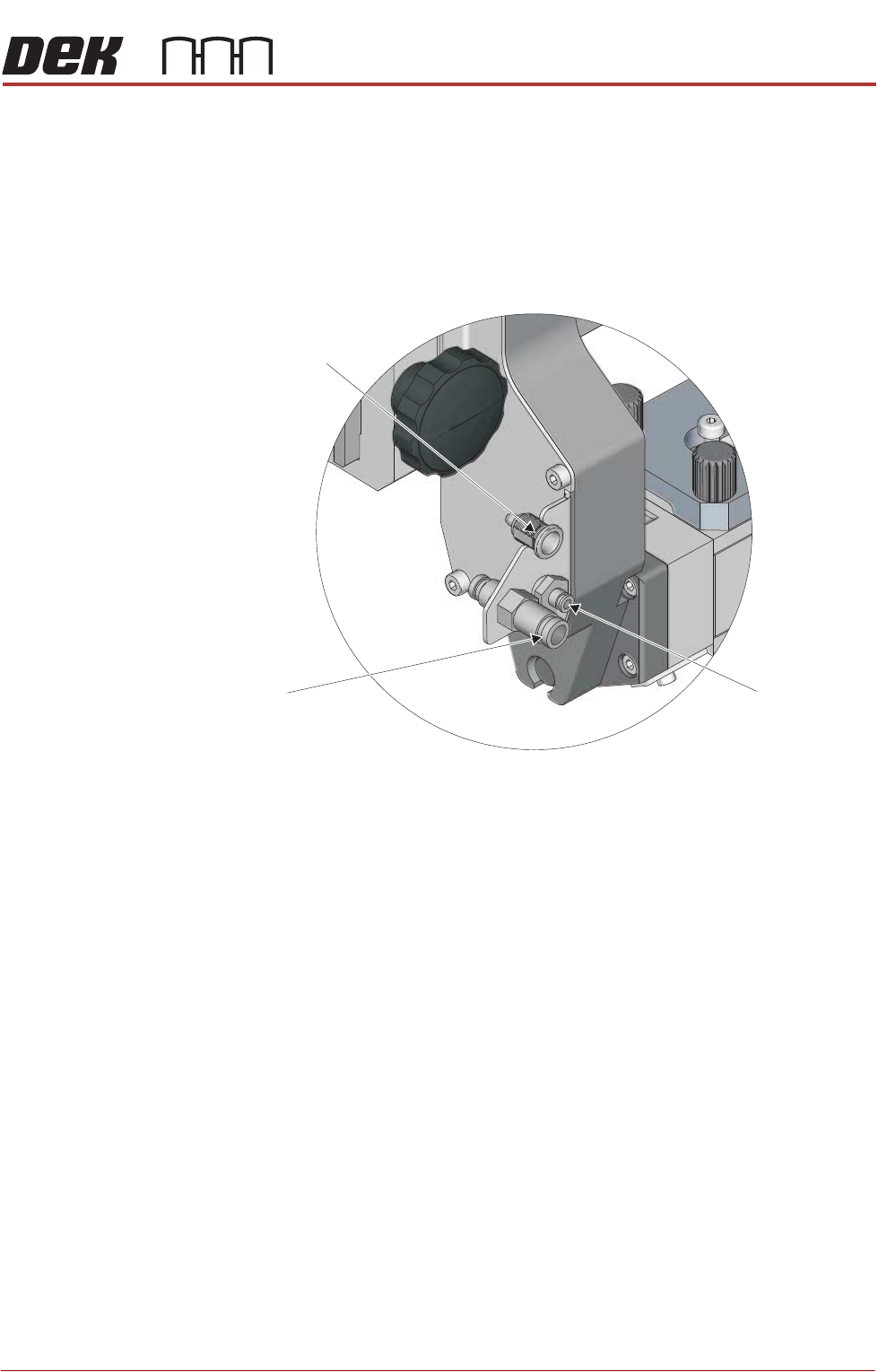
14. Connect the following transfer head cable and air feed connectors to the
connectors on the left hand side of the ProFlow ATx mount:
• Print Medium Demand Sensor (9PL106)
• Pistons Down Air Feed
• Pistons Up Air Feed
15. Turn the two locking clips, on the base cover, to the unlock position (pointing
upwards).
16. Remove the sealing plug from the transfer head.
17. Remove the base cover from the transfer head.
Print Medium Demand
Sensor 9SK106
Pistons Down
Air Feed
Pistons Up
Air Feed
View on Left Side of the ProFlow Mount
PROFLOW ATX
REPLACEMENT PROCEDURES
12.34 Technical Reference Manual Chapter Issue 6, Jan 16
Levelling the
Transfer Head
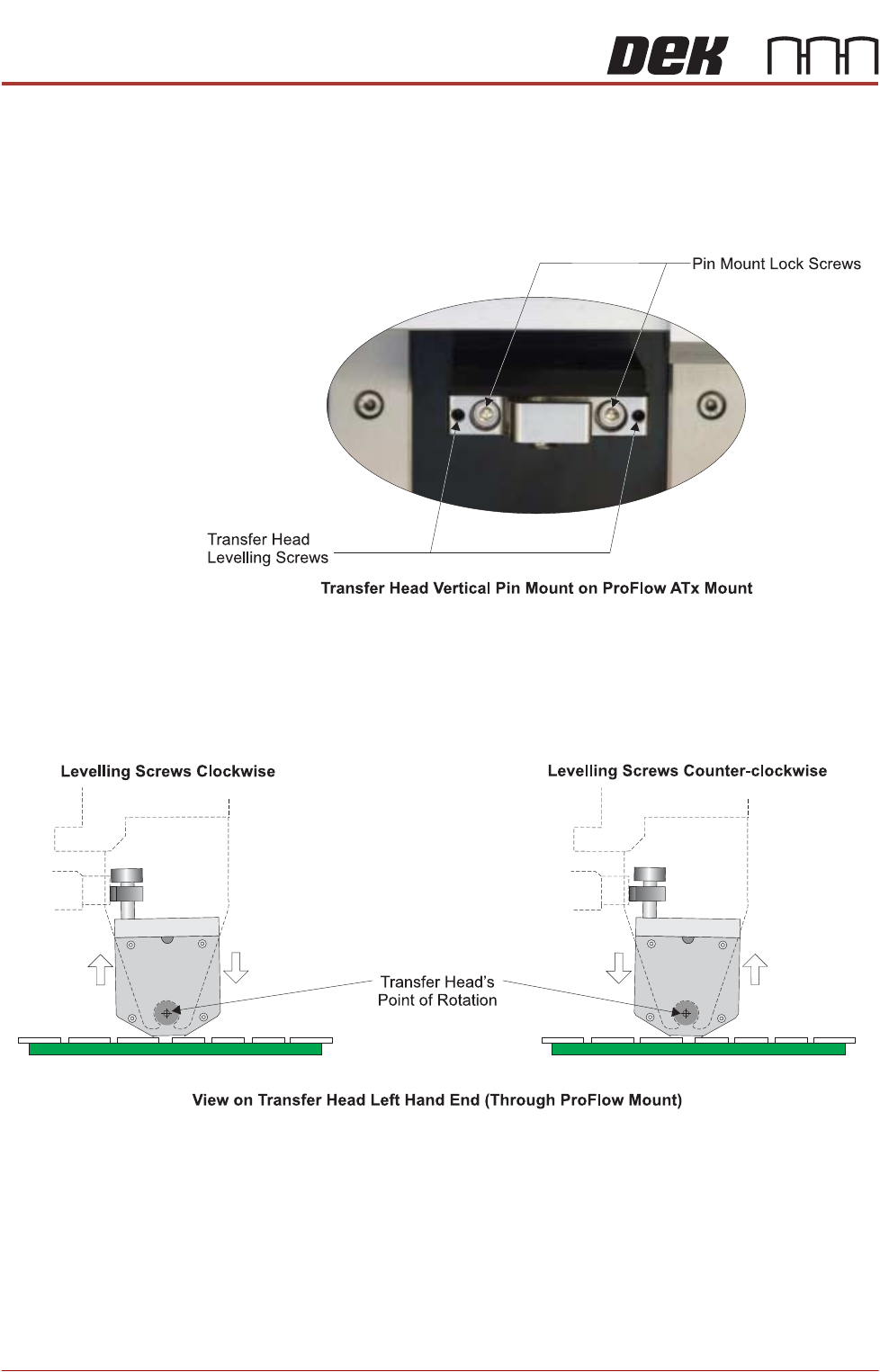
For an even application of print medium, during both the forward and rearward
print-strokes, obtain equal pressure on the tips of the wiper blades by levelling
the transfer head against the stencil when under system pressure. To adjust
the level of the transfer head, carry out the following on the ProFlow ATx mount:
1. Loosen the two transfer head pin mount lock screws, using a 3mm Allen key.
2. Evenly adjust the two transfer head levelling screws, using a 2mm Allen key.
Turning the levelling screws clockwise lowers the front of the transfer head.
Turning the levelling screws counter-clockwise raises the front of the trans-
fer head.
3. Tighten the two transfer head pin mount lock screws, using a 3mm Allen key.
4. Perform a print operation.
5. Inspect the print medium application; if further levelling is required, repeat
the procedure.