Printer 710-810 v9 ProFlow ATX.pdf - 第17页
PROFLOW ATX ADJUSTMENTS & SETTINGS Chapter Issue 6, Jan 16 Technical Reference Manual 12.17 4. If required, adjust the LED sensor to centralise the LED beam on the print medium cartridge’ s end plate: 5. If the LED b…
PROFLOW ATX
ADJUSTMENTS & SETTINGS
12.16 Technical Reference Manual Chapter Issue 6, Jan 16
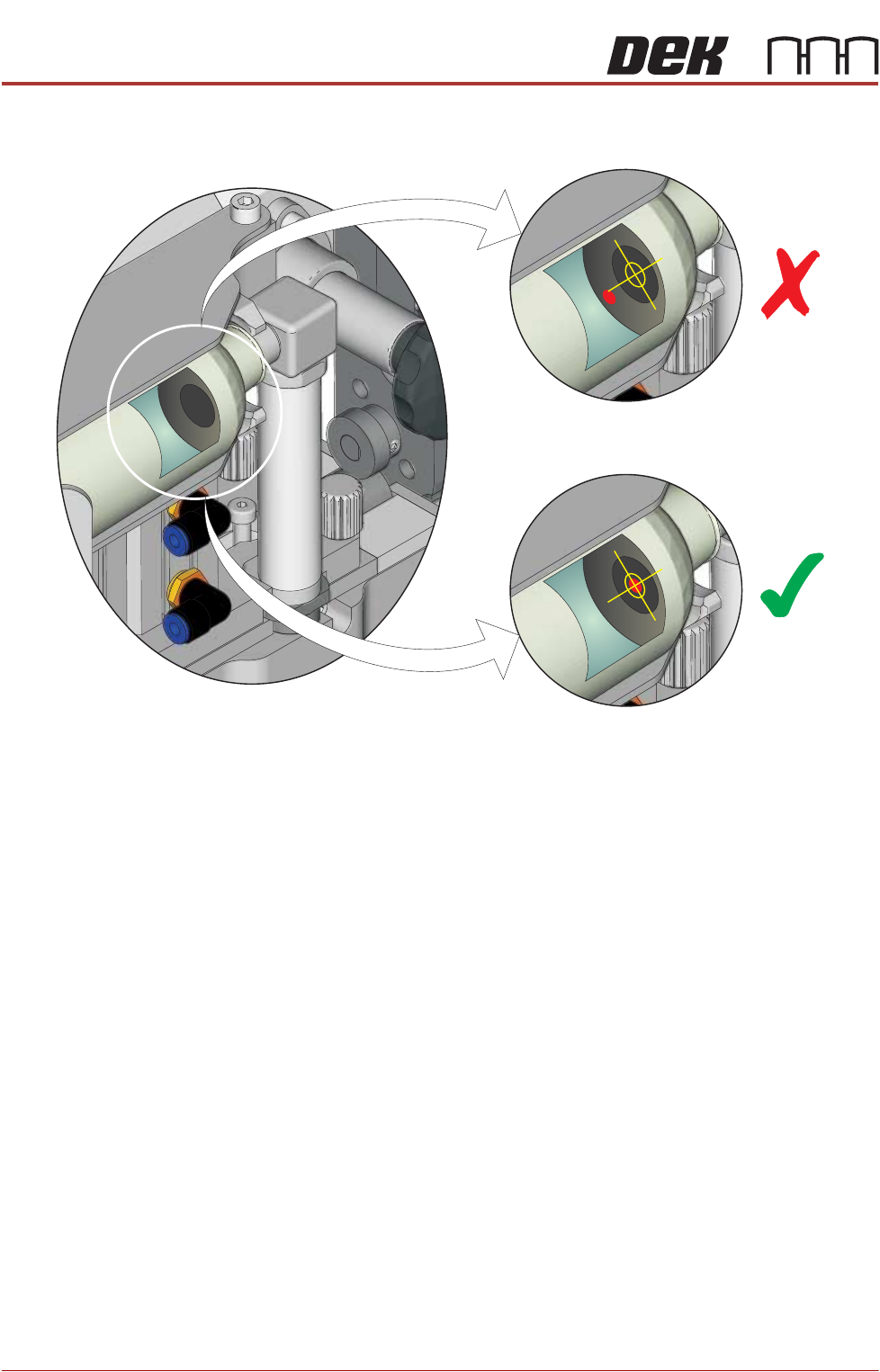
3. Inspect the alignment of the LED beam.
View into Print Medium Cartridge Through the View Port
PROFLOW ATX
ADJUSTMENTS & SETTINGS
Chapter Issue 6, Jan 16 Technical Reference Manual 12.17
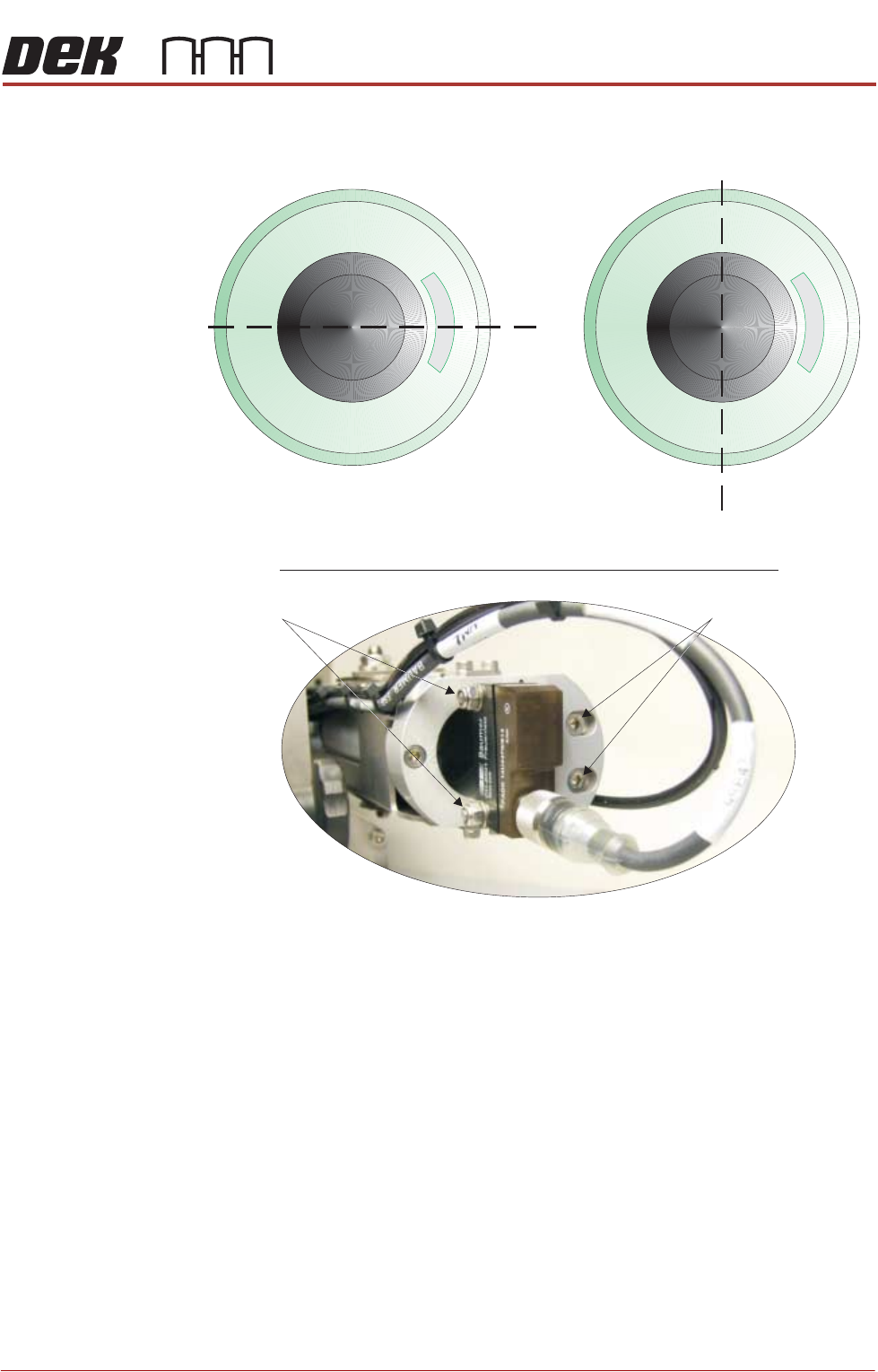
4. If required, adjust the LED sensor to centralise the LED beam on the print
medium cartridge’s end plate:
5. If the LED beam appears above or below the Y plane, loosen the two Y plane
adjustment screws using a 3mm Allen key and a 7mm spanner.
6. Adjust the sensor until the LED beam sits on the Y plane.
7. Tighten the Y plane adjustment screws.
NOTE
Do not over-tighten the screws; they pass through the sensor body which
can break under excessive pressure.
8. If the LED beam appears to the left or to the right of the Z plane, loosen the
two Z plane adjustment screws using a 3mm Allen key.
9. Adjust the sensor until LED beam sits on the Z plane
10. Tighten the Z plane adjustment screws.
End View Into Empty Print Medium Cartridge
Y Plane
Z Plane
View on Rear of Print Medium Cartridge Holder
Z Plane Adjustment
Y Plane Adjustment
PROFLOW ATX
ADJUSTMENTS & SETTINGS
12.18 Technical Reference Manual Chapter Issue 6, Jan 16
Print Medium
Demand Sensor
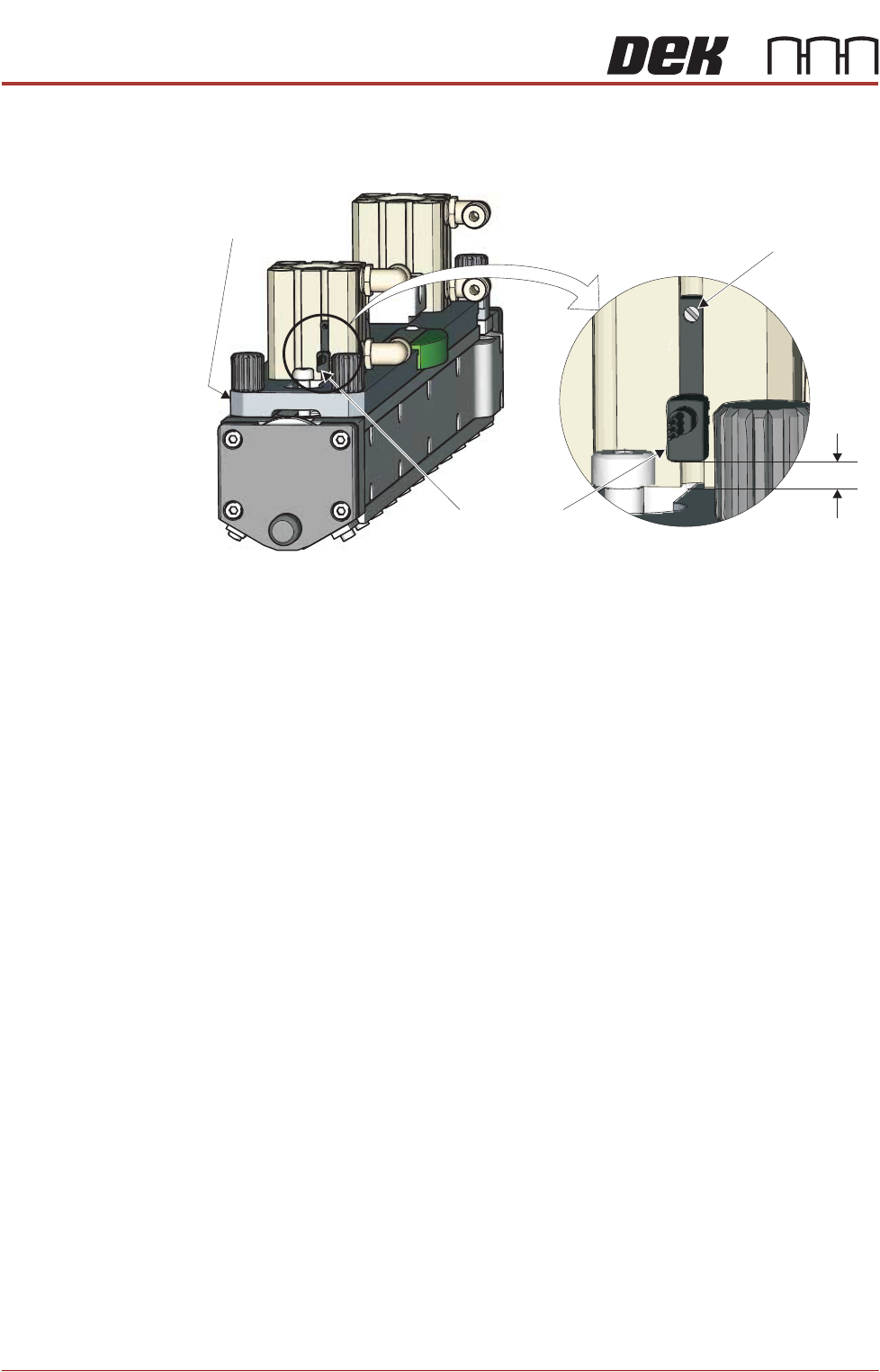
The print medium demand sensor detects when the level of the print medium in
the transfer head is low. For an accurate reading, the bottom of the sensor must
be positioned no more than 5mm (+/- 1mm) above the transfer head’s top plate.
To adjust the height of the print medium demand sensor, carry out the following:
1. Loosen the screw on the print medium demand sensor, using a jeweller’s
flat bladed screwdriver.
2. Adjust the bottom edge of the demand sensor so that it sits 5mm (+/- 1mm)
above the level of the transfer head’s top plate.
3. Tighten the screw on the print medium demand sensor.
5mm
+/- 1mm
View on Left Hand End of Transfer Head
Print Medium
Demand Sensor
Adjustment
Screw
Top Plate