Printer 710-810 v9 ProFlow ATX.pdf - 第18页
PROFLOW ATX ADJUSTMENTS & SETTINGS 12.18 Technical Reference Manual Chapter Issue 6, Jan 16 Print Medium Demand Sensor The print medium demand sensor detects when the le vel of the print medium in the transfer head i…
PROFLOW ATX
ADJUSTMENTS & SETTINGS
Chapter Issue 6, Jan 16 Technical Reference Manual 12.17
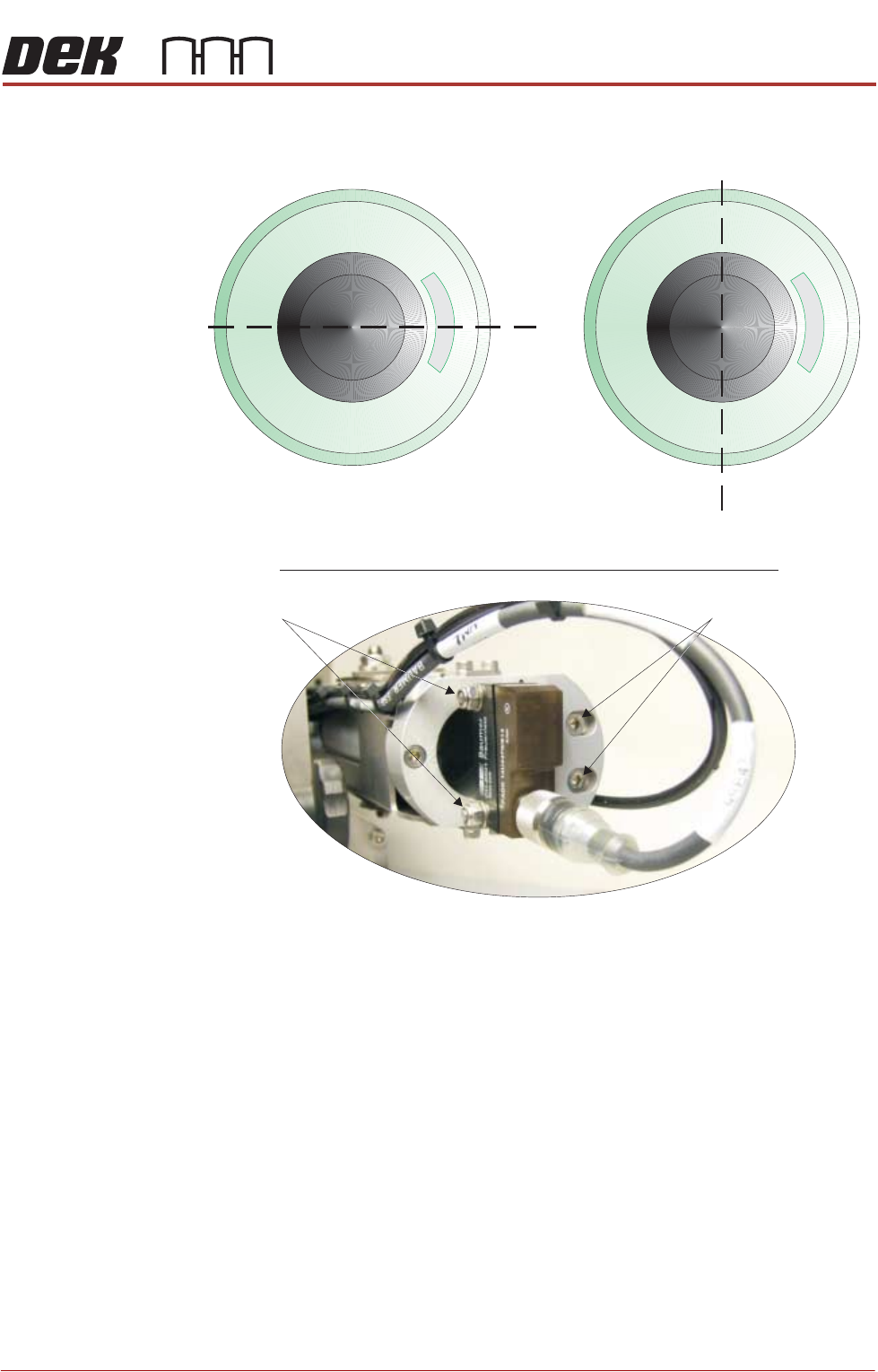
4. If required, adjust the LED sensor to centralise the LED beam on the print
medium cartridge’s end plate:
5. If the LED beam appears above or below the Y plane, loosen the two Y plane
adjustment screws using a 3mm Allen key and a 7mm spanner.
6. Adjust the sensor until the LED beam sits on the Y plane.
7. Tighten the Y plane adjustment screws.
NOTE
Do not over-tighten the screws; they pass through the sensor body which
can break under excessive pressure.
8. If the LED beam appears to the left or to the right of the Z plane, loosen the
two Z plane adjustment screws using a 3mm Allen key.
9. Adjust the sensor until LED beam sits on the Z plane
10. Tighten the Z plane adjustment screws.
End View Into Empty Print Medium Cartridge
Y Plane
Z Plane
View on Rear of Print Medium Cartridge Holder
Z Plane Adjustment
Y Plane Adjustment
PROFLOW ATX
ADJUSTMENTS & SETTINGS
12.18 Technical Reference Manual Chapter Issue 6, Jan 16
Print Medium
Demand Sensor
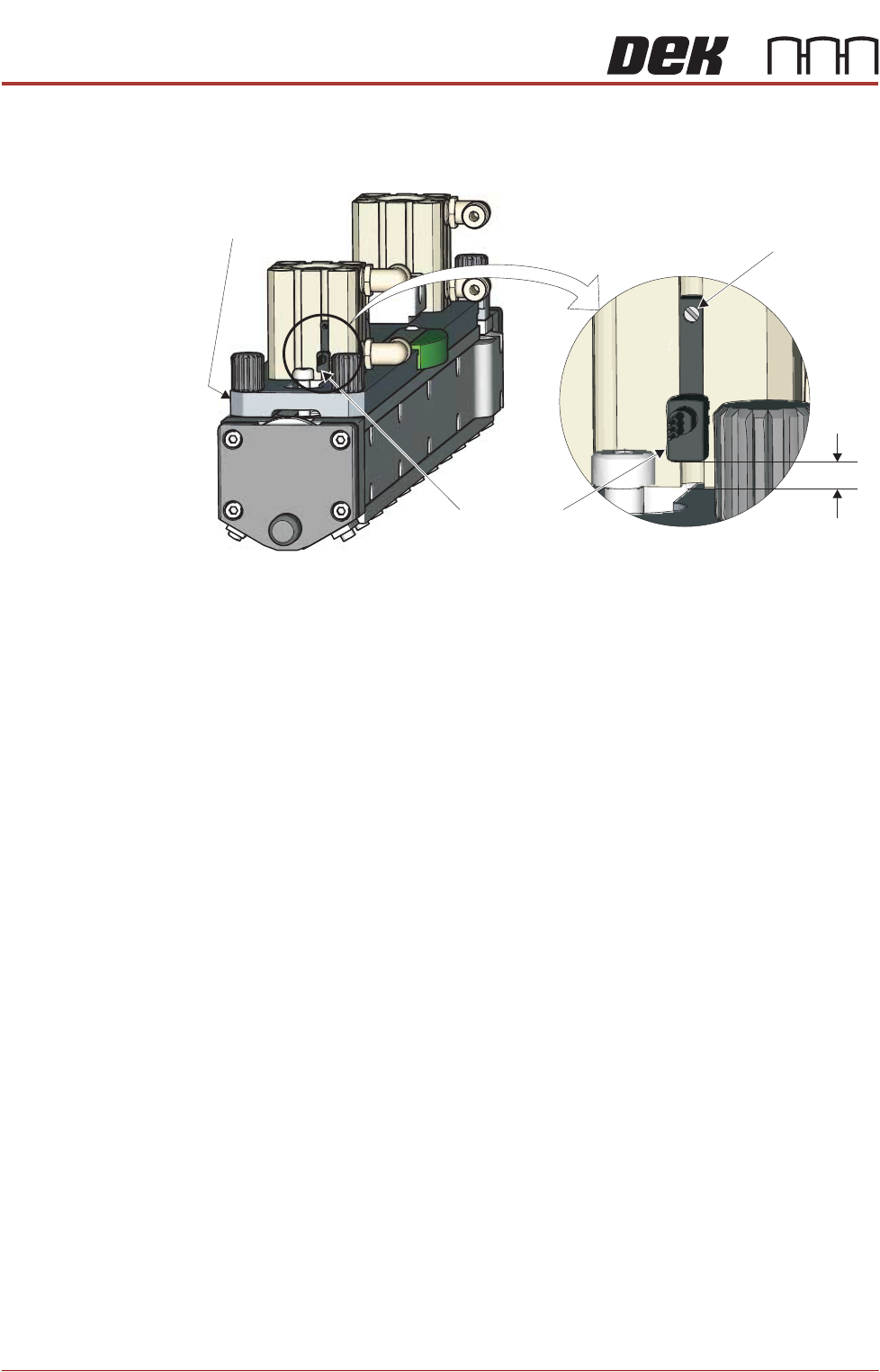
The print medium demand sensor detects when the level of the print medium in
the transfer head is low. For an accurate reading, the bottom of the sensor must
be positioned no more than 5mm (+/- 1mm) above the transfer head’s top plate.
To adjust the height of the print medium demand sensor, carry out the following:
1. Loosen the screw on the print medium demand sensor, using a jeweller’s
flat bladed screwdriver.
2. Adjust the bottom edge of the demand sensor so that it sits 5mm (+/- 1mm)
above the level of the transfer head’s top plate.
3. Tighten the screw on the print medium demand sensor.
5mm
+/- 1mm
View on Left Hand End of Transfer Head
Print Medium
Demand Sensor
Adjustment
Screw
Top Plate
PROFLOW ATX
ADJUSTMENTS & SETTINGS
Chapter Issue 6, Jan 16 Technical Reference Manual 12.19
Setup Guidelines ASM recommends that for general production the ProFlow ATx is setup in
accordance with the following guidelines and parameter settings.
• The Print Medium Demand sensor is set up as detailed in the Adjustment
and Settings section of this chapter
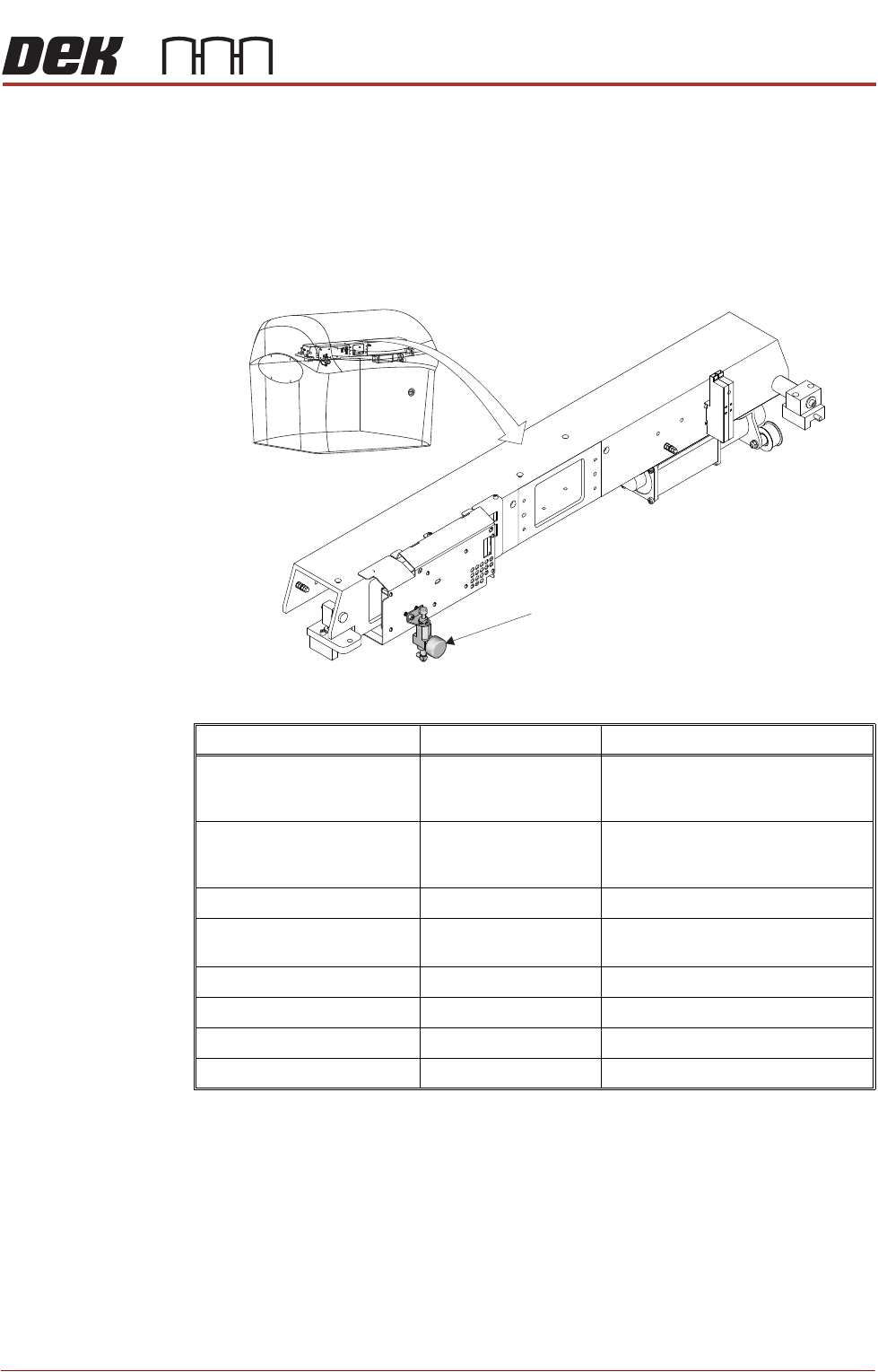
• The air pressure at the Paste Dispense Regulator is set between 1.3 bar
and 1.7 bar (air pressure should never exceed 2 bar).
Parameter Setting Additional Information
Paste Knead Period 0 minutes This parameter is only needed if a
downtime of 15 minutes or more
between prints is expected
Knead Before Print 0 minutes This parameter is only needed if a
downtime of 15 minutes or more
between prints is expected
Knead Off Image Enabled
Recharge Volume 20 (300mm head)
44 (400mm head)
Conditioning Duration 7 seconds
Grid Speed Coefficient 30%
Paste Pressure Delay 1 second minimum Up to 2 seconds if process allows
Paste Decay Interval 1 minimum
Paste Dispense Regulator
Paste Dispense Regulator - Location