Printer 710-810 v9 ProFlow ATX.pdf - 第47页
PROFLOW ATX REPLACEMENT PROCEDURES Chapter Issue 6, Jan 16 Technical Reference Manual 12.47 Replacing the Z-Axis Motor Drive Belt T o replace the Z-axis driv e belt, carry out the follo wing: 1. Select Open Cover Command…
PROFLOW ATX
REPLACEMENT PROCEDURES
12.46 Technical Reference Manual Chapter Issue 6, Jan 16
14. Remove the piston seal retainer.
15. Remove the existing piston seal.
16. Fit the new piston seal.
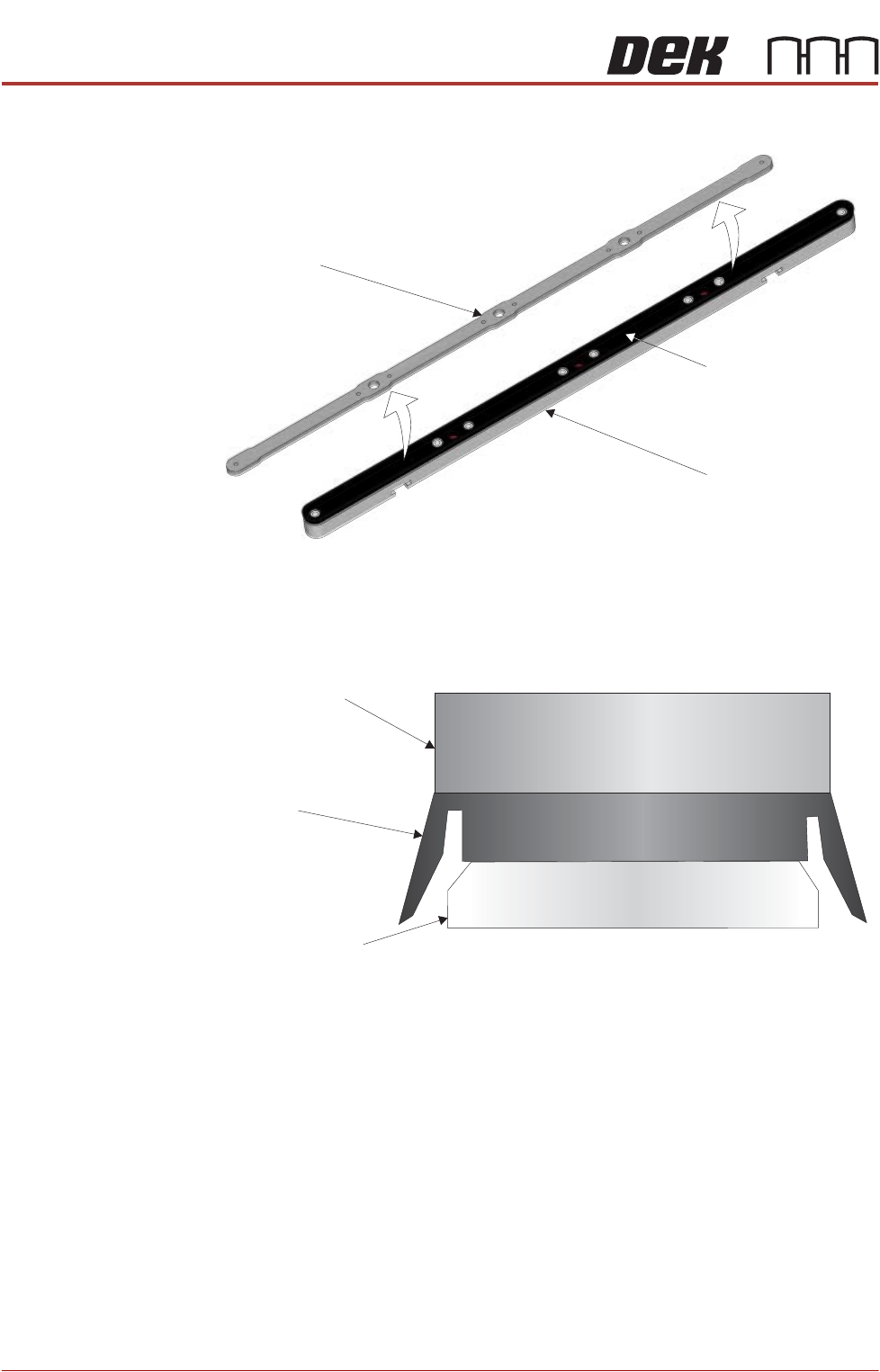
17. Refit the piston seal retainer as shown in the graphic below.
18. Secure the piston seal retainer with the screws removed earlier.
19. Align the flat edges of the crosshead piston shafts to the slots in the
crosshead piston.
20. Fit the crosshead piston to the aligned piston shafts.
21. Fit the print medium level indicator pins (2 positions) to the crosshead piston,
using a 2.5mm Allen key.
22. Fit the top plate to the main body of the transfer head.
23. Tighten the four captive thumbscrews on the transfer head top plate.
View on Bottom of Crosshead Piston
Piston Seal
Retainer
Crosshead Piston
Crosshead
Piston Seal
View on End of Crosshead Piston
Piston Seal Retainer
Piston Seal
Crosshead Piston
PROFLOW ATX
REPLACEMENT PROCEDURES
Chapter Issue 6, Jan 16 Technical Reference Manual 12.47
Replacing the
Z-Axis Motor Drive
Belt
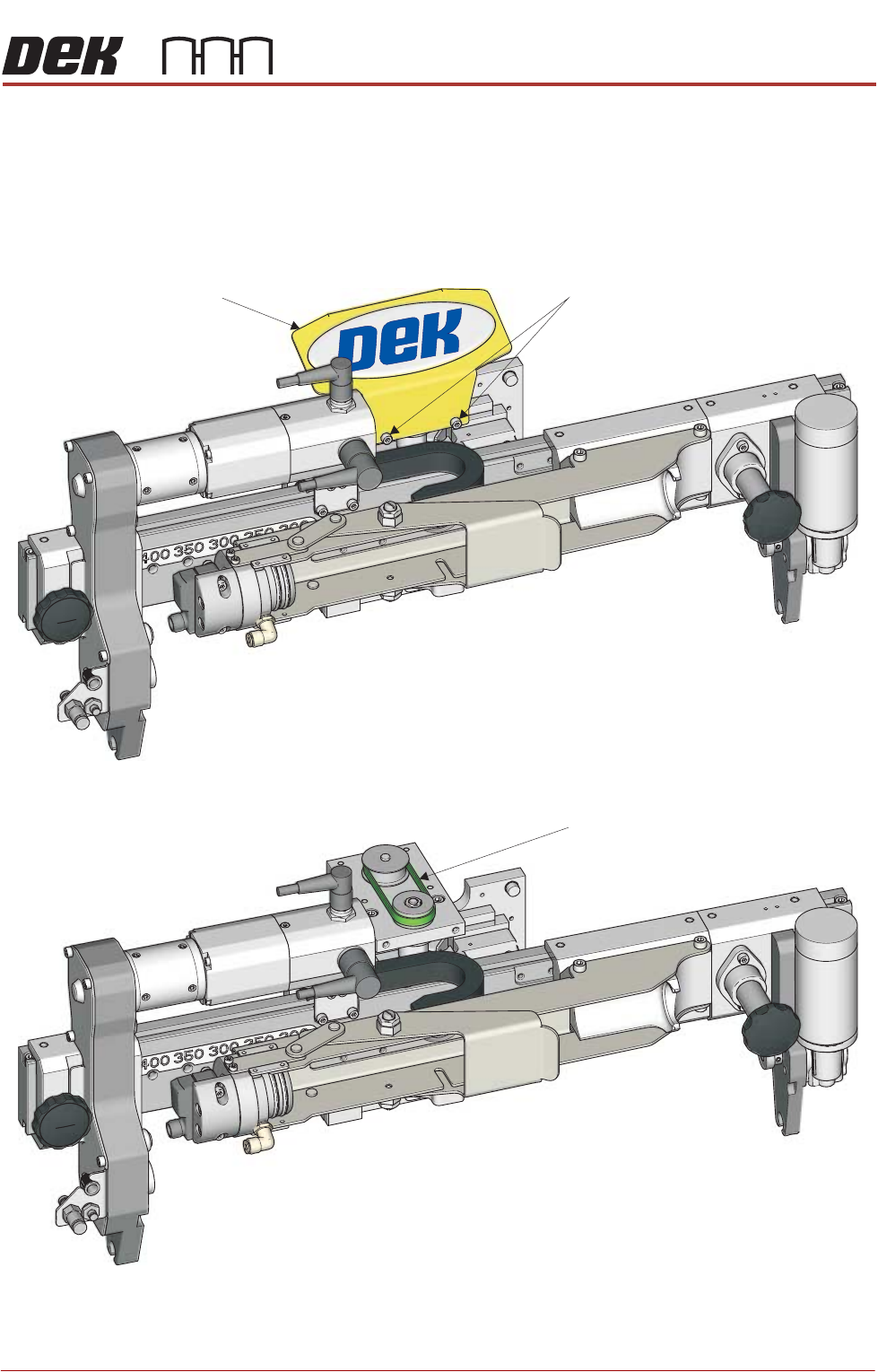
To replace the Z-axis drive belt, carry out the following:
1. Select Open Cover Commands.
2. Select Carriage to Front.
3. Open the machine cover.
4. Using a 3mm Allen key, remove the two belt guard securing screws.
5. Remove Z-axis motor drive belt and any belt debris.
6. Fit the new drive belt.
7. Fit the belt guard with the two securing screws removed earlier.
Belt Guard Securing Screws
Z-Axis Motor Drive Belt
PROFLOW ATX
REPLACEMENT PROCEDURES
12.48 Technical Reference Manual Chapter Issue 6, Jan 16
Replacing the
Conditioning Grid
Drive Belt
To replace the conditioning grid drive belt, carry out the following:
1. Select Open Cover Commands.
2. Select Carriage to Front.
3. Open the machine cover.
4. Remove the transfer head from the ProFlow ATx mount.
5. Remove the ProFlow ATx mount from the print carriage and place it on a
clean work area.
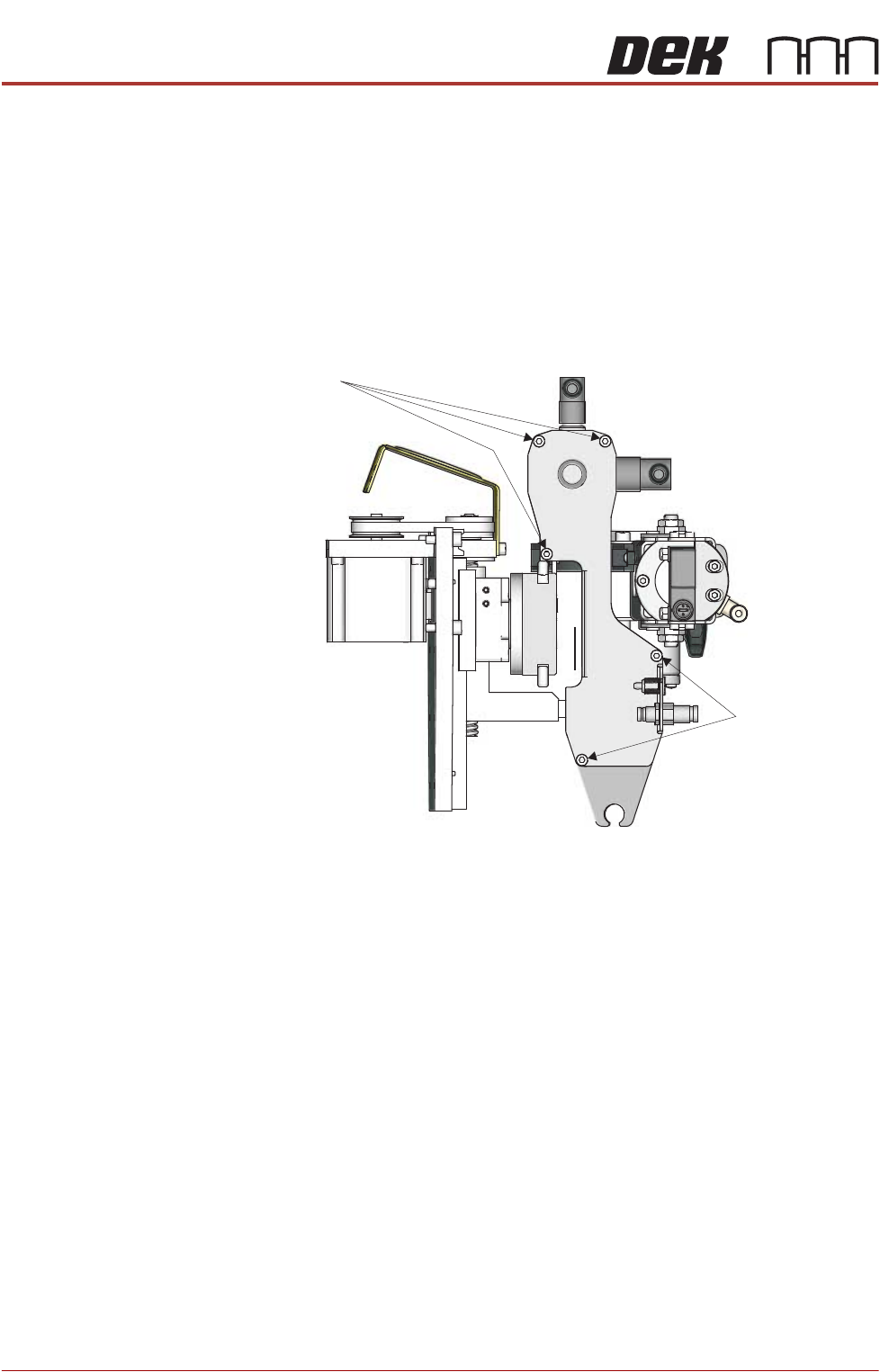
6. Using a 3mm Allen key, remove the five drive belt cover securing screws.
View on Left Side (Left Thumbscrew Assembly Removed)
Securing Screws
Securing Screws