Printer 710-810 v9 ProFlow ATX.pdf - 第20页
PROFLOW ATX ADJUSTMENTS & SETTINGS 12.20 Technical Reference Manual Chapter Issue 6, Jan 16 Initial Fill T o fill the ProFlow A Tx unit for the first time or from empty following cleaning or maintenance, proceed as f…
PROFLOW ATX
ADJUSTMENTS & SETTINGS
Chapter Issue 6, Jan 16 Technical Reference Manual 12.19
Setup Guidelines ASM recommends that for general production the ProFlow ATx is setup in
accordance with the following guidelines and parameter settings.
• The Print Medium Demand sensor is set up as detailed in the Adjustment
and Settings section of this chapter
• The air pressure at the Paste Dispense Regulator is set between 1.3 bar
and 1.7 bar (air pressure should never exceed 2 bar).
Parameter Setting Additional Information
Paste Knead Period 0 minutes This parameter is only needed if a
downtime of 15 minutes or more
between prints is expected
Knead Before Print 0 minutes This parameter is only needed if a
downtime of 15 minutes or more
between prints is expected
Knead Off Image Enabled
Recharge Volume 20 (300mm head)
44 (400mm head)
Conditioning Duration 7 seconds
Grid Speed Coefficient 30%
Paste Pressure Delay 1 second minimum Up to 2 seconds if process allows
Paste Decay Interval 1 minimum
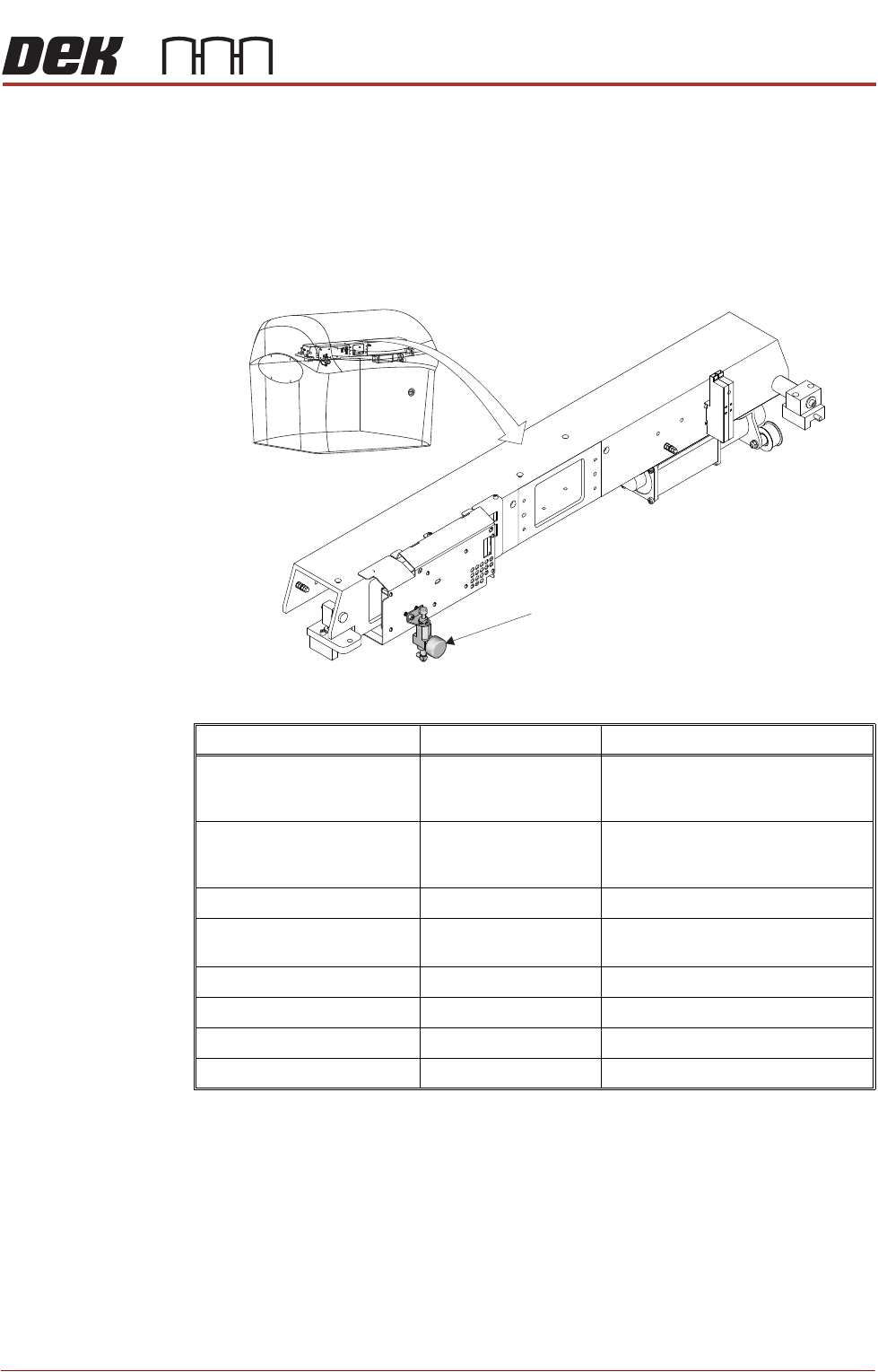
Paste Dispense Regulator
Paste Dispense Regulator - Location
PROFLOW ATX
ADJUSTMENTS & SETTINGS
12.20 Technical Reference Manual Chapter Issue 6, Jan 16
Initial Fill To fill the ProFlow ATx unit for the first time or from empty following cleaning or
maintenance, proceed as follows;
1. Check that the Conditioning Duration is set at 7 seconds.
2. Set the Grid Speed Coefficient to 100%.
3. Set the Recharge Volume to 50.
4. Select Recharge ProFlow.
5. Select Recharge ProFlow.
6. Select Condition ProFlow.
7. Select Prime ProFlow.
8. Select Recharge ProFlow.
9. Select Recharge ProFlow.
10. Select Condition ProFlow.
11. Select Prime ProFlow.
NOTE
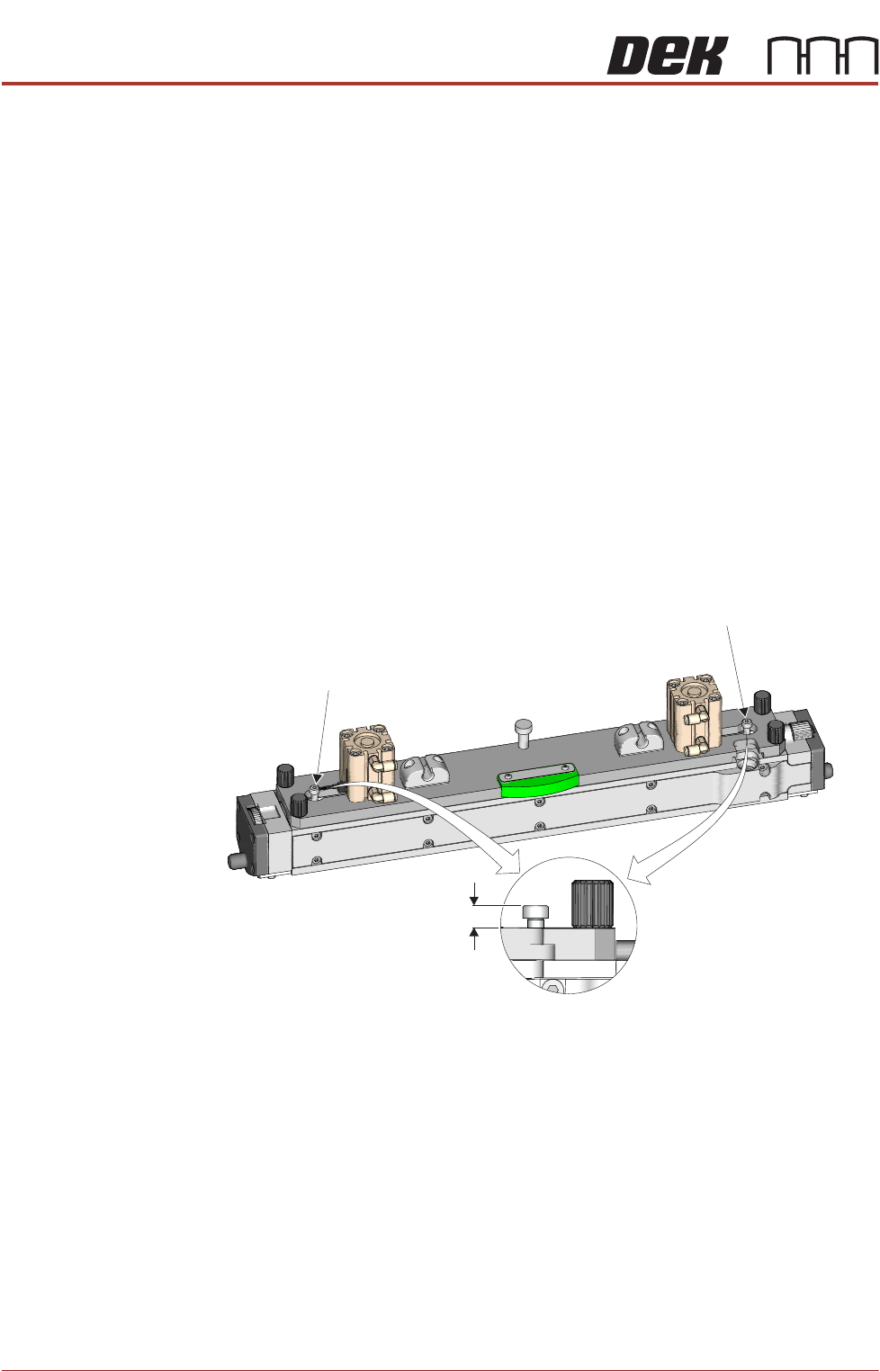
Ensure that both Print Medium Level Indicator Pistons are in the fully down
position.
12. Change the Recharge Volume to 20.
13. Select Recharge ProFlow (this is the fifth recharge).
14. Select Condition ProFlow.
15. Select Prime ProFlow.
16. Repeat Recharge ProFlow, Condition ProFlow and Prime ProFlow until
the head is full.
NOTE
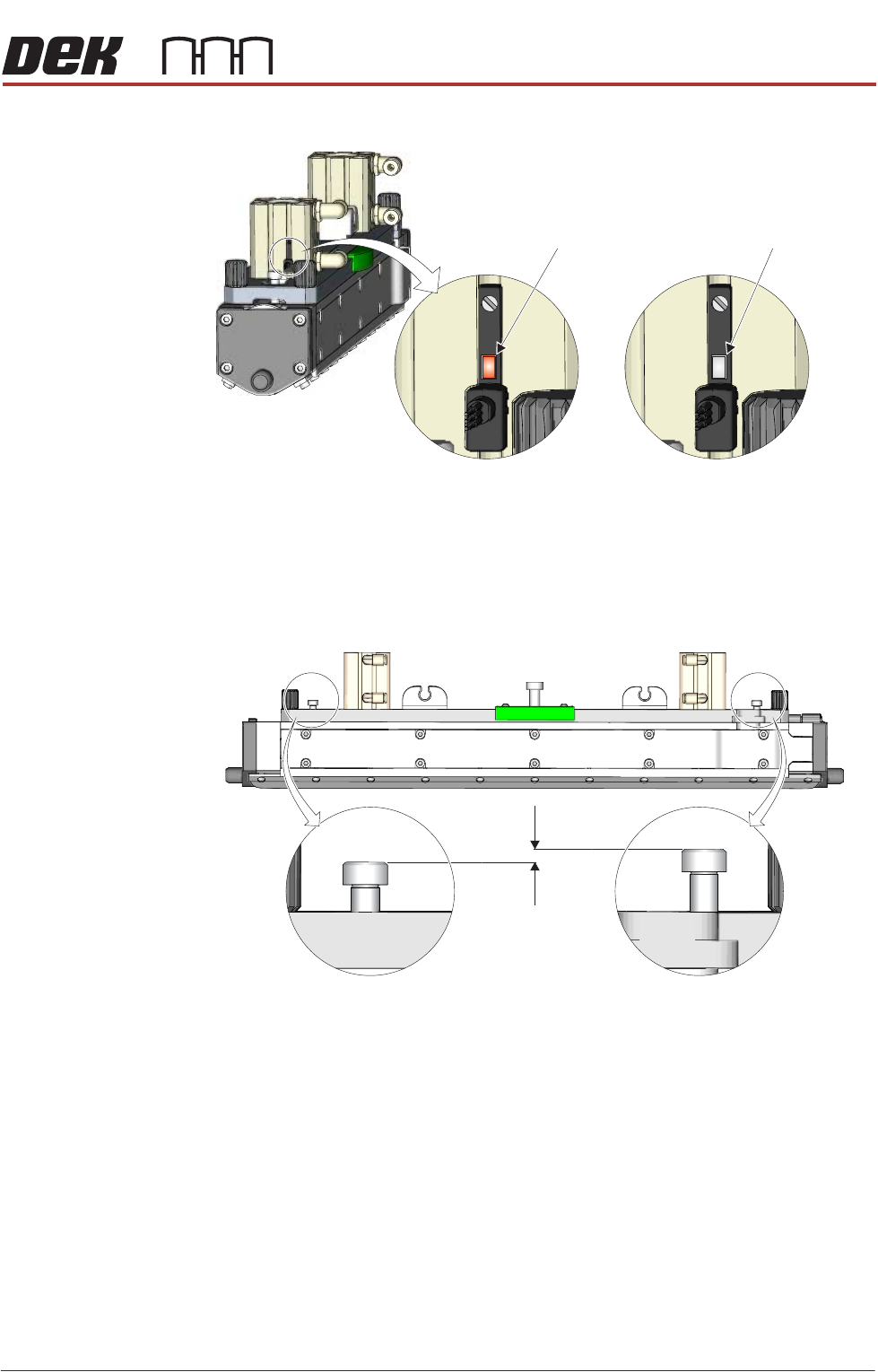
The head is full when the Print Medium Demand Sensor’s red indicator light
is not lit. The fill procedure should be completed with a total of 7 or 8
Print Medium Level Indicator Pin
Print Medium Level Indicator Pin
Fully Down Position
Print Medium Level Indicator Pins - Down Position
7mm
PROFLOW ATX
ADJUSTMENTS & SETTINGS
Chapter Issue 6, Jan 16 Technical Reference Manual 12.21
recharges.
NOTE
When full the maximum allowable height difference between the left and
right hand Print Medium Level Indicator Pins is 3mm for a 300mm wide head
and 5mm for a 400mm wide head.
17. After the head is filled, set the Grid Speed Coefficient to 30%.
View on Print Medium Demand Sensor
Indicator -
Print Medium
Required
Indicator -
Head Full
Dimension - 3mm Maximum (300mm Head)A
5mm Maximum (400mm Head)
A
Print Medium Level Indicator Pins - Maximum Allowable Height Difference