Printer 710-810 v9 ProFlow ATX.pdf - 第25页
PROFLOW ATX REPLACEMENT PROCEDURES Chapter Issue 6, Jan 16 Technical Reference Manual 12.25 9. Loosen the four captive screws se curing the squ eegee mount mechanism to the print carriage, using the 4mm T -bar Allen key …
PROFLOW ATX
REPLACEMENT PROCEDURES
12.24 Technical Reference Manual Chapter Issue 6, Jan 16
4. If the print medium cartridge is not connected to the transfer head, fit the
transfer head sealing plug into the transfer head inlet.
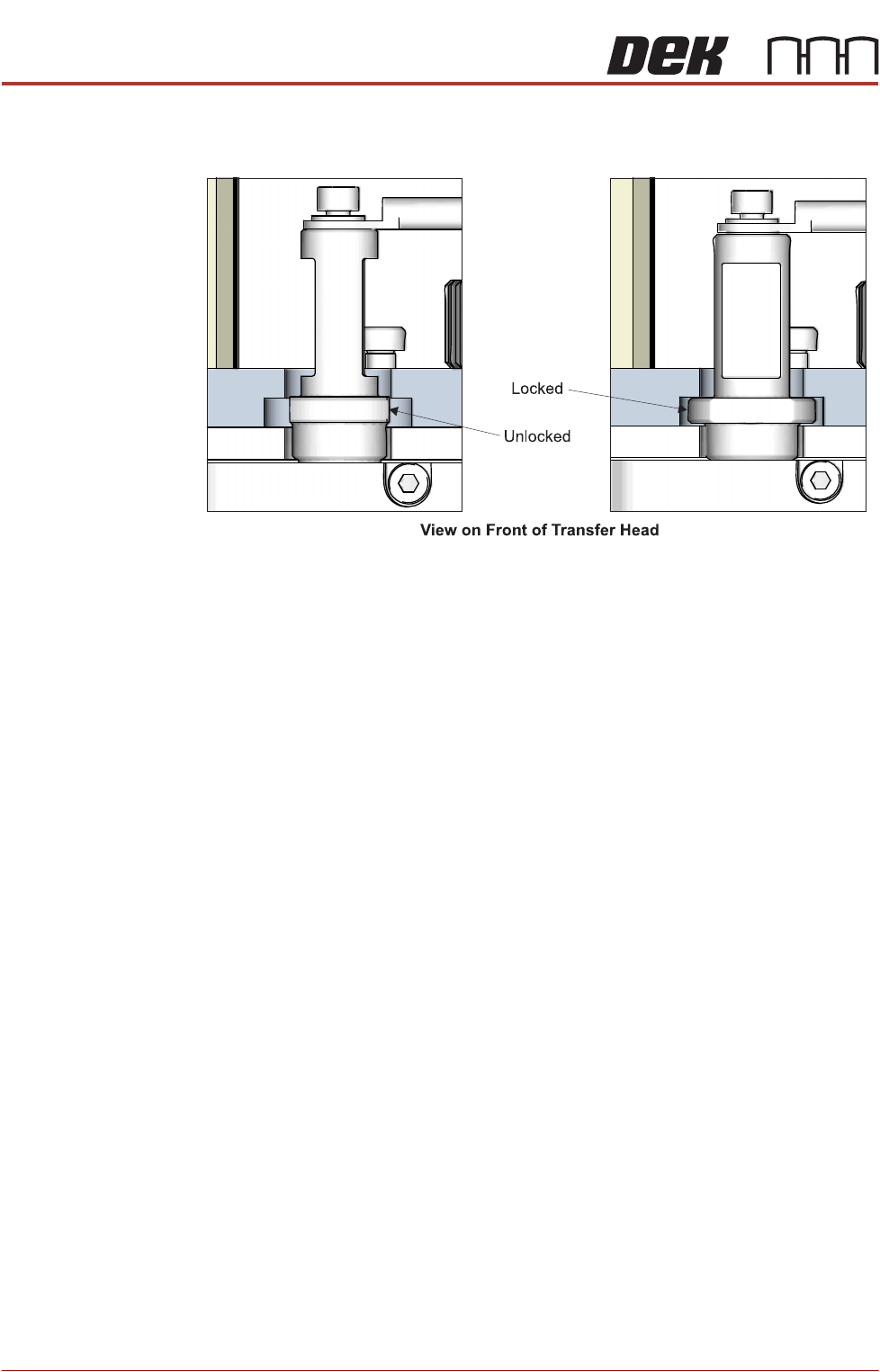
5. Turn the transfer head sealing plug 90° to the locked position.
Removal To remove the base cover from the transfer head, carry out the following:
1. Remove the transfer head sealing plug from the transfer head, if fitted.
2. Rotate the locking clips to the up position (unlocked).
3. Pull the base plate away from the transfer head.
Squeegees to ProFlow ATx
Removing The
Squeegee Mount
To remove the squeegee mount, carry out the following:
1. Select Open Cover Commands.
2. Select Carriage to Front.
3. Select Back.
4. Select Shut Down.
5. Select Continue.
6. Switch the mains isolator to OFF.
7. Remove the squeegees, if fitted.
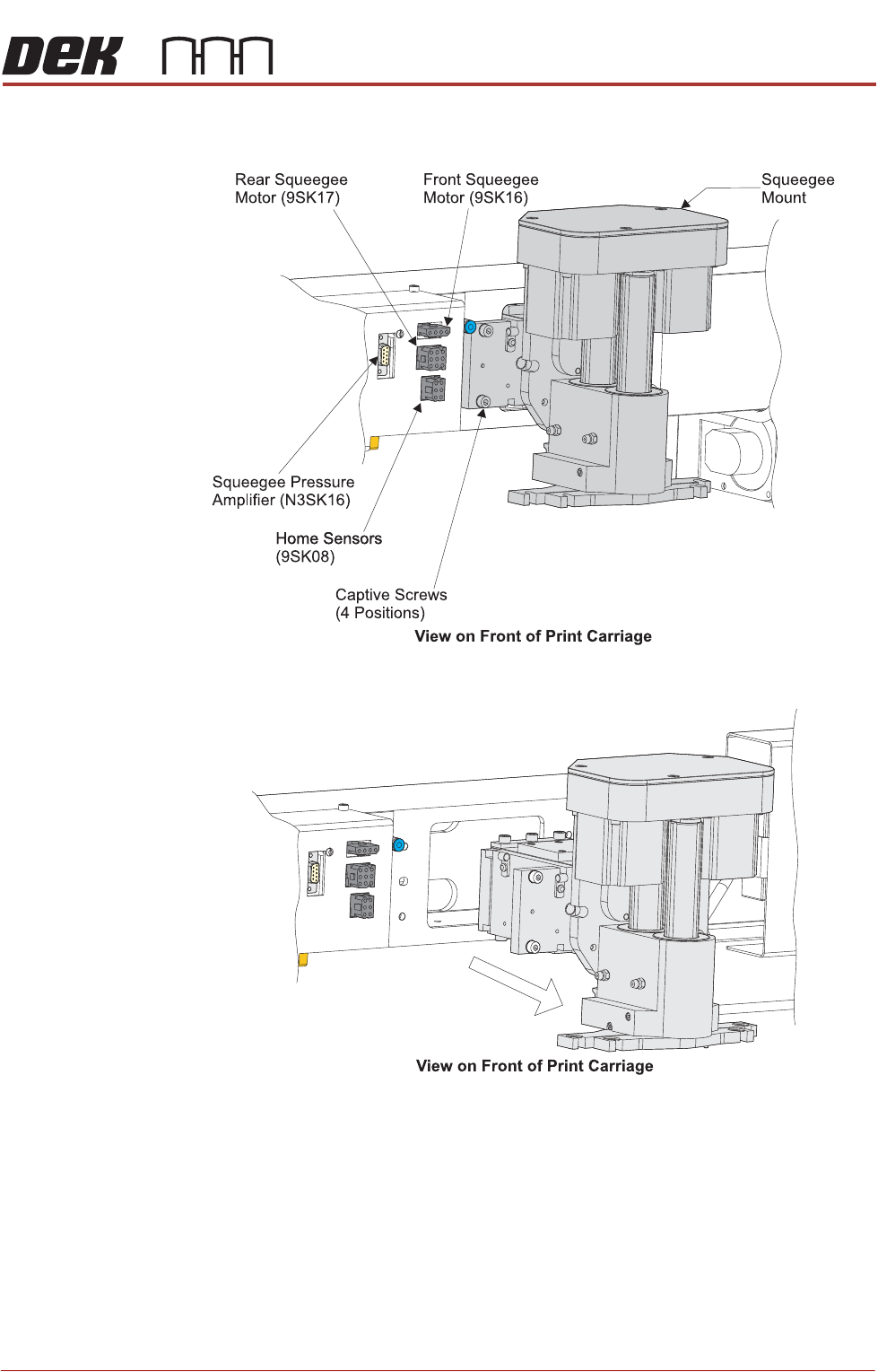
8. Disconnect the four squeegee mechanism connectors from the print car-
riage, left hand side:
• Front Squeegee Motor (9PL16)
• Rear Squeegee Motor (9PL17)
• Home Sensors (9PL08)
• Squeegee Pressure Amplifier (N3PL16)
PROFLOW ATX
REPLACEMENT PROCEDURES
Chapter Issue 6, Jan 16 Technical Reference Manual 12.25
9. Loosen the four captive screws securing the squeegee mount mechanism
to the print carriage, using the 4mm T-bar Allen key supplied (205973).
10. Carefully remove the squeegee mount.
PROFLOW ATX
REPLACEMENT PROCEDURES
12.26 Technical Reference Manual Chapter Issue 6, Jan 16
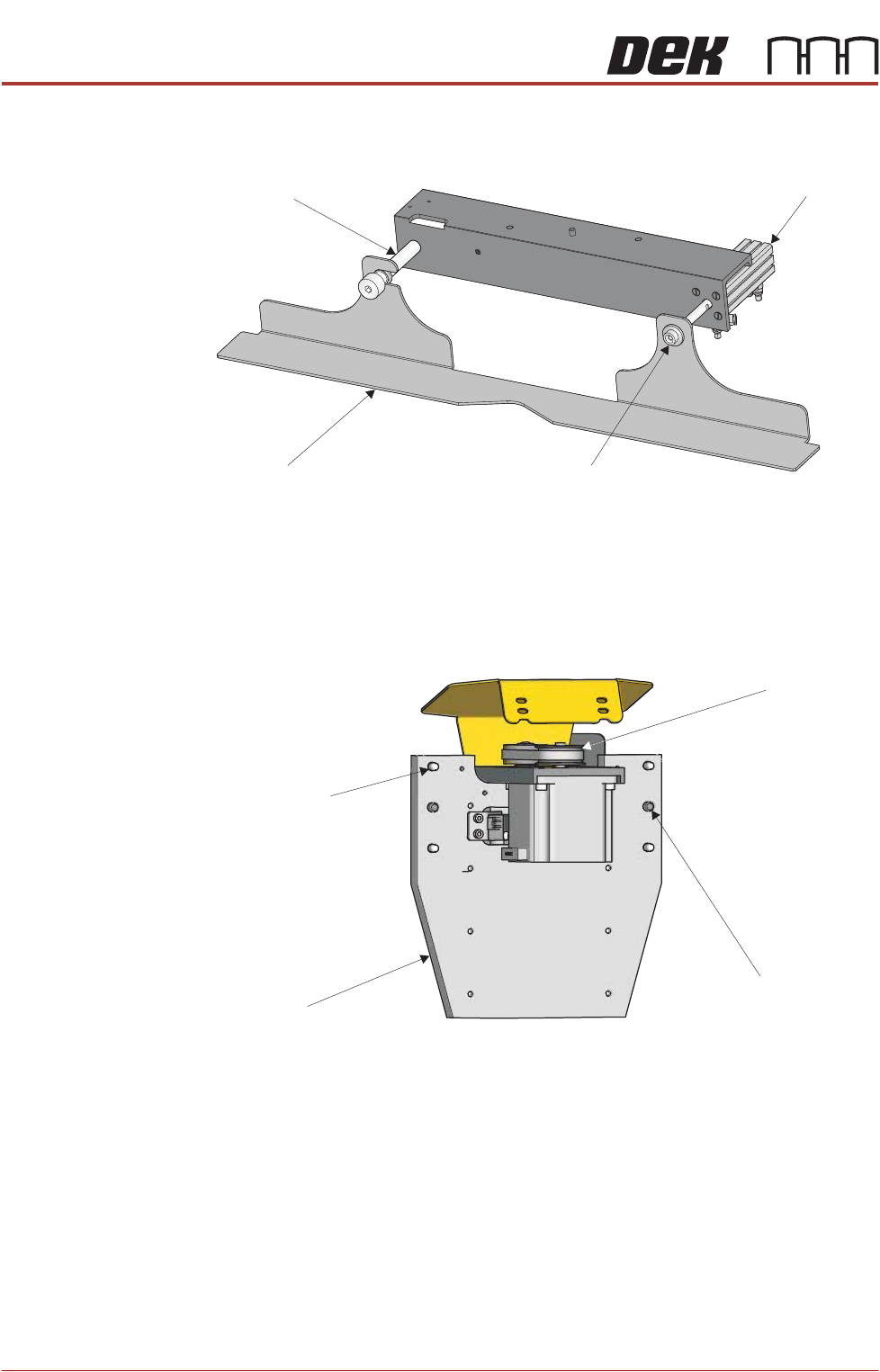
11. If the squeegee drip tray is fitted, remove the securing screw which attaches
the drip tray to the actuator piston.
12. Slide the drip tray off the drip tray guide shaft.
13. Using a 6mm Allen key and a 17mm spanner, remove the drip tray guide
shaft.
Fitting the ProFlow
ATx Mount
1. Locate the four captive mount screws and two locator dowels on the rear
mount plate of the ProFlow ATx mount assembly.
2. Lower the ProFlow ATx mount beam by manually turning the Z-axis motor
pulley counter-clockwise. This action reveals the four captive screw heads
located on the front face of the mount plate.
NOTE
The captive screws may be hidden behind the components on the front of
the mount assembly. Move the beam down until they are fully revealed.
Drip Tray
Drip Tray Guide Shaft
Securing Screw
Actuator Piston
View on Rear of ProFlow Mount
Mount Plate
Captive Mount
Screw (4 Positions)
Locator Dowel
(2 Positions)
Z-Axis Motor
Pulley