Printer 710-810 v9 ProFlow ATX.pdf - 第40页
PROFLOW ATX REPLACEMENT PROCEDURES 12.40 Technical Reference Manual Chapter Issue 6, Jan 16 Replacing the T ransfer Head Wiper Blades MANDA TOR Y T OXIC CHEMICALS MAY BE PRESENT. SAFETY GLOVES MUST BE WORN. MANDA TOR Y T…
PROFLOW ATX
REPLACEMENT PROCEDURES
Chapter Issue 6, Jan 16 Technical Reference Manual 12.39
Replacing the Print
Medium Type
Indicator
The print medium type indicator helps to identify different print mediums used if
multiple heads are being used for different products. Three colours are pro-
vided with the ProFlow ATx system; Green, Blue and Red.
To change the colour, carry out the following:
1. Select Open Cover Commands.
2. Select Carriage to Front.
3. Open the machine cover.
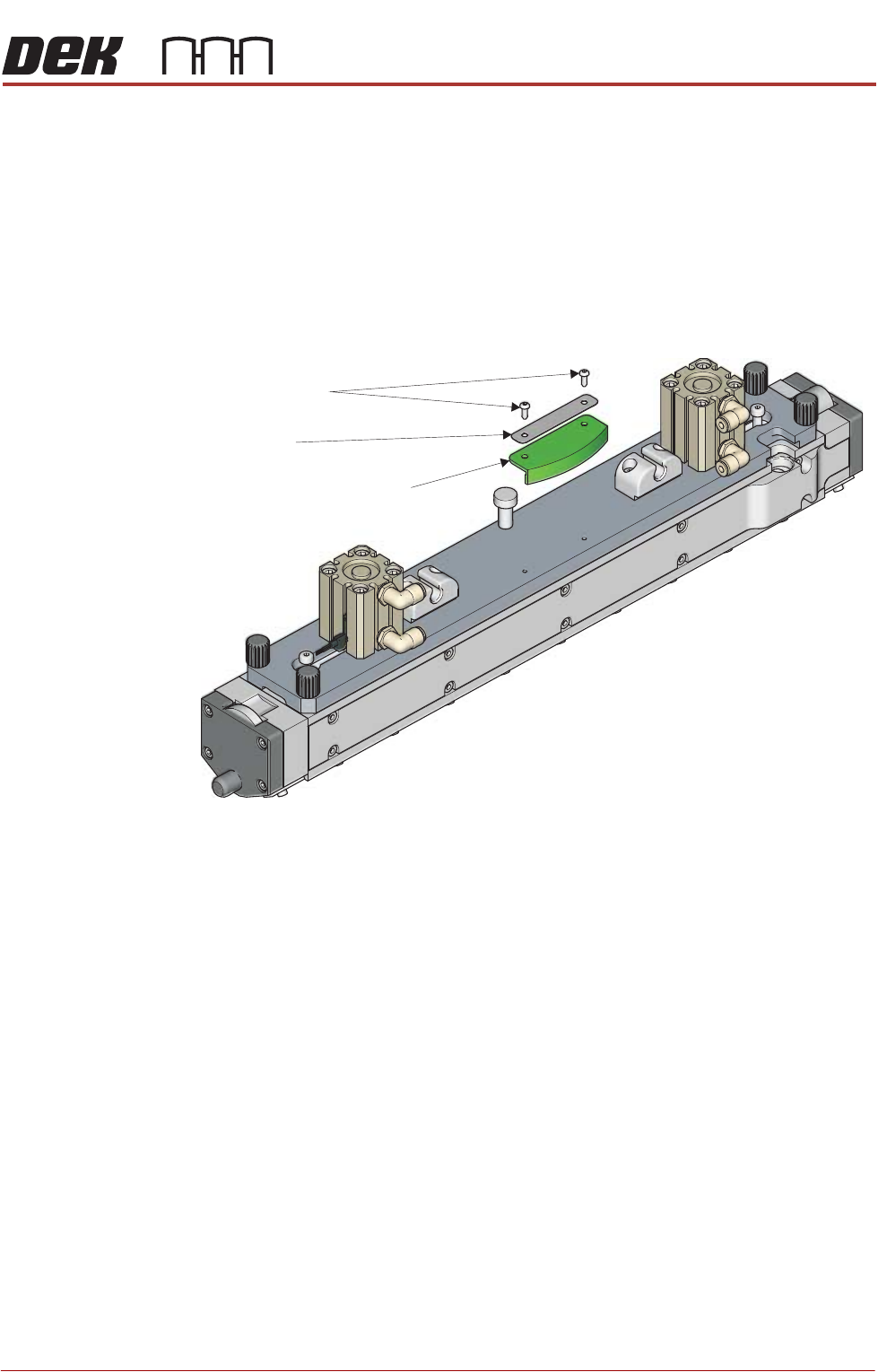
4. Using a 2mm Allen key, remove the two securing screws.
5. Remove the name plate.
6. Remove the type indicator.
7. Fit the new type indicator to the transfer head, ensuring the holes are
aligned.
8. Place the name plate on the type indicator, ensuring the holes are aligned.
9. Refit the securing screws.
Print Medium Type Indicator
Securing Screws
Name Plate
View on top of the Transfer Head
PROFLOW ATX
REPLACEMENT PROCEDURES
12.40 Technical Reference Manual Chapter Issue 6, Jan 16
Replacing the Transfer Head Wiper Blades
MANDATORY
TOXIC CHEMICALS MAY BE PRESENT. SAFETY GLOVES MUST BE WORN.
MANDATORY
TOXIC CHEMICALS MAY BE PRESENT. EYE PROTECTION MUST BE WORN.
To replace the transfer head wiper blades (ASM recommends that you replace
both at the same time), carry out the following:
1. Select Open Cover Commands.
2. Select Carriage to Front.
3. Open the machine front cover.
4. Remove the print medium cartridge and filler tube assembly.
5. Remove the transfer head from the ProFlow ATx mount.
6. Place the transfer head upside down on a flat surface.
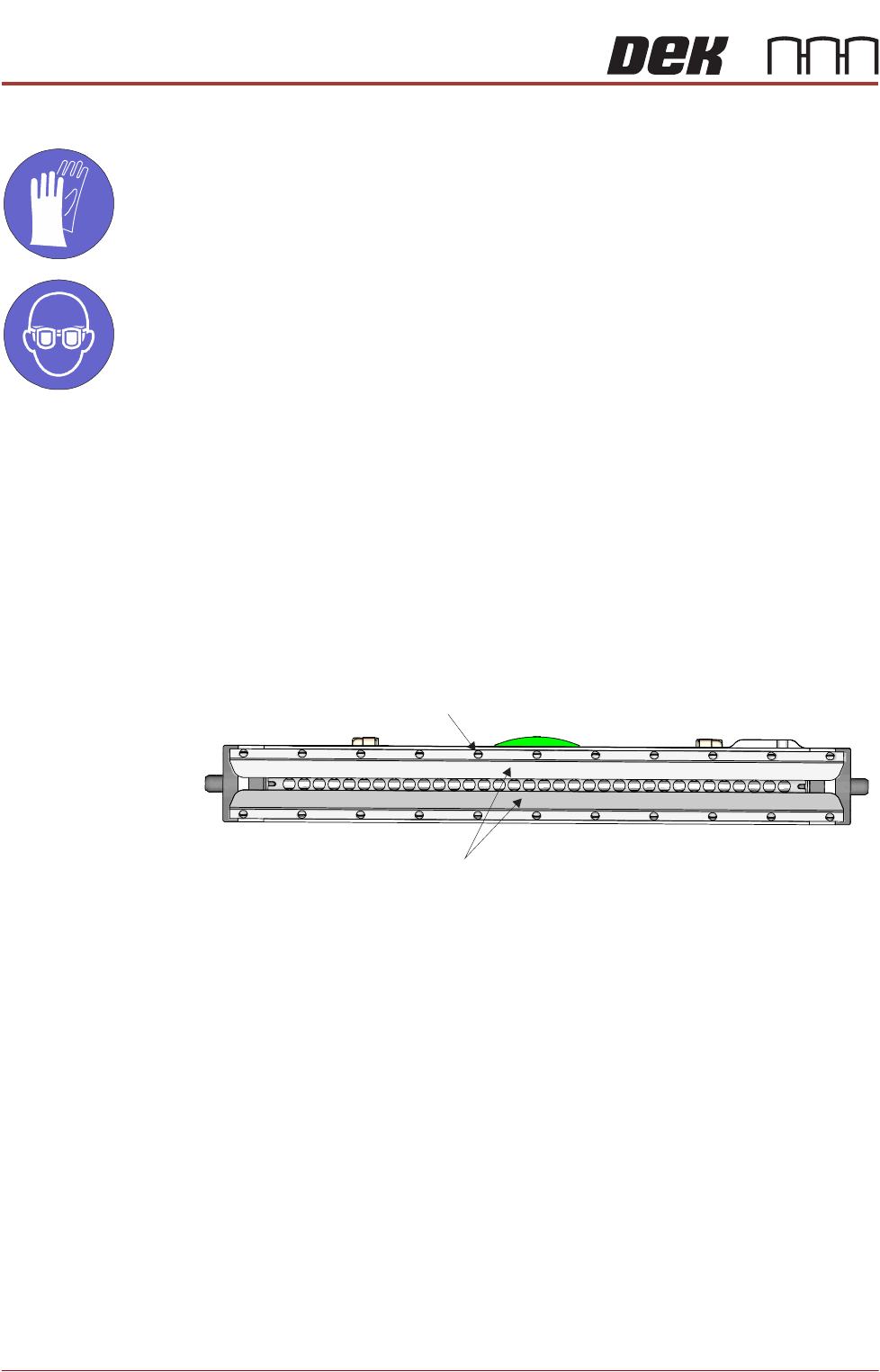
7. Using a flat bladed screwdriver, loosen the wiper blade retainer screws.
8. Remove the wiper blades (in 2 positions).
Retainer Screw
Wiper Blades
Transfer Head Underside View
PROFLOW ATX
REPLACEMENT PROCEDURES
Chapter Issue 6, Jan 16 Technical Reference Manual 12.41
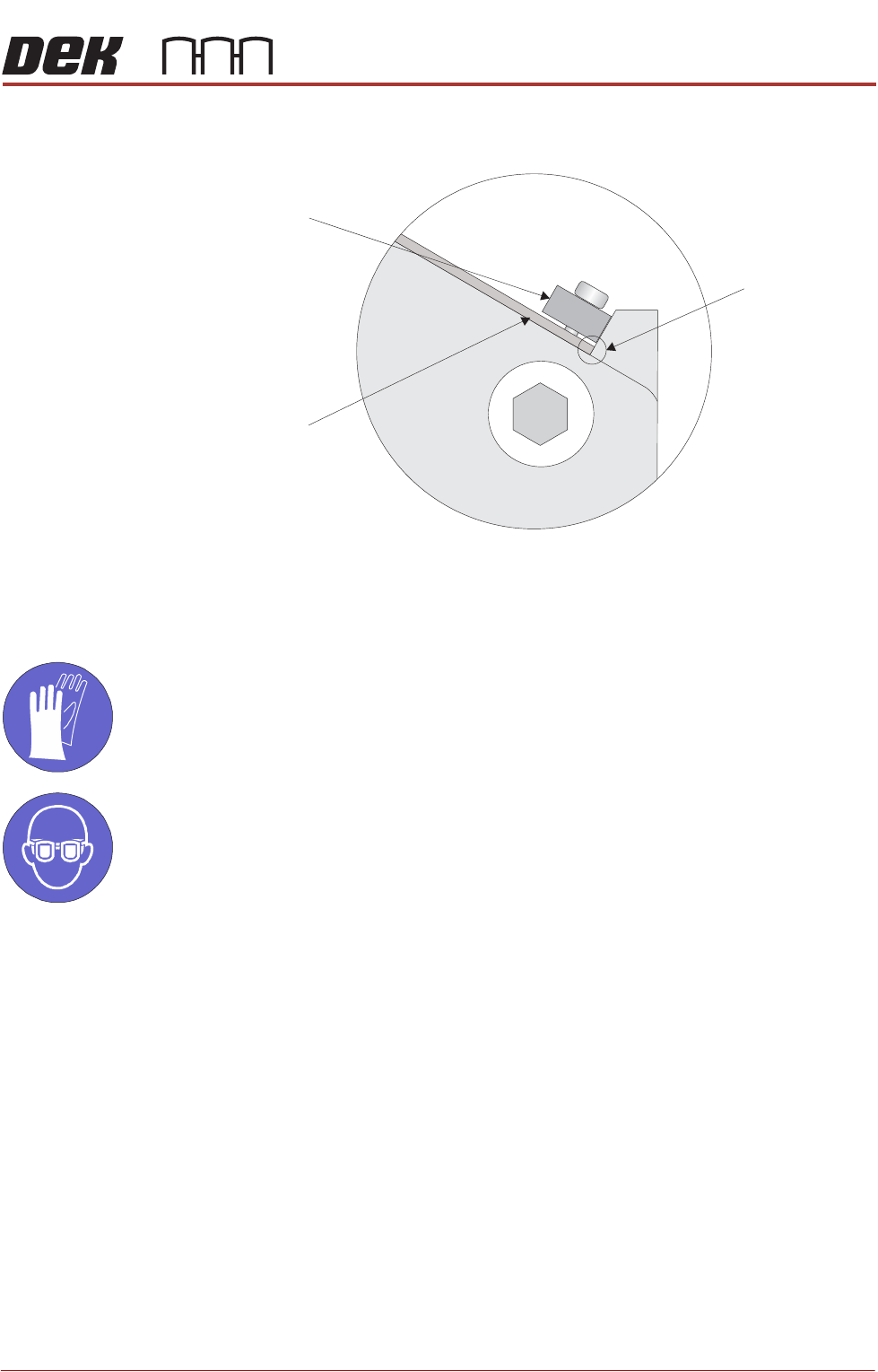
9. Fit the new wiper blades (under the retainers) ensuring each blade is seated
firmly against the transfer head along its whole length.
10. Tighten the wiper blade retainer screws.
Replacing the Transfer Head Skis
MANDATORY
TOXIC CHEMICALS MAY BE PRESENT. SAFETY GLOVES MUST BE WORN.
MANDATORY
TOXIC CHEMICALS MAY BE PRESENT. EYE PROTECTION MUST BE WORN.
To replace the transfer head skis (ASM recommends that you replace both at
the same time), carry out the following:
1. Select Open Cover Commands.
2. Select Carriage to Front.
3. Open the machine cover.
4. Remove the print medium cartridge and filler tube assembly.
5. Remove the transfer head from the ProFlow ATx mount.
6. Place the transfer head upside down on a flat surface.
View on End of Transfer Head
Wiper Blade
Contact Point
Wiper Blade
Wiper Blade
Retainer